

Real Electro Drum Pad: Hip Hop
- Reviews
- 4.8
- Version
- 11.0.1
- Installs
- 10,000,000+

Screenshots
 Analysis by Frivlyz
I like drum-pad games when I want to make noise with a purpose: tap a few sounds, find a rhythm, and see whether a rough idea starts to feel musical. Real Electro Drum Pad: Hip Hop is aimed at that kind of quick, hands-on play. It is a music game from Beat Blend Labs, and its appeal is less about mastering a traditional instrument than exploring how electronic drum sounds can fit together under your fingers.
Finding a first beat
The simplest way to begin is to treat the pads as a small playground rather than a test. Tap one sound, leave a little space, then add another. That keeps the first session approachable: there is no need to arrive with a song idea or know music theory before trying a pattern. I find that a useful distinction from rhythm games built around hitting notes on cue. Here, the point is to make choices and listen to what those choices do.
For a beginner, a modest first goal works better than trying to create a complete track immediately. Pick a pulse you can repeat, then see whether another sound strengthens it or crowds it. If the result feels messy, remove a tap instead of adding more. That small habit makes experimentation less frustrating and helps you hear the difference between a busy sequence and a groove with room to breathe.
What progress feels like
There is no need to measure a session by a score to notice improvement. A useful sign is being able to repeat a rhythm without losing the pulse, then changing one part while keeping the rest steady. The game’s sound packs and loop mode, described below, give you ways to explore sounds and patterns; the satisfying progress comes from learning how those pieces work together, not from assuming every session must produce a polished song.
I would use short sessions to build that confidence. Try a basic pattern, listen through it, and make one deliberate change at a time. Switching several sounds at once can make it hard to tell what improved the beat. This is especially helpful on a phone, where taps are quick and it is easy to get carried away. A simple before-and-after comparison by ear can be more useful than chasing complexity.
How the challenge develops
The challenge is mostly self-directed: you decide whether to keep a pattern simple or explore more combinations. That makes the app less demanding than a game with fixed stages and timed targets, but it also means players who need a clear sequence of goals may have to set their own. I see that as a good fit for casual beat-making, though not for someone looking for a structured rhythm campaign with escalating levels and a defined finish line.
A practical way to raise the difficulty is to keep a steady underlying pulse while changing the rhythm on top of it. If you are new to drum pads, start slowly enough that each tap feels intentional. If you already have a sense of timing, experiment with pauses and accents rather than simply tapping faster. The aim is not to fill every moment with sound; leaving a gap can make the next hit land with more character.
Gaming Stories You May Enjoy

Dancing Road Turns Short Breaks Into a Test of Rhythm and Timing

Super Stylist Makes Every Outfit a Test of Taste and Patience

Dominoes on Your Terms: Who Should Play and Who Should Pass

Pokémon GO Makes the Familiar World Feel New

Chess.com Turns Rematches Into Rivalries, but Community Has Its Costs

Archery Battle 3D Review: Sharp Aiming, Unclear Feedback
Keeping play enjoyable
Because the experience centers on making and repeating beats, its staying power depends on whether you enjoy experimenting for its own sake. A quick session can fit into a break, while a longer one might be spent comparing sounds and refining a loop. That flexibility is a strength, but players who want unlocks, missions, or a strong reward track should check their expectations: I would approach this as an open-ended music toy, not a progression-heavy game.
There is also a useful trade-off between casual play and focused practice. It is easy to tap randomly and have fun, but a little intention makes the time more rewarding. Decide on one small aim—such as making a beat feel less crowded—and stop once you have learned something from the attempt. This keeps experimentation light rather than turning every session into pressure to produce something worth sharing.
Who will enjoy it, and who may want something else
I can see this working well for someone curious about hip hop beats, a beginner who wants to explore rhythm without buying equipment, or a music fan who likes tapping out ideas casually. It can also be a handy creative diversion when you have a few minutes and want something more active than listening to a playlist. The game is free to start, has an Everyone age rating, and is rated 4.8 on average from around 20,000 ratings, which gives newcomers a broad indication of its reception without telling them whether its particular style suits them.
On the other hand, a player who wants a realistic hardware drum-machine workflow, detailed production controls, or a guided course may be better served by a dedicated music-making app or a physical instrument. A touchscreen is convenient, but it is not the same as practicing on drum pads with the spacing and feel of real gear. Likewise, someone who prefers clear win conditions may find open-ended beat creation less compelling than a conventional level-based rhythm game.
Making the most of a short session
One everyday scenario is waiting for a friend or taking a quiet break between tasks. Rather than trying to make a whole track, I would choose a sound, tap a simple pulse, and use the loop mode to hear whether the pattern holds together. Then I would change just one element and compare the feel. That workflow is quick, gives the session a purpose, and avoids the common trap of layering sounds until the beat loses its shape.
Another useful approach is to listen before tapping. If you have a rhythm in mind from a song, focus on its broad feel rather than trying to reproduce every detail. Mark the main pulse first, then add a contrasting sound where it seems to fit. This is a low-pressure way to develop timing, although it should be treated as practice by ear rather than a substitute for lessons or a full music-production setup.
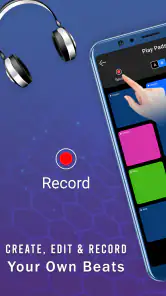
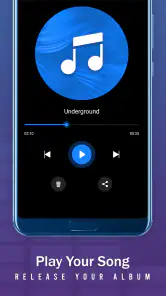
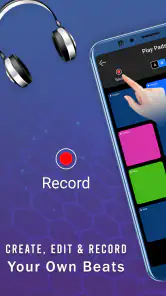
The recording feature can make an idea easier to revisit or share with friends. I would use it after settling on a pattern rather than recording every experiment; that way, you keep the result you actually want to hear again. Sharing a quick beat can be fun, but it is worth remembering that a phone-made sketch is a starting point, not automatically a finished production. That distinction helps keep expectations realistic.
Sounds, loops, and practical trade-offs
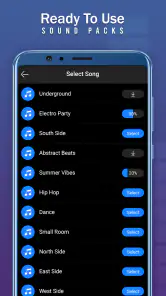
The sound packs give you different material to work with, while the app’s hip hop focus makes it a natural choice for users drawn to that style. When exploring packs, I would keep one part of a beat familiar and change only the sound being tested. If the whole pattern changes at once, it is harder to tell whether a new pack suits your idea or whether the rhythm itself is doing the work. This simple comparison makes browsing more deliberate.
Loop mode is useful when you want to hear a pattern as a repeating phrase instead of a string of isolated taps. It can help reveal whether a rhythm feels balanced after several passes. Still, a loop can also make a weak pattern feel repetitive quickly, so I would treat that as feedback: simplify it, adjust the spacing, or try a different combination. Repetition is a tool for evaluating an idea, not proof that the idea is finished.
The tutorial mode offers a starting point for people who would rather have some guidance than explore every control alone. I would use it to get oriented, then spend time trying my own patterns so the app does not become only a sequence of instructions. For experienced beatmakers, the tutorial may be less relevant; the more valuable part is likely to be the immediate access to pads and the freedom to test ideas without setting up equipment.
What to expect before downloading
The game has passed 10 million installs, and its current version is 11.0.1. It supports Android 5.0 or later, and its in-app purchases range from $0.99 to $99.99 per item. Since it is free to download, I would try the basic experience first and decide whether it fits my habits before spending anything. The purchase range is broad, so it is sensible to check the in-app options carefully and avoid treating any purchase as necessary for enjoying a short beat-making session.
If you are wondering whether it is suitable for a child, its Everyone rating makes it broadly accessible, though I would still consider how much screen time and spending access you want to allow. If you are wondering whether it can replace a full production setup, I would say no: its strength is immediate, portable experimentation. And if you simply want to make a quick rhythm without learning a complicated interface, that same focus is precisely why it may be worth a try.
Compared with a standard rhythm game, this is less about following someone else’s chart and more about shaping your own pattern. Compared with a full music workstation, it is much more immediate but naturally less suited to detailed production work. That middle ground is the point. The app offers a low-friction way to explore beats, but it is best approached with modest goals: learn a rhythm, enjoy a sound, or capture a sketch rather than expect a complete studio experience.
Discovering the Groove
When I first stumbled upon Real Electro Drum Pad: Hip Hop in the app store, I was intrigued by its promise to deliver a full-on drum machine experience right on my phone. And let me tell you, it does not disappoint! From the moment you open the app, you're greeted with a sleek interface that's as inviting as it is functional.
Features Worth Noting
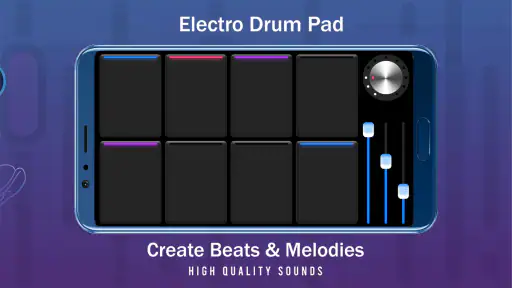
The app comes packed with a variety of sound packs that cater to different styles, but it shines in the hip hop genre. Each pad is responsive and provides a satisfying sound that makes you feel like you're in a professional studio. There's even a recording feature, so you can lay down those sick beats and share them with your friends.
One of my favorite features is the loop mode, which allows you to create intricate patterns and layer sounds effortlessly. Trust me, once you start playing around with it, you won't want to stop. The app also includes a tutorial mode, which is perfect for beginners who might need a bit of guidance.
Experience and Usability
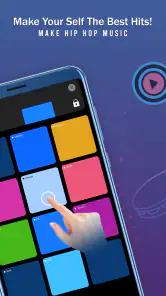
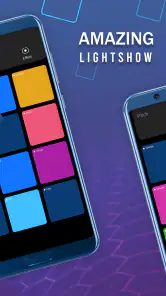
Using the app is a breeze. The layout is intuitive, making it easy to navigate through different sound packs and features. Whether you're tapping out a quick rhythm or composing a full track, the app's performance is smooth with no noticeable lag, which is crucial when you're in the groove.
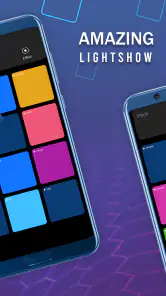
Another thing I appreciate is how the app encourages creativity. You can experiment with different sounds and techniques without fear of making mistakes, which is all part of the learning process. The interface is colorful and engaging, making the entire experience enjoyable from start to finish.
Final Thoughts
All in all, Real Electro Drum Pad: Hip Hop is a fantastic tool for anyone interested in music production. Whether you're a hobbyist or aspiring producer, this app offers a great way to practice your skills and have fun while doing it. It's user-friendly, packed with features, and most importantly, it's a blast to use.
So, if you're looking to unleash your inner DJ, give this app a try. It's available for download on both Android and iOS, just waiting for you to create your next hip hop masterpiece. Happy drumming!
Real Electro Drum Pad: Hip Hop Pros and Cons
Pros
- User-friendly interface for beginners.
- Wide variety of drum pad sounds.
- Customizable sound packs.
- Seamless looping and recording.
- Responsive touch controls.
Cons
- Limited free sound packs.
- Occasional audio lag on older devices.
- Ads can be intrusive.
- No tutorial for beginners.
- Requires in-app purchases for full features.
Frequently Asked Questions
What is Real Electro Drum Pad: Hip Hop?
Real Electro Drum Pad: Hip Hop is an innovative music creation app that allows users to compose, mix, and produce hip hop beats and tracks using a virtual drum pad. Designed for both beginners and experienced music producers, the app offers a wide array of sound packs, effects, and user-friendly features to enhance musical creativity on the go.
How user-friendly is Real Electro Drum Pad: Hip Hop for beginners?
Real Electro Drum Pad: Hip Hop is designed to be highly user-friendly, making it accessible for beginners who have little to no experience in music production. The intuitive interface allows users to easily select sound packs, arrange beats, and apply effects without needing extensive technical knowledge, making it a great tool for those new to music creation.
What features does Real Electro Drum Pad: Hip Hop offer to enhance music production?
This app offers a comprehensive set of features to enhance music production, including a variety of sound packs, customizable drum pads, real-time effects, and the ability to record and share tracks. Users can explore different genres, adjust tempo, and layer sounds to create unique compositions. The app's advanced features cater to both casual users and professional producers.
Is Real Electro Drum Pad: Hip Hop available for both Android and iOS devices?
Yes, Real Electro Drum Pad: Hip Hop is available for download on both Android and iOS devices. Users can find it on Google Play Store for Android and Apple App Store for iOS, ensuring a wide range of device compatibility. This availability allows users to create music on their preferred platform, whether it's a smartphone or tablet.
Are there any in-app purchases or advertisements in Real Electro Drum Pad: Hip Hop?
Real Electro Drum Pad: Hip Hop offers a free version with basic features and sound packs. However, users can choose to make in-app purchases to access premium sound packs, additional features, and an ad-free experience. While advertisements may appear in the free version, purchasing the premium version enhances user experience by removing ads and unlocking more creative options.


