

Play Drums for Beginners
- Reviews
- 4.4
- Version
- 11.10.20
- Installs
- 100,000,000+

Screenshots
 Analysis by Frivlyz
When I want to try out a rhythm without setting up a physical kit, a drum app is an easy place to start. Real Drum turns a phone or tablet into a tappable kit, so I can explore beats in a quiet moment, whether I’m curious about drumming or already know a little. Its appeal is immediate: open it, find the drum sounds on screen, and start experimenting. That convenience matters more to me than pretending a touchscreen can fully replace playing real drums.
What the free version means for your decision
The game is free to download, which makes it straightforward to try before deciding whether it belongs in your routine. It is made by Kolb Apps, is rated for Everyone, and has in-app purchases priced from $1.50 to $18.99 per item. I’d treat those purchases as optional spending rather than assume they are necessary: the sensible first step is to see whether the free experience suits the way you want to play. The price range alone does not tell me what a particular purchase includes, so I would check the in-app details before paying.
Its broad reach suggests that many people have tried it, but popularity is not a substitute for fit. The game has a 4.4 average from around 1.6 million ratings and over 100 million installs. It first appeared in 2012, and version 11.10.20 is the current release. Those details are useful context, not a promise that every device or playing style will feel the same. It requires Android 7.0 or later, so I’d check compatibility before downloading on an older device.
Our Stories on Play Drums for Beginners
Feel the Rhythm: How 'Play Drums for Beginners' Strikes a Chord
NewsMastering Roblox: Unleash Your Inner Power User
NewsDancing Road Turns Short Breaks Into a Test of Rhythm and Timing
NewsSuper Stylist Makes Every Outfit a Test of Taste and Patience
NewsDominoes on Your Terms: Who Should Play and Who Should Pass
NewsPokémon GO Makes the Familiar World Feel New
NewsGetting Started with Your Virtual Kit
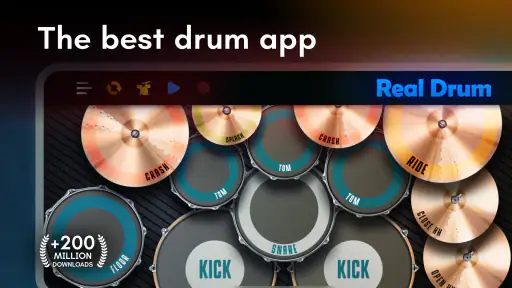
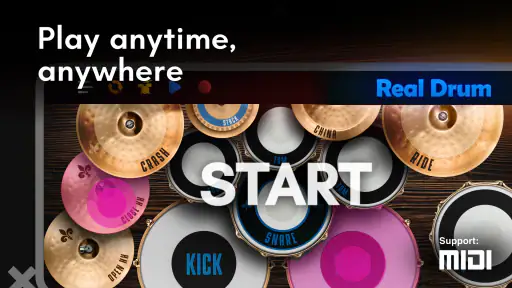
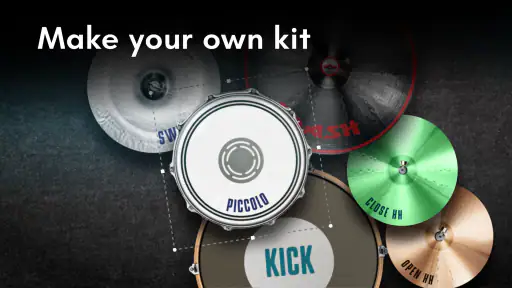
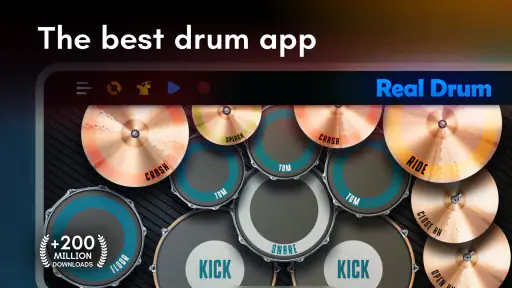
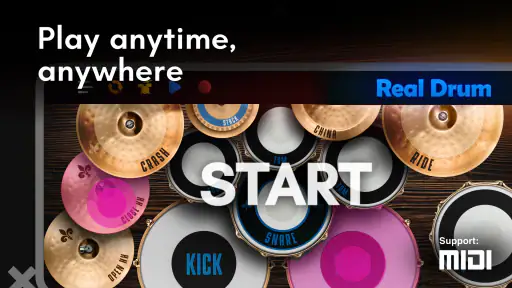
When you first launch Real Drum, you're greeted with a straightforward and intuitive interface. The app replicates a drum set with incredible detail, featuring a variety of components like snares, toms, cymbals, and even a bass drum that you can tap on. It’s like having a mini drum kit in your pocket, and the best part is, no neighbors will complain about the noise!
Tapping into the Features
One of the coolest things about this app is its customization options. You can tweak the sound of each drum piece to suit your style. Want a deeper bass or a sharper snare? Just dive into the settings and make the adjustments. The app also includes a range of loops and backing tracks to play along with, which is fantastic for jamming sessions or practice drills.
Play Like a Pro
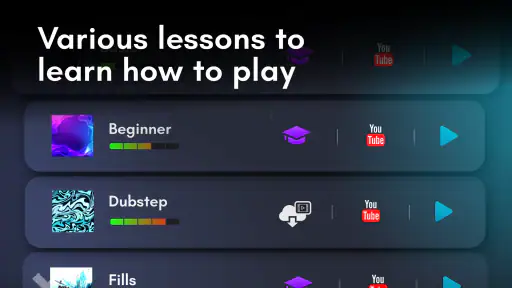
Whether you're a seasoned drummer or just starting out, Real Drum has got you covered. The app includes lessons that cater to various skill levels, which is a huge plus for beginners. It guides you through different rhythms and techniques, helping you improve your drumming skills without needing a physical drum set. Plus, you can record your sessions to track your progress or share your beats with friends.
For those who love to experiment, the app offers a multi-touch feature allowing you to hit multiple drums simultaneously. It feels surprisingly natural and responsive, almost as if you are drumming on an actual kit. And the sound quality? Crisp and realistic, adding to the overall immersive experience.
Gaming Stories You May Enjoy

Chess.com Turns Rematches Into Rivalries, but Community Has Its Costs

Archery Battle 3D Review: Sharp Aiming, Unclear Feedback

Should You Switch to Geometry Dash Meltdown? A Test of Timing and Patience

Fidget Toys Trading・Pop It 3D: What Happens When the Game Stumbles

NBA LIVE Mobile Makes the Season the Main Event

Sonic Forces: PvP Battle Race - Speed and Strategy Combined
A Few Tips to Enhance Your Experience
To get the most out of Real Drum, I'd recommend using headphones. This not only improves the sound quality but also allows you to hear every nuance of your drumming. Plus, it's a great way to avoid disturbing others around you. Also, take advantage of the recording feature to replay your sessions, spot mistakes, and fine-tune your technique.
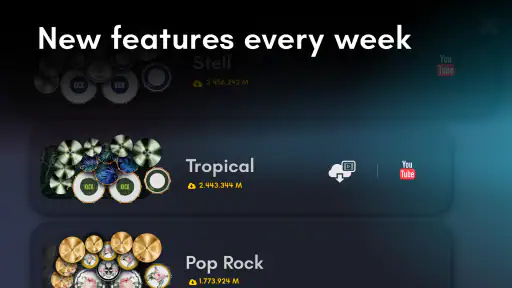
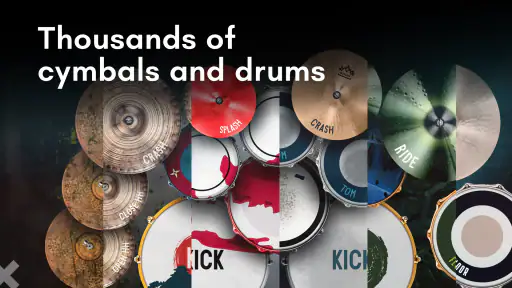
Another tip is to explore the different kit styles available. Whether you prefer rock, jazz, or electronic, there's a setup that will match your taste. It's like having a personalized drum kit for every mood and style.
Make practice work on a small screen
In everyday use, I find it helps to treat the screen as a sketchpad for rhythm, not as a full-size instrument. On a phone, the pads are necessarily close together; that makes quick ideas easy to test, but can also make precise sticking awkward if your fingers cover neighboring pieces. A tablet gives your hands more room, though it still cannot reproduce the spacing, rebound, or physical feel of acoustic drums. If accuracy matters, I’d use the app to remember a pattern and then practise the same movement on a real kit or a practice pad.
A useful routine is to begin with one simple pulse, then add a snare hit or a cymbal accent only after the basic timing feels steady. The lessons can give a beginner a path through rhythms rather than leaving them to tap randomly, while the loops and backing tracks offer a way to hear whether a beat holds together alongside music. I’d keep sessions short and focused: choose one rhythm, record it, listen back, and change one thing at a time. That makes the recording feature more useful than simply saving a long improvisation you never review.
Use it for ideas, not just practice
A realistic use case is a commute or a quiet break when a rhythm occurs to me but there is no instrument nearby. I can tap out the idea, try a different kit sound, and record a rough version so I can return to it later. At home, it can also make a low-noise activity for a beginner who is curious about drums but is not ready to arrange lessons or find room for a kit. Headphones help keep the sound personal, although they do not solve the physical limitation of playing on glass.
For experienced players, I see the strongest use as quick experimentation: sketching a groove, testing a fill, or having a casual jam with a backing track. It is less convincing as a substitute for technique work that depends on stick control, foot coordination, dynamic touch, and the response of real drumheads and cymbals. The app can help with musical ideas and rhythmic familiarity; it cannot make those physical skills automatic.
How it compares with other ways to learn
Compared with rhythm games, this is closer to an on-screen kit you play directly than a challenge built around hitting prompts at the right moment. That gives me more freedom to make a beat, but less of the structured scoring and immediate pass-or-fail feedback that some learners want. Compared with video lessons, the interactive kit is handy when I want to try a rhythm right away, while a teacher or a detailed lesson can correct posture, hand technique, and timing in ways a touchscreen cannot. The right choice depends on the goal: playful exploration and simple practice suit this app; formal instruction and physical technique call for something else.
It is also worth considering what “quiet” means here. A virtual kit avoids the loud acoustic sound of drums, which is useful in shared spaces, but playing still involves tapping a screen and listening to audio. I would keep the volume considerate and use headphones where appropriate. If your aim is to practise without any sound or hand movement, this is not a silent substitute; if your aim is to explore rhythms without a full drum setup, it is much more practical.
Small choices that improve the experience
I’d start by trying the interface in both portrait and landscape orientations if the device allows it, then settle on the layout that makes the pieces easiest to reach. On a phone, using two hands can help keep the fingers assigned to separate areas rather than chasing every hit with one thumb. On a tablet, a stable surface can make longer sessions more comfortable. These are simple adjustments, but they reduce missed taps and make it easier to focus on the beat instead of the screen.
When changing sounds or kit styles, I’d avoid adjusting several things at once. Keep the same rhythm and change one drum sound, then listen to the recording; that makes it easier to tell whether the new tone helps the groove. Similarly, when using a backing track, begin with a beat you can play consistently before adding fills. A complicated pattern can feel exciting for a few seconds, but a steady groove is a better test of whether the timing is working.
Who is likely to get the most from it
I’d recommend giving it a try if you’re new to drumming, want a convenient way to explore basic rhythms, or simply enjoy tapping out beats for fun. It is especially appealing if buying or storing a physical kit is not practical right now. A parent looking for a creative activity for a child can also consider it, keeping in mind that the Everyone rating is an age classification, not a guarantee that every lesson or purchase will suit every family. Checking the screen together is a sensible way to decide.
I’d be more cautious if you already play seriously and need precise timing feedback, realistic physical response, or a dependable replacement for a practice kit. I’d also skip it if what you really want is a rhythm game with clearly defined challenges, or a teacher-led course with feedback on technique. Real Drum is most valuable when convenience and experimentation matter more than physical realism or formal assessment.
Where the trade-offs show up
The main compromise is inherent to a touchscreen: it is compact and accessible, but your fingers do not get the spacing or tactile cues of drumsticks on a kit. Multi-touch makes playing more expressive than tapping a single pad at a time, yet the screen size and your device’s responsiveness still shape what feels comfortable. For a quick groove, that limitation is easy to accept; for practicing fast, intricate parts, it can become the thing you notice most.
There is also a difference between hearing a convincing drum sound and learning to produce that sound with an instrument. Customizing a snare or choosing a style can keep experimentation fresh, but the app cannot teach the feel of a stick rebound just by presenting a realistic tone. I would use its lessons as an accessible introduction and its recordings as a way to review ideas, while keeping expectations grounded about what kind of progress a virtual kit can support.
As with any free game that offers purchases, I’d make the decision item by item rather than spend simply because an option is visible. The free download lowers the barrier to trying it, while the listed purchase range means some extras may involve spending. If the basic kit, lessons, and play-along material already meet your needs, there is no reason to buy anything just to validate the experience. If an item catches your eye, check its contents and cost in the app first.
My verdict on the value
My recommendation is simple: start with the free download and see whether tapping rhythms on your device feels enjoyable and useful. For a beginner, a curious music fan, or a drummer who wants a pocket-sized idea pad, it offers a practical way to play without setting up a physical kit. I would not buy it expecting the same training as lessons with a teacher or the same feel as real drums. Its value is in accessibility, experimentation, and quick practice; if those are what you want, it is worth trying, and if physical technique or structured feedback is your priority, I’d choose a more hands-on alternative.
In conclusion, Real Drum is more than just a drumming app; it's a portable drumming studio that fits in your pocket. With its user-friendly interface, customizable features, and realistic sound, it offers an enjoyable and authentic drumming experience for both novices and pros alike. So, whether you're looking to practice your drumming skills or just want to have fun, give Real Drum a try. Who knows, you might just discover your inner drummer!
Play Drums for Beginners Pros and Cons
Pros
- Realistic drum sounds
- Responsive touch controls
- Customizable drum kits
- Free to use
- Offline mode available
Cons
- Ads can be intrusive
- Limited sound customization
- Premium features require payment
- High battery consumption
- App size is large
This Game in Other Languages
Frequently Asked Questions
What is Real Drum and how does it work?
Real Drum is a mobile application designed to simulate the experience of playing a real drum set. It offers various drum kits and percussion instruments, allowing users to practice drumming on their smartphones or tablets. The app features multi-touch support, high-quality sound, and a user-friendly interface for an immersive drumming experience. Users can choose from multiple drum kits, customize their kits, and even record and share their performances.
Is Real Drum suitable for beginners?
Yes, Real Drum is highly suitable for beginners. The app provides a tutorial mode that guides new users through the basics of drumming. It also offers a variety of easy-to-follow lessons and exercises to help beginners learn rhythm and drum patterns. The user-friendly interface and adjustable difficulty levels make it accessible for users with little to no drumming experience.
Can I customize the drum kits in Real Drum?
Absolutely! Real Drum allows users to customize their drum kits according to their preferences. You can change the appearance and sounds of the drum components, such as the snare, bass, and cymbals. This flexibility enables users to tailor the app to match their desired drumming style and sound, enhancing the overall playing experience.
Does Real Drum support recording and sharing of performances?
Yes, Real Drum supports recording and sharing your drum performances. You can record your sessions directly within the app and save them for future playback. Furthermore, the app offers options to share your recordings with friends or on social media platforms, allowing you to showcase your drumming skills to a wider audience.
Is Real Drum available for both Android and iOS devices?
Real Drum is available for both Android and iOS devices, ensuring a wide range of users can access and enjoy the app. It can be downloaded from the Google Play Store for Android users and the Apple App Store for iOS users. The app is optimized to run smoothly on both platforms, providing a consistent drumming experience across different devices.


