

Race Craft - Kids Car Games
- Reviews
- 4.5
- Version
- 2025.2.0
- Installs
- 10,000,000+

Screenshots


 Analysis by Frivlyz
I’d approach Race Craft - Kids Car Games as a playful racing game for children, with track-building at its center rather than as a miniature version of a serious driving simulator. That distinction matters: the appeal is not just reaching the finish line, but making a course and seeing what happens when a car takes it on. I find that combination especially useful for younger players who enjoy both fast movement and hands-on creative play.
It is a free game from Budge Studios, rated Everyone, and aimed at children. Its current version is 2025.2.0, and it runs on Android 5.1 or later. The game has a 4.5 average from around 27,000 ratings and more than 10 million installs, which suggests a broad audience, though popularity alone cannot tell a parent whether its play style suits their child. The main cost detail to keep in mind is that optional in-app purchases range from $0.99 to $14.99 per item. Free access makes it easy to try; those purchases mean I would still check the game’s spending setup before handing a device to a child.
The Thrill of the Race
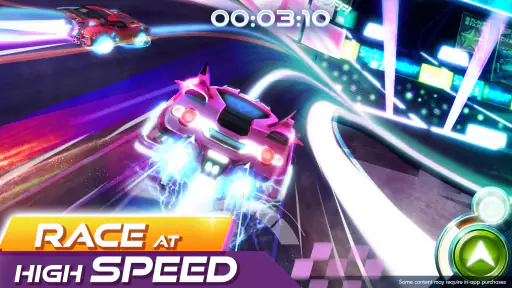
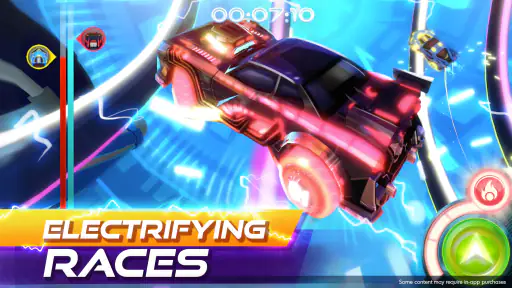
First off, let me just say that Race Craft - Kids Car Games packs a punch of excitement right from the get-go. It’s like handing your kid their own little racetrack in the palm of their hands. The graphics are vibrant and engaging, which is a big hit among the younger crowd. Trust me, your little ones will be glued to the screen in awe of the colorful tracks and whimsical cars.
Building and Crafting
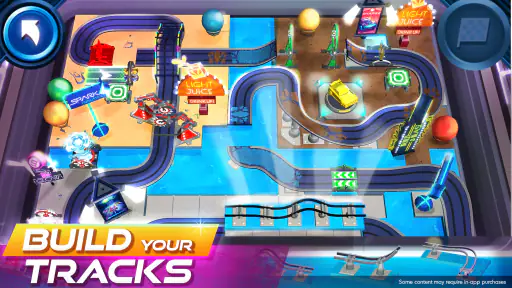
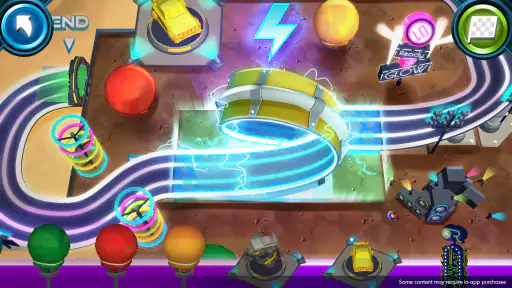
One of the coolest features of this app is the ability to build your own tracks. It’s like Lego but for race cars. Kids can unleash their creativity by designing unique tracks, making the game not just a racing experience but also a creative outlet. The app offers a variety of tools and elements, allowing kids to experiment with different track designs. It’s a great way to encourage problem-solving skills and creativity.
A practical way to get more from this feature is to treat each track as a small experiment, not a project that has to be perfect. A child can start with a straightforward route, try a more ambitious design, then race it and notice where the car slows, jumps, or struggles. That build–test–adjust loop gives the creative part a purpose: the child can connect a design choice with what happens on the course. I’d encourage a young player to explain one change they made before trying again. It turns a quick session into a simple exercise in planning and cause and effect without making the game feel like homework.
Racing Fun
Once the track is built, it’s time to hit the road! The racing part of the app is just as thrilling. The controls are simple enough for kids to grasp quickly, yet they still offer a challenge to keep them engaged. There’s something incredibly satisfying about watching your custom-built car zoom through loops and jumps. And let’s not forget about the sense of achievement when they cross the finish line first!
The best use case, in my view, is a short play break when a child wants something more active than a puzzle but you do not want to introduce a complicated racing game. For example, after school, a child could build one course, race it, and then make a single adjustment before putting the device away. That gives the session a natural stopping point. It also makes the game easier to share with a sibling or parent: one person proposes a track idea, another tries it, and they can compare what worked. I would not expect that to replace outdoor play or a hands-on building set, but it can be a tidy, screen-based way to keep car-loving kids occupied for a while.
Gaming Stories You May Enjoy

Dancing Road Turns Short Breaks Into a Test of Rhythm and Timing

Super Stylist Makes Every Outfit a Test of Taste and Patience

Dominoes on Your Terms: Who Should Play and Who Should Pass

Pokémon GO Makes the Familiar World Feel New

Chess.com Turns Rematches Into Rivalries, but Community Has Its Costs

Archery Battle 3D Review: Sharp Aiming, Unclear Feedback
Compared with conventional racing games, this one appears better suited to children who want to shape the route instead of simply selecting a car and competing on fixed circuits. A more simulation-focused racer is a better fit for older players who want realistic handling, detailed tuning, or demanding competition. On the other hand, a child who mainly wants open-ended construction and little interest in racing may be happier with a building game. Here, the appeal is the back-and-forth between making a track and taking a car around it; if either half is uninteresting to a child, the combination will not automatically solve that mismatch.
Educational Value
Now, I know what you’re thinking – it’s all fun and games, but what about the learning aspect? Well, this app doesn’t disappoint. As kids play and build, they’re also learning about basic physics concepts like momentum and gravity. The app subtly integrates these educational elements so that kids are learning while having a blast. It’s a win-win situation for both kids and parents!
I would frame the learning as informal discovery, not as a structured lesson or a substitute for teaching. The useful moment is when a child sees a car behave differently after changing a route and starts asking why. A parent can help by asking what the child expects before a race, then letting the result answer the question. That keeps the explanation grounded in play rather than promising a curriculum. The same applies to the game’s planning element: kids can think ahead about a course, but a parent should not assume that every race automatically teaches a clearly defined skill. Its strongest educational value comes when the child is curious enough to test an idea and talk about what happened.
For younger players, I’d also set expectations before starting: the goal does not need to be winning every race. Trying a design, spotting a tricky part, and changing it can be more rewarding than chasing a perfect result. This makes the game more welcoming for a child who gets frustrated by losing, and it gives a parent an easy way to keep the focus on experimentation. If the child is not enjoying the building side, though, there is no need to insist that the creative angle makes it educational; another age-appropriate racing game may suit them better.
Parents may reasonably wonder whether “free” means there is nothing to consider financially. The game costs nothing to start, but its in-app purchases are individually priced from $0.99 to $14.99. I would treat that as a reason to review purchase controls and explain the difference between playing and buying before a child uses it unsupervised. That is a practical precaution, not a reason to assume purchases are required to enjoy the game; the cost facts establish that optional items are sold, while the right budget decision depends on the family.
Who Will Get the Most Out of It
The strongest match is a child who enjoys cars and wants some say in how a race unfolds. The game is aimed at children aged 4–12, but interests and patience vary widely within that range, so I would judge fit by the child rather than age alone. A younger child may enjoy watching the car tackle a course they helped create, while an older one may get more satisfaction from revising a layout and improving a run. Since it is rated Everyone, it is positioned for a broad audience, but parents should still decide whether the play style and screen time are right for their household.
I would be more cautious about recommending it to a child who wants realistic vehicle controls, a serious competitive challenge, or a long-form story. Its kid-focused presentation and build-and-race premise are strengths for the intended audience, but they are not a replacement for the depth of a dedicated racing simulator or the freedom of a pure construction sandbox. Nor would I choose it for a child who quickly loses interest in repeating a course to see what happens after a redesign. The key question is whether the child likes both making a route and driving it, rather than cars in the abstract.
For families deciding whether the game is worth trying, the free entry point makes a brief test reasonable, while the purchase range is worth discussing in advance. I would let the child try a simple course first, then see whether they ask to build another or make a change. That is a more useful signal than assuming a high rating guarantees a personal fit. Budge Studios released the game on March 5, 2020, and the current version is 2025.2.0; for a parent, the more immediate choice is whether this kind of creative racing holds the child’s attention and fits the family’s approach to in-app spending.
In addition to physics, the game also promotes cognitive skills such as strategic thinking and planning. Before racing, kids need to plan their track layouts and think ahead about potential obstacles. This kind of strategic planning is a great exercise for their young brains.
Final Lap
In conclusion, Race Craft - Kids Car Games is more than just a racing game. It’s an engaging, educational platform that encourages creativity, strategic thinking, and a love for racing. Whether your kid is a budding engineer or just loves cars, this app has something to offer. So why not give it a try? After all, who doesn’t love a good race?
My recommendation is a measured yes for a child who enjoys making things as much as seeing them move. I would start with the free experience, sit nearby for the first session, and use one short build-and-race cycle to judge whether the child is genuinely engaged. If the course editor becomes the favorite part, let them experiment; if the racing itself is the draw, keep the focus on a simple route and an enjoyable run. Keep purchases in mind and set boundaries that work for your family. For a young car fan looking for a playful mix of design and speed, it is worth a try; for someone seeking realistic racing or deep construction alone, I would choose a more specialized game.
Race Craft - Kids Car Games Pros and Cons
Pros
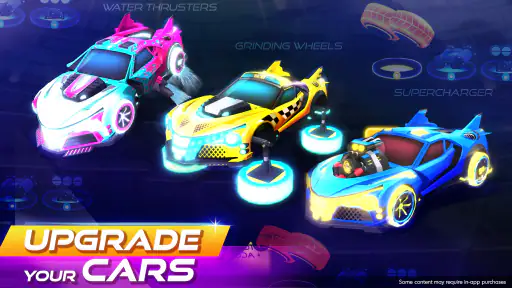
- Engaging car customization features.
- User-friendly interface for kids.
- Encourages creativity and learning.
- Colorful and vibrant graphics.
- Safe and ad-free environment for kids.
Cons
- Limited car models available.
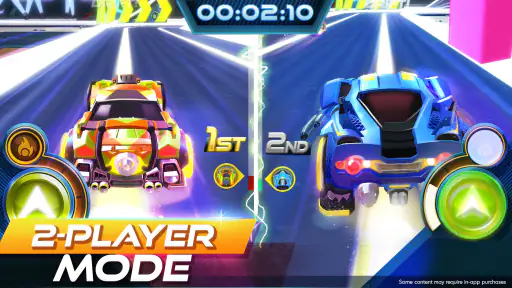
- Lacks multiplayer mode.
- Occasional in-app purchases.
- Requires internet for some features.
- Sound effects can be repetitive.
Frequently Asked Questions
What is Race Craft - Kids Car Games?
Race Craft - Kids Car Games is an engaging and interactive app designed for children, allowing them to build, customize, and race their own cars. The game combines creativity and speed, encouraging kids to explore their imagination while enjoying thrilling races on various tracks. It is available for both Android and iOS devices.
Is Race Craft - Kids Car Games safe for children?
Yes, Race Craft - Kids Car Games is specially designed with kids in mind, ensuring a safe and child-friendly environment. The app contains no inappropriate content and incorporates parental control features to limit playtime and in-app purchases, making it a secure choice for young players.
What age group is Race Craft - Kids Car Games suitable for?
Race Craft - Kids Car Games is ideal for children aged 4 to 10 years old. Its intuitive interface and simple gameplay mechanics make it easy for young children to navigate and enjoy, while the creative elements of car building and racing provide entertainment that can grow with the child.
Are there any in-app purchases or ads in Race Craft - Kids Car Games?
Yes, Race Craft - Kids Car Games offers optional in-app purchases to enhance gameplay, such as additional car parts and unique tracks. The app also includes ads, but these are child-appropriate and can be removed with a one-time purchase to ensure an uninterrupted play experience for kids.
How does Race Craft - Kids Car Games support child development?
Race Craft - Kids Car Games supports child development by encouraging creativity, problem-solving, and fine motor skills. As children design and race their cars, they learn to think critically and make decisions, enhancing their cognitive abilities and providing a fun, educational experience.


