

Princess Game Fantasy Coloring
- Reviews
- 4.6
- Version
- 1.14.2.2
- Installs
- 10,000,000+

Screenshots
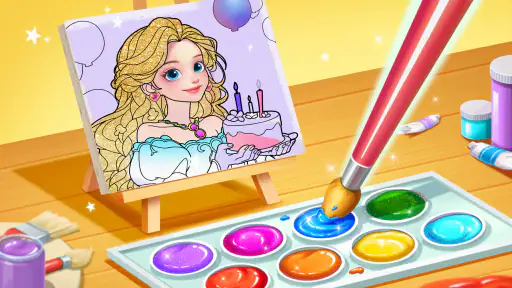
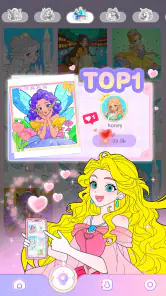

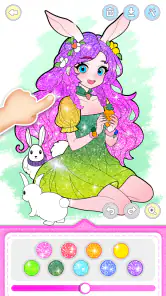
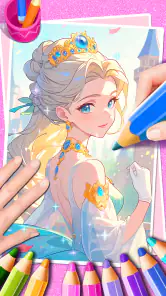
 Analysis by Frivlyz
I can see Princess Game Fantasy Coloring working best as a small shared activity rather than a game that needs a long, uninterrupted session. A child can pick an illustration, choose colors, and make a little progress while an adult is nearby; later, someone else can take a turn. That makes it an easy fit for a quiet stretch at home or a wait when a coloring book and pencils are not handy. I’d treat it as a creative diversion, not a substitute for every kind of play: its appeal is the focused act of filling pictures, so children who want action, puzzles, or a story with lots of choices may lose interest sooner.
A practical way to share one device
On a household tablet or phone, I’d set expectations before handing it over: agree on whose turn it is, whether a picture is being started together, and whether the child can use any sharing options. Those simple boundaries matter more than complicated rules. If several people use the same device, I wouldn’t assume that each person has a separate account or private portfolio. The artwork gallery described in the experience is useful for revisiting creations, but a shared device can make personal work feel shared too. A parent can help children recognize which picture they made, or decide together when it is time to move on.
A good low-friction routine is to choose one image before a short break, let the child work on it, and save the finished result before switching activities. That avoids the familiar household problem of a half-finished screen being replaced by the next person’s turn. It also gives a young artist a clear stopping point. I’d encourage children to make their own color choices rather than trying to produce a “perfect” princess; the value here is experimenting, not matching someone else’s idea of how a picture should look.
What the coloring activity is—and is not
Compared with paper coloring, the digital format makes undoing a slip and changing colors much easier, and zooming can help with small details. It also means the experience depends on a touchscreen and on the app’s available designs and tools. A paper book is the better choice when a child wants to draw freely beyond preset pictures, use physical materials, or create something away from a screen. Compared with broad drawing apps, this game is more approachable for a child who wants a ready-made picture to color, but it offers less open-ended blank-page creation.
That distinction is useful when deciding whether it suits a particular child. If they enjoy choosing palettes and filling defined areas, the simple format can hold their attention without asking them to learn a complicated drawing interface. If they repeatedly ask to invent characters, draw scenes from scratch, or build a longer narrative, I’d look for a different art or story activity instead. I also wouldn’t frame it as a lesson plan: it can prompt conversation about colors and choices, but the main reason to open it is enjoyment.
Age, trust, and small boundaries
The game is rated Everyone, and BabyBus makes it as an educational game. I’d still decide how it fits a particular child rather than treating an age label as a parenting decision. Young children may need help with the controls, with stopping at a natural point, and with understanding that tapping a sharing control can take their work outside the coloring screen. For a child using a parent’s phone, I’d keep the device nearby and review the available options together before leaving them to play independently.
It is free to download, with in-app purchases priced from $1.99 to $3.99 per item. That is worth knowing in a shared-device home, especially if a child can explore menus without an adult present. I’d explain that paid choices require permission and keep purchases behind the device’s usual safeguards. The practical point is not to make the game feel off-limits; it is to avoid an accidental purchase during a moment when a child is simply trying to find another picture or tool.
Gaming Stories You May Enjoy

Dancing Road Turns Short Breaks Into a Test of Rhythm and Timing

Super Stylist Makes Every Outfit a Test of Taste and Patience

Dominoes on Your Terms: Who Should Play and Who Should Pass

Pokémon GO Makes the Familiar World Feel New

Chess.com Turns Rematches Into Rivalries, but Community Has Its Costs

Archery Battle 3D Review: Sharp Aiming, Unclear Feedback
Who will enjoy it most
I’d recommend it to families looking for a gentle, low-pressure coloring option, especially when a child likes princess and fantasy imagery and appreciates being able to correct small mistakes. It can also suit an adult who wants a brief, uncomplicated coloring break. I would skip it for someone who wants a deep educational curriculum, a competitive game, or a robust digital art studio. The best match is a player who is happy to work within a picture and make it their own through color.
For a realistic everyday use, imagine a child finishing a snack while a caregiver gets a few minutes to tidy up. One person can help choose a picture and explain the zoom and undo controls, then let the child color for a short stretch. Before handing the device to a sibling, they can save the artwork and agree that the next player gets a fresh turn. It is a modest routine, but that is where this kind of game can be most useful: it gives a child something creative to do without turning the whole household schedule upside down.
Dive Into a World of Fantasy
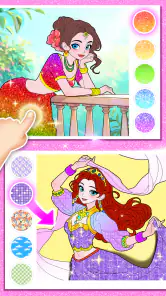
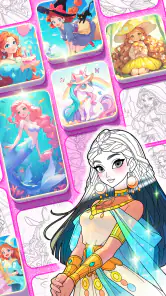
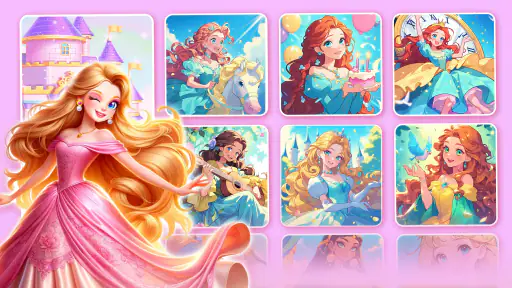
From the moment you open Princess Game Fantasy Coloring, you're greeted with a vibrant palette of colors and a gallery brimming with enchanting illustrations waiting to be brought to life. The app features a wide variety of themes, including royal ballrooms, mystical forests, and charming castles. It's as if you've stepped into a storybook, and each picture is a new chapter waiting to unfold.
Intuitive Design and User Experience
The app's interface is as charming as its content. Navigating through the menus is a breeze, and the touch-responsive design ensures that even the tiniest fingers can color with ease. What I love most is the app’s simplicity—no clutter, just pure coloring bliss. You can easily zoom in on intricate details or zoom out to view your masterpiece in its entirety. Plus, with a simple tap, you can switch colors or undo any little mishaps. It's all about making your coloring experience as seamless and enjoyable as possible.
Those controls are particularly helpful when a child colors on a smaller phone screen. I’d begin by letting them test a few taps on an easy part of the picture before moving toward finer details; zooming in can make a small area manageable, but staying zoomed in too long can make it harder to judge how the whole image looks. A useful rhythm is to work on one section, zoom back out, and decide what to color next. It turns the zoom control into a practical tool rather than just an extra button.
The undo option is another small but meaningful part of the experience. Children who are cautious about making mistakes may be more willing to try an unexpected color when they know they can reverse a choice. I’d use that freedom to encourage experimentation: pick a surprising shade for a dress or background, see how it feels, then keep it or undo it. That makes the activity about trying ideas instead of worrying over every tap. At the same time, the simplicity has a limit: anyone looking for advanced layers, detailed drawing tools, or precise professional control should choose a dedicated art app.
Color, Create, and Share
The app isn't just about coloring within the lines. It encourages creativity by offering a plethora of tools that allow you to add your own personal touch. You can choose from various brush sizes, textures, and colors, giving you the freedom to experiment and create something truly unique. And once you’ve finished your artwork, sharing it with friends and family is just a click away! The app integrates smoothly with social media, making it easy to share your creativity with the world.
For families, I’d make sharing a deliberate last step rather than part of every session. A young child can be proud of a finished picture without needing to post it anywhere; showing it to someone nearby or simply looking at it together can be enough. If an adult chooses to share, I’d handle that action myself and check the destination before continuing. This is a sensible boundary for any child-focused creative activity, particularly when the same device is used by different people with different comfort levels around social media.
The brush choices also invite a little planning. Instead of changing tools every few seconds, a child can choose a broad approach for large areas and save finer work for details. That keeps the activity from becoming a hunt through controls and helps the picture feel coherent. I wouldn’t expect the tools to turn the game into freehand illustration; their purpose is to personalize coloring, not replace a full drawing workspace. That difference is easy to miss if someone is comparing it with general-purpose art software.
One feature that particularly stands out is the ability to save your artwork in a personal gallery. It's like having a virtual portfolio of your artistic journey, which you can revisit anytime. Whether you're a child exploring colors for the first time or an adult seeking a relaxing pastime, this app caters to all ages.
That gallery can give a child a satisfying sense of progress, especially if they like returning to pictures they have completed. I’d occasionally look back together and ask which color choice they still like, or what they might do differently next time. It is a gentle way to turn a finished screen into a conversation without making the game feel like homework. On a shared device, though, I’d avoid assuming that saved art is private or organized by person; decide as a household whether everyone is comfortable using the same gallery.
Relax and Unwind
In our fast-paced world, finding ways to relax and unwind is essential, and Princess Game Fantasy Coloring provides the perfect escape. The soothing background music and the satisfaction of watching colors fill the screen can be incredibly therapeutic. It’s a wonderful way to unwind after a long day or simply take a break from the hustle and bustle.
I see the calm appeal most clearly in short sessions. A child can focus on one picture while a caregiver prepares dinner, or an adult can use a few minutes of coloring as a quieter alternative to scrolling. It is not a guaranteed way to settle every child, and the music or screen itself may not suit everyone. If sound is unwelcome in a waiting room or shared space, I’d check the device’s audio before starting rather than assume the experience will be silent. For a child who finds screens overstimulating, paper and crayons remain the better option.
Princess Game Fantasy Coloring comes from BabyBus, a developer associated here with an educational game for a broad audience. It has a 4.6 average from around 20,000 ratings and more than 10 million installs, which suggests that many players have tried it, though popularity alone cannot tell me whether a particular child will enjoy coloring. It was released on June 19, 2024, and version 1.14.2.2 requires Android 5.0 or later. Those details make it straightforward to check whether an older Android device can run it before setting aside time for a child to play.
For parents deciding whether to install it, I’d weigh the simple activity against the household’s screen habits and the child’s interests. The game is free to start, but paid items are available, so a child should know to ask before selecting anything that costs money. If the device is shared, take a moment to establish who can use it and whether saved pictures are for everyone to browse. These are not complicated steps, but they make the game easier to use without surprises.
As a coloring choice, it sits between a paper activity book and an open drawing canvas. It is more forgiving than paper when a color goes wrong, and more guided than a blank digital page. That middle ground is precisely its strength for children who want to create without having to invent an image from scratch. Its trade-off is that the player works within the available illustrations and coloring tools, so a child who wants total freedom may soon ask for something less structured.
In conclusion, if you're looking for an app that offers a magical escape, encourages creativity, and provides endless hours of fun, Princess Game Fantasy Coloring is definitely worth checking out. It's a charming app that not only entertains but also nurtures the artist within. So go ahead, embark on this colorful adventure and let your imagination soar!
Princess Game Fantasy Coloring Pros and Cons
Pros
- Engaging for kids with creative interest.
- Includes a wide variety of coloring tools.
- User-friendly interface and easy navigation.
- No intrusive ads during gameplay.
- Offline mode available for uninterrupted play.
Cons
- Limited to fantasy-themed images.
- No multiplayer or social sharing features.
- Requires in-app purchases for full access.
- Lacks educational content beyond coloring.
- Graphics may not appeal to older children.
Frequently Asked Questions
What is Princess Game Fantasy Coloring and who is it suitable for?
Princess Game Fantasy Coloring is an engaging app designed primarily for children who have a passion for coloring and creativity. It offers a wide range of fantasy-themed princess illustrations that users can color using a variety of palettes and tools. This app is particularly suitable for young children, aged 4 to 10, who enjoy artistic activities and are fans of fairy tales and fantasy worlds. It provides an educational yet fun platform for children to express their creativity.
What features does Princess Game Fantasy Coloring offer to enhance user experience?
The app offers several features to enhance the user experience, including a vast collection of fantasy-themed princess illustrations, easy-to-use coloring tools, and a wide variety of color palettes. It also includes features like undo/redo options, zoom functionality for detailed coloring, and a save option that allows users to store their creations. Additionally, the app provides a gallery where users can showcase their completed artwork and share it with friends and family through social media platforms.
Is Princess Game Fantasy Coloring free to download and use?
Princess Game Fantasy Coloring is available as a free download on both Android and iOS platforms. While the app offers a basic version with essential features for free, it also includes in-app purchases. Users can buy additional coloring pages, advanced tools, or an ad-free experience through these purchases. This allows users to enhance their coloring experience while supporting the developers.
Are there any parental controls or safety features in Princess Game Fantasy Coloring?
Yes, Princess Game Fantasy Coloring includes several parental controls and safety features to ensure a safe environment for children. The app has a parental gate that restricts access to external links and in-app purchases, ensuring that children cannot make unauthorized purchases or leave the app without the parent's permission. Additionally, the app is free from inappropriate content, making it a safe choice for young users.
How can users get support if they encounter issues with Princess Game Fantasy Coloring?
Users can access support for Princess Game Fantasy Coloring through various channels. The app includes a help section with FAQs and troubleshooting tips. If the issue persists, users can contact customer support via email or through the app's official website. The support team is dedicated to resolving user issues promptly and effectively, ensuring a smooth and enjoyable experience with the app.


