

Princess Coloring Book & Games
- Reviews
- 4.3
- Version
- 2.0.6
- Installs
- 50,000,000+

Screenshots


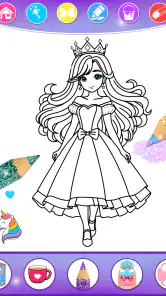
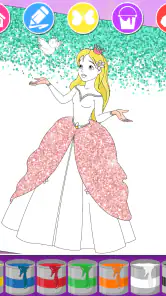
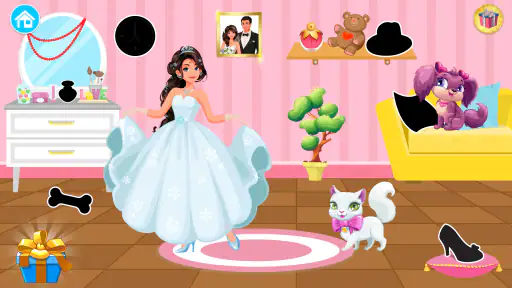

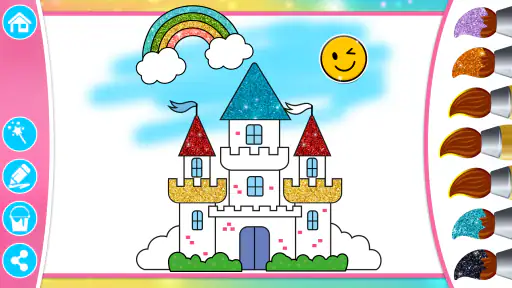
 Analysis by Frivlyz
When I’m choosing a creative game for a young child, I look for something they can understand quickly and return to without needing an adult to explain every step. Princess Coloring Book & Games is aimed squarely at that kind of play: it mixes princess-themed coloring with other child-friendly activities, giving a child more than a blank page to work on. I see its strongest appeal in short, relaxed sessions, whether a child wants to make something colorful or simply needs a gentle activity during a quiet moment.
What the game offers now
This is an educational game from KiDEO - Learning Games for Kids, and its focus is easy to understand: creative play built around princesses. Coloring is the clearest starting point, while drawing, dress-up, puzzles, and a nail-salon activity broaden the ways children can spend time in it. That variety matters in practice. A child who has had enough of filling in a picture can switch to another kind of activity instead of leaving the app altogether.
The game is free to download and is rated for Everyone. It has a 4.3 average from around 122,000 ratings, with more than 50 million installs, so it has reached a large audience of families. Those figures do not tell me whether every child will enjoy it, but they do suggest this is an established option rather than an obscure experiment. The current version is 2.0.6, and the game has been available since July 16, 2016.
Our Stories on Princess Coloring Book & Games
Mastering Art Puzzle: Strategies for Jigsaw Art Games
NewsHow Toca Boca World Revolutionizes Creative Learning for Kids
NewsDancing Road Turns Short Breaks Into a Test of Rhythm and Timing
NewsSuper Stylist Makes Every Outfit a Test of Taste and Patience
NewsDominoes on Your Terms: Who Should Play and Who Should Pass
NewsPokémon GO Makes the Familiar World Feel New
NewsHow the mix of activities works for children
The useful distinction here is that coloring is not the only reason to open the app. Drawing gives a child a chance to make something more freely, while dress-up and the nail-salon activity invite choices about appearance. Puzzles ask for a different sort of attention. For a parent, this variety can make the game easier to offer during an unstructured break: a child can choose an activity based on their mood rather than being expected to enjoy one repeated task.
I would not treat the different activities as a complete learning plan. They can support creative choices, visual attention, and playful practice, but the value depends on how a child uses them. If a caregiver wants a focused lesson with clear progression in a school subject, a dedicated learning app will usually be a better fit. Here, the educational element sits alongside entertainment, and the appeal is that learning can happen casually while a child plays.
Who is likely to enjoy it
I’d consider it for a child who already likes princess stories, colorful pictures, or choosing outfits and designs. It may also work well for children who move quickly between activities, since the collection gives them a few different ways to play in one place. A caregiver can offer it as a low-pressure creative option rather than setting a goal to finish a particular number of pictures or puzzles.
It is less suitable for a child who is looking for open-ended art tools with fine control, a structured curriculum, or a game with a detailed story and substantial challenge. The princess theme is central, too, so a child who has little interest in that style may not be drawn in by the variety. In those cases, a general drawing app, a more focused puzzle game, or a broader educational program may be a better match.
Gaming Stories You May Enjoy

Chess.com Turns Rematches Into Rivalries, but Community Has Its Costs

Archery Battle 3D Review: Sharp Aiming, Unclear Feedback

Should You Switch to Geometry Dash Meltdown? A Test of Timing and Patience

Fidget Toys Trading・Pop It 3D: What Happens When the Game Stumbles

NBA LIVE Mobile Makes the Season the Main Event

Sonic Forces: PvP Battle Race - Speed and Strategy Combined
A practical way to use it at home or on the go
One realistic use is a short wait at a restaurant or a calm stretch at home before dinner. I’d let the child choose one activity, then give them a simple prompt such as picking colors for a picture or deciding what style an outfit should have. That keeps the app from becoming a passive way to fill time: the child still makes decisions and can talk about what they chose. If attention starts to wander, switching to a puzzle or another activity can be more natural than insisting they finish the first one.
For a car journey, I would treat it as a backup activity rather than assume it will hold a child’s attention for the entire trip. Short creative sessions are a more realistic expectation, and an adult should prepare the device before setting off so there is no need to troubleshoot while traveling. The game is designed for mobile use, but a child may still need help navigating choices or deciding what to do next, especially on a first visit.
Small choices that can improve the experience
A useful tip is to let the child explore the activity options before giving them a particular task. If they begin with coloring every time, they may miss the appeal of the drawing, dress-up, puzzle, or nail-salon activities. On the other hand, too many choices can be distracting for a younger child. I’d offer two options at a time and let them pick, then gradually leave the choice to them as they become familiar with the layout.
Another practical approach is to use the game as a conversation starter. Asking why a child chose a color or how they want to arrange an outfit can turn a quick screen session into a shared moment without taking over their work. This is especially useful if the child is still learning to explain preferences. I would avoid correcting every choice or treating the pictures as exercises that need to look a certain way; the strongest part of a coloring and drawing game is the freedom to experiment.
There is also a trade-off in having several activity styles together. Variety can help keep a child interested, but it can make the experience feel less focused than a simple coloring book app. If the goal is quiet, sustained drawing, a dedicated art tool may provide a more direct experience. If the goal is to offer a child a handful of princess-themed options without switching between separate apps, this game’s combination is more convenient.
How it compares with other children’s apps
Compared with a traditional coloring app, this one has a broader play menu: the child can move from making pictures to other princess-themed activities. That can be an advantage when a child tires of coloring quickly. A standalone coloring app may be preferable, however, if the child wants to concentrate on drawing and coloring without extra choices competing for attention.
Compared with educational games built around lessons, this is more recreational. I would choose a subject-focused app when I want a clear sequence of practice or a particular learning outcome. I would choose this one when creativity and light play are the priority. It is also different from a story-driven princess game: the main draw is the range of activities, not a narrative that carries the child through a plot.
Costs, access, and family considerations
The game is free to download, with optional in-app purchases ranging from $0.99 to $9.49 per item. I’d check the purchase settings on the device before handing it to a child, especially if they can tap around independently. That is a sensible precaution for any free children’s app that includes paid items, and it lets a parent decide in advance whether purchases should be available.
The Everyone age rating makes it broadly accessible, but an age label cannot tell a parent whether the activities suit a particular child’s patience, interests, or reading ability. I’d sit with a younger child at first to see whether they can move between activities comfortably and whether the princess theme holds their attention. Once they know their preferred options, they may be able to use the game more independently.
What the version history can and cannot tell me
The game’s current version is 2.0.6, following an initial release on July 16, 2016. That establishes that it has been around for years, but those details alone do not show exactly what changed between releases. I wouldn’t assume a particular new feature or redesign from the version number. For someone already using it, the practical question is whether the current experience still suits the child: do the activities they enjoy remain easy to reach, and does the app still fit the way the family uses a device?
For a new user, I’d approach it as an established collection of themed activities rather than expect a brand-new game experience. The large audience and current version offer useful context, but they do not guarantee that the interface or activity mix will suit every family. I’d let the child try a short session and see which parts they return to before deciding whether it deserves a regular place on the device.
Where it may fall short
The princess focus is both the game’s identity and its main limitation. Children who enjoy that theme have a clear reason to explore the activities, while children who prefer animals, vehicles, sports, or more neutral art subjects may find the choices less appealing. Likewise, a child who wants complex drawing controls could outgrow the creative side quickly. This is best thought of as an accessible themed activity game, not a replacement for a full digital art studio.
Its collection of activity types can also make it harder to settle into one long task. A child who likes to jump from one option to another may see that as a benefit; a parent trying to encourage careful, uninterrupted drawing may see it as a distraction. I’d match the app to the moment rather than expect it to meet every kind of play need. For calm, independent exploration, the variety is useful. For focused practice, a narrower tool is likely to work better.
Discovering the World of Colors
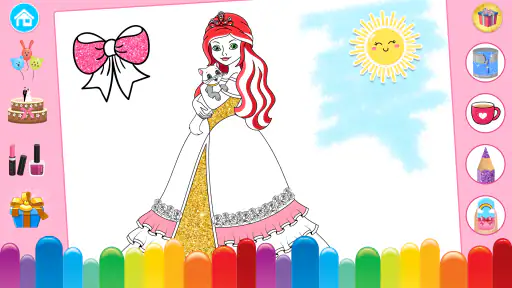
Let me take you through my journey with this app. Right off the bat, I was greeted with a user-friendly interface that was as colorful as it was intuitive. Upon opening the app, you're met with a plethora of coloring pages featuring princesses in various settings - from royal balls to serene gardens. The app boasts a wide range of colors and brush options, making it easy for kids to paint their dream princess world. It’s like having a portable art studio that fits right into your pocket, perfect for keeping little ones entertained on the go.
A Blend of Coloring and Gaming
What sets Princess Coloring Book & Games apart is its unique combination of coloring and interactive games. Once the little artists finish their masterpieces, they can dive into a series of mini-games that add an extra layer of engagement. These games are not only entertaining but also educational, subtly teaching kids about colors, shapes, and patterns. It’s like hitting two birds with one stone - fun and learning wrapped up in one app.
Now, let’s talk about the app’s performance. During my time using it, I found it to be smooth and responsive, a crucial factor when dealing with kids who can be impatient with laggy apps. The graphics are crisp and delightful, truly capturing the essence of a fairy tale kingdom. And the best part? No intrusive ads disrupting the flow of creativity, which is a big win in my book.
Final Thoughts
In conclusion, the Princess Coloring Book & Games app is a fantastic tool for nurturing creativity in young minds. It’s not just about coloring; it’s about exploring a world where imagination knows no bounds. Whether you’re looking to keep your child entertained during long car rides or simply want to spark their creativity at home, this app is a perfect choice. The combination of coloring and interactive games ensures that kids remain engaged, making it more than just another coloring app.
So, if you’re on the hunt for an app that’s both fun and educational, I’d highly recommend giving this a try. It’s a magical experience that’s sure to enchant young hearts and minds.
Making it a good fit for your family
After weighing the choices, I’d put this game on the shortlist for families who want a simple, princess-themed creative option with more than one activity to explore. It is free to start, the age rating is Everyone, and its 4.3 average from around 122,000 ratings gives a useful sense of how broadly it has been received. I’d still let the child’s own reaction decide. A quick trial will show whether the mix feels inviting or whether they would rather use a focused coloring or puzzle app.
My recommendation is practical rather than universal: try it when a child wants to color, draw, or make playful style choices, and keep a different option ready for focused lessons or open-ended art. With more than 50 million installs, it has clearly found a large audience, but popularity is only background context. The real test is whether its particular blend of princess activities gives your child a pleasant, manageable way to create and play.
Princess Coloring Book & Games Pros and Cons
Pros
- Wide variety of princess images.
- User-friendly interface.
- Suitable for all ages.
- Offline use available.
- Enhances creativity.
Cons
- Contains ads.
- In-app purchases required.
- Limited free features.
- Occasional app crashes.
- Requires frequent updates.
Frequently Asked Questions
What age group is Princess Coloring Book & Games suitable for?
Princess Coloring Book & Games is designed for young children, primarily targeting those aged 3 to 8 years old. The app features simple controls and engaging content that cater to the developmental needs of preschoolers and early elementary school children. Parents can feel confident that the app will provide both entertainment and educational value suitable for this age range.
Does Princess Coloring Book & Games require an internet connection to use?
No, Princess Coloring Book & Games does not require an active internet connection for most of its features. Once the app is downloaded and installed, children can enjoy coloring and playing various games offline. However, an internet connection may be needed for downloading additional content or updates to the app.
Are there any in-app purchases in Princess Coloring Book & Games?
Yes, Princess Coloring Book & Games includes optional in-app purchases. These purchases typically unlock additional coloring pages, tools, or game features. While the basic version of the app is free to use, parents should be aware of these purchases and may want to set up parental controls to prevent unauthorized transactions.
How does Princess Coloring Book & Games ensure child safety?
Child safety is a priority in Princess Coloring Book & Games. The app contains no third-party advertisements, reducing the risk of exposure to inappropriate content. Furthermore, it includes parental controls to manage in-app purchases and access to additional content, ensuring a safe and controlled environment for children to play and learn.
What types of activities are included in Princess Coloring Book & Games?
Princess Coloring Book & Games offers a variety of activities to engage young users. The primary feature is the coloring book, which includes a wide range of princess-themed images for children to color. Additionally, the app features mini-games and puzzles that help develop cognitive skills and creativity, making it both fun and educational.


