

Princess Baby Phone Game
- Reviews
- 3.9
- Version
- 1.0.10
- Installs
- 1,000,000+

Screenshots
 Analysis by Frivlyz
When a child wants to press the buttons on an adult’s phone, a pretend phone game can offer a more age-appropriate diversion. I find Princess Baby Phone Game works best as a brief, supervised activity: its princess-themed toy-phone format invites tapping and listening, while simple learning content gives that play a small educational angle. It is not a substitute for hands-on toys, conversation, or a structured learning app, but it can be a convenient option when a few quiet minutes would help.
A toy-phone format that gives children a reason to explore
The central appeal is easy to understand. Children can treat the screen like a toy handset, trying buttons and noticing the sounds or animations that follow. That immediate response makes the experience approachable for little ones who are not ready for complicated menus or instructions. In my view, the strongest use is open-ended exploration rather than expecting a child to sit through a lesson from beginning to end.
That distinction matters in everyday use. A parent can introduce the game by showing how a tap produces a sound, then let the child explore while staying nearby. If a child is still learning to control taps, keeping the phone in a comfortable position and offering a simple prompt—“What happens when you press this?”—can make the activity more engaging without turning it into a test. It also gives the adult a chance to name sounds or letters together, which is where a small screen activity can become shared play.
What the learning element can—and cannot—do
The game includes basic numbers and letters alongside playful sounds and animations. I see that as a gentle introduction, not a complete learning program. Repeatedly seeing or hearing a symbol can help make it familiar, but a child will usually need real-world conversation, books, and activities to build understanding. Parents should treat the game as a prompt for interaction: after a letter appears or is heard, say it aloud together, then look for something nearby that begins with that sound.
This is also why expectations matter. If you want a carefully sequenced curriculum, progress tracking, or a way to assess what a child has learned, this toy-phone experience is not the right fit. Its value is in making early numbers and letters feel approachable within casual play. For a preschooler who enjoys pressing buttons and imitating a phone, that low-pressure contact may be more appealing than a formal lesson; for a child asking for deeper challenges, a dedicated educational app or an offline activity will likely offer more.
Engagement and Entertainment
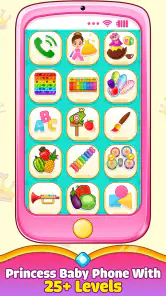
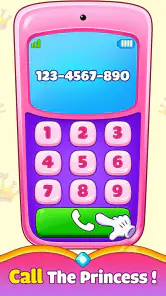
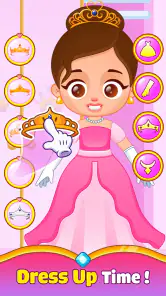
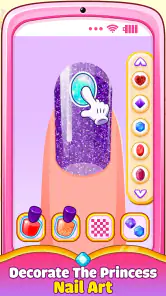
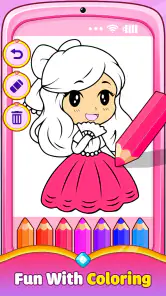
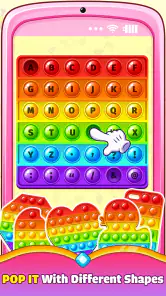
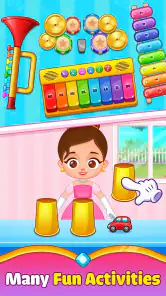
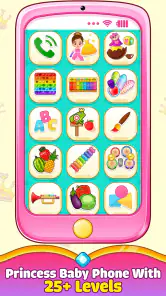
Right off the bat, the Princess Baby Phone Game charms with its vibrant colors and adorable princess theme. The app is designed to mimic a toy phone, which is something kids are naturally drawn to. With a simple tap, children can engage with different activities like music, animal sounds, and even some basic learning numbers and letters. It’s like handing them a magical device that’s both a toy and a learning tool.
Interactive Features
The interactive element of this app is what truly stands out. Kids can tap on various buttons to hear different sounds or see animations. From cheerful melodies to animal noises, these features keep the app lively and engaging. What’s more, the app encourages kids to explore their curiosity. It’s not just about pressing buttons; it’s about discovering what each button does, which can be incredibly satisfying for a child.
Gaming Stories You May Enjoy

Dancing Road Turns Short Breaks Into a Test of Rhythm and Timing

Super Stylist Makes Every Outfit a Test of Taste and Patience

Dominoes on Your Terms: Who Should Play and Who Should Pass

Pokémon GO Makes the Familiar World Feel New

Chess.com Turns Rematches Into Rivalries, but Community Has Its Costs

Archery Battle 3D Review: Sharp Aiming, Unclear Feedback
That simple cause-and-effect loop is a practical strength for short waits: a child can explore without needing an adult to explain a complex goal or set up a round. It can also make a useful transition activity while dinner is being prepared or while a family is waiting for an appointment. I would keep the session short and nearby, though. Repeated tapping can hold attention for a while, but it does not make the game a good replacement for movement, conversation, or a change of activity.
Educational Value
But it’s not all play and no work. The educational aspect of the Princess Baby Phone Game is cleverly woven into its gameplay. While your child is busy giggling at the funny sounds or watching cute animations, they're also learning. The app introduces basic numbers and letters in a playful manner, turning learning into an enjoyable experience. It’s like sneaking veggies into their favorite meal – they won’t even realize they’re doing something educational!
A useful way to get more from that content is to connect what appears on screen to something the child can touch or see away from the device. If the game draws attention to a number, count a few blocks together; if it brings up a letter, find it on a page in a book. This keeps the app in the role of a playful starting point instead of letting screen time become passive. It is a small but important trade-off: the game can spark curiosity, while the adult supplies context and follow-through.
Safe and Kid-Friendly
As a parent, I know safety is always a concern. Thankfully, this app is designed with a kid-friendly interface that’s easy to navigate. It’s free from ads, which means no accidental clicks leading your child to other sites. Plus, the developers have ensured that the content is age-appropriate and safe for your little ones.
Even with an interface intended for children, I would still start by exploring it together. That lets a parent see how the child responds to the sounds and animations, and establish a simple boundary around when the phone is being used. It is particularly helpful for toddlers who may tap quickly or move between activities without understanding what they selected. Staying close also makes it easier to turn a surprising sound into a little conversation rather than leaving the child alone with the screen.
How it fits among other options
Compared with a physical toy phone, this game can offer changing sounds and animations in one device, but it does not provide the tactile buttons or pretend-play freedom of a toy in a child’s hands. Compared with a general learning game, its phone-like presentation is more immediately familiar and less lesson-focused, while a dedicated alphabet or counting app may be better for a child ready to practise a particular skill. I would choose based on the moment: use this for casual sound-and-tap play, a physical toy for screen-free role-play, and a focused learning activity when the goal is deliberate practice.
There is a practical compromise here for caregivers, too. A digital toy is easy to bring along if a phone is already available, but it also means the child is using a device that may contain other apps or functions. I recommend opening the game before handing over the phone and keeping the device in your own reach. That simple routine preserves the convenience without assuming the child can manage the wider device independently.
Who is most likely to enjoy it
I would recommend it most to caregivers of young children who enjoy pretend phones, bright visuals, and immediate audio feedback. It may suit a short stretch at home or a quiet wait, particularly when an adult can join in by naming sounds and connecting letters or numbers to things nearby. The game is free, rated for Everyone, and developed by UVTechnoLab. It has an average rating of 3.9 from around 1,500 ratings, with 22 written reviews and over a million installs; those figures suggest it has reached a broad audience, though they cannot tell you whether a particular child will like its style.
The game was released on June 15, 2023, and its current version is 1.0.10. It runs on Android 5.0 and later. Those details make compatibility worth checking against the device a family plans to use, especially if it is an older phone or tablet. Since it is free, it is easy to try without committing to a purchase, but I would still make the first session a shared one so the adult can judge whether the presentation suits the child.
It is less suited to older children who want puzzles, evolving goals, or a clear sense of progress. It is also not my first choice for a caregiver looking for a complete educational plan, detailed learning feedback, or a screen-free way to occupy a child. In those situations, books, hands-on toys, or a more structured educational game are better matches. The key question is not whether the app is educational in a broad sense, but whether a child will enjoy its simple pretend-phone interaction and whether an adult can make that play meaningful.
A realistic way to use it
Imagine waiting for food at a family restaurant with a restless toddler. I would open the game, let the child explore for a short while, and sit beside them rather than treating it as an unattended distraction. When an animal sound plays, we could guess which animal it is; when a number comes up, we could count the cups on the table. Once the child starts losing interest, I would put the phone away and switch to conversation or a small toy. This approach uses the app’s most appealing qualities without expecting it to solve boredom indefinitely.
That kind of shared use also helps answer a common concern: does a child need to know how to read or follow instructions to enjoy it? The toy-phone setup is built around direct tapping and simple responses, so a young child can explore with help from an adult. A caregiver should still watch how the child handles the device and guide them as needed; the game’s accessible style does not mean every child will respond to it in the same way.
Final verdict
In conclusion, the Princess Baby Phone Game is a wonderful tool for introducing young children to the digital world. It’s engaging, educational, and most importantly, it’s safe. Whether you’re looking to keep your child entertained on a long drive or just need a moment of peace at home, this app is a great choice. So give it a try, and watch as your child lights up with joy and curiosity!
My recommendation is a little more specific: think of it as a compact, playful diversion with a light learning element, not as a babysitter or a full teaching tool. Its strongest case is a young child who likes tapping, listening, and pretending to make a call, with an adult nearby to turn the sounds and symbols into conversation. If that describes your situation, it is worth trying. If you need richer lessons, less screen time, or sustained challenges, another activity will serve you better.
Princess Baby Phone Game Pros and Cons
Pros
- Engaging and colorful graphics.
- Educational content for toddlers.
- Easy-to-use interface for kids.
- Variety of mini-games included.
- Encourages creativity and learning.
Cons
- Limited free content available.
- In-app purchases can be frequent.
- Requires Internet for full features.
- Lack of parental control options.
- May include repetitive gameplay.
Frequently Asked Questions
What is Princess Baby Phone Game and what age group is it suitable for?
Princess Baby Phone Game is an interactive and educational mobile app designed for young children, typically aged 2 to 5 years. It offers a variety of fun activities and mini-games centered around a princess theme, which can help enhance early learning skills such as numbers, colors, and shapes, all within an engaging and safe digital environment.
Is Princess Baby Phone Game safe for children to use?
Yes, Princess Baby Phone Game is designed to be a safe app for children, with parental controls and no inappropriate content. Parents can feel assured that the app adheres to child safety standards, offering a secure environment without ads or in-app purchases that could be accidentally accessed by children during gameplay.
What educational benefits does Princess Baby Phone Game provide?
Princess Baby Phone Game offers several educational benefits, including teaching basic math skills, vocabulary building, and color recognition. The app is designed to stimulate a child’s creativity and cognitive development through interactive storytelling and problem-solving activities, making learning fun and engaging for young children.
Does Princess Baby Phone Game require an internet connection to play?
No, Princess Baby Phone Game does not require an internet connection to play. This feature allows children to enjoy the game anywhere, anytime, without the need for Wi-Fi or mobile data, making it an excellent option for parents concerned about data usage or wanting to keep children entertained on the go.
Are there any in-app purchases or advertisements in Princess Baby Phone Game?
Princess Baby Phone Game is designed with child-friendliness in mind, meaning there are no in-app purchases or advertisements. This ensures that children can play without interruptions or the risk of purchasing items accidentally, providing a seamless and uninterrupted gaming experience.


