

PPSSPP - PSP emulator
- Reviews
- 4.4
- Version
- 1.18.1
- Installs
- 100,000,000+

Screenshots
 Analysis by Frivlyz
Sharing a phone or tablet can make portable gaming a small household event, but it also changes how I think about an emulator. I would not treat it like a ready-made library where everyone taps once and starts playing: PPSSPP - PSP emulator is a way to run PSP games on Android, and the experience depends on having game files ready and knowing how each person prefers to play. Once that distinction is clear, it can be a rewarding option for revisiting older games together or taking turns on one device.
One device, different ways to play
On a shared tablet, the appeal is easy to picture: one person can play a few stages, hand it over, and let someone else continue later. The emulator’s save options make that kind of stop-and-start use practical, especially when a session has to end for dinner or the device needs to be put away. I would agree on a simple handoff routine first: finish at a sensible point, save deliberately, and check whose progress is being continued before starting another session.
That matters because emulation is not quite the same as passing around a modern game with a clearly separated profile for every player. The original PSP game’s own save behavior still shapes the experience, and a shared device can make it easy to overwrite or confuse progress if people do not pay attention. I recommend keeping turns and save choices explicit rather than assuming the app will organize a household’s play for everyone.
Set expectations before the first game
The setup is more involved than installing a typical mobile action game. PPSSPP is an emulator, not a collection of PSP titles, so you need game files you are entitled to use and must make them available to the app. That extra step is a meaningful boundary: someone expecting a built-in catalog may be disappointed, while a PSP owner with games and saves already prepared may appreciate the flexibility.
Before handing over the device, I would test the chosen game, control layout, and save routine myself. Touchscreen controls are handy when no controller is nearby, but they cover part of the display and can feel less precise in games that rely on quick inputs. A compatible physical controller can be a better fit for longer sessions or for players who already know the PSP’s button layout. The right choice depends on the game and the device, so I would not assume one control setup suits everybody.
Coordination without built-in household rules
For siblings, partners, or friends sharing a device, the useful coordination is mostly human: decide who is playing, whether a session is a quick turn or a longer run, and how progress will be handled. I would also agree before changing graphics or control settings. A tweak that makes one game look better or makes one player more comfortable may not suit the next person, and an unfamiliar settings change can make the app feel broken when it is only behaving differently.
One practical approach is to make a short test session the first time around. Confirm that the game loads, check whether the on-screen buttons are comfortable, and try saving and resuming before investing time in a long playthrough. This catches the most frustrating shared-device surprises early: a control layout that blocks an important part of the screen, a game that needs different performance settings, or uncertainty about which save to resume.
Gaming Stories You May Enjoy

Dancing Road Turns Short Breaks Into a Test of Rhythm and Timing

Super Stylist Makes Every Outfit a Test of Taste and Patience

Dominoes on Your Terms: Who Should Play and Who Should Pass

Pokémon GO Makes the Familiar World Feel New

Chess.com Turns Rematches Into Rivalries, but Community Has Its Costs

Archery Battle 3D Review: Sharp Aiming, Unclear Feedback
Age, trust, and choosing the right audience
The app’s content rating is Everyone, but that describes the emulator rather than every game a person might choose to run through it. I would make the game selection the adult’s decision for younger players, just as I would with physical PSP games. PPSSPP does not replace that judgment; it gives access to a platform whose library includes many different kinds of experiences.
There is also a useful learning angle for older children and curious adults: an emulator can prompt questions about how older handheld games work, why controls feel different, and how a game’s original design changes on a phone. Still, I would not hand over setup responsibilities to someone who expects the app to choose suitable games or manage household boundaries automatically. It works best when the person preparing the device understands what is being loaded and can help with the first setup.
Where it fits among mobile gaming choices
Compared with ordinary Android action games, PPSSPP asks more of the player before play begins, but it offers access to PSP titles rather than games designed specifically for phone screens. That is a real trade-off: a native mobile game is usually easier to install and start, while emulation is more appealing if you already have a particular PSP game in mind or want to revisit a familiar library. If you simply want a quick game with no file preparation or control adjustment, a regular mobile game is likely the smoother choice.
It is also different from playing on original PSP hardware. A phone can be more convenient to carry and may provide a sharper image, but the touchscreen lacks the dedicated buttons and familiar shape of the handheld. If precise physical controls and the original feel are the priority, the PSP itself—or another suitable handheld—is the more natural option. I see PPSSPP as a flexible alternative, not a perfect replacement for every part of the original experience.
Bringing the PSP Magic to Your Phone
When I first stumbled upon PPSSPP - PSP emulator, I was skeptical. I mean, how good can a mobile emulator be? But boy, was I surprised! The app brilliantly replicates the PSP environment, letting me dive into my favorite games with ease. From the smooth interface to the stunning graphics, everything about this app screams quality.
Graphics and Performance
One of the first things you'll notice is how well the emulator handles graphics. It supports higher resolutions than the original PSP, making games look sharper and more vibrant. Whether it's the detailed landscapes of "Final Fantasy" or the fast-paced action in "God of War," the app doesn’t disappoint. Plus, the performance is top-notch. I hardly experienced any lags or crashes, which is crucial for an uninterrupted gaming session.
Higher resolution is a welcome option, but I would treat it as a setting to balance rather than an automatic upgrade. A sharper image can make older artwork look cleaner on a modern screen, yet more demanding settings can be a poor fit for a less capable device or a game that already struggles. I would start with a conservative configuration, test a demanding scene, and only then raise the resolution. That makes it easier to tell whether a slowdown comes from the game, the device, or a recent change.
Performance can vary with the phone, the individual game, and the settings, so my smooth sessions should not be read as a promise that every title will behave the same way. For a household, this is worth checking before settling in for a long shared playthrough. If a game stutters, reducing visual demands is usually a more sensible first experiment than changing several options at once; changing one setting at a time keeps the cause and effect clear.
User-Friendly Interface
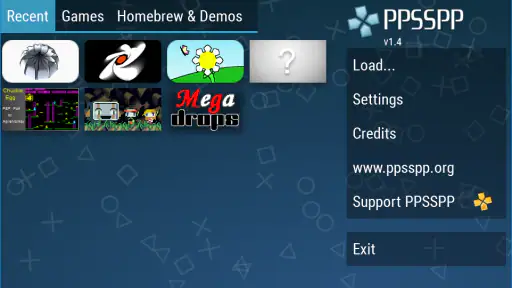
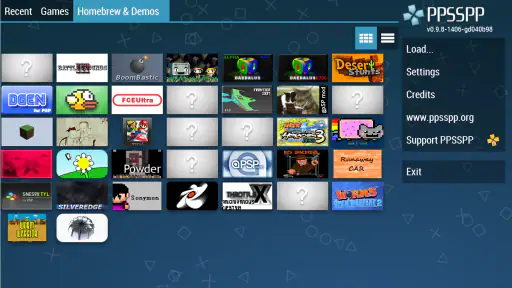
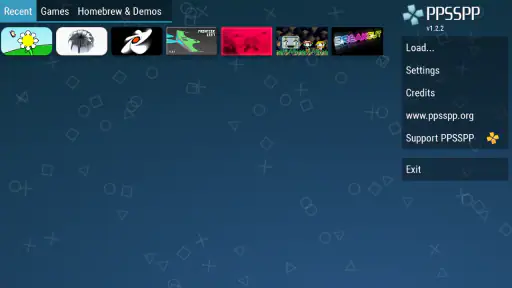
The developers did a fantastic job with the interface, making it intuitive and easy to navigate. Even if you're not tech-savvy, you'll find it a breeze to load up your games and tweak settings to your liking. The app offers customizable controls, so whether you're playing on a touchscreen or using a controller, the experience remains seamless.
For a first-time user, I would separate “getting the game running” from “perfecting the setup.” Load a game and make sure the basic controls work before spending time tuning the image. Then adjust the on-screen layout to keep essential buttons easy to reach without covering important action. A small change in button placement can make more difference than a graphics tweak during a fast fight, and it is easy to overlook this when the controls first appear usable.
There is a learning curve in the settings, even though the main interface is approachable. I would avoid copying another player’s configuration blindly: a setting that suits their phone and game may not suit yours. If a change makes things worse, returning to the previous setting is more useful than making several more changes in frustration. That simple habit helps keep troubleshooting manageable, especially when more than one person uses the same device.
Features That Stand Out
What really sets PPSSPP apart are its features. You can save your game progress at any point, which is a lifesaver when you're in the middle of a tricky level. The app also supports multiplayer mode, so you can team up with friends and relive those multiplayer battles from back in the day. And let's not forget about the option to transfer saves from your real PSP, which is a neat touch for those who still have their old consoles lying around.
For someone moving from a real PSP, transferring an existing save can be the difference between restarting from the beginning and continuing a familiar adventure. I would make a copy of important save files before moving them and check that the intended game recognizes the result before relying on it. Save compatibility is most valuable when it preserves a meaningful playthrough, but careful file handling matters more than rushing to test it on the only copy.
The multiplayer option is appealing when friends want to revisit a game together, though it should not be confused with a guarantee that every title or network arrangement will be equally straightforward. I would check the particular game and connection setup before planning a group session. For casual coordination, agreeing on the game and testing the connection beforehand is better than discovering setup friction after everyone has gathered.
Save states also change how I approach difficult sections. They can make experimentation less punishing, but relying on them for every moment may take away some of the rhythm and tension the original game was built around. I use them as a practical pause or safety net, not as a reason to avoid the game’s ordinary save system altogether. Keeping both habits in mind makes progress easier to manage if a session is interrupted or a state does not resume as expected.
Another feature I appreciate is the ability to adjust the game speed. Whether you want to slow things down for a tough boss fight or speed them up for grinding, PPSSPP has got you covered. This flexibility is something I didn't know I needed until I started using the app.
Speed adjustment is best used with a little restraint. It can help with repetitive stretches or make a difficult moment easier to inspect, but it may also throw off timing and make a game feel unlike the experience its designers intended. I would turn it on for a specific purpose, then return to normal speed before judging the game’s pacing or trying a precise sequence. It is a tool, not a universal improvement.
For anyone wondering whether the app itself costs anything, PPSSPP is free. That makes it easy to try, but it does not mean PSP games are bundled with it: the emulator and the games are separate parts of the setup. I would go in with that distinction clear, and use game files that I have the right to use rather than treating the app as a source for downloading titles.
PPSSPP is an action-focused game emulator developed by Henrik Rydgård. It has a 4.4 average from around 1.7 million ratings, with over 100 million installs, which helps explain why it is a familiar name among people revisiting PSP games. Version 1.18.1 supports Android 2.3 and later, so it can run on a broad range of Android devices, though actual performance still depends on the phone and the game.
Final Thoughts
Overall, PPSSPP - PSP emulator is a must-have for any PSP fan. It's not just about playing games; it's about experiencing them in a new and exciting way on your current devices. The app is constantly updated, ensuring compatibility with a wide range of games and devices. So, if you haven't tried it yet, I highly recommend giving it a shot. Trust me, you won't be disappointed!
My recommendation is strongest for someone who already knows which PSP game they want to play, enjoys adjusting controls to fit a phone, or wants to carry an old save into a more convenient setting. It is less suitable for anyone who wants a ready-to-play mobile catalog, dislikes troubleshooting, or needs dedicated handheld buttons above all else. I would try it with one game first, learn the save and control workflow, and then decide whether it belongs in regular rotation.
For everyday use, I can see it working well on a commute or during a quiet break, particularly when a game can be paused and resumed without needing a long uninterrupted session. At home, a shared tablet can make it a fun way to take turns, provided everyone knows whose progress they are continuing. The emulator gives older games a useful new place in my routine, but it works best when I treat setup, game choice, and save management as part of the experience rather than expecting them to happen automatically.
With its free access, Everyone rating, and long-standing support for Android, PPSSPP is an inviting starting point for PSP fans, while its 30,000 reviews reflect a large community of players who have shared their experiences. I would not call it a flawless substitute for the original handheld, but its mix of visual options, flexible controls, speed adjustment, and save features makes it a strong choice for the right person. If those trade-offs sound acceptable, it is well worth trying with a game you already love.
PPSSPP - PSP emulator Pros and Cons
Pros
- High compatibility with PSP games
- Customizable control layout
- Save and load game states
- Supports HD resolution graphics
- Free to download and use
Cons
- Requires powerful hardware for smooth performance
- Some games may have minor bugs
- Ads in the free version
- Limited support for multiplayer games
- Occasional crashes on certain devices
This Game in Other Languages
Frequently Asked Questions
What is PPSSPP - PSP Emulator and how does it work?
PPSSPP is a popular PSP (PlayStation Portable) emulator that allows users to play PSP games on their Android, iOS, or other platforms. It works by emulating the PSP hardware through software, enabling users to enjoy their favorite PSP games with enhanced graphics and performance improvements on modern devices. The emulator supports a wide range of PSP titles and offers customizable controls, making it a versatile choice for gaming enthusiasts.
Is PPSSPP - PSP Emulator free to use?
Yes, PPSSPP - PSP Emulator is free to download and use. However, there is also a Gold version available for purchase which supports the developers. The free version includes all the essential features needed to run PSP games, but purchasing the Gold version helps fund further development and might come with additional features or improvements over time.
What are the system requirements for running PPSSPP - PSP Emulator?
PPSSPP requires a modern smartphone, tablet, or computer with decent hardware capabilities. For Android, it is recommended to have at least Android 4.1 or higher. For best performance, devices with at least a quad-core processor and 2GB of RAM are suggested. On iOS, a device running iOS 11 or newer is ideal. Ensuring your device meets these requirements will help in providing a smooth gaming experience.
Can I play all PSP games using PPSSPP - PSP Emulator?
PPSSPP supports a wide range of PSP games, but not every game may run perfectly. While many games are compatible and run smoothly, some may experience glitches or performance issues due to the complexities of emulating PSP hardware. The development team continuously works on improving game compatibility, so updating to the latest version of the emulator may resolve some issues.
How can I improve the performance of games on PPSSPP - PSP Emulator?
Improving performance on PPSSPP can be achieved through several settings adjustments. Users can tweak the graphics settings, such as reducing resolution, enabling frame skipping, and adjusting the rendering backend. It's also beneficial to ensure that your device's firmware is updated and that no other apps are running in the background to maximize available resources. Experimenting with these settings can help achieve a smoother gameplay experience.


