

PPSSPP Gold - PSP emulator
- Reviews
- 4.6
- Version
- 1.18.1
- Installs
- 500,000+

Screenshots
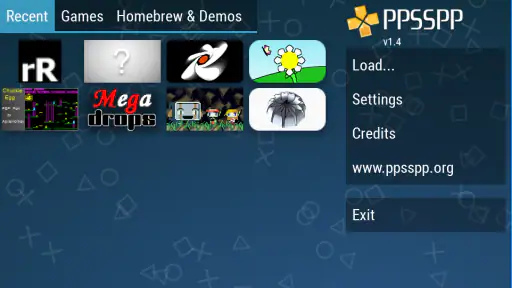
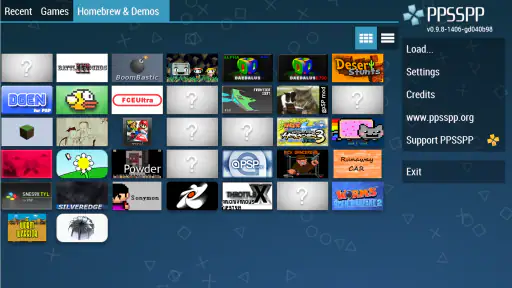
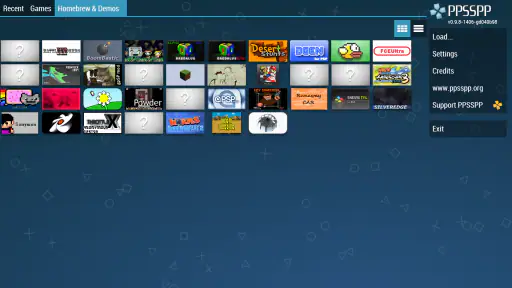
 Analysis by Frivlyz
If you’re a fan of classic PSP games and want to relive those golden gaming moments right on your smartphone, then PPSSPP Gold might just be the app for you. I’d think of it less as a collection of games and more as a way to play PSP titles you already have access to on a compatible Android device. That distinction matters: the emulator is only one part of the setup, and your experience depends on the games you bring to it, your device, and how much you enjoy adjusting controls and graphics for a smaller screen.
What to expect from the speed
The appeal is straightforward: a handheld system’s games can feel at home on a phone, and the app offers ways to change how they look and respond. But I wouldn’t promise that every game will run identically on every device. Emulation asks a phone to reproduce the behavior of another system, so the practical result can vary with the game, hardware, and settings. If you are deciding whether it suits you, start with one game you know well rather than assuming the whole PSP library will behave the same way.
For a first test, keep the graphics settings conservative and play long enough to check both responsiveness and comfort. Raising the rendering resolution can make older visuals look cleaner on a modern display, but more demanding settings may not be the right trade-off on a less capable phone. If a game stutters or feels unresponsive, change one setting at a time and compare. That gives you a clearer answer than changing several options at once and trying to guess which one helped.
Getting Started with PPSSPP Gold
First things first, downloading and setting up PPSSPP Gold is a breeze. The app is available on both Android and iOS platforms, and installation is as simple as any other app. Once installed, you’re greeted with a user-friendly interface that’s easy to navigate. The app supports a wide array of PSP games, and it’s quite easy to load them onto the emulator. All you need are the game ROMs, which, I must mention, you need to legally own to avoid any copyright issues.
Preparing a practical first session
It helps to treat setup as a small process rather than something to rush through. Before settling in, make sure your chosen game files are accessible to the app and that you have a comfortable way to control the game. The controls that work for a slower menu-driven game may feel awkward in something that needs quick, repeated inputs. I’d test movement, buttons, and any menus early, while it is easy to adjust your grip or change your control layout.
There is also a useful distinction between getting a game to open and having a setup you enjoy using. A title may launch successfully, but that does not automatically mean its controls suit a touchscreen or that its presentation looks right on your phone. Give yourself time to make those choices before a long play session. If you are unsure whether you will enjoy a particular game on a mobile device, a short trial is a better commitment than spending time tuning every available option.
Performance and Features
Now, let's talk about performance. Running PSP games on this emulator is surprisingly smooth. Of course, the performance largely depends on your device’s specs, but even on mid-range devices, the games run with minimal lag. One of the app’s standout features is the ability to upscale textures. This means that those old-school PSP graphics get a nice little upgrade, making them look crisp and vibrant on modern screens. Additionally, there’s support for external controllers, which is a game-changer (pun intended) for those who prefer not to use on-screen controls.
Gaming Stories You May Enjoy

Dancing Road Turns Short Breaks Into a Test of Rhythm and Timing

Super Stylist Makes Every Outfit a Test of Taste and Patience

Dominoes on Your Terms: Who Should Play and Who Should Pass

Pokémon GO Makes the Familiar World Feel New

Chess.com Turns Rematches Into Rivalries, but Community Has Its Costs

Archery Battle 3D Review: Sharp Aiming, Unclear Feedback
What changes during longer play
A quick test does not always tell you how comfortable an emulator will be after an hour. Screen size, battery use, warmth, and the way a phone sits in your hands all become more noticeable over time. I would not treat a phone’s ability to start a game as proof that it is ideal for a long session; try the title you care about for a while and see whether the device stays comfortable and responsive. A controller can help with hand position and precise inputs, though it also makes the setup less spontaneous than tapping the screen.
For a realistic everyday use case, imagine having a few minutes during a commute or waiting for an appointment. A familiar PSP game can make that gap feel useful, provided you have already sorted out the game files and controls. For a quick, interrupted session, a title that is easy to pause and resume will fit better than one that demands sustained attention. At home, a controller and a longer play window may make the same game feel much closer to a dedicated handheld experience.
When performance is uneven, resist the temptation to push every visual option upward. Higher resolution can improve clarity, but the sharpest image is not automatically the most enjoyable one if it comes with distracting slowdowns. I’d prioritize steady play and comfortable controls, then raise visual settings gradually if the game still feels responsive. That simple order is one of the most useful ways to balance presentation against device demands.
Customization Galore
One thing I love about PPSSPP Gold is the level of customization it offers. You can tweak the settings to suit your device’s capabilities, ensuring optimal performance. Whether it’s adjusting the rendering resolution, enabling anisotropic filtering, or mapping controls to your liking, the app gives you full control over your gaming experience. Plus, there are various themes available to personalize your emulator interface, which is a nice touch for those who like a bit of flair.
Making settings work for you
The number of options is a strength, but it can also make setup feel like work if you prefer to open a game and play without adjustments. I’d avoid changing several graphics options at once: make one change, test the same scene or action, and keep it only if the improvement is obvious. This makes it easier to reverse a setting that causes trouble and helps you find a comfortable balance without turning every session into troubleshooting.
Control mapping deserves the same care as graphics. If a game relies on frequent button presses, placing virtual controls where your thumbs naturally rest can matter more than a visual enhancement. If touchscreen inputs never feel precise enough for the game you want to play, an external controller is the more sensible choice. The trade-off is convenience: touch controls are always part of the phone, while an additional controller takes more preparation but may make extended play less tiring.
Another practical point is to keep expectations tied to the specific game, not just the emulator’s settings. A configuration that feels right in one title may not be the best starting point for another because their controls and demands differ. I’d make small adjustments when changing games rather than assuming one setup will suit everything. That approach is especially helpful if you alternate between short, casual play and games that reward longer sessions.
Where it fits among alternatives
Compared with playing on an original PSP, a phone-based emulator trades the simplicity of dedicated hardware for the convenience of using a device you already carry. A physical handheld may feel more natural if you want built-in controls and a purpose-made gaming shape. Compared with other emulator options, PPSSPP Gold’s draw is its focus on PSP play and its extensive settings; someone who wants a single, uncomplicated game from an official mobile store may be better served by that game’s native mobile version instead.
The right choice depends on what you value. If you already have PSP games you are entitled to use and enjoy adjusting a setup to suit your phone, this is a compelling option. If you want a curated library that is ready immediately, dislike configuring controls, or mainly play games designed for touchscreens, an emulator may add friction without improving your experience. I would also choose dedicated hardware when comfort and physical buttons matter more than the convenience of carrying fewer devices.
Reliability and day-to-day use
For reliability, I’d judge it by the whole routine: whether your chosen game opens, whether your controls remain comfortable, and whether the settings you settle on continue to suit your device. If something feels off after changing an option, return to the last setup that worked and adjust only one thing at a time. That is a more useful recovery habit than repeatedly changing several settings without knowing which change caused the problem.
It is also worth thinking about interruptions. Mobile gaming often happens in short bursts, so the app is most appealing when you are happy to keep your game files and settings organized and can pick up your device when time allows. If you need a completely hands-off experience with no file preparation or configuration, this is not the most direct route to playing. The emulator’s flexibility rewards a little patience, but that flexibility is not a benefit for everyone.
Is It Worth It?
So, is PPSSPP Gold worth the price tag? I’d say yes, absolutely. While there is a free version available, the Gold version supports the developers and ensures you get a few extra features and fewer ads. Considering the app’s performance, features, and the sheer nostalgia it brings, it’s a small price to pay for such an experience. Plus, who doesn’t love supporting developers who bring our beloved classics back to life?
PPSSPP Gold is a paid action game emulator from Henrik Rydgård, priced at $4.99, and it has an average rating of 4.6 from around 27,000 ratings, with about 1,700 written reviews and over 500,000 installs. It is rated Everyone, was released on January 4, 2013, and its current version is 1.18.1, with Android 2.3 as the minimum operating system. Those details make it clear that this is an established option rather than a new release, but the practical question is still whether you want to bring your own PSP games and tune them for your device.
The Gold purchase is easiest to justify if you expect to use the emulator regularly and want to support its developer. If you are only curious about trying one game, compare the paid option with the free version before committing, and decide whether Gold’s benefits matter to you. I would not buy it just because the name sounds like a bundle of guaranteed extras; the value comes from the emulator fitting your own games, device, and habits.
For Android users, the stated minimum operating system is an old version, but that alone should not be read as a promise that every modern game will run well on every compatible phone. Device capability and the particular game still matter. I’d check your own device’s performance through a short session, especially if you plan to use higher rendering settings, rather than choosing settings based only on the phone’s age or specifications.
In conclusion, if you’re a PSP enthusiast or just someone looking to try out some classic games, PPSSPP Gold is a must-have app. Its user-friendly interface, excellent performance, and vast customization options make it a standout emulator in the sea of many. So, dust off those old PSP games and give them a whirl on your smartphone. Trust me; you won’t regret it!
PPSSPP Gold - PSP emulator Pros and Cons
Pros
- High-quality graphics rendering
- Supports many PSP games
- Customizable controls
- Frequent updates
- Save and load game states
Cons
- Requires high-performance device
- No official game ROMs included
- Some games may lag
- Ads in free version
- Limited support for multiplayer
Frequently Asked Questions
What is PPSSPP Gold - PSP emulator?
PPSSPP Gold is a premium version of the popular PSP emulator app, allowing users to play PSP games on their Android or iOS devices. It offers enhanced features, performance improvements, and better graphics compared to the free version. This app is particularly useful for gamers who want to relive their favorite PSP titles on modern devices with higher resolutions and faster processing power.
How do I install games on PPSSPP Gold?
To install games on PPSSPP Gold, you first need to obtain PSP game files, typically in ISO or CSO format. These can be ripped from your own PSP games or downloaded from trusted sources. After acquiring the game files, you can transfer them to your device and load them through the PPSSPP Gold app. Simply navigate to the 'Games' tab in the app and select the file to start playing.
What are the system requirements for PPSSPP Gold?
PPSSPP Gold runs on both Android and iOS devices. For optimal performance, a device with at least a quad-core processor and 2GB of RAM is recommended. Ensure your device has a modern GPU for enhanced graphics. The app also supports external controllers, which can be connected via Bluetooth for a more authentic gaming experience. Keep your device's OS up-to-date for the best compatibility.
What additional features does PPSSPP Gold offer over the free version?
PPSSPP Gold provides several enhancements over the free version. It includes faster emulation speeds, improved graphics rendering, and options for higher resolutions. The Gold version also supports more file formats and has fewer graphical glitches in games. Additionally, purchasing PPSSPP Gold supports the developers, contributing to further improvements and updates to the emulator.
Is PPSSPP Gold legal to use?
Yes, PPSSPP Gold is legal to use, but there are legal considerations regarding the games you play. It's important to own the original PSP game copies for the game files you use with the emulator. Downloading or distributing game files you don't own is illegal. The emulator itself is open-source and legal, allowing you to play your legally owned games on different devices.


