

PopCat Tiles: Piano & Music
- Reviews
- 4.7
- Version
- 1.6.8
- Installs
- 10,000,000+

Screenshots
 Analysis by Frivlyz
If you’re someone who thrives on a mix of music, gaming, and a dash of cuteness, PopCat Tiles: Piano & Music might just be your next obsession. Imagine this: you’re cozied up on your couch, earbuds in, and you’re tapping away to your favorite tunes, all while a charming cat bops along. Sounds purr-fect, doesn’t it?
What I’d consider before downloading
I’d choose a rhythm game like this based on the kind of attention I want to give it. PopCat Tiles is built around quick taps and matching the music, so it suits short bursts of play better than a long, hands-off listening session. The cat theme gives the action a light mood, but keeping a streak going still asks for focus and timing. If I’m looking for something to play while reading or working, this would not be my pick; if I have a few minutes to concentrate, it makes more sense.
That distinction matters if you’re choosing between a music game and a conventional music player. A player lets me settle into a song without reacting to it. Here, listening and tapping are tied together, so the music is part of the challenge rather than just background. I’d also separate it from a music-learning app: this is a game for rhythm and reflexes, not a substitute for lessons or practice on an instrument.
The quick-session format can fit an ordinary day well. I might open it while waiting for a friend or taking a short break, play a round, then put my phone away. For a commute, I’d only use it when I can safely look at the screen and tap; it is not something I’d recommend trying while walking through a busy area or doing anything that needs attention. Earbuds can make the music easier to follow, but I’d keep the volume comfortable and stay aware of what’s around me.
Gameplay That Hits the Right Notes
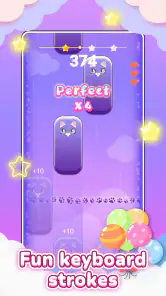
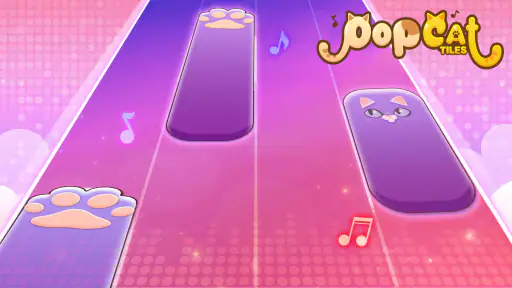
First off, let's talk about the gameplay. The premise is simple yet addictive. You tap on tiles that slide down your screen, matching the rhythm of the song. Miss a tile, and you’re out. It’s a classic concept, but what sets PopCat Tiles: Piano & Music apart is its adorable feline mascot that cheers you on. I mean, who doesn’t want a cute cat egging you on as you nail those tricky high-speed segments?
Where the game’s format works best
The clearest strength is how little explanation the central action needs: watch the tiles, listen for the beat, and tap. That makes it approachable for someone who does not usually play music games, while the possibility of faster or more complex sections gives experienced rhythm-game players a reason to pay attention. I would treat the simple premise as an easy entry point, not a promise that every song will feel easy.
One practical tip is to start by choosing a song whose beat feels familiar to you, rather than immediately chasing the hardest challenge. Familiarity can help you tell whether a missed tile came from losing the rhythm or simply looking at the wrong part of the screen. Once the basic timing feels comfortable, moving to a more demanding selection gives you a clearer sense of what you need to improve. That is a more useful way to build confidence than tapping faster at random.
Gaming Stories You May Enjoy

Dancing Road Turns Short Breaks Into a Test of Rhythm and Timing

Super Stylist Makes Every Outfit a Test of Taste and Patience

Dominoes on Your Terms: Who Should Play and Who Should Pass

Pokémon GO Makes the Familiar World Feel New

Chess.com Turns Rematches Into Rivalries, but Community Has Its Costs

Archery Battle 3D Review: Sharp Aiming, Unclear Feedback
Another trade-off is that a game asking for repeated screen taps can become less relaxing when your attention is divided. I would play with the phone held steadily and use a comfortable tapping position instead of trying to play one-handed while carrying something. If your hands are tired or you are in a noisy place where it is difficult to hear the beat, it may be better to save a session for later. The cute presentation does not remove the need to concentrate.
Music Selection That Makes You Want to Groove
The app boasts a surprisingly diverse music library. From classical pieces to pop hits, there’s something for everyone. I found myself genuinely impressed with the variety. One minute I’m tapping along to Beethoven, and the next, I’m jamming to the latest chart-toppers. What’s more, the game frequently updates its playlist, so you’re never stuck with the same old tunes.
That mix is useful if your music tastes change from one day to the next, but I would not choose a rhythm game solely as a way to hear a particular song. The important question is whether the available selections give you enjoyable challenges, since the tiles demand active play rather than letting you listen uninterrupted. If I want to relax with a full album, a music player is the better fit; if I want to turn listening into a test of timing, this format has a different appeal.
For a first session, I’d sample more than one kind of track before deciding whether the game’s music suits me. A piece that feels comfortable to follow can make the controls feel natural, while a busier rhythm may expose where I lose focus. That comparison helps separate “I don’t like this song” from “I need more practice with this pace.” It also makes the variety more meaningful than simply browsing a list.
Aesthetic and User Interface
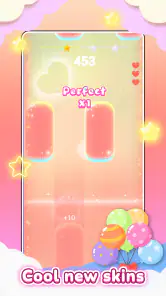
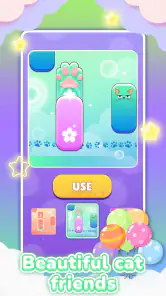
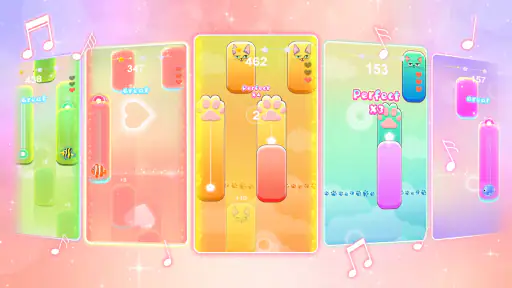
As for the aesthetics, it’s all about vibrant colors and sleek design. The tiles are easy to spot, and the controls are intuitive, which means you can dive right into the action without a steep learning curve. Plus, the animations are smooth, which is crucial for maintaining that all-important rhythm.
Visual clarity matters in a tile game because my eyes need to find the next target quickly without losing the beat. I’d play on a screen where I can comfortably see the action, and I would avoid assuming that a quick glance away is harmless during a faster passage. If I’m adjusting how I hold the phone or settling into a new seat, I’d do that between attempts rather than in the middle of a run.
The user interface is straightforward and user-friendly. Whether you’re a tech whiz or a newbie, you’ll find navigating through the app a breeze. And the best part? It doesn’t bombard you with ads, which is a huge plus in my book.
That makes the first few minutes less of a chore, especially for a casual player who wants to get to the tapping without learning a complicated menu system. Still, I would not make an install decision on the assumption that the experience will be identical on every device or in every session. A sensible first check is simply whether the controls feel responsive on your own phone and whether the screen is comfortable to follow. Rhythm games are personal in that way: a design can look clear yet still feel demanding if the timing does not suit you.
How it compares with other music games
Against the usual rhythm-game alternatives, the main difference here is its approachable, cat-centered presentation paired with tile tapping. Some players may prefer a game organized around more elaborate musical controls or a deeper performance challenge; others may want a relaxed title where the music is not tied to success or failure. I would put PopCat Tiles between those preferences: it offers a simple action to learn, but asks for real attention once the pace picks up.
That also gives me a clear test for whether to keep it installed. If I enjoy repeating a song to improve my timing, the progression can be satisfying. If I find retries irritating, or if I mainly want to discover music without pressure, a standard player or a less demanding casual game is likely a better match. The right alternative depends less on which game is “best” and more on whether I want to react to music, learn an instrument, or simply listen.
Why You Might Fall For It
What keeps me coming back, you ask? It’s the perfect blend of challenge and relaxation. You can lose yourself in the rhythm, forget the day’s stresses, and just enjoy some me-time. Plus, the satisfaction of hitting that perfect combo is unmatched. It’s like a little victory dance for your fingers.
There is a useful balance to that appeal: a short attempt can feel like a small mental reset, but a difficult passage may pull me into repeated retries. I would set a natural stopping point, such as playing for a few minutes before returning to another task, rather than expecting every session to be soothing. If I am already frustrated or tired, the same challenge that feels satisfying on a good day may feel like work.
On top of that, the game encourages you to improve your skills. As you progress, the songs get more complex, giving you a sense of achievement every time you conquer a new level. It’s this progression that keeps the game fresh and engaging.
For a more deliberate practice routine, I’d focus on one improvement at a time: keeping my eyes on the approaching tiles, listening for the pulse, or resisting the urge to tap ahead. That gives each attempt a purpose even when I do not clear a section. It is a small but useful change in approach, particularly for players who otherwise repeat the same mistake without noticing what caused it.
Price, compatibility, and deciding whether to keep it
The game is free to download, with optional in-app purchases priced from $1.99 to $19.99 per item. I’d start with the free experience and decide whether the core tapping loop is enjoyable before spending anything. The presence of purchases is worth keeping in mind if a child will be playing, even though the content rating is Everyone; a parent can also decide whether purchase controls on the device need attention.
JMGame is the developer, and the game’s current version is 1.6.8. It runs on Android 6.0 and later, so checking the phone’s software before installing can prevent a frustrating dead end. The game is free, but that does not mean every optional purchase will be relevant to every player. I’d treat spending as a personal choice rather than something needed to find out whether the basic rhythm gameplay suits me.
Its audience is broad: the age rating is Everyone, and the game has a 4.7 average from around 16,000 ratings, alongside over 10 million installs. Those figures suggest that many people have tried it, but they cannot tell me whether I will enjoy tapping tiles or how comfortably it will play on my device. I’d use them as context, then make the decision based on the actual feel of a short session.
The version was released on October 16, 2024. If you are moving from another rhythm game, the practical switching cost is low in one sense: the central action is easy to understand. The real question is whether this particular presentation and song selection hold your attention. I would not uninstall a favorite alternative until I had tried a few sessions here; different rhythm games can suit different moods, and keeping both is reasonable if they offer distinct kinds of fun.
Who should choose it—and who should pass
I’d recommend giving it a try if you like music-based games, want a simple action to learn, and enjoy a cheerful cat character alongside a timing challenge. It makes sense for casual play during a safe, stationary break, and it may also suit someone who wants a modest way to work on reaction and rhythm without taking on a full music-learning commitment.
I’d steer away if you need a game that can be played without looking at the screen, want uninterrupted listening, or dislike retrying after a missed note. It is also not the right substitute for a piano lesson, music practice, or a conventional player. Those are not failings so much as different jobs: this game is strongest when the goal is active, playful tapping.
In conclusion, PopCat Tiles: Piano & Music is more than just a game. It’s a delightful escape that combines music, fun, and a healthy dose of cuteness. Whether you’re a music lover or just looking for a new way to unwind, give it a whirl. Your inner cat lover will thank you!
PopCat Tiles: Piano & Music Pros and Cons
Pros
- Engaging and addictive gameplay.
- Wide variety of music tracks.
- Simple and intuitive controls.
- Regular updates with new content.
- Offline mode available.
Cons
- Contains ads that can be intrusive.
- Limited free tracks; some require purchase.
- Occasional lag during gameplay.
- In-app purchases can be expensive.
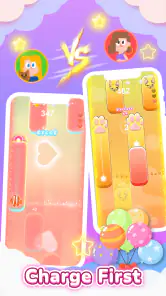
- No multiplayer mode.
Frequently Asked Questions
What is PopCat Tiles: Piano & Music about?
PopCat Tiles: Piano & Music is a fun and engaging musical game that combines the popular Pop Cat meme with musical tiles gameplay. Players can enjoy tapping along to their favorite tunes, featuring a variety of songs across different genres. The game is designed to be both entertaining and challenging, perfect for music lovers and casual gamers alike.
Is PopCat Tiles: Piano & Music free to play?
Yes, PopCat Tiles: Piano & Music is free to download and play. However, it does contain in-app purchases that can enhance your gaming experience. These purchases might include additional songs, themes, or other in-game items. While these purchases are optional, they can offer more variety and customization for players who wish to explore beyond the basic free offerings.
What are the system requirements for PopCat Tiles: Piano & Music?
PopCat Tiles: Piano & Music is available for both Android and iOS devices. For Android users, the game typically requires Android version 4.4 and up. For iOS users, it usually requires iOS 9.0 or later. It's best to ensure your device is updated to meet these requirements for optimal performance and gameplay experience.
Can I play PopCat Tiles: Piano & Music offline?
Yes, PopCat Tiles: Piano & Music can be played offline, allowing you to enjoy the game without an internet connection. This makes it a great choice for playing on-the-go or in areas with limited connectivity. However, for features like updates, purchasing in-game items, or syncing progress, an internet connection will be required.
Does PopCat Tiles: Piano & Music include any ads?
PopCat Tiles: Piano & Music does include ads, as it is a free-to-play game. These ads can appear between gameplay sessions or when accessing certain features. While they help support the developers to keep the game free, players can often opt for an ad-free experience through in-app purchases or subscriptions, if available.


