

Pocket Piano
- Reviews
- 4.6
- Version
- 0.5.2
- Installs
- 5,000,000+

Screenshots
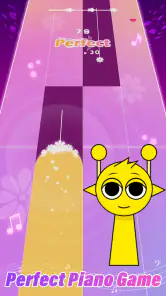
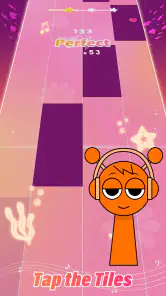
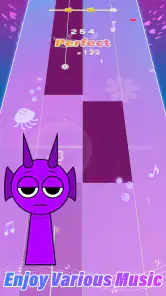
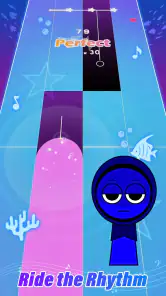
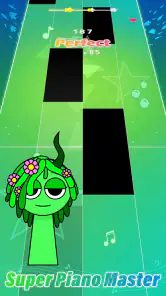
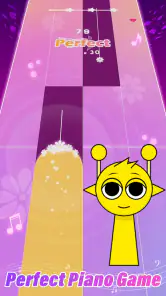
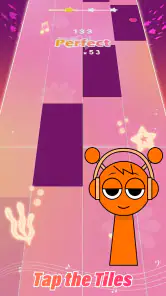
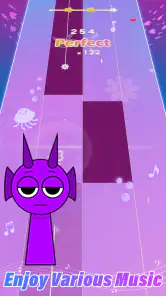
 Analysis by Frivlyz
I like rhythm games that let me understand the appeal before asking for a big time commitment, and Pocket Piano makes its central action easy to grasp: listen, watch the notes, and tap in time. That simple loop is a good fit for a short break, though it is worth knowing what kind of music game you are choosing. This is a mobile tapping game, not a piano lesson or a substitute for learning an instrument. I’d recommend it to someone who wants a quick, hands-on way to engage with songs, rather than someone looking for formal practice tools.
Your first few taps
My first useful tip is to treat the opening song as a warm-up, not a test of musical ability. The screen gives you a direct task, and the early appeal comes from matching your taps to the notes as they appear. If you miss a beat, keep going long enough to learn where the visual cues land instead of restarting immediately. That small change makes the game less frustrating: you get a clearer sense of its timing before deciding whether a song suits you.
The tap-to-play format also makes the game approachable when you have no instrument experience. You do not need to know how to read sheet music to understand the basic interaction, and you can pick it up without setting aside a lesson-length block of time. I would use it while waiting for a ride or taking a short break, when a full console game or a focused music-practice session would be too much. It is especially handy if you want something active to do with your hands rather than another game built around watching a screen.
Getting Started with Pocket Piano
From the get-go, Pocket Piano: Rhythm Music Game welcomes you with a user-friendly interface. It’s not one of those apps that leave you scratching your head trying to figure out where to start. As soon as you open it, you’re greeted with a vibrant home screen that just screams "hit play already!" Oh, and did I mention how smooth it runs? I’ve had my fair share of apps that lag like they're in slow-motion, but this one? Smooth as a jazz melody.
The game is made by SYNTHJOY GAMES and sits in the music-game corner of the genre rather than the more technical end of mobile piano apps. It is free to download, with optional in-app purchases priced from $0.99 to $29.99 per item. I’d approach those purchases as extras rather than a reason to start playing: first see whether the tapping loop and available songs hold your attention. The title is rated Teen, and its current version is 0.5.2, so it is sensible to keep expectations focused on the experience it offers rather than assuming it will work like a complete keyboard simulator.
Immersive Gameplay
Once you dive into the game, you’ll find yourself immersed in a world of rhythm and melodies. The gameplay is pretty straightforward; you tap on the notes as they cascade down your screen. Sounds simple, right? But don’t let that fool you. As you progress, the game throws some pretty challenging compositions your way. It’s like your fingers are dancing on the screen, trying to keep up with the beat. And trust me, once you hit that perfect note streak, it’s as satisfying as finding the last piece of the puzzle.
That streak is the feedback that gives each attempt its shape. You act by tapping; the game responds through the result of the run; then you decide whether to try again. For a better read on your own timing, I’d play a song once without chasing a perfect result, then replay it with attention on the sections where your taps fall out of rhythm. This is a practical way to turn a miss into useful feedback instead of treating every imperfect run as a failure. It also shows why the game can be engaging even when you are only playing for a few minutes.
Gaming Stories You May Enjoy

Dancing Road Turns Short Breaks Into a Test of Rhythm and Timing

Super Stylist Makes Every Outfit a Test of Taste and Patience

Dominoes on Your Terms: Who Should Play and Who Should Pass

Pokémon GO Makes the Familiar World Feel New

Chess.com Turns Rematches Into Rivalries, but Community Has Its Costs

Archery Battle 3D Review: Sharp Aiming, Unclear Feedback
The trade-off is that this kind of feedback is about performance in the game, not detailed musical instruction. If you want to learn finger placement, build keyboard technique, or understand a song’s notation, a dedicated lesson app or a real keyboard is a better choice. Pocket Piano is better suited to testing your reflexes against music and enjoying the satisfaction of a clean run. I would not choose it as my only tool for learning piano, but I can see why someone who already plays might enjoy it as a lighter, more playful change of pace.
Music Selection
One of the coolest features is the wide selection of music tracks. Whether you’re into classical pieces or modern pop hits, Pocket Piano has got you covered. The tracks are updated regularly, so there’s always something new to play. I found myself exploring genres I’d never thought I’d enjoy. Who knew I’d be jamming to Beethoven one minute and bopping to some chart-topping pop the next?
Song choice matters more than it might seem at first. A familiar tune can make it easier to anticipate its shape, while an unfamiliar one gives you a fresh listening challenge without the pressure of knowing how it “should” sound. I’d alternate between the two: use a known track when I want a relaxed run, then try something new when I want the game to feel less predictable. That keeps the session from turning into a routine of replaying the same comfortable song solely to protect a score.
Compared with music games built around a broad instrument collection or a deep catalog of practice exercises, this one keeps the focus on tapping along to songs in a pocket-sized format. That narrower purpose is a strength when I want a quick rhythm challenge, but a limitation if I’m looking for detailed control over notes or a more structured progression in music skills. If the main draw for you is a particular genre or a specific track, check what is available in the game before treating the catalogue as the deciding reason to install it.
Customization and Challenges
Customization is another sweet spot for this app. You can personalize your piano keys, giving your gameplay a unique touch. Plus, the app features various challenges and competitions to keep you on your toes. Whether you’re aiming to beat your high score or compete with friends, there’s always a reason to come back for more. It’s like the app never lets you get bored.
For a more satisfying routine, I’d choose one small target before starting: get through a song cleanly, improve on a previous score, or try a challenge rather than drifting between options. Personalizing the keys can make the screen feel more like yours, but the useful question is whether the visual change helps you enjoy returning to the same basic action. It does not replace the rhythm task; it gives you a small way to make that task feel less anonymous. If you prefer games where customization changes how you play, rather than how the play area looks, this may feel modest.
The competition angle also depends on what you find motivating. A personal best gives you a reason to repeat a song even when you are playing alone; playing with friends can add a social nudge if that is already part of how you enjoy games. I would not make competition the whole point, though. It is easier to enjoy the game when you see challenges as optional goals, not a demand to keep improving every session. That mindset matters on a day when you only want a short distraction and do not have the patience to chase a perfect run.
Who will enjoy the rhythm loop
A realistic use case is a spare ten minutes between errands: I can open the game, choose a song, make a few attempts, and stop without needing to set up an instrument or commit to a long session. The action is immediate, the on-screen response gives me a reason to try again, and a new attempt is appealing because I can see where I might do better. That action-feedback-reward-reset cycle is the game’s strongest idea. The reward is the satisfaction of a cleaner run or a better result; the reset is simply starting another song or retrying, not a promise of a new kind of gameplay each time.
That loop suits casual players, pop-music fans, and anyone curious about rhythm games who wants a low-pressure entry point. It is less convincing for players who need a large sense of long-term progression, detailed piano instruction, or highly precise control over musical expression. Someone who dislikes repeating a song to improve timing may also find the central activity narrow. I would skip it if what you really want is to compose, learn scales, or play freely on a virtual keyboard; those needs call for a different kind of app.
The game is free to start and has passed five million installs, with an average rating of 4.6 from around 7,100 ratings and 131 written reviews. Those figures suggest it has found an audience, but I would still judge it by whether its particular loop clicks for you. It was released on April 25, 2024, and requires Android 5.1 or later. If you are choosing between this and a conventional rhythm game, think about whether you want the piano-themed tapping presentation and quick song attempts, or a different style of input and progression. The familiar category label does not guarantee the same feel.
Another practical question is whether a free download means there is no spending pressure. It does not: optional purchases range from $0.99 to $29.99 per item, so I would decide on a personal spending limit before browsing them, especially if the game becomes part of a regular routine. You can enjoy the basic idea without treating purchases as necessary, but anyone sensitive to in-app offers should take that into account. For a younger player, the Teen age rating is also worth checking against your household’s preferences rather than assuming every music game is automatically suitable for all ages.
The Final Note
In a sea of music games, Pocket Piano: Rhythm Music Game truly stands out. It’s not just about playing the piano; it’s about experiencing the music, feeling the rhythm, and challenging yourself with every note. Whether you’re a music enthusiast or just looking for a fun way to pass the time, this app has something for everyone. So, if you’re ready to unleash your inner pianist, give it a go. Who knows, you might just discover your new favorite pastime.
I’d describe it more narrowly than “something for everyone”: it is a compact rhythm game for people who enjoy tapping along and are happy to repeat songs for a better run. That is exactly why I would recommend it to a friend who wants music-led play in short bursts, while steering a serious piano learner toward lessons instead. The loop is easy to understand, the retry has a clear purpose, and the next session starts naturally when you feel there is one more song—or one cleaner attempt—worth trying. If that small promise sounds appealing, the free download is an easy way to see whether the rhythm feels right for you.
Pocket Piano Pros and Cons
Pros
- Engaging rhythm-based gameplay.
- Variety of music genres available.
- User-friendly interface design.
- Regular updates with new songs.
- Offline play available.
Cons
- In-app purchases can be pricey.
- Occasional lag in gameplay.
- Limited free song selection.
- Ads can be intrusive.
- Requires significant storage space.
This Game in Other Languages
Frequently Asked Questions
What is Pocket Piano: Rhythm Music Game?
Pocket Piano: Rhythm Music Game is an engaging mobile application that combines the elements of a piano game with rhythmic challenges. It offers users the opportunity to play popular songs and improve their musical skills by tapping on the correct keys as they appear on the screen. This game is suitable for all ages and provides an entertaining way to learn about music and rhythm.
How does the gameplay work in Pocket Piano?
In Pocket Piano: Rhythm Music Game, players need to tap on the piano keys as they light up on the screen, following the rhythm of the song being played. The game requires timing and precision, challenging players to hit the correct notes in sequence. As players progress, the levels become increasingly difficult, offering a rewarding experience for both beginners and advanced users.
Are there in-app purchases in Pocket Piano?
Yes, Pocket Piano: Rhythm Music Game offers in-app purchases. While the game is free to download and play, there are optional purchases available such as unlocking additional songs, removing ads, and purchasing special items that can enhance the gaming experience. Users should be aware of these options as they can enhance gameplay but are not necessary for enjoying the core experience.
Is Pocket Piano suitable for children?
Pocket Piano: Rhythm Music Game is suitable for children, offering a family-friendly interface and content. The game is designed to be both educational and entertaining, helping children develop musical skills and hand-eye coordination. However, parents should be mindful of in-app purchases and may want to set restrictions to prevent unauthorized spending.
What are the system requirements for Pocket Piano?
Pocket Piano: Rhythm Music Game can be installed on both Android and iOS devices. For Android, the app typically requires version 5.0 or higher, while iOS devices need to run on iOS 10.0 or later. The game is optimized to work on a variety of devices, but ensuring your device meets these requirements will provide the best gaming experience.


