

Pocket Chess – Chess Puzzles
- Reviews
- 4.6
- Version
- 0.29.0
- Installs
- 1,000,000+

Screenshots
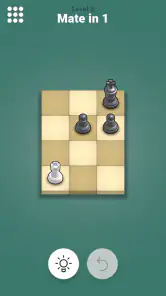
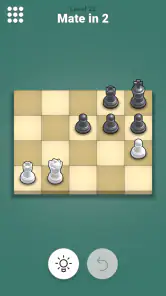
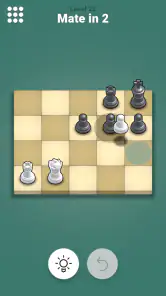
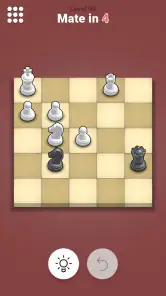
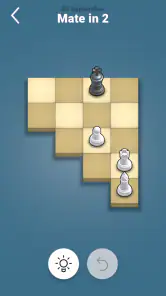
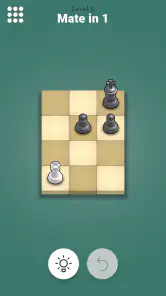
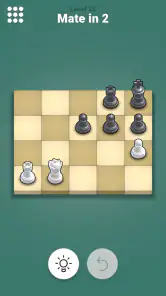
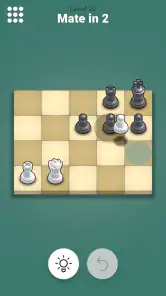
 Analysis by Frivlyz
For a quick chess break, I find it helps to know what kind of play an app is built around: Pocket Chess is focused on solving positions, not sitting down for a full match. Pocket Chess – Chess Puzzles is a board game from Lessmore UG, and its appeal is the chance to spend a few spare minutes looking for a tactic. I’d recommend it to someone who enjoys chess but wants a compact challenge they can pick up between other things, rather than a replacement for playing opponents.
Quick sessions, without the match setup
The puzzle format suits the moments when a full game would be inconvenient. On a commute, during a lunch break, or while waiting for an appointment, I can focus on one position and make a deliberate move instead of having to keep track of an unfinished match. That is a useful difference from conventional chess apps, where the main attraction is often a complete game against another person or a computer. If what you want is opening practice, a long game, or direct competition, a dedicated chess-playing app will likely serve you better.
I would treat each puzzle as a small exercise in calculation, not as a complete training plan. Before moving, I try to identify what makes the position unusual: a vulnerable king, an undefended piece, or a move that changes the opponent’s options. Even when I do not find the solution quickly, that habit makes the session more purposeful than tapping through guesses. It also gives beginners a practical way to pause and ask, “What is the threat?” before moving a piece in their own games.
Making the hint useful
The hint system can make a difficult position less frustrating, but I get more from it when I use it as a last step rather than my first reaction. I first look for forcing moves and consider the opponent’s best response. If I remain stuck, a hint can help me resume thinking without simply abandoning the puzzle. For a stronger learning routine, I would try to explain the idea to myself after solving it: what changed, and why did the move work? That short review is more useful than treating a solved position as a score to collect.
There is a trade-off here. A hint can keep a session moving, but leaning on it too early may turn the exercise into following prompts rather than calculating. Players who want detailed lessons, annotated games, or a structured course may find a puzzle-focused app too narrow. I see this one as a convenient practice companion, especially for tactical thinking, not a substitute for studying complete games or learning chess fundamentals in depth.
Who will get the most from it
I think Pocket Chess is best suited to casual players who already know how the pieces move and want a low-friction way to think about tactics. It can also give newer players a reason to practise spotting threats, provided they are comfortable taking time over a position. A strong player may enjoy the quick mental reset, but anyone seeking advanced analysis or a carefully graduated curriculum should compare it with a chess trainer designed around those needs.
A realistic routine is to open it while waiting for food, solve one position without rushing, and then put the phone away. If the puzzle is harder than expected, I would rather leave it briefly and return with fresh eyes than tap randomly. This makes the short format a strength: practice can fit around a day without requiring a board, an opponent, or a long block of uninterrupted time.
Gaming Stories You May Enjoy

Dancing Road Turns Short Breaks Into a Test of Rhythm and Timing

Super Stylist Makes Every Outfit a Test of Taste and Patience

Dominoes on Your Terms: Who Should Play and Who Should Pass

Pokémon GO Makes the Familiar World Feel New

Chess.com Turns Rematches Into Rivalries, but Community Has Its Costs

Archery Battle 3D Review: Sharp Aiming, Unclear Feedback
First Impressions of Pocket Chess
The first thing that caught my eye when I downloaded Pocket Chess was its clean and intuitive interface. It’s not cluttered with unnecessary features, which means you get straight to the point—solving puzzles. I mean, who has time to navigate through a labyrinth of menus when all you want is a good challenge, right?
Gameplay and Features
The app offers a plethora of chess puzzles that range from easy to downright mind-bending. It’s like having a portable chessboard that constantly throws new challenges at you. Each puzzle is crafted to improve your tactical skills, making you think several moves ahead. The satisfaction of solving a tough puzzle is akin to winning a small battle.
One of the features I absolutely love is the hint system. We all get stuck sometimes, and having a little nudge in the right direction can be a lifesaver. But don’t get too reliant on it! The real fun is in trying to crack the puzzle on your own.
Why You’ll Love It
If you’re someone who relishes a mental workout, Pocket Chess offers endless opportunities to test your mettle. The app is lightweight, so it doesn’t hog your phone’s resources. Plus, it’s offline-friendly, which means you can enjoy your chess puzzles anywhere—be it on a flight or in a remote cabin in the woods.
Another highlight is the frequent updates. The developers seem genuinely invested in enhancing the user experience, regularly rolling out new puzzles and features. This keeps the app fresh and engaging, ensuring you never run out of challenges.
Room for Improvement
While I’m singing praises, there’s a small hitch worth mentioning. The app could use a bit more variety in its puzzle types. While the current set keeps you busy, introducing different styles or themed puzzles might add an extra layer of intrigue.
Speed, stability, and everyday use
For this kind of puzzle game, what matters most to me is whether I can get into a position quickly and give it my attention without extra fuss. The straightforward presentation makes that kind of brief session feel natural. I would not judge the app by the speed of a long online match, since solving a puzzle is a different use case; the useful question is whether its focused format fits the small gaps in a day.
When I use any chess puzzle app for several positions in one sitting, I try to avoid turning speed into the goal. A rapid string of moves can make it easy to miss the point of a tactic. Here, I would take a moment to scan the whole board before touching a piece, then check whether the opponent has a forcing reply. That workflow makes the app more valuable as practice, even if I only have time for a handful of challenges.
Reliability matters most when a short session is interrupted. I would not build a training schedule around an assumption that every unfinished position will be preserved through every interruption; instead, I treat each puzzle as a self-contained exercise and finish it before switching tasks when possible. That is a sensible approach for quick-use software and avoids making a casual puzzle break depend on a long, continuous session.
The game is free to download, and its Everyone age rating makes it broadly suitable for players of different ages. It has an average rating of 4.6 from around 30 thousand ratings, with over one million installs, which suggests that this compact puzzle format has found an audience. Optional in-app purchases range from $1.99 to $26.99 per item, so I would check the purchase prompt carefully if I were managing spending on a shared device.
It was released on March 21, 2021, and the current version is 0.29.0. The stated minimum operating system is Android 6.0, a practical consideration for anyone using an older phone. I would not assume that a particular device will feel identical to another: screen size and age can affect how comfortable a board is to inspect, and older hardware may make any app feel less responsive. If you are deciding whether to install it, the simple test is whether your device meets that minimum and whether the board remains easy for you to read.
Compared with a physical chessboard, this is easier to carry and better suited to a quick tactical prompt, but it cannot replace the feel of moving pieces across a real board or the social side of a face-to-face game. Compared with general chess apps, its puzzle-first focus is convenient when you do not want to start a full match. The trade-off is that players looking for opponent matchmaking, deep analysis, or a broad learning path should choose a more comprehensive chess tool instead.
My performance verdict is modest but positive: the focused design and lightweight feel suit short puzzle sessions, and the game’s appeal does not depend on elaborate graphics or a long setup. I would choose it for a mental break, not as my only chess resource. If you want to build a well-rounded game, combine tactical puzzles with actual games and review; if you simply want a position to think through while waiting, this is a more fitting choice.
All in all, Pocket Chess – Chess Puzzles is a delightful app for anyone looking to hone their chess skills or simply pass the time with a thoughtful challenge. So, whether you’re waiting in line or winding down after a long day, give this app a try. You might just find yourself hooked on the strategic allure of chess puzzles!
Pocket Chess – Chess Puzzles Pros and Cons
Pros
- Enhances strategic thinking skills.
- Offers a variety of chess puzzles.
- User-friendly interface design.
- Improves problem-solving abilities.
- Great for quick mental exercise.
Cons
- Limited game modes available.
- No multiplayer option.
- Ads may disrupt gameplay.
- Requires internet for some features.
- Limited customization options.
Frequently Asked Questions
What is Pocket Chess – Chess Puzzles and how does it work?
Pocket Chess – Chess Puzzles is a mobile application designed to help users improve their chess skills through engaging puzzles. It offers a variety of challenging chess puzzles that cater to different skill levels, allowing players to practice and enhance their strategic thinking. The app is user-friendly and provides hints and solutions to guide players as they work through each puzzle, making it an excellent learning tool for both beginners and advanced players.
Is Pocket Chess – Chess Puzzles suitable for beginners?
Yes, Pocket Chess – Chess Puzzles is suitable for beginners. The app includes puzzles that range from easy to difficult, making it accessible to players who are new to the game. Beginners can start with simpler puzzles to learn basic strategies and gradually progress to more challenging ones as they improve their skills. The app also provides hints and detailed solutions to help beginners understand the game better.
What features does Pocket Chess – Chess Puzzles offer to enhance my chess skills?
Pocket Chess – Chess Puzzles offers a variety of features to enhance your chess skills, including a wide range of puzzles that cover different tactics and strategies. The app provides hints and solutions for each puzzle, allowing users to learn from their mistakes. Additionally, it tracks your progress and performance over time, helping you identify areas for improvement. These features make it a valuable tool for anyone looking to sharpen their chess abilities.
Can I use Pocket Chess – Chess Puzzles offline?
Yes, Pocket Chess – Chess Puzzles can be used offline. Once the app is downloaded and installed on your device, you can access and solve puzzles without an internet connection. This offline capability makes it convenient for users to practice chess puzzles anywhere and at any time, without worrying about connectivity issues. It's perfect for users who want to use the app during travel or in areas with limited internet access.
Does Pocket Chess – Chess Puzzles have any in-app purchases or ads?
Pocket Chess – Chess Puzzles may contain in-app purchases and ads. While the app offers a variety of free puzzles, users have the option to purchase additional puzzle packs or unlock premium features for an enhanced experience. Moreover, ads might be present in the free version of the app, but users can usually opt to remove them through an in-app purchase. Always check the app's details on the download page for specific information on in-app purchases and advertisements.


