

Pizza Boy A Pro
- Reviews
- 4.8
- Version
- 2.15.9
- Installs
- 100,000+

Screenshots
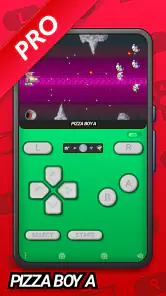
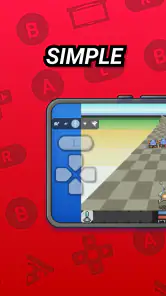
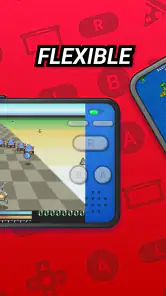
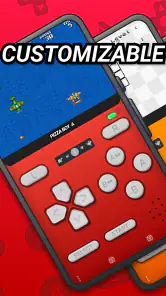
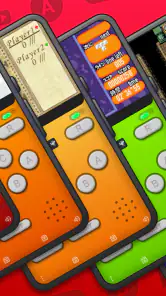
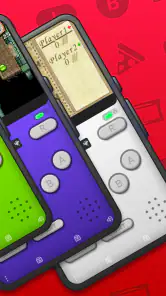
 Analysis by Frivlyz
So, I recently got my hands on Pizza Boy A Pro, and let me tell you, it was quite an experience. If you're a fan of retro gaming, this app is probably going to feel like a trip down memory lane, just like it did for me. But before we dive into the nitty-gritty, let’s talk about what this app is all about.
Unpacking the Retro Experience
Pizza Boy A Pro is basically a Game Boy emulator that transforms your Android device into a mini retro gaming console. Remember those chunky cartridges we used to blow into, hoping they'd work? Yeah, this app gives you all those feels minus the hardware fuss. It’s like carrying a piece of the past right in your pocket. I mean, who wouldn’t want that?
Setup and Performance
Getting started with Pizza Boy A Pro is a breeze. Just download the app, load up your favorite ROMs, and bam! You’re good to go. The interface is pretty intuitive, so even if you’re not super tech-savvy, you’ll figure it out in no time. The app runs smoothly without any noticeable lags, which is a big deal when you’re in the middle of a boss fight!
One of the standout features is the customizable layout. You can adjust the controls to your liking, which is awesome because, let’s be real, everyone has their own way of handling those virtual buttons. Plus, the graphics are crisp and the sound quality is on point, making the gaming experience truly immersive.
Features That Make It Pop
Now, what really sets this app apart are the extra features. The app supports external controllers, which is a game-changer for those who prefer the tactile feedback of physical buttons. It also offers quick save and load states, so you can easily pick up right where you left off. No more losing progress when your mom calls you for dinner!
There’s also a fast-forward option, which I personally love. It helps you skip through those long dialogues or tedious parts of the game that you’ve already mastered. It’s little touches like these that make Pizza Boy A Pro a standout emulator in the crowded app market.
Gaming Stories You May Enjoy

Dancing Road Turns Short Breaks Into a Test of Rhythm and Timing

Super Stylist Makes Every Outfit a Test of Taste and Patience

Dominoes on Your Terms: Who Should Play and Who Should Pass

Pokémon GO Makes the Familiar World Feel New

Chess.com Turns Rematches Into Rivalries, but Community Has Its Costs

Archery Battle 3D Review: Sharp Aiming, Unclear Feedback
Final Thoughts
Overall, if you’re into retro gaming or just want to relive the good old days, Pizza Boy A Pro is definitely worth checking out. It’s easy to use, packed with features, and delivers a smooth gaming experience. So, go ahead and give it a try. Who knows, it might just become your new favorite way to kill time!
Pizza Boy A Pro Pros and Cons
Pros
- High compatibility with GBA games
- Customizable controls for better gameplay
- Fast and smooth performance
- Battery-friendly design
- Supports cheat codes
Cons
- No multiplayer support
- Ads in free version
- Limited customization options
- No in-app tutorials
- Occasional minor bugs
This Game in Other Languages
Frequently Asked Questions
What is Pizza Boy A Pro and what does it offer?
Pizza Boy A Pro is a highly acclaimed Game Boy and Game Boy Color emulator for Android devices. It offers a seamless gaming experience with high compatibility, ensuring that users can play their favorite retro games smoothly. The app features customizable controls, save states, fast forward, and hardware controller support, making it a top choice for retro gaming enthusiasts.
How user-friendly is the interface of Pizza Boy A Pro?
Pizza Boy A Pro boasts a user-friendly interface that is designed to cater to both beginners and experienced users. The layout is intuitive, allowing easy navigation through the app’s features. Users can effortlessly load games, adjust settings, and customize controls, ensuring a smooth and accessible gaming experience for everyone.
Does Pizza Boy A Pro support hardware controllers and external devices?
Yes, Pizza Boy A Pro supports hardware controllers and external devices. It is compatible with most Bluetooth controllers, providing users with the flexibility to enhance their gaming experience. This feature is particularly beneficial for those who prefer a more tactile and traditional gaming setup, similar to original Game Boy devices.
Is it necessary to have game ROMs before using Pizza Boy A Pro?
Yes, to use Pizza Boy A Pro, users need to have their own game ROMs. The app does not come with any pre-loaded games due to legal reasons. Users must acquire ROMs legally and load them onto their device. This ensures compliance with copyright laws while enjoying a wide range of classic games.
What are the key advantages of using Pizza Boy A Pro over other emulators?
Pizza Boy A Pro stands out due to its high performance and accuracy. It offers a lag-free gaming experience with excellent sound and graphics quality. Additionally, features like customizable controls, save states, and fast forward options provide a comprehensive and enhanced gaming experience, setting it apart from other emulators available on the market.


