

Pixel Craft City
- Reviews
- 3.4
- Version
- 120011-public
- Installs
- 10,000,000+

Screenshots


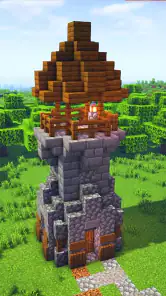


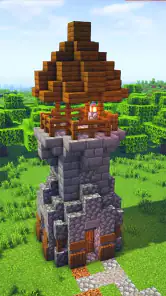

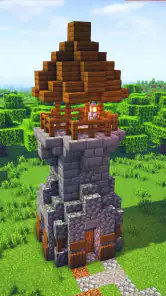
 Analysis by Frivlyz
I tend to enjoy building games most when they let me make a small, personal project at my own pace rather than pushing me toward a fixed goal. Pixel Craft City looks aimed at that creative mood: it is a free simulation game from paygame, with a pixel-based city-building premise and room to craft, build, and explore. Its Everyone 10+ age rating gives families a useful starting point when deciding whether it suits a younger player, though I would still check the game together rather than treating an age label as a full description of its content.
The game has been available since December 12, 2023, and its current version is 120011-public. It has passed ten million installs, with an average rating of 3.4 from around 8,100 ratings and 161 written reviews. That mix suggests a sizeable audience but also a varied reception; I would read the rating as a reason to approach with measured expectations, not as proof that every player will have the same experience. The free price removes the initial purchase decision, but it does not by itself tell me whether optional purchases or other spending are part of the experience.
What kind of player may enjoy it
Pixel Craft City is most appealing if you like visual tinkering: arranging blocks, imagining a neighborhood, and gradually turning a rough idea into a place with its own character. The pixel style naturally suits bold shapes and simple silhouettes. I would start with one small landmark or a short street instead of trying to plan a whole metropolis immediately. That makes it easier to see whether the building tools feel comfortable and gives a new player a clear first project.
It may be less satisfying if you want a city simulator centered on detailed budgets, traffic optimization, or complex management. The known premise points toward making and exploring a pixel city, so I would choose a more systems-heavy builder if balancing infrastructure and responding to economic pressure is the main attraction for you. Likewise, someone looking for a tightly scripted story should not assume that a creative building game will provide one.
The Pixelated Playground
At its core, Pixel Craft City is all about giving users the reins to create their dream metropolis, pixel by pixel. The app offers an extensive palette of colors and a myriad of building blocks, each with its unique charm. Whether you're envisioning a futuristic skyline or a quaint village nestled in the countryside, the possibilities are endless. The intuitive interface makes it easy for both beginners and seasoned artists to jump right in and start crafting.
Building Beyond Boundaries
One of the standout features of Pixel Craft City is its expansive map. You're not confined to a tiny plot of land; instead, the entire city is your canvas. This freedom encourages players to think big and push their creative boundaries. Want to construct a towering skyscraper that scrapes the digital sky? Go for it. Or maybe you prefer to design an intricate network of roads and parks? The choice is yours, and the app provides all the tools you need to make your vision a reality.
Making a large canvas manageable
A broad building area is exciting, but it can also leave a new player wondering where to begin. I find it helpful to give each session one modest purpose: mark out a block, finish a building exterior, or connect two parts of a street. A simple plan also makes a large design easier to revisit. Before adding decorative details, establish a consistent footprint for buildings and leave deliberate gaps for paths or open space; those choices help a city feel readable rather than crowded.
Gaming Stories You May Enjoy

Dancing Road Turns Short Breaks Into a Test of Rhythm and Timing

Super Stylist Makes Every Outfit a Test of Taste and Patience

Dominoes on Your Terms: Who Should Play and Who Should Pass

Pokémon GO Makes the Familiar World Feel New

Chess.com Turns Rematches Into Rivalries, but Community Has Its Costs

Archery Battle 3D Review: Sharp Aiming, Unclear Feedback
Another useful habit is to build in layers. I would first sketch the main route through an area, then place larger structures, and only afterward use color and smaller details to distinguish one place from another. This approach is not a hidden game feature; it is a practical way to avoid spending time decorating a layout that later needs to be rearranged. If a design starts to feel repetitive, changing the scale or silhouette of a single landmark can make the surrounding streets feel more varied without requiring a complete restart.
A low-pressure everyday building routine
For a realistic short session, I might open the game while taking a break and work on one visible task, such as adding a small park beside a road or making the entrance to a building easier to recognize. A clear stopping point matters in creative games: it lets me enjoy steady progress without turning a casual visit into an unfinished marathon. If I have more time later, I can continue from the next nearby area rather than scattering half-complete ideas across the map.
This style of play is a better fit for someone who enjoys making their own goals than for someone who needs constant instructions or rewards to stay engaged. It can also work well for a parent and child taking turns suggesting what a neighborhood should include, with the adult helping keep the project small enough to finish. I would not assume that every social or collaborative activity mentioned in promotional descriptions is available in every version or situation; the basic creative appeal is enough to judge whether the premise interests you.
Community Creations
In Pixel Craft City, you're never alone. The app boasts a thriving community of fellow builders who are just as passionate about pixel art as you are. Through the app's social features, you can share your creations, gather inspiration from others, and even collaborate on massive projects. It's a fantastic way to connect with like-minded individuals and showcase your artistic prowess. Plus, the regular challenges and events keep the creative juices flowing and add a dash of friendly competition.
What fairness means for a builder
In a city-making game, fairness is less about winning a match and more about whether creativity is enjoyable without spending. The game is free to start, which is useful if you want to try the building style before committing money. I would still make a deliberate distinction between the no-cost entry and any optional spending a player may encounter. The available purchase details do not establish what paid items exist, whether they affect building choices, or whether they offer convenience rather than advantage, so I would not treat the game as either pay-to-win or definitively free of spending pressure.
For a child, I would agree on a spending rule before play and review any purchase prompt together. For an adult deciding whether to keep playing, the practical test is simple: can you enjoy making a small project with the tools currently available, or does the experience repeatedly make you feel that progress depends on paying? That distinction is more useful than guessing at a purchase system. If fair competition is your main concern, remember that a creative city builder is a different proposition from a head-to-head game where paid advantages could decide a result.
How it sits beside other building games
Compared with management-focused city simulators, this game’s pixel-art approach sounds more inviting for freeform construction than for detailed civic planning. Compared with open-ended sandbox builders, its city framing gives a project a natural theme: streets, buildings, and neighborhoods can become a coherent place rather than a collection of unrelated structures. Those are different kinds of appeal, not a claim that one style is universally better. I would choose this one when the pleasure is arranging a cityscape; I would look elsewhere if I wanted deeper resource chains, elaborate survival systems, or a structured campaign.
There is also a useful trade-off in having a large canvas. It gives ambitious builders room to think beyond a single house, but a broad space can make progress feel slow if you measure success by filling every corner. I would treat an unfinished district as a valid stage of a project rather than a failure. A few recognizable places connected by a clear route can feel more satisfying than a huge map covered quickly with repeated buildings.
Questions worth settling before you commit
If you are wondering whether the game is suitable for a younger player, its Everyone 10+ rating is the clearest starting point, and a shared first session is a sensible way to see how the child responds. If you are wondering whether it costs money to download, it is free; that does not answer whether optional purchases are present. If you are deciding whether it will run on an older device, the minimum operating-system requirement is Android 5.0, so check your device’s software version before installing.
You may also be asking whether the game is mainly about building or managing. Its identity is clearly presented as a simulation focused on crafting and making a city, so I would approach it as a creative builder rather than expecting detailed economic strategy. And if you are unsure whether the community elements are essential, I would first decide whether the core idea of shaping a pixel city appeals to you; social features should be a bonus, not the sole reason to install a game unless you have checked that they meet your needs.
Endless Entertainment
With regular updates and new content, Pixel Craft City continually evolves, ensuring that there's always something fresh to explore. The developers are committed to keeping the app engaging and dynamic, introducing new building materials, themes, and features that keep users coming back for more. Whether you're looking to unwind after a long day or embark on an epic building marathon, this app has something for everyone.
Where I would set expectations
The average rating of 3.4 from around 8,100 ratings is a reason to try the game with an open mind rather than assume it will suit every builder. I would pay attention to how the controls feel during a small first project and whether the available creative loop holds my interest. A game can have a promising premise and still be the wrong fit if its interface or pace does not match the way I like to build. The 161 written reviews may offer additional player perspectives, but I would look for comments that describe a specific issue or strength rather than relying on a single reaction.
My main caution is about expectations, not a particular unverified flaw: the city-building idea may sound broader than the kind of play an individual wants. If you need a clear campaign, strategic pressure, or extensive management decisions, choose a game designed around those priorities. If you mainly want a flexible creative outlet, start with a modest neighborhood and see whether the act of shaping it is enjoyable before planning an enormous project.
End of the visit
In conclusion, Pixel Craft City is a delightful blend of creativity, community, and endless entertainment. It's an app that invites you to lose yourself in its vibrant world and emerge with your masterpiece. So, if you're ready to channel your inner city planner and build the metropolis of your dreams, this is the app for you. Happy crafting!
My more cautious recommendation is for players who like making their own targets and are happy to judge a builder by the satisfaction of shaping a place, not by a checklist of management systems. paygame’s free simulation has a broad audience, but its moderate average rating is a reminder to test the feel for yourself. I would install it for a relaxed pixel-city project, keep spending decisions clear, and move on to a more specialized alternative if the building tools or creative pace do not click.
Pixel Craft City Pros and Cons
Pros
- User-friendly interface for seamless navigation.
- Wide variety of crafting options available.
- High-quality graphics and animations.
- Multiplayer mode enhances gameplay experience.
- Frequent updates with new features.
Cons
- Requires constant internet connection.
- In-app purchases can be expensive.
- Some features are locked for free users.
- Advertisements can be intrusive.
- High battery consumption on mobile devices.
Frequently Asked Questions
What is Pixel Craft City and what can I do in the game?
Pixel Craft City is an immersive sandbox game that allows players to explore, build, and craft in a dynamic, pixelated city environment. You can undertake missions, design your own buildings, engage with city residents, and customize your surroundings. It's a creative playground where imagination is your only limit, making it perfect for those who enjoy crafting and exploration.
Is Pixel Craft City suitable for all age groups?
Yes, Pixel Craft City is designed to be family-friendly and suitable for all age groups. The game features intuitive controls and creative content that appeals to both young players and adults alike. The engaging missions and open-world exploration offer entertainment without inappropriate content, making it a safe choice for kids and an enjoyable experience for older gamers.
What are the system requirements for installing Pixel Craft City?
To install Pixel Craft City, you need a smartphone or tablet running at least Android 6.0 or iOS 11.0. The game requires a minimum of 2GB of RAM and around 500MB of free storage space. Ensure your device meets these specifications for optimal performance and a smooth gaming experience without any lag or crashes.
Does Pixel Craft City offer any in-app purchases?
Yes, Pixel Craft City includes optional in-app purchases that allow players to enhance their gaming experience. You can buy various items like special building blocks, skins, or speed boosts. While these purchases can add to the gameplay, they are not necessary to enjoy the full features of the game, ensuring a balanced experience for all users.
How often does Pixel Craft City receive updates and new content?
Pixel Craft City is regularly updated to improve gameplay, fix bugs, and introduce new content. Developers aim to release updates every few weeks, adding new missions, building options, and customizations. This commitment to regular updates keeps the game fresh and engaging, encouraging players to return and discover new aspects of the pixelated world.


