

Pixel Coloring-Color by number
- Reviews
- 4.4
- Version
- 1.39.3
- Installs
- 1,000,000+

Screenshots





 Analysis by Frivlyz
I judge a coloring game less by how many pictures it promises than by how well it fits into an ordinary day. Pixel Coloring-Color by number is a board-style game from Coloring Game Studio@RabiGame, built around filling numbered pixel spaces rather than drawing freehand. That distinction matters: it gives me a clear next action, but it also means the creative choices are limited by the picture’s preset palette and layout.
The game is free to install, with optional in-app purchases priced from $0.99 to $69.99 per item. It is rated for Everyone, and its current version is 1.39.3, with Android 5.0 as the minimum OS. I see it as an easy entry point for someone who wants a low-pressure coloring activity, not as a full digital art tool. The price range is worth noticing before browsing purchase prompts: a free download does not mean every optional purchase is equally small.
What the purchase details mean in practice
I would treat the free version as the sensible place to start. The listed range confirms that optional purchases exist, but it does not tell me what each item contains or whether any particular image requires payment. So I would not budget around a specific unlock or assume that a purchase is necessary to enjoy the basic coloring idea. If a paid option appears, check its exact price and contents before confirming it, especially if a child is using the device.
That is also the fairest way to think about value here. Pixel coloring can be enjoyable without producing a unique drawing, because the satisfaction comes from completing a grid one color at a time. If you mainly want a relaxing routine, the free starting point may be enough to decide whether the format suits you. If you expect a large, fully open-ended art studio, even a purchase would not change the basic appeal of numbered coloring.
How the coloring rhythm holds up
When I first downloaded Pixel Coloring-Color by number, I was instantly hooked. The app is user-friendly and perfect for anyone, regardless of age. It offers a wide variety of images, from cute animals and intricate mandalas to famous art pieces. The best part? You don’t need to be Picasso to create something beautiful; the app guides you every step of the way.
How It Works
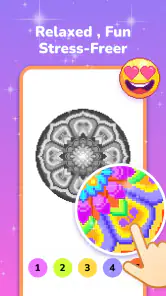
The concept is simple yet genius. Each image is divided into tiny squares, each marked with a number. These numbers correspond to a particular color. All you need to do is tap on a number and fill in the corresponding square. It’s like a digital paint-by-numbers kit! As you fill in the colors, the image comes to life, and I must say, watching your artwork evolve is immensely satisfying.
The app also features a handy zoom function, allowing you to get up close and personal with each pixel. This is particularly useful for those intricate designs that require a bit more precision. Plus, the app autosaves your progress, so you can take a break and return to your masterpiece whenever you want without losing any progress.
Gaming Stories You May Enjoy

Dancing Road Turns Short Breaks Into a Test of Rhythm and Timing

Super Stylist Makes Every Outfit a Test of Taste and Patience

Dominoes on Your Terms: Who Should Play and Who Should Pass

Pokémon GO Makes the Familiar World Feel New

Chess.com Turns Rematches Into Rivalries, but Community Has Its Costs

Archery Battle 3D Review: Sharp Aiming, Unclear Feedback
A useful way to work through a detailed picture is to choose one color and finish its visible spaces before moving on. That keeps the small numbered cells easier to track, and zooming in only when a cluster gets crowded can save unnecessary pinching and panning. I would also treat a partly completed image as a natural stopping point rather than trying to finish it in one sitting; autosaving makes the game better suited to short visits than a long, uninterrupted session.
Where it fits in a busy day
For example, I can imagine opening it while waiting for an appointment or winding down after dinner: choose an image, fill a handful of areas, then put the phone away when the moment ends. That is a different kind of downtime from a fast board puzzle. There is no need to plan a route or beat an opponent; the progress is visual and incremental. The trade-off is that tapping individual cells can feel repetitive if I have only a minute or two, especially on a dense design.
The zoom feature helps with precision, but it also changes the pace. On small details, enlarging the canvas makes it easier to target the right square; on broader sections, staying zoomed in can mean more navigation than coloring. I find it more comfortable to alternate: work close-up on tiny clusters, then zoom back out to see how the image is coming together. That quick check gives a better sense of progress than focusing on a single patch for too long.
The Zen of Coloring
One thing I absolutely love about this app is its stress-relieving aspect. We live in such a fast-paced world, and sometimes, we just need to slow down. Coloring by number is almost meditative; it lets you focus on the task at hand and forget about everything else. The gentle tapping of colors, the gradual emergence of a picture, it’s all very calming.
Moreover, the app’s soothing background music enhances this experience, making it a fantastic way to unwind after a long day. You can even switch off the music if you prefer coloring in silence or while listening to your favorite tunes.
The calm here comes from having a narrow, predictable task, not from making a picture entirely your own. That makes this a good fit for people who enjoy visible progress without needing to invent a composition or choose every color. It is less suitable if you want freehand control, brush variety, or the challenge of solving a strategic board. In those cases, a drawing app or a more tactical board game would offer a more satisfying kind of engagement.
How it compares with other casual choices
Compared with paper coloring, this format removes the need to keep pencils, pages, and a clear surface nearby, while zooming makes tiny sections easier to reach. Paper, though, lets you choose your own colors and marks; here, the numbered pattern sets the task. Compared with ordinary board games, Pixel Coloring is more solitary and less competitive. I would choose it for a quiet break, but reach for a game with turns, opponents, or problem-solving if I wanted social play or a stronger sense of challenge.
There is a practical difference from freehand coloring apps, too. A blank canvas can feel intimidating when I do not have an idea, whereas a numbered picture immediately tells me what to do. The cost of that guidance is creative freedom: the finished result follows the supplied design rather than my own interpretation. For someone who wants to relax without deciding on a palette, that is a strength; for someone who likes experimenting with color, it may feel restrictive.
The game’s audience is broad: it is suitable for everyone, and its straightforward tapping makes it approachable for a first-time player. Still, “easy to start” is not the same as “ideal for every player.” Someone who dislikes repetitive tapping, needs a highly active game to stay engaged, or wants an opponent to compete against may lose interest. I would also be cautious about handing a device to a child without checking purchase settings first, since optional items are available even though the game itself is free to install.
Progress without a race
There is no need to treat completion as a target to chase. I get more out of this kind of game when I pick a picture that looks appealing, work on it in small stretches, and stop when the activity stops feeling restful. That approach suits a commute or a waiting room better than choosing a very intricate design when I have only a brief break. The more detailed the grid, the more rewarding a finished image may feel, but the more patience it asks for along the way.
Autosaving is especially useful in that stop-and-start routine. It means I can leave a picture unfinished without turning the next session into a memory test about where I stopped. It does not remove the need to keep track of the currently selected color and the area I am working through, so I still prefer a simple rhythm: finish a visible patch, zoom out to reorient, then continue or leave it for later. That small habit prevents the coloring from becoming aimless tapping.
Sharing Your Creations
Once you’ve completed your artwork, the app makes it super easy to share your creations with friends and family. With just a few taps, you can show off your colorful masterpieces on social media or save them to your gallery. It’s a wonderful way to spread joy and maybe inspire others to pick up a virtual paintbrush.
Sharing works best as a personal extra rather than the main reason to play. The finished image can be a pleasant thing to keep or show someone, but the more dependable appeal is the process itself: watching a picture take shape from a field of numbered squares. If I wanted to make art for a specific purpose, such as a custom card or a carefully composed illustration, I would use a tool that gives me control over the image from the beginning.
Fairness, spending, and what to check
Pixel Coloring is not presented as a contest, so I would not evaluate fairness in terms of competitive advantage. The important distinction for a player is whether optional spending changes access to content or convenience. The available purchase range confirms that paid items can be bought, but it does not establish what they unlock or how they affect play. I would therefore avoid assuming either that the experience is fully open without spending or that payment is required to progress.
Before buying anything, I would read the purchase screen carefully and decide whether that specific item adds something I actually want. This is a more useful test than judging by the largest listed price, since the range covers multiple possible items and says nothing by itself about their contents. If I am setting the game up for a younger player, I would make sure purchases are controlled through the device’s usual settings rather than relying on the game’s Everyone rating to answer questions about spending.
The game has an average rating of 4.4 from around 3.3K ratings, with 221 written reviews and over 1 million installs. Those figures suggest that many people have tried it, but they cannot tell me whether its pacing suits my habits. I would use them as context, not as a substitute for trying the free version and seeing whether number-led coloring feels soothing or monotonous to me.
A few practical questions before you start
Will it work for a short break? Yes, the autosave makes stopping and returning practical, so I do not need to reserve a long block of time. Is it a good choice for someone who wants to draw? Only if that person enjoys completing a preset pixel image; it is not the same as sketching freely. Does it require spending to be worthwhile? I would start without paying and decide based on the actual options shown in the app, rather than treating purchases as a prerequisite.
Is it suitable for a child? Its Everyone age rating makes it broadly appropriate, but I would still consider whether the child enjoys careful, repetitive tapping and manage optional purchases on the device. Can it replace a competitive board game? Not really. It offers a quiet individual activity, while a traditional board game is a better choice when the point is shared rules, turns, and interaction. Knowing those differences makes it easier to choose the right kind of downtime.
Who I would recommend it to
I would recommend it to someone who likes coloring books, pixel pictures, and small tasks that can be paused easily. It is particularly handy for people who want structure without a score-driven challenge, or who find a blank drawing surface harder to approach than a numbered image. Someone who wants to create original artwork, compete with other players, or avoid repetitive touch input should probably choose a different kind of app.
For Android users, the listed minimum is version 5.0, and the game is free to download. It was released on February 24, 2023, and the current version is 1.39.3. Those details help with basic compatibility and context, but my recommendation still comes down to the activity: the appeal is steady, guided coloring, not a deep board-game system or an open-ended art workspace.
To wrap it up, Pixel Coloring-Color by number is more than just an app; it’s a journey into a world of creativity and relaxation. Whether you’re looking to kill time on your commute, relieve stress, or simply indulge in some creative expression, this app has something for everyone. So why not give it a try? Who knows, you might just discover a hidden talent for digital art!
Pixel Coloring-Color by number Pros and Cons
Pros
- Easy to use interface perfect for all ages
- Wide variety of images to choose from
- Offline mode available for uninterrupted play
- Regular updates with new images
- Enhances creativity and mindfulness
Cons
- Contains ads that can be intrusive
- Limited features in the free version
- Some images are locked behind paywall
- Requires internet for updates
- Can be repetitive after extended use
This Game in Other Languages
Frequently Asked Questions
What is Pixel Coloring - Color by Number?
Pixel Coloring - Color by Number is a mobile application designed to provide a relaxing and creative outlet for users of all ages. The app presents a wide array of pixel art designs that users can color by matching numbers to corresponding colors. It’s an engaging way to unwind while exercising your artistic skills.
How does the coloring process work in Pixel Coloring?
In Pixel Coloring, each artwork is segmented into tiny pixels, each marked with a number. Users choose colors from a palette that corresponds to these numbers. By filling in the pixels with the correct colors, users gradually complete the picture, creating a beautiful piece of pixel art. It’s intuitive and user-friendly, requiring no prior artistic experience.
Is Pixel Coloring suitable for children?
Yes, Pixel Coloring is suitable for children as it features simple controls and a variety of kid-friendly designs. The app can help develop fine motor skills, color recognition, and concentration in young users. However, parental guidance is recommended to ensure a safe and appropriate experience, especially for younger kids.
Does the app require an internet connection?
Pixel Coloring can be enjoyed offline, allowing users to color anywhere without an internet connection. However, some features such as downloading new designs or accessing online galleries will require connectivity. This flexibility makes it a great option for on-the-go entertainment, regardless of internet availability.
Are there any in-app purchases in Pixel Coloring?
Yes, Pixel Coloring includes in-app purchases. While the app offers a variety of free designs, users can purchase additional design packs or premium features to enhance their experience. These purchases are optional, allowing users to enjoy a substantial amount of content without spending money, but offering more options for those who wish to expand their library.


