

Pilot Simulator: Airplane Game
- Reviews
- 4.7
- Version
- 1.47.0
- Installs
- 10,000,000+

Screenshots
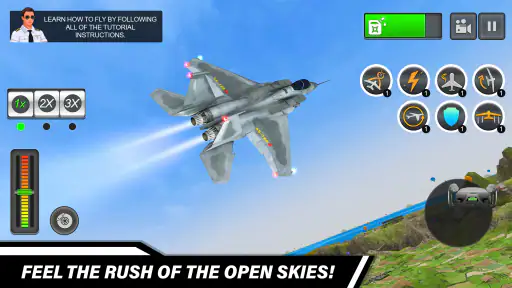
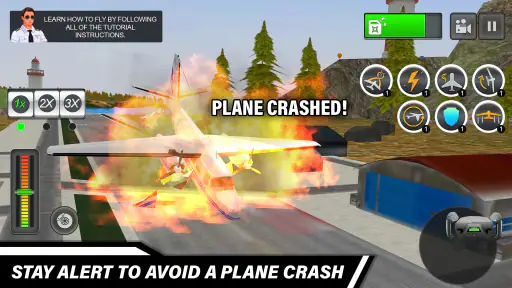
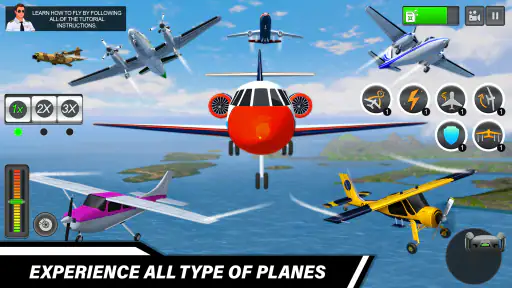
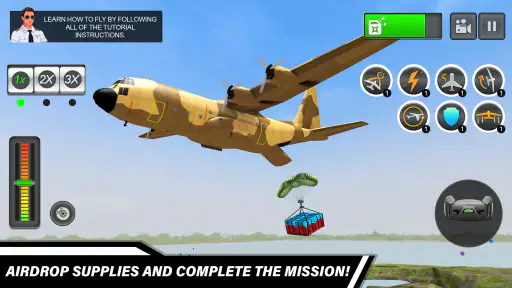
 Analysis by Frivlyz
I like Pilot Simulator: Airplane Game most when I treat it as a focused mobile game rather than a promise of a full aviation course. It gives you a reason to pay attention to the controls, make deliberate choices, and try again after a difficult flight. That makes it a good fit for someone curious about flying who wants an accessible way to spend a few minutes, though it may not satisfy players looking for a highly technical simulator.
What kind of flying experience to expect
As a role-playing game built around piloting, it sits in an interesting spot between casual aviation entertainment and a more demanding flight sim. The appeal is not simply watching a plane move across a screen: the game asks you to learn how its handling works and respond to the task in front of you. I would approach the early flights as practice, not as a test of whether I am already good at simulators.
That distinction matters if you are deciding between this and a conventional arcade game. A quick action game usually makes its objective and response immediate; here, a little patience can make a flight more satisfying. Conversely, someone who wants detailed real-world procedures or a dedicated training tool should choose a specialist simulator instead. This is entertainment first, and its value is in giving aviation-minded players a playable challenge on a phone.
Speed, session length, and busy moments
I would not pick it expecting every session to feel fast. Learning a control scheme and completing a flight task can take more attention than tapping through a simple casual game. If I have only a brief break, I would start with a manageable activity rather than begin a demanding mission when I cannot give it my full focus. The more involved moments are where the game’s tension can work in its favor, but they are also where interruptions are most unwelcome.
A realistic use case is a quiet stretch at home when I want something more absorbing than a puzzle but do not want to settle in for a long console session. I can take time to get used to steering, then see whether I enjoy the challenge of landing or following a task through to its end. If a call, commute stop, or household interruption is likely, I would avoid starting a flight that I would be annoyed to leave unfinished. That is a practical trade-off for any game built around sustained attention.
Reliability and recovery after mistakes
Flight games are easiest to enjoy when a failed attempt feels like useful feedback rather than a dead end. Here, I recommend treating a rough landing or missed objective as a chance to identify one thing to change on the next attempt: use gentler inputs, give yourself more time, or pay closer attention to the task. That small habit makes practice less frustrating and helps the controls feel less mysterious.
I also value being able to return to a game without needing to remember a complicated plan. For this one, keeping expectations modest helps: focus on learning the current challenge instead of assuming that every flight will be effortless or that every mistake has a dramatic consequence. I would not describe a particular save, pause, or recovery system without firsthand confirmation, so it is sensible to start a session when you can give it a little uninterrupted attention.
Gaming Stories You May Enjoy

Dancing Road Turns Short Breaks Into a Test of Rhythm and Timing

Super Stylist Makes Every Outfit a Test of Taste and Patience

Dominoes on Your Terms: Who Should Play and Who Should Pass

Pokémon GO Makes the Familiar World Feel New

Chess.com Turns Rematches Into Rivalries, but Community Has Its Costs

Archery Battle 3D Review: Sharp Aiming, Unclear Feedback
A Sky-High Adventure
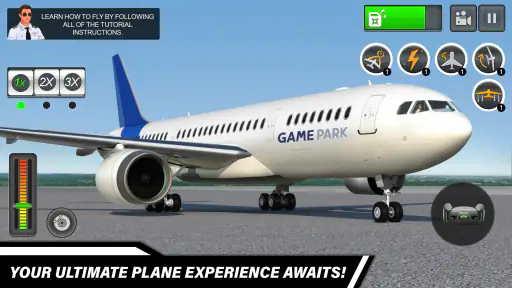
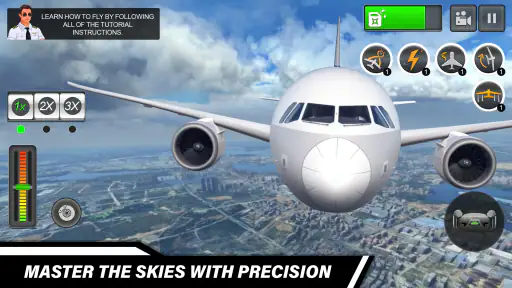
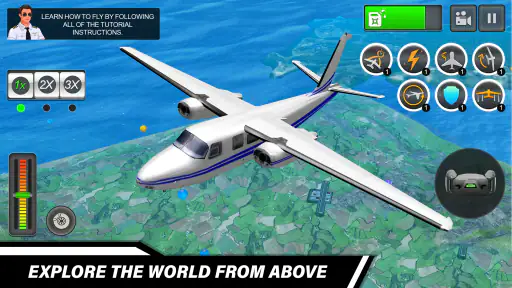
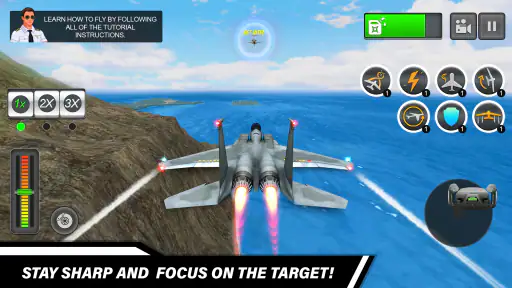
From the moment you launch the Pilot Simulator: Airplane Game, you're greeted with stunning graphics that make you feel like you're in the cockpit of a real plane. The game features an array of airplanes to choose from, each with its own unique set of controls and dynamics. Whether you're a fan of jumbo jets or nimble fighter planes, there's something here for every aviation enthusiast.
Immersive Gameplay
One of the standout features of this game is its realistic flight mechanics. The developers have done an amazing job of replicating the feel of flying an actual aircraft. You'll need to manage fuel, monitor weather conditions, and navigate through various flight paths. It’s not just about flying; it’s about mastering the art of aviation.
The game offers different modes to keep things exciting. Whether you want to engage in some free-flying exploration or tackle challenging missions, there's plenty to keep you occupied. I particularly enjoyed the mission mode, where you have to complete specific tasks like emergency landings or timed flights. It adds a layer of excitement and urgency to the gameplay.
Challenging Yet Rewarding
Flying a plane isn't supposed to be easy, and this game certainly reflects that. It requires a bit of a learning curve, especially for those new to flight simulators. But don't let that deter you. The sense of achievement you get when you successfully land a plane after a turbulent flight is incredibly rewarding. Plus, the game provides helpful tutorials to get you started, so you won't feel completely lost.
Another aspect that I appreciated was the attention to detail. The developers have included realistic airport environments, complete with runways, hangars, and control towers. This attention to detail extends to the aircraft themselves, with accurately modeled cockpits and control panels that add to the immersion.
Choosing it for your phone
My practical tip is to use the tutorial as a hands-on warm-up rather than rushing past it. Once you understand how the controls respond, try a less pressured flight before moving to a task that demands precision. That gives you a chance to distinguish between a mistake caused by unfamiliar handling and one caused by the challenge itself. It is a small change in approach, but it makes the learning curve feel fairer.
For a quick decision, the game is free to play and has a Teen age rating. It was released on October 19, 2022, and GamePark develops it. The current version is 1.47.0, and it supports Android 5.0 or later. Its 4.7 average from around 63,000 ratings and over 10 million installs suggest that it has reached a broad audience, although popularity alone cannot tell you whether its control style suits you.
The strongest audience is someone who enjoys aircraft, likes learning through repeated attempts, and is willing to trade instant action for a more deliberate pace. A parent considering it for a younger player should take the Teen rating into account. I would steer away if you mainly want a realistic pilot-training product, a story-led role-playing adventure, or a game that can be played with almost no attention. Those expectations are different from what this phone-based flying experience is best suited to deliver.
Device demands and performance expectations
Because the game supports Android 5.0 and later, its stated minimum reaches older Android software, but that should not be confused with a guarantee of identical smoothness across every device. Aircraft visuals, cockpit detail, and airport scenes can make a flight game feel more demanding than a simple two-dimensional title. I would close other heavy apps before a longer session on an older phone and give the game a short trial before committing to a demanding mission.
In ordinary use, perceived speed is not just about loading; it is also about whether controls respond clearly enough for you to correct a turn or line up for landing. If motion looks uneven or inputs seem delayed, I would first try a fresh launch and a less complex session, then see whether the issue repeats. Avoid changing several things at once, because you will not know what helped. This is a sensible troubleshooting routine, not a claim that a particular setting or fix is built into the game.
For sustained play, heat, battery use, and available storage are worth watching on any graphics-focused mobile game, especially on an older or heavily used phone. I would not start a long flight with a nearly depleted battery, and I would stop if the device becomes uncomfortable to hold. If the experience remains choppy after closing background apps, a lighter game may simply be a better match for that device. A newer phone may make the visual presentation more comfortable, but I would not buy hardware solely for this title.
Where it fits among flight games
Compared with arcade flying games, this one asks for more patience and rewards careful handling; compared with specialist simulators, it is a more approachable phone game and should not be treated as a substitute for detailed aviation instruction. That middle ground is its clearest strength and its main limitation. If you want to dip into flying without setting up a dedicated simulator, it makes sense. If your priority is exact real-world systems, extensive technical depth, or a reliably effortless session, another kind of game will suit you better.
There is also a useful way to decide whether to keep playing: notice which part you enjoy. If you like learning the controls and improving a landing, give the tutorials and missions time. If you only enjoy the scenery but find every maneuver frustrating, free-flying may be a better way to explore the game’s aircraft and environments. If even that feels like work, it is probably not the right aviation game for your taste; there is no need to force the learning curve just because the subject interests you.
Final Thoughts
Overall, the Pilot Simulator: Airplane Game is a must-try for anyone with an interest in aviation or looking for a new gaming challenge. It's not just a game; it's an experience that offers a glimpse into the world of flying. The combination of realistic graphics, challenging gameplay, and immersive controls makes it a standout in the flight simulator genre.
So, if you're ready to take to the skies and test your piloting skills, this game is your ticket to an exhilarating adventure. Buckle up, captain; it's time to fly!
Pilot Simulator: Airplane Game Pros and Cons
Pros
- Realistic flight physics and controls
- Wide variety of airplanes to choose from
- Stunning 3D graphics and environments
- Engaging missions and challenges
- Frequent updates with new content
Cons
- Can be challenging for beginners
- Graphics may lag on older devices
- In-app purchases can be expensive
- Requires constant internet connection
- Limited customization options
Frequently Asked Questions
What is Pilot Simulator: Airplane Game all about?
Pilot Simulator: Airplane Game is a realistic flight simulation app that allows users to experience the thrill of flying a variety of aircraft. The game features detailed 3D graphics and real-world physics, offering players an immersive aviation experience. Users can complete various missions, improve their piloting skills, and explore different environments. Whether you're a seasoned pilot or a beginner, the game provides an engaging and educational experience for all users.
Is Pilot Simulator: Airplane Game suitable for beginners?
Yes, Pilot Simulator: Airplane Game is designed to be user-friendly for both beginners and experienced pilots. The game includes tutorials and easy-to-follow instructions to help new players get acquainted with the controls and gameplay mechanics. As players progress, they can tackle more challenging missions and refine their flying skills. This makes it an excellent choice for anyone interested in learning about aviation and honing their piloting abilities.
What types of aircraft can I fly in Pilot Simulator: Airplane Game?
Pilot Simulator: Airplane Game offers a diverse range of aircraft for players to pilot, including commercial airliners, private jets, and military planes. Each aircraft is meticulously designed to replicate real-world counterparts, complete with authentic cockpit controls and dynamics. This variety ensures that players can enjoy different flying experiences and challenges, catering to various interests and skill levels.
Does Pilot Simulator: Airplane Game require an internet connection to play?
Pilot Simulator: Airplane Game can be played offline, allowing users to enjoy the simulation without a constant internet connection. However, certain features like multiplayer mode, leaderboard access, and regular updates may require an internet connection. This flexibility allows players to enjoy the game anytime and anywhere, whether they are online or offline.
Are there in-app purchases in Pilot Simulator: Airplane Game?
Yes, Pilot Simulator: Airplane Game includes in-app purchases that allow players to enhance their gaming experience. These purchases can include unlocking new aircraft, accessing special missions, or obtaining additional resources. While the core game is free to play, these optional purchases can provide additional content and help support the developers in maintaining and improving the game.


