

Piano Star
- Reviews
- 4.3
- Version
- 1.7.7
- Installs
- 100,000,000+

Screenshots
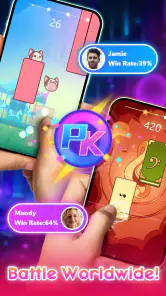
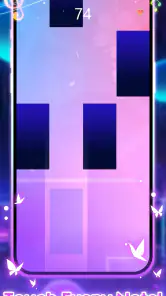
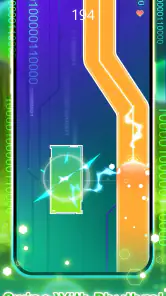
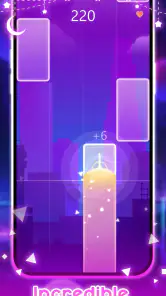
 Analysis by Frivlyz
I like music games best when I can understand the basic action almost immediately, then decide for myself whether I want to chase a better result or simply enjoy a few songs. Piano Star is built around that quick, hands-on appeal: tap along to music on your phone and see how well you keep pace. It does not replace sitting at a piano, but it offers a low-pressure way to make a short break feel a little more musical.
The first tap is the whole invitation
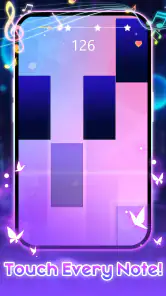
As a music game, Piano Star makes most sense for someone who wants to play rather than study notation or work through formal lessons. The initial appeal is direct: choose a song, follow the prompts, and try to land the notes in time. That clear first action is useful when I have only a few minutes and do not want to set up an instrument, find sheet music, or commit to a long practice session.
I would treat it as a casual rhythm challenge, not as a substitute for learning piano technique. Tapping on a screen can help build a sense of timing and attention, but it does not teach the hand position, touch, or two-handed coordination that a real keyboard demands. If your goal is to learn to play piano properly, a structured course and access to a keyboard will be a better fit. If your goal is a quick music-based game, the format is much more appropriate.
Our Stories on Piano Star
Zombie Tsunami: A Reflection of Our Mobile Culture
NewsSmash Colors: The Strategic Symphony of Mobile Gaming
NewsReal Piano: Revolutionizing Mobile Music Learning
NewsDancing Road Turns Short Breaks Into a Test of Rhythm and Timing
NewsSuper Stylist Makes Every Outfit a Test of Taste and Patience
NewsDominoes on Your Terms: Who Should Play and Who Should Pass
NewsThe Magic of Music Awaits
Upon launching Piano Star, you’re immediately greeted with an interface that is both inviting and intuitive. Whether you’re an experienced pianist or just starting out, the app makes it easy to navigate through its various features. I found myself pleasantly surprised at how user-friendly it was, considering the depth of options available. The app offers a wide range of songs to play along with, from classical pieces to contemporary hits, ensuring there’s something for everyone.
Features That Hit the Right Notes
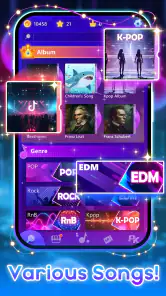
One thing that sets Piano Star apart from other piano apps is its comprehensive song library. It’s like having a jukebox filled with your favorite tunes, ready to play at any moment. The app categorizes songs based on difficulty and genre, which is super helpful if you’re trying to challenge yourself or just want to chill with some easy tunes.
For a more useful first session, I would browse by difficulty before picking a song I already know well. Familiarity gives me a better sense of whether I am reacting to the game’s timing or getting distracted by an unfamiliar melody. Starting on an easier selection also lets me learn how the prompts move across the screen without turning every missed tap into a frustration. Once the rhythm feels comfortable, moving up in difficulty gives the session a natural next step.
Another standout feature is the learning mode. It’s like having a personal piano tutor in your pocket! The lessons are structured in a way that makes learning feel like a fun game rather than a tedious task. You can track your progress, earn rewards, and even compete with friends. It’s a great way to stay motivated and keep practicing.
Gaming Stories You May Enjoy

Pokémon GO Makes the Familiar World Feel New

Chess.com Turns Rematches Into Rivalries, but Community Has Its Costs

Archery Battle 3D Review: Sharp Aiming, Unclear Feedback

Should You Switch to Geometry Dash Meltdown? A Test of Timing and Patience

Fidget Toys Trading・Pop It 3D: What Happens When the Game Stumbles

NBA LIVE Mobile Makes the Season the Main Event
The distinction I would keep in mind is that game progress and musical progress are not the same thing. A reward can encourage me to replay a song, but a higher result mainly shows that I handled that game’s challenge better; it does not prove that I can reproduce the tune on a keyboard. That makes the learning mode most appealing to players who enjoy bite-sized goals and visible encouragement. For someone who expects detailed music theory or instrument instruction, the playful approach may feel too light.
Why It’s a Hit Among Users
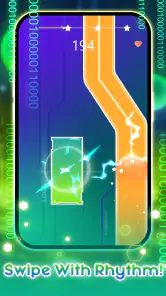
Having played around with the app for a while, I can see why it’s gaining popularity. The developers have done an excellent job of balancing fun and functionality. The graphics are sleek, and the sound quality is top-notch, which makes the experience all the more immersive. There’s something incredibly satisfying about hitting the right notes and hearing them come to life, even if it’s just on a screen.
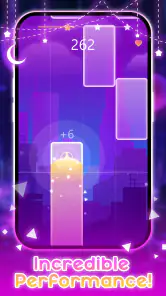
The satisfying part is the feedback rhythm: I tap, the game responds with the note and visual cue, and I quickly learn whether I am keeping up. A good run makes me want to repeat the song and improve; a stumble can be a reason to try again while the pattern is still fresh in my mind. That action-feedback-retry cycle is the main hook, and it is also why sessions can stretch longer than intended. I would set a small stopping point before opening the game if I only have a short break.
Rewards help give those retries a purpose, but I would not let them dictate every choice. If I keep choosing only the easiest available songs to collect progress, the game may stay comfortable without feeling fresh. Switching between a familiar tune and a harder one is a better balance: one lets me enjoy the rhythm, while the other gives me a specific challenge. It is a simple way to keep the loop engaging without treating every session like a score chase.
Compared with a conventional piano-learning app, Piano Star puts entertainment and quick reactions first; a lesson-focused alternative is better for technique, reading music, and deliberate practice. Compared with a general rhythm game, its piano framing and song-focused play give it a more musical feel, though it still asks for screen taps rather than performance on keys. I would choose it for an easy, song-led diversion, not for a serious practice plan.
One realistic use is a commute break or a quiet wait before an appointment: I can play a short song, take a second attempt if I missed the rhythm, and put the phone away without needing headphones or equipment to get started. At home, it can also be an easy way to share a music game with someone who is curious but not ready to learn an instrument. For a calmer experience, I would use headphones where practical and avoid playing when I need to listen for something around me; the screen demands attention, and the game is less suitable as background entertainment.
The game is free to download, with in-app purchases priced from $0.99 to $19.99 per item. I would begin without spending and see whether the available play fits my habits before considering any purchase. That is especially sensible for a casual game: if I only open it now and then, paying for extras may add little value. It is also worth remembering that the content rating is Everyone 10+, so a parent choosing it for a younger child should check that rating and decide whether the game suits them.
Created by TINYMAX HONGKONG LIMITED, the music game has an average rating of 4.3 from around 166,000 ratings, alongside about 3,400 written reviews, and it has passed 100 million installs. Those figures suggest it has found a large audience, but popularity alone does not tell me whether its tap-based play suits a particular player. It runs on Android 5.1 or later, and version 1.7.7 is the current version. The practical question is less about those credentials and more about whether you enjoy repeating short musical challenges on a touchscreen.
Who will enjoy the loop—and who may not
I would recommend it to casual players who like recognizable music, quick rounds, and the satisfaction of correcting a missed beat on the next attempt. It can also suit someone who wants a first taste of music games without buying an instrument or learning a complicated control scheme. Because the basic idea is easy to grasp, it is a reasonable choice for a spare moment when I want something more active than listening to a playlist.
I would steer away from it if you need a quiet, screen-free activity, dislike repeating a song to improve a result, or want a reliable path to piano proficiency. The same goes for players who prefer open-ended creation: following prompts is different from composing or freely playing melodies. In those cases, a real keyboard, a focused piano-learning tool, or a music-making app will be a better match, depending on whether your priority is technique, lessons, or creating your own material.
Small choices that make a session better
My practical tip is to pick a stopping point before I start, then use one song as a warm-up rather than jumping straight into the hardest challenge. If I miss notes, I try to identify whether the problem was timing, distraction, or simply a level that is too demanding for that moment. Replaying immediately can help while the sequence is familiar, but if I am getting annoyed, switching songs or taking a break is more useful than tapping through several frustrated attempts.
Another useful trade-off is how much attention I give the screen. Watching closely helps with the game’s prompts, but it also means this is not a good choice while walking, crossing a street, or doing anything that needs my eyes elsewhere. I treat it as a sit-down or safely stationary activity, even when the session is short. That small habit keeps a light diversion from becoming an avoidable distraction.
If you are wondering whether you need prior piano knowledge, I would say no for the basic appeal: the game is designed around tapping along, so curiosity and a willingness to follow the rhythm matter more than musical training. If you are wondering whether it can replace lessons, my answer is also clear: no, not for learning the physical and musical skills of piano playing. Its strongest role is as an accessible music game, with learning-style goals that may encourage practice but should not be mistaken for a full course.
Wrapping It Up
In a world where everything seems to be going digital, Piano Star offers a delightful way to experience the timeless joy of playing music. Whether you’re looking to brush up on your piano skills or simply enjoy some musical fun, this app has got you covered. So, why not give it a try? You might just find yourself falling in love with the piano all over again. And who knows, you might even discover a hidden talent you never knew you had!
My verdict is that its strongest feature is the reason another session begins: a song is short enough to retry, feedback arrives immediately, and a better run feels within reach. That loop works well when I want an upbeat distraction, but it is less compelling if I need depth, genuine keyboard practice, or something I can leave running in the background. If you approach it as a touchscreen rhythm game rather than a piano substitute, its appeal is easier to judge—and it may be just the quick musical reset you were looking for.
Piano Star Pros and Cons
Pros
- User-friendly interface.
- Wide variety of songs.
- Realistic piano sound.
- Suitable for all ages.
- Offline mode available.
Cons
- Contains ads.
- Limited free content.
- In-app purchases needed.
- Occasional lag issues.
- Requires large storage space.
This Game in Other Languages
Frequently Asked Questions
What is Piano Star and what features does it offer?
Piano Star is a mobile application designed for music enthusiasts who want to learn and play piano tunes on their smartphones. It offers a wide range of features such as a vast collection of popular songs to practice, interactive tutorials, real-time feedback, and customizable difficulty levels. Users can also enjoy a gamified experience with score tracking and achievements to enhance their learning journey.
Is Piano Star suitable for beginners, or do I need prior piano experience?
Piano Star is perfect for both beginners and experienced players. The app provides step-by-step tutorials and interactive lessons that cater to users with no prior piano experience. Beginners can start with basic songs and gradually progress to more challenging pieces. Additionally, the app’s real-time feedback helps users improve their skills efficiently regardless of their initial skill level.
Does Piano Star require an internet connection to function?
Piano Star primarily functions offline, which means users can play and practice without an internet connection. However, some features like downloading new songs and receiving app updates require internet access. For the best experience, users should occasionally connect to the internet to update the app and expand their song library.
Are there any in-app purchases or subscriptions in Piano Star?
Yes, Piano Star offers in-app purchases and subscription options. While the app provides a range of free features, users can access additional songs, premium tutorials, and advanced features through one-time purchases or a subscription plan. This model allows users to enhance their experience and access exclusive content tailored to their interests.
Can I use Piano Star on both Android and iOS devices?
Piano Star is available for download on both Android and iOS platforms. Users can find it in the Google Play Store for Android devices and the Apple App Store for iOS devices. The app is designed to function seamlessly across different devices, providing a consistent and enjoyable experience whether you use a smartphone or tablet.


