

Piano Music & Songs
- Reviews
- 3.7
- Version
- 1.7.12
- Installs
- 10,000,000+

Screenshots
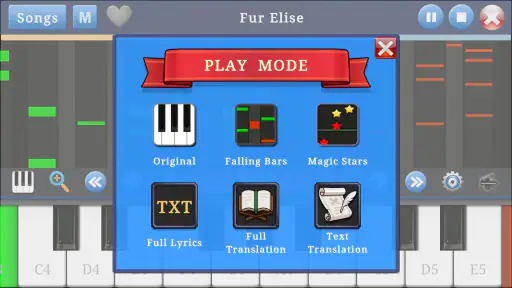
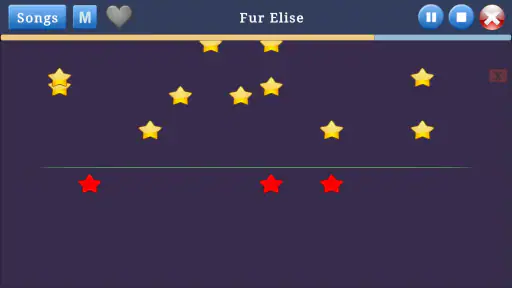
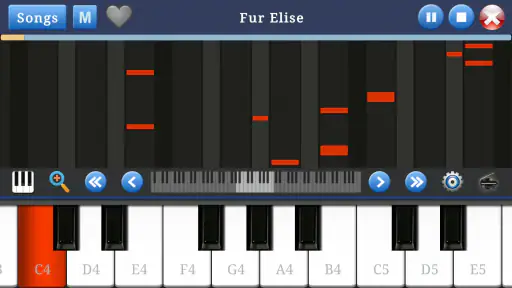
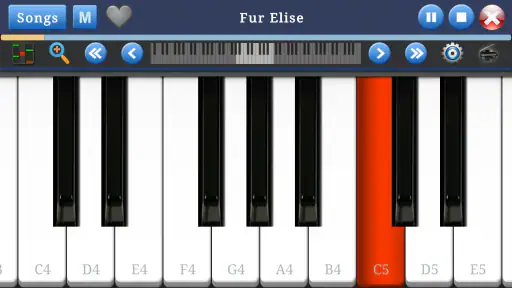
 Analysis by Frivlyz
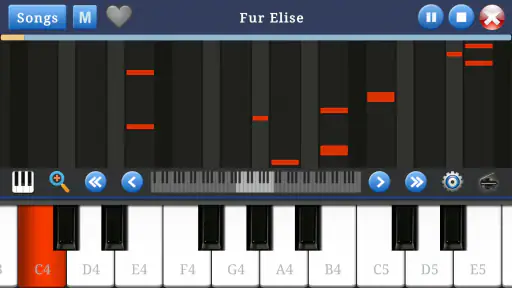
I like the idea of a piano game that gives me a reason to sit down and try a few notes without turning every session into a serious lesson. Piano Music & Songs is a free music game from Indocipta Studio, built around a simple on-screen keyboard for phones and tablets. It has a 3.7 average from around 7,900 ratings and more than 10 million installs, so it has clearly reached a broad audience, though that popularity does not tell me whether its approach will suit someone looking for formal piano training.
Small goals are the best way to begin
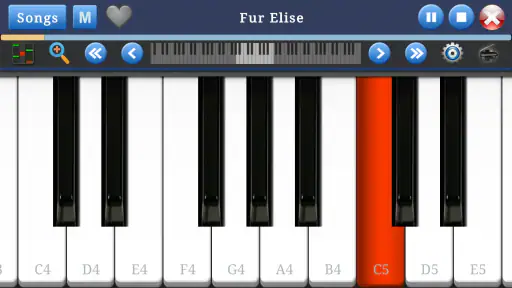
The useful starting goal here is modest: open the keyboard and get comfortable finding notes with your fingers. That makes the game less intimidating than a traditional piano-learning course, where a beginner may feel expected to understand notation or technique right away. I would treat an early session as a chance to explore the layout and build a little familiarity, rather than expect to leave it playing a complete piece confidently.
That distinction matters when deciding what to install. The game’s own summary centers on learning and playing a simple keyboard, so it is most appealing if you want a low-pressure musical activity. If you already play piano and need structured exercises, detailed feedback, or a clear curriculum, a dedicated teaching app or a real instructor is likely a better fit. A phone keyboard can invite practice, but it cannot replace the feel and range of a full instrument.
What progress can—and cannot—tell you
I find it helpful to define progress in practical terms: can I locate a note more quickly, coordinate both hands a little more comfortably, or return to the keyboard without having to relearn the controls? Those are meaningful beginner milestones even if they do not amount to formal musical fluency. Short, repeatable sessions are a better test of whether this game is helping than a single long burst of tapping.
One useful habit is to pick a tiny target before opening the app—for example, spend a few minutes finding notes in order, then stop while the task still feels manageable. That gives the session a purpose without assuming the game has a particular lesson path or tracking feature. If you are using a tablet, its wider screen may make finger placement more comfortable than on a small phone; on a phone, I would focus on simple patterns and avoid expecting precise two-hand technique.
Getting Started with Piano Music & Songs
First off, jumping into Piano Music & Songs is a breeze. Once you download and open the app, you’re greeted with a sleek design that’s easy on the eyes. The layout is intuitive, so you don’t need to be tech-savvy to navigate through the features. This app is available on both Android and iOS, so no one’s left out of the musical fun.
A Plethora of Songs and Lessons
The app boasts an extensive library of songs, ranging from classical pieces to modern hits. Whether you’re in the mood for Beethoven or Billie Eilish, there’s something for everyone. The lessons start from the very basics, guiding you step-by-step with interactive tutorials. Each lesson is designed to gradually enhance your skills, making sure you’re not just playing notes, but actually understanding the music.
Gaming Stories You May Enjoy

Dancing Road Turns Short Breaks Into a Test of Rhythm and Timing

Super Stylist Makes Every Outfit a Test of Taste and Patience

Dominoes on Your Terms: Who Should Play and Who Should Pass

Pokémon GO Makes the Familiar World Feel New

Chess.com Turns Rematches Into Rivalries, but Community Has Its Costs

Archery Battle 3D Review: Sharp Aiming, Unclear Feedback
Interactive Features and Gamification
What sets this app apart is its interactive features. It’s not just about playing the piano; it’s about making learning fun. With its gamification elements, you earn points and rewards as you progress. It’s like having a personal music teacher and a cheerleader rolled into one. The app also utilizes the microphone to listen and provide feedback on your play, ensuring you’re on the right track.
Additionally, there are leaderboards where you can see how you stack up against other users. This competitive edge pushes you to improve while keeping the spirit of fun alive.
Customization and Flexibility
Another fantastic feature is the ability to customize your learning experience. You can adjust the difficulty level, choose specific songs you want to master, and set your own pace. The app caters to your schedule, so whether you have five minutes or an hour, you can squeeze in a session.
For the tech enthusiasts, the app also offers connectivity with MIDI keyboards, providing a more authentic playing experience. It’s like having a mini recording studio right in your pocket!
How the challenge feels over time
For me, the best way to keep a simple piano game engaging is to alternate between curiosity and repetition. Try a few notes or a short musical idea, then revisit it later instead of racing through every available activity. That small change makes practice feel less like tapping for a score and more like building familiarity. It also helps reveal whether the game is genuinely keeping your attention or whether you are only responding to the novelty of a keyboard on screen.
Challenge can be a double-edged sword on a touchscreen. A phone is convenient, but its narrow playing area can make quick passages and simultaneous notes awkward, especially for larger hands. I would start with slower, uncomplicated patterns and use a tablet if one is available. If the controls feel cramped, that is not a sign that you lack musical ability; it may simply mean the device is a poor substitute for piano keys.
A realistic place in an everyday routine
Imagine having a few spare minutes while waiting for someone or winding down at home. You can open the game, play a short session, and put the phone away without needing to set up an instrument or commit to a full lesson. That convenience is the clearest reason I would recommend trying it. It can turn a small idle moment into a musical one, especially for someone who is curious about piano but not ready to buy a keyboard.
To make that routine useful, I would keep one simple personal goal in mind and return to it across sessions. Avoid treating every visit as a test of how fast you can progress. A casual game works best when it lowers the barrier to practice; if you find yourself feeling rushed by scores, rewards, or comparison, ignore those pressures and play at a pace that feels comfortable.
How it compares with other ways to learn
Compared with a piano-learning course, this is a more casual place to experiment. A structured course is usually the stronger choice for learning notation, posture, technique, and a sequence of skills; a real piano or MIDI keyboard gives a more convincing physical response. In contrast, an on-screen keyboard wins on convenience and can be enough for basic exploration. I would see this game as a first step or a lightweight companion, not a replacement for lessons or an instrument.
It also differs from simply opening a generic keyboard app: the game framing can give a beginner a reason to return and make trying notes feel less exposed. But that motivation is personal. If you prefer quiet, unscored experimentation, a plain virtual keyboard may suit you better; if you want instruction that builds toward confident playing, look for a course designed around that goal. The right alternative depends on whether you value quick access, structured teaching, or realistic touch most.
Who should try it—and who may want something else
I can see this working well for a curious beginner, a casual player who wants a musical distraction, or someone who wants to explore notes before investing in equipment. Its Everyone age rating also makes it broadly approachable for families, although a parent should still decide whether a child’s screen time and any optional purchases are appropriate. The game is free to start, with in-app purchases ranging from $0.49 to $1.49 per item, so I would check purchase controls before handing a device to a child.
I would skip it if your main goal is exam preparation, advanced piano technique, or dependable practice on weighted keys. It is also not an ideal choice if you need every session to follow a clearly progressive curriculum. Those needs call for a more specialized learning tool or a physical instrument. The current version is 1.7.12 and requires Android 5.1 or later on Android devices, which is worth checking before installing on an older phone or tablet.
What the rating and longevity suggest
The 3.7 average from around 7,900 ratings gives me a reason to approach it with balanced expectations rather than assume it will work perfectly for everyone. At the same time, more than 10 million installs show that a simple mobile piano experience has a broad audience. I would interpret those figures as context, not a verdict: whether the touch controls and learning approach feel right is something you can judge only by trying a short session on your own device.
Indocipta Studio released the game on November 6, 2016, and its long presence in the music-game space makes the uncomplicated premise easy to understand. Still, age and reach are not the same as depth. I would focus on whether the app makes you want to return to the keyboard and whether its simple format matches your expectations. For a casual starting point, that matters more than expecting it to deliver the complete experience of piano lessons.
So, whether you’re a newbie or a maestro, Piano Music & Songs is the perfect companion to embark on your musical journey. It’s not just an app; it’s an experience that brings the joy of music to your fingertips.
My progression verdict
I would recommend it to someone who wants an easy, low-commitment introduction to playing notes on a screen. The strongest progression here is the one you create for yourself: return regularly, keep goals small, and notice whether your fingers and musical confidence feel less hesitant. If the game’s rewards or competitive elements are motivating, they may help sustain that habit; if they become distracting, there is no need to make them the point of playing.
For me, the key trade-off is straightforward: convenience and approachability in exchange for the physical feel and teaching depth of a real piano or a dedicated course. If that sounds like a fair deal, it is worth giving the free game a try. If you already know you need structured instruction or a more realistic instrument experience, choose that option instead and use a phone keyboard only as a spare-time extra.
Piano Music & Songs Pros and Cons
Pros
- Intuitive and user-friendly interface
- Wide variety of songs to choose from
- Interactive learning features
- High-quality sound output
- Regular updates with new songs
Cons
- Requires internet connection for some features
- Limited offline access
- Ads can be intrusive
- Some songs require in-app purchases
- May consume significant storage space
Frequently Asked Questions
What is Piano Music & Songs and how does it work?
Piano Music & Songs is a mobile application designed to help users learn and play piano music effortlessly. It offers a wide range of songs and tutorials for both beginners and advanced players. Users can follow along with interactive sheet music and video guides, making it easy to practice and improve their skills. The app also includes features like tempo adjustment and recording, allowing users to learn at their own pace and track their progress.
Is Piano Music & Songs suitable for beginners?
Yes, Piano Music & Songs is highly suitable for beginners. The app provides beginner-friendly tutorials and song selections that guide new learners step-by-step through the basics of playing the piano. Interactive lessons and easy-to-follow instructions ensure that even those with no prior musical experience can start learning. Additionally, it offers features like slow-motion playback to help beginners grasp the techniques more effectively.
Does Piano Music & Songs require an internet connection to function?
While Piano Music & Songs offers offline capabilities, some features do require an internet connection. Users can download songs and tutorials for offline use, allowing them to practice without internet access. However, to access new content, updates, or interactive community features, an internet connection is necessary. This flexibility ensures that users can enjoy practicing anytime and anywhere, regardless of connectivity.
Are there any in-app purchases in Piano Music & Songs?
Yes, Piano Music & Songs includes in-app purchases. While the app offers a free version with basic features, users can unlock premium content like additional songs, advanced tutorials, and ad-free experience through in-app purchases. These premium features are designed to enhance the learning experience and offer more comprehensive resources for users looking to deepen their piano skills.
How does Piano Music & Songs support advanced piano players?
Piano Music & Songs caters to advanced players by offering challenging compositions and advanced tutorials that focus on refining techniques and expanding repertoire. The app provides complex sheet music and video tutorials tailored for experienced pianists. Advanced players can also benefit from features like tempo adjustment and custom playlists to fine-tune their practice sessions. This ensures that the app remains a valuable resource for continuous improvement.


