

Piano - Music Keyboard & Tiles
- Reviews
- 4.1
- Version
- 1.73
- Installs
- 100,000,000+

Screenshots
 Analysis by Frivlyz
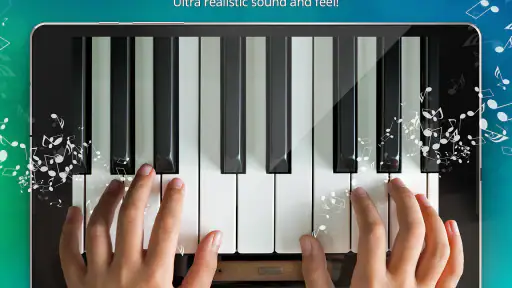
When I want a quick musical diversion rather than a formal lesson, a virtual piano can be an inviting place to start. Piano - Music Keyboard & Tiles is a music game from Gismart that combines a keyboard-style experience with tile-based play. Its appeal is easy to understand: I can open it for a short session, tap along, and explore music without needing a physical instrument. That convenience is useful, but it also shapes what I expect from it. A phone screen can make piano-style play approachable; it cannot replace the touch and technique of a real keyboard.
Where it fits today
The game is free to install, rated for Everyone, and has an average rating of 4.1 from around 1.3 million ratings. More than 100 million installs show how broadly it has reached players, while roughly 18,000 written reviews give prospective users a substantial pool of public feedback to consult. I treat those figures as signs of reach, not proof that every player will enjoy the same parts of it. The useful question is whether its quick, screen-based approach suits the way you want to spend time with music.
For a casual player, the low barrier is the strongest point. I can imagine reaching for it while waiting for a ride, taking a short break, or sharing a few taps with a child who is curious about piano sounds. Those are moments when setting up an instrument or committing to a lesson would be excessive. Someone looking to learn accurate fingering, read notation, or build a long-term practice routine should be more cautious: a rhythm game can encourage attention to timing, but that is not the same as a structured piano course.
Our Stories on Piano - Music Keyboard & Tiles
Why Piano - Music Keyboard & Tiles is a Must-Download for Music Lovers
NewsSmash Colors: The Strategic Symphony of Mobile Gaming
NewsArchery Battle 3D Review: Sharp Aiming, Unclear Feedback
NewsWhy Hill Climb Racing 2 Stands Out in Mobile Gaming
NewsPiano Fire: EDM Music & Piano—Igniting Your Rhythm Game Passion
NewsDancing Road Turns Short Breaks Into a Test of Rhythm and Timing
NewsGetting Started with the App
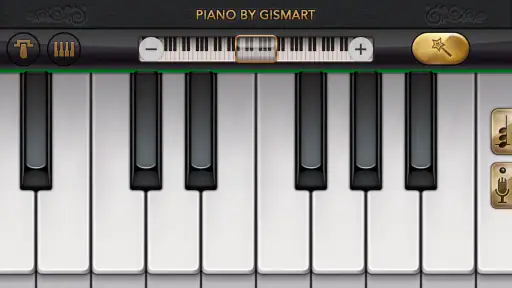
So, let’s dive right in. The first thing you notice about Piano - Music Keyboard & Tiles is its user-friendly interface. It's like the app is begging you to start playing. No complicated menus or overwhelming settings—just straightforward access to a world of music. This is a major plus for anyone who, like me, wants to get straight to the good stuff.
What the experience is—and what it is not
The store summary describes a simulator with magic keys, and the short description simply calls it a piano. That makes it sensible to think of the experience as a playful keyboard game, rather than assuming it offers the depth of a full digital instrument. In this category, alternatives tend to split between open-ended virtual keyboards, which let you freely explore notes, and rhythm games, which ask you to respond to prompts. This title’s combination of keyboard framing and tiles is likely to appeal most to someone who wants a guided, game-like reason to tap rather than a blank keyboard to experiment on.
That distinction matters if you are deciding between this and a dedicated piano-learning app. A lesson-focused alternative is a better fit when you want a planned sequence, explicit technique guidance, or feedback aimed at building transferable skills. A physical keyboard is better still for developing finger control and learning how keys respond under your hands. I would choose this game for a small dose of entertainment and musical curiosity, not as a substitute for either option.
Features That Hit the Right Note
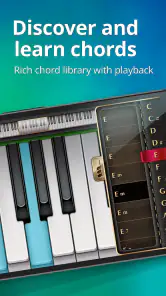
One of the standout features of this app is its variety of music tracks. From classical masterpieces to pop hits, there's something for every taste. And let's not forget the interactive tutorials. These are perfect for those of us who need a bit more guidance. The tutorials are engaging and, dare I say, quite addictive!
Gaming Stories You May Enjoy

Super Stylist Makes Every Outfit a Test of Taste and Patience

Dominoes on Your Terms: Who Should Play and Who Should Pass

Pokémon GO Makes the Familiar World Feel New

Chess.com Turns Rematches Into Rivalries, but Community Has Its Costs

Should You Switch to Geometry Dash Meltdown? A Test of Timing and Patience

Fidget Toys Trading・Pop It 3D: What Happens When the Game Stumbles
Another cool feature is the app’s built-in metronome. Keeping time is crucial when playing any instrument, and this handy tool ensures you stay on beat. I found it particularly useful when practicing more complex pieces.
Making short sessions work
A practical way to use a tile-based piano game is to treat each visit as a focused, brief activity rather than an open-ended practice session. I would pick one track, concentrate on keeping a steady response, then stop when attention starts to drift. That is more useful than tapping rapidly for a long time without noticing what feels difficult. If a section keeps catching me out, slowing down mentally and watching the pattern before trying again can turn a frustrating attempt into a more deliberate one.
There is also a small but important trade-off in using a phone as an instrument: screen size and hand position affect comfort. On a compact device, the keys and targets can feel crowded, especially if I try to play with both hands or hold the phone in an awkward position. A tablet may offer more room if the game supports the device well, but I would still avoid assuming that a larger display makes the experience equivalent to a piano. For a quick session, placing the phone on a stable surface can be more comfortable than gripping it continuously.
Game Mode: Fun Meets Learning
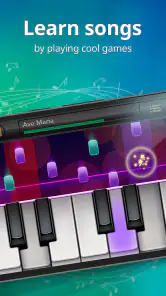
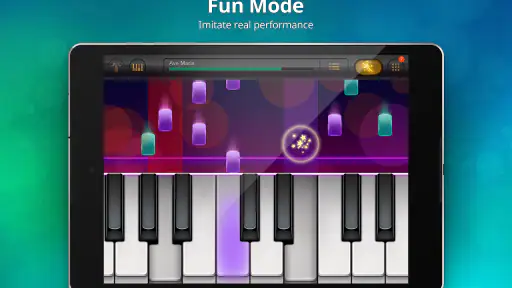
If you’re competitive by nature, you’ll love the game mode. It challenges you to hit the right keys as notes cascade down your screen, akin to the popular rhythm games we all know and love. It’s a great way to test your skills and see how you stack up against friends or other users worldwide.
What I enjoyed most about the game mode is how it subtly teaches you to improve your timing and accuracy. It’s learning in disguise, and it works brilliantly!
Who will enjoy it most
I would recommend it to people who like music but want an easy, low-pressure activity rather than a serious lesson plan. It can also suit families looking for a simple music-themed game to try together, provided an adult keeps an eye on any purchase prompts. For a casual player, a short round can be a pleasant alternative to scrolling through social feeds: there is a clear task, a musical sound, and an obvious point at which to pause.
On the other hand, I would skip it if your main goal is to learn piano technique or practise a specific piece accurately. Tile timing can sharpen reactions and encourage rhythmic attention, but following visual prompts does not necessarily teach you how to read a score or position your fingers. Experienced players who want realistic sound control, a wide range of instrument settings, or a keyboard for composing should look at a dedicated music app or hardware instead. The right choice depends on whether you want to play a game with a piano theme or use a piano as an instrument.
Costs, compatibility, and a sensible first run
The game is free, with in-app purchases ranging from $1.49 to $89.99 per item. That spread makes it worth checking purchase screens carefully, especially if a child is playing or the device is shared. I would begin by exploring the free experience and decide whether the game’s particular style holds my attention before considering anything paid. A free download does not mean every option inside will also be free, so it is sensible to keep purchase controls in mind.
It runs on Android 5.0 or later, and the current version is 1.73. The game first appeared on June 5, 2014, so its long presence gives it a different context from a brand-new release. Those facts tell me about availability and continuity, but they do not by themselves establish what has changed between versions. Existing players can judge the current build by how it behaves on their device; anyone installing it now should check that their operating system meets the minimum before expecting it to run.
What the version history can and cannot tell you
Knowing the release date and current version helps frame the app’s age, but it is not a change log. I would not infer particular new modes, design improvements, or fixes from a version number alone. For someone who has used it before, the useful test is practical: does it still open reliably on the device, are the controls comfortable, and does the available music and play style remain appealing? For a new player, the simple approach is to try a short session before investing time or money.
There are a few things I would watch during that first session. Notice whether the visual prompts are easy to follow at your screen size, whether the pace feels enjoyable rather than stressful, and whether the musical interaction is the part you want or merely the game challenge. Those answers make it easier to tell if this is a fun break, a stepping stone toward learning, or simply not the right kind of piano app for you.
Final Thoughts
Overall, Piano - Music Keyboard & Tiles is a gem for anyone interested in music. It's not just a tool; it's an experience. Whether you’re playing for fun, learning the ropes, or honing your skills, this app has got you covered. The combination of a great user interface, diverse music library, and interactive features make it a must-have for music enthusiasts.
In conclusion, if you’re on the hunt for a piano app that offers both education and entertainment, look no further. This app is like having a personal piano teacher, minus the hefty fees. So go ahead, give it a try, and let the music flow!
My recommendation comes with one qualification: think of it as a playful introduction to piano-themed tapping, not a replacement for lessons or an instrument. If the idea of brief, guided musical sessions sounds appealing, it is easy to see why so many people have tried it. If you need precise practice, a larger set of learning tools, or realistic keyboard control, a dedicated alternative will serve you better. For an uncomplicated music game that can fit into spare moments, though, it is worth a try.
Piano - Music Keyboard & Tiles Pros and Cons
Pros
- Intuitive interface for beginners.
- Wide variety of songs to play.
- Customizable keyboard settings.
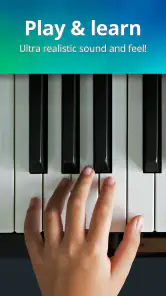
- Realistic piano sound quality.
- Offline mode available.
Cons
- Contains ads in free version.
- Limited features without subscription.
- Occasional app lags.
- In-app purchases can be pricey.
- Requires significant storage space.
This Game in Other Languages
Frequently Asked Questions
What features does Piano - Music Keyboard & Tiles offer?
Piano - Music Keyboard & Tiles offers a range of features designed for both beginners and experienced pianists. The app includes a virtual keyboard with adjustable size, a wide selection of songs to play along with, and interactive tiles that guide you through each piece. Additionally, users can record their performances, practice with different sound effects, and even learn music theory with built-in lessons.
Is Piano - Music Keyboard & Tiles suitable for beginners?
Yes, Piano - Music Keyboard & Tiles is designed with beginners in mind. The app provides step-by-step tutorials and lessons that help new users learn the basics of playing the piano. The interactive tiles feature makes it easy to follow along with songs, and the adjustable difficulty levels ensure that learners can progress at their own pace.
Does Piano - Music Keyboard & Tiles require an internet connection?
While Piano - Music Keyboard & Tiles can be used offline for playing and practicing, an internet connection is necessary to download new songs, access online features, and receive updates. Users can enjoy most of the app’s functions without connectivity, but for the best experience, occasional internet access is recommended to keep the app updated and expand the song library.
Are there in-app purchases in Piano - Music Keyboard & Tiles?
Yes, Piano - Music Keyboard & Tiles includes in-app purchases. While the app offers a variety of free songs and features, users can purchase additional song packs, sound effects, and premium lessons. These purchases are optional, but they can enhance the overall experience by providing a broader range of content and advanced learning tools.
Can I connect an external MIDI keyboard to Piano - Music Keyboard & Tiles?
Piano - Music Keyboard & Tiles supports MIDI connectivity, allowing users to connect an external keyboard for a more realistic playing experience. This feature is ideal for those who own a MIDI keyboard and prefer a tactile response. The app can detect the connected device, enabling users to play along with the app's interactive tiles and songs seamlessly.


