

Piano Kids - Music & Songs
- Reviews
- 4.3
- Version
- 3.51
- Installs
- 100,000,000+

Screenshots
 Analysis by Frivlyz
I first tried Piano Kids - Music & Songs with a simple goal: give a young child a way to explore musical sounds without turning the moment into a formal lesson. That is where this free music game from Orange Studios Games makes sense. It puts sound-making and playful activities within reach, and its appeal is easy to understand: a child can tap, listen, and try again without needing to know how an instrument works first.
The important thing is to approach it as a playful introduction, not a substitute for lessons or a full music-making studio. I find it most useful in short, supervised stretches when a child is curious and wants to make noise, follow a tune, or try an activity. Its simple premise gives children room to explore, though parents should still decide when screen time fits their routine and whether the in-app purchase options are appropriate for their household.
Starting with a tap, not a lesson
The first action is refreshingly direct: a child chooses an instrument or activity and begins tapping. That low barrier matters for preschoolers, who may be interested in music but not ready to follow instructions or sit through a structured exercise. The game makes experimentation the entry point. A parent can sit nearby and ask which sounds are different, invite the child to copy a simple rhythm, or simply let them explore at their own pace.
Our Stories on Piano Kids - Music & Songs
Smash Colors: The Strategic Symphony of Mobile Gaming
NewsReal Piano: Revolutionizing Mobile Music Learning
NewsPiano Fire: EDM Music & Piano—Igniting Your Rhythm Game Passion
NewsDancing Road Turns Short Breaks Into a Test of Rhythm and Timing
NewsSuper Stylist Makes Every Outfit a Test of Taste and Patience
NewsDominoes on Your Terms: Who Should Play and Who Should Pass
NewsThat freedom is also a trade-off. If you want a clear course that teaches notes in a planned order, this is not the same kind of tool as a dedicated instrument tutor. I would use it to spark interest and build familiarity with sound, then turn to a teacher, a real instrument, or a more structured learning app if the child wants to go further. For a first encounter, though, being able to try without fear of getting a lesson wrong is a real strength.
How the feedback keeps a session moving
Each tap produces an immediate sound, so the child can hear the result of a choice and decide what to do next. That action-and-response rhythm is the heart of the experience: tap, listen, change the pattern, and listen again. Instead of asking a young player to understand abstract musical ideas first, it lets them notice differences by ear. I find that works best when an adult occasionally joins in, perhaps making a short pattern for the child to imitate or asking them to find a sound they liked a moment earlier.
The game can also suit children who prefer brief bursts of activity over a long sit-down session. A few minutes of sound exploration may be enough before they move on, and there is no need to treat every visit as practice. If your child tends to tap rapidly without listening, try narrowing the task: ask them to make one sound, pause, and then choose another. That small change can turn random tapping into a more attentive little experiment without taking away the fun.
Playful Learning Experience
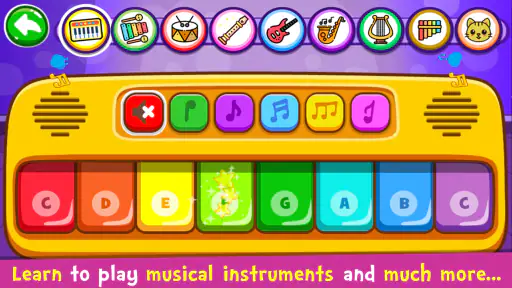
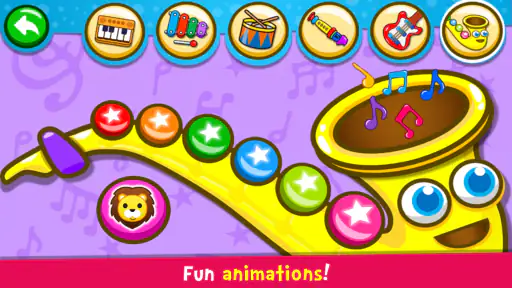
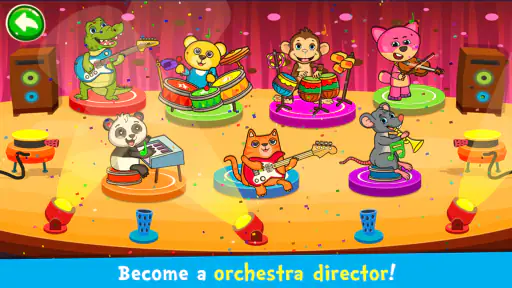
What I genuinely love about Piano Kids - Music & Songs is how it makes learning feel like play. The app is packed with a variety of musical instruments like the xylophone, drums, and of course, the piano. Each instrument comes with vibrant colors and funny sounds that will keep your kid entertained for hours. It's like having a mini band at your fingertips! The app encourages children to experiment with sounds and rhythms, which is a fantastic way to develop their creativity and auditory skills.
Gaming Stories You May Enjoy

Pokémon GO Makes the Familiar World Feel New

Chess.com Turns Rematches Into Rivalries, but Community Has Its Costs

Archery Battle 3D Review: Sharp Aiming, Unclear Feedback

Should You Switch to Geometry Dash Meltdown? A Test of Timing and Patience

Fidget Toys Trading・Pop It 3D: What Happens When the Game Stumbles

NBA LIVE Mobile Makes the Season the Main Event
The range of options makes it easier to keep a curious child engaged than a single virtual keyboard might. Switching between instrument sounds can prompt useful questions: which one sounds softer, which one feels more like a beat, and which would fit a made-up song? I would not treat the game as proof that a child is learning formal technique, but it can give them a friendly first vocabulary for talking about sound. Letting a child choose what to explore, rather than turning every tap into a quiz, helps keep that discovery relaxed.
User-Friendly Interface
For us parents, finding an app that our kids can navigate without constant supervision is a win-win. The interface of Piano Kids is incredibly kid-friendly. With large, colorful buttons and intuitive navigation, even the youngest of users can find their way around with ease. Plus, there’s no need to worry about your child accidentally stumbling upon unwanted content or making in-app purchases. It feels like the developers truly understood the mind of a child — and the concerns of a parent.
I would still set up the device before handing it over. Check the purchase settings on the device, keep the first session within reach, and show the child how to return to the activity they were enjoying. Those are sensible habits for any app used by young children, especially because the game offers in-app purchases at $3.99 per item. The game is free to start, but families should make their own choice about purchases rather than assuming every option is included at no cost. Its Everyone age rating is reassuring as a broad label, but it is not a replacement for a parent deciding what is right for their child.
Compatibility is another practical consideration: the current version is 3.51 and it requires Android 5.0 or later. The game has been available since February 2, 2016, and it remains a familiar choice in its niche, with an average rating of 4.3 from around 699,000 ratings. More than 100 million installs suggest that many families have tried it, though popularity alone cannot tell you whether its style will suit your child. I would judge it by a short first session: does the child listen and explore, or do the bright choices simply encourage hurried tapping?
Song play, memory, and choosing the right alternative
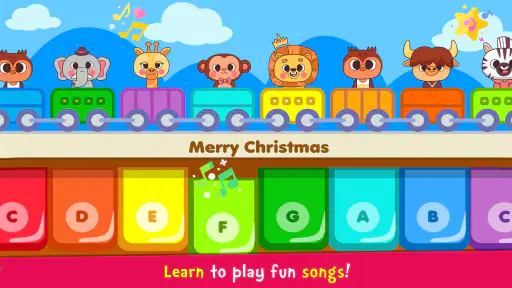
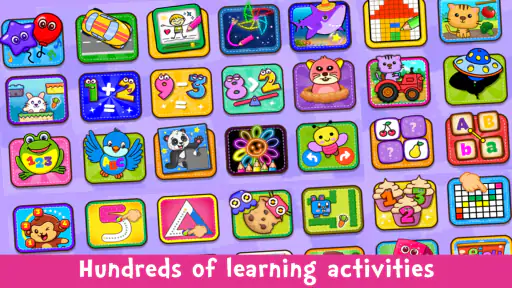
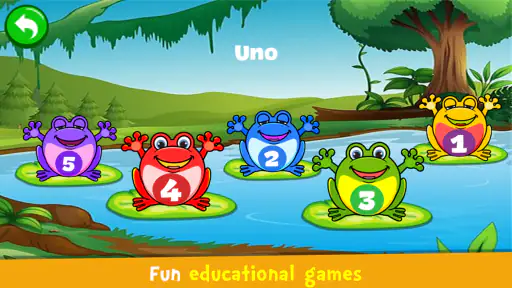
Aside from just making music, the app includes interactive games that are both fun and educational. My personal favorite is the memory game, which not only entertains but also helps boost cognitive skills. Each game is designed to reinforce musical concepts, all while keeping it fun and engaging. And the songs! Oh, the songs are catchy and varied, ranging from classic nursery rhymes to original tunes that will have your kids humming along in no time. It’s like having a personal music class, anytime, anywhere.
The memory activity gives a session a different kind of focus from open-ended instrument play: a child has to pay attention to what they heard or saw and make a choice, rather than only producing sounds. That makes it a useful change of pace when free tapping has lost its novelty. Songs offer another route in, especially for a child who would rather listen and sing than invent a rhythm. A practical routine is to start with a familiar tune, invite the child to sing or tap along, and then switch to instrument play so they can make their own variation.
Compared with a basic piano app, this game is broader and more child-oriented, with instruments, songs, and activities rather than one virtual keyboard as its whole purpose. Compared with a dedicated music-learning app, it is lighter and less focused on step-by-step instruction. That distinction is useful when deciding what to install: choose this for playful variety and an easy first taste of music; choose a structured tutor when progress through lessons is the goal; choose a simple keyboard when a child wants to concentrate on piano sounds without other diversions. It is not the right fit for an older beginner looking for serious practice or for a parent who wants a clear curriculum and measurable progression.
On a realistic afternoon, I can see it working while a parent prepares a snack or waits with a child before an appointment. I would open it together, let the child pick an activity, and stay close enough to help if they switch screens or lose interest. A short shared visit is more likely to feel like play than leaving the device running as background entertainment. For travel, it may help fill a quiet stretch, but I would not rely on it as the only activity for a long journey; a child who tires of tapping may need a book, conversation, or a non-screen game instead.
One small but useful tip is to give the child a sound-making challenge rather than just saying “play.” Ask for a loud sound followed by a soft one, or a short pattern that you can copy. Then swap roles and let the child decide whether you got it right. This uses the game as a shared activity and makes listening part of the loop. Another is to stop while the child is still enjoying it, instead of waiting until frustration or restlessness sets in; that leaves room for them to want another session later.
When a session ends—and why another might begin
The game’s natural reset is simple: a child finishes exploring one sound, song, or activity, then chooses another or puts the device down. There is no need to chase a score or complete a long practice block for a visit to feel worthwhile. For parents, that makes it easier to use as a short creative break. The next session often begins because the child remembers a sound they liked or wants to try a different instrument, not because the game demands a daily routine.
That open-ended reset can be a drawback for families who want firm goals. If a child needs reminders to stop, the variety may make it tempting to keep switching activities. I recommend agreeing on a simple boundary before handing over the device, such as choosing one song and one instrument activity, then finishing. This keeps the game’s freedom from becoming an endless loop and gives the child a clear transition back to play away from the screen.
There are also ordinary device considerations. Sound is central, so a quiet environment or low volume can make the experience less satisfying; on the other hand, turning it up too much is not a good solution for a child’s ears. I would keep the device at a comfortable volume and use the game where a little musical noise is welcome. If you need a silent activity for a waiting room, drawing or a picture book may be a better choice.
The game is free, rated for Everyone, and has in-app purchases, so it is sensible to review purchase controls before a child uses it independently. It is available for Android devices running version 5.0 or later. iPhone and iPad users should check the relevant store for availability and device requirements before planning around it. Those practical checks are more useful than assuming that a game suitable for one family’s device and routine will fit every household.
Who will enjoy it most
I would recommend it most to caregivers looking for a low-pressure way to introduce music to a young child, especially one who enjoys bright, touch-based activities and likes to experiment. It can also be handy for an adult who wants a shared activity that does not require musical experience: you can listen together, take turns making patterns, and let the child lead. The fact that it combines song-based play with instrument exploration gives families more than one way to find an entry point.
I would skip it if your main goal is to teach piano technique, read notation, or follow a progressive course. It is also a poor match for a child who becomes overstimulated by colorful screens or who needs an activity with a definite stopping point built into every turn. In those cases, a real keyboard with a patient adult, a quieter audio activity, or a structured lesson app may serve better. The best choice depends less on how many activities an app offers and more on what the child is ready to do.
The beauty of Piano Kids - Music & Songs is in its simplicity and ability to make learning music accessible and enjoyable for children. It’s a great way to introduce your child to the world of music, stimulating their senses and potentially uncovering a hidden passion for playing an instrument. Whether you’re looking to entertain your child during a long car ride or foster a new hobby, this app is a fantastic choice.
In conclusion, if you’re on the hunt for a fun, educational, and incredibly engaging app for your little one, give Piano Kids - Music & Songs a try. It’s a wonderful way for kids to discover the joy of music, all while learning and having a blast. Trust me, you’ll find yourself tapping along too!
Piano Kids - Music & Songs Pros and Cons
Pros
- Interactive learning for kids
- Colorful and engaging interface
- Wide variety of instruments
- Free to download and use
- Improves cognitive skills
Cons
- In-app ads can be disruptive
- Limited advanced features
- Occasional bugs
- Requires internet for full access
- Not suitable for older kids
This Game in Other Languages
Frequently Asked Questions
What is Piano Kids - Music & Songs?
Piano Kids - Music & Songs is an interactive music application designed for children to explore the world of music through fun and engaging activities. It offers a variety of musical instruments that kids can play, including piano, drums, xylophone, and more. The app also includes educational games that help children learn about rhythm, melody, and musical notes in an entertaining way.
Is Piano Kids - Music & Songs safe for children to use?
Yes, Piano Kids - Music & Songs is safe for children. The app is designed with a child-friendly interface and does not include any inappropriate content, ads, or in-app purchases that might lead to unintended charges. Parental controls are also available to ensure a safe and secure environment for your kids to enjoy the app.
What age group is Piano Kids - Music & Songs suitable for?
Piano Kids - Music & Songs is suitable for children aged 2 to 8 years old. The app is tailored to engage young minds and foster creativity and learning in a playful manner. It is designed to grow with your child, offering various levels of difficulty and complexity as they advance.
Can Piano Kids - Music & Songs be used offline?
Yes, Piano Kids - Music & Songs can be used offline. Once the app is downloaded on your device, your children can access all the musical instruments and educational games without an internet connection. This makes it a perfect travel companion for long car rides or flights where internet access might be limited.
What devices are compatible with Piano Kids - Music & Songs?
Piano Kids - Music & Songs is compatible with both Android and iOS devices. The app is optimized to run smoothly on smartphones and tablets, ensuring a seamless experience for your children. Ensure that your device meets the minimum operating system requirements to enjoy all the features the app has to offer.


