

Piano Game: Classic Music Song
- Reviews
- 4.0
- Version
- 3.1.8
- Installs
- 100,000,000+

Screenshots



 Analysis by Frivlyz
When I choose a music game, I first ask whether I want a quick rhythm challenge or a tool for actually learning piano. Those sound similar, but they are different activities. Piano Game: Classic Music Song is built around tapping along to tunes, so I’d consider it for a few minutes of musical play rather than as a replacement for lessons or a real keyboard. That distinction matters: the game can make melodies feel engaging, but tapping tiles is not the same as learning hand position, reading notation, or developing piano technique.
Choosing the right kind of music game
The useful question is not just whether you enjoy piano music. It is what you want to get out of playing on your phone. If you like following a beat, reacting quickly, and replaying a song to improve a score, this style can be a good fit. If you want open-ended musical expression, song composition, or structured instruction, a rhythm game may feel restrictive. I’d make that decision before downloading, because the same piano theme can describe very different kinds of apps.
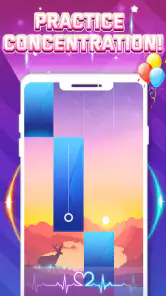
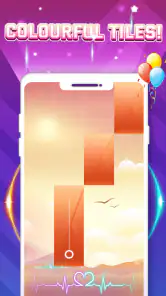
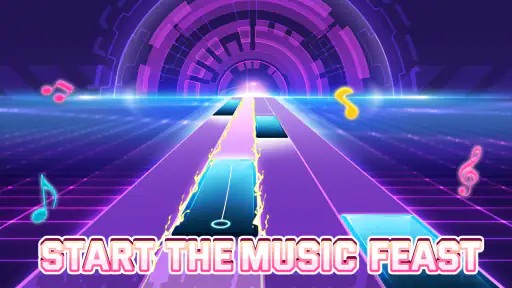
Here, the central loop is direct: follow the falling tiles and tap in time. That keeps the focus on timing and attention instead of asking you to learn a complicated control scheme. It also means the satisfaction comes from keeping the sequence going and tightening your performance, not from choosing every note yourself. I find that a helpful distinction for beginners: you can enjoy the sensation of following a melody without expecting the game to teach you how to play a piano.
Our Stories on Piano Game: Classic Music Song
Unlocking the Secrets of Piano Game: Classic Music Song
NewsDancing Road Turns Short Breaks Into a Test of Rhythm and Timing
NewsSuper Stylist Makes Every Outfit a Test of Taste and Patience
NewsDominoes on Your Terms: Who Should Play and Who Should Pass
NewsPokémon GO Makes the Familiar World Feel New
NewsChess.com Turns Rematches Into Rivalries, but Community Has Its Costs
NewsThe game is free to download, and optional in-app purchases are listed from $0.99 to $3.99 per item. I’d treat that as a reason to decide your spending limits in advance, particularly if a younger player will use the device. The age rating is Everyone, but a suitable age rating does not automatically answer whether a child should be able to make purchases. Checking the device’s purchase controls is a sensible step before handing over a phone or tablet.
How it fits into an ordinary day
I can see this working well in short gaps when I want something more active than listening to music but don’t have time to sit down with a longer game. A commute, a quiet wait, or a break between tasks gives you a natural opportunity to play one song, then stop. The simple tap-based idea makes it easy to return without having to remember a story or a complicated sequence of controls.
For a practical routine, I’d start with a song that feels comfortable, use the available practice option when a passage becomes troublesome, and focus on repeating that section rather than chasing a score immediately. Once the timing feels steadier, moving to a harder challenge gives the session a clear purpose. This is a more useful way to approach the game than tapping faster whenever a run goes wrong; rushing can make it harder to notice whether the problem is timing, concentration, or simply choosing a song that is currently too demanding.
It can also make a low-key shared activity. One person can take a turn, then pass the phone to someone else to try the same tune. The appeal is not that this teaches a group to play piano, but that the familiar musical framing gives people an easy starting point. If you are sharing a device, a small practical tip is to keep turns short and agree on whether you are aiming for a clean run or simply trying a song. That avoids turning a casual round into a frustrating contest.
Gaming Stories You May Enjoy

Archery Battle 3D Review: Sharp Aiming, Unclear Feedback

Should You Switch to Geometry Dash Meltdown? A Test of Timing and Patience

Fidget Toys Trading・Pop It 3D: What Happens When the Game Stumbles

NBA LIVE Mobile Makes the Season the Main Event

Sonic Forces: PvP Battle Race - Speed and Strategy Combined

Racing Fever: Moto – A Cultural Shift in Mobile Gaming
Where this game has an edge
Compared with music-listening apps, this game asks for active attention: you respond to what you hear and see instead of leaving a playlist running in the background. Compared with piano-learning apps, it offers a lighter, more game-like activity rather than a lesson path. And compared with open-ended music-making tools, it gives you a defined sequence to follow instead of a blank canvas. That clear middle ground is its strongest reason to try it.
The classic-music focus is another part of its identity, while the game’s presentation also points toward pop rhythms. That mix can suit someone who wants familiar musical styles without committing to a single narrow mood. Dream Tiles Piano Game Studio is the developer, and the game has a 4.0 average from around 315,000 ratings, with over 100 million installs. Those figures show that it has reached a large audience, though popularity alone cannot tell you whether its pace or song selection will match your taste.
Its strongest use case, in my view, is casual repetition. A leaderboard can give score-minded players a reason to return, but it can also change the mood of a session: instead of enjoying a tune, you may find yourself replaying it to improve your standing. I’d use that competitive element when it motivates me and ignore it when I just want a relaxed round. A score is useful feedback for the game, not a measure of musical skill in the broader sense.
Small choices that make play smoother
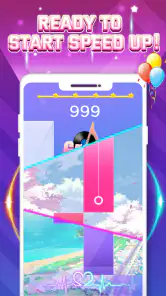
Because the tiles require timely taps, the screen itself is part of the challenge. I’d play somewhere I can hold the device steadily and see the display clearly, rather than trying to squeeze in a round while walking or juggling other tasks. This is especially useful when a song speeds up: a stable grip makes it easier to tell whether a miss came from a rushed tap or an awkward hand position. For longer sessions, switching hands or taking a brief pause can also help keep your fingers comfortable.
Sound matters too. The musical cues help make the timing feel coherent, so a quiet setting or headphones may make it easier to follow a song than playing beside loud background noise. On the other hand, if you are in a shared room, keeping the volume considerate is part of choosing the right moment. I would not treat the game as a silent substitute for music practice; the audio is part of how the rhythm challenge makes sense.
There is a trade-off between challenge and comfort. Faster, more involved passages can feel rewarding once you are in rhythm, but they may be a poor choice when you are tired or distracted. Rather than assuming every failed attempt means you need more speed, I’d drop back to a manageable song or use practice mode where available. A short, focused session is more likely to feel satisfying than repeatedly pushing through a difficult passage when your attention has wandered.
When another kind of app is a better choice
If your main goal is to learn a piece of music on a physical keyboard, choose an app or course that teaches technique and gives you a way to practise on actual keys. This game’s tile tapping can build quick reactions and encourage attention to musical timing, but it does not make the phone screen behave like a piano keyboard. That difference is important for anyone expecting transferable finger skills or formal instruction.
If you want to create your own melodies, a composing or music-making app will give you a different kind of control. If you only want background music, a streaming or radio app asks less of you and is better suited to listening while doing something else. And if your favourite part of a music game is mastering intricate rhythm patterns, you may prefer a rhythm title that emphasizes that challenge over the piano-song presentation. Those alternatives are not better in every case; they serve different intentions.
I would also skip this one if repeated attempts at improving a score tend to make games feel like chores. The same straightforward loop that makes it easy to pick up can become repetitive if you want story progression, broad strategic choices, or the freedom to play notes at your own pace. Its appeal depends on enjoying the basic act of following a tune and trying again, not on expecting every session to introduce a radically different kind of play.
What to expect before settling in
The game is free, but optional purchases mean it is worth checking the purchase settings before a child plays or before you start a session with a strict no-spending preference. I’d also consider whether you are comfortable with a game built around replaying songs for improvement. If you are, the low-commitment format is easy to sample; if you dislike score-driven repetition, a music player or learning resource may be a more satisfying use of your time.
On the technical side, it runs on Android 5.0 or later, and the current version is 3.1.8. It was released on March 26, 2020, and has accumulated around 2,500 written reviews. For a prospective player, the practical point is simply to check that your device meets the minimum system requirement and that you have enough interest in the rhythm format to give it a fair try. I would not choose it solely because it is widely installed; I’d choose it because the core interaction sounds enjoyable to me.
Getting Started
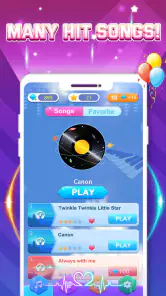
The moment I downloaded Piano Game: Classic Music Song, I was eager to dive in and see what it had to offer. The app's interface is straightforward and inviting, making it a breeze for both beginners and seasoned pianists. It greets you with a selection of classic songs, ranging from the soothing melodies of Mozart to the invigorating rhythms of Beethoven. As a music enthusiast, I was thrilled to see such an extensive library right at my disposal.
Gameplay Experience
Once you're ready to start playing, the app guides you through each song with a series of tiles that cascade down your screen. Your goal? Tap these tiles in time with the music to score points and keep the melody flowing. It’s a simple concept, but trust me, it’s incredibly addictive! The more I played, the more I found myself getting lost in the music, striving for that perfect score.
The app does a fantastic job of balancing challenge with fun. As you progress, the songs get more complex, demanding quicker reflexes and sharper focus. But don't worry, the app is forgiving and offers practice modes to help you get the hang of tricky sections. Plus, the visual and auditory feedback when you hit the right notes is immensely satisfying.
Features and Design
One of the things I love about this app is its sleek design. The graphics are crisp and vibrant, enhancing the overall experience without being too distracting. The sound quality is impressive, capturing the rich tones of a real piano. And let’s not forget the customizability – from adjusting the tempo to selecting different difficulty levels, Piano Game: Classic Music Song lets you tailor your experience to suit your preferences.
Another standout feature is the leaderboard. It adds a competitive edge, encouraging you to improve your skills and climb the ranks. Whether you’re challenging yourself or competing with friends, it’s a great way to stay motivated.
Final Thoughts
In a world where music apps are a dime a dozen, Piano Game: Classic Music Song truly stands out. It combines the joy of music with the thrill of gaming, offering a delightful experience for anyone looking to explore the world of classical music. Whether you're a budding pianist or just someone who enjoys a good melody, this app is sure to strike a chord with you.
So why not give it a try? You might just discover a new passion or rekindle your love for the classics. Happy playing!
Piano Game: Classic Music Song Pros and Cons
Pros
- Wide variety of classical songs.
- Easy to use interface.
- Offline mode available.
- Challenging gameplay.
- Regular updates with new songs.
Cons
- Contains ads that can be disruptive.
- Limited features in free version.
- In-app purchases can be expensive.
- Graphics could be more advanced.
- Requires internet for some features.
This Game in Other Languages
Frequently Asked Questions
What is Piano Game: Classic Music Song?
Piano Game: Classic Music Song is a mobile application designed for both Android and iOS platforms that allows users to play classic music by tapping on their screens. It provides an engaging way to experience and learn about classical music pieces through interactive gameplay. The app features a wide range of classical songs and is suitable for all ages.
Is Piano Game: Classic Music Song free to download and play?
Yes, Piano Game: Classic Music Song is free to download and play. However, it may include in-app purchases for additional features, songs, or ad-free experience. Users can enjoy a substantial amount of content for free, but purchasing additional items can enhance the gaming experience by providing more options and customization.
What are the system requirements for Piano Game: Classic Music Song?
The app requires Android version 4.4 or higher and iOS 9.0 or later. It is compatible with most modern smartphones and tablets. Users should ensure they have enough storage space available, as the app may require additional space for song downloads and updates. A stable internet connection is recommended for downloading new content and updates.
How can I improve my skills in Piano Game: Classic Music Song?
Improving skills in Piano Game: Classic Music Song involves regular practice and familiarization with the songs available. The app often includes various levels of difficulty, allowing users to progressively enhance their skills. Utilizing headphones can help in better audio perception, and users can start with slower-paced songs before advancing to more challenging compositions.
Is it possible to play Piano Game: Classic Music Song offline?
Yes, Piano Game: Classic Music Song can be played offline once the songs are downloaded. However, certain features, such as downloading new songs or accessing updated content, will require an internet connection. Playing offline is particularly useful for users who wish to enjoy the game without interruptions from ads or network issues.


