

Panda Games: Town Home
- Reviews
- 4.0
- Version
- 8.70.13.00
- Installs
- 10,000,000+

Screenshots


 Analysis by Frivlyz
Have you ever thought of diving into a world full of adorable pandas and endless fun? Well, let me introduce you to Panda Games: Town Home, a delightful game that will whisk you away into a charming panda universe. The game stands out with its vibrant design and engaging gameplay. Let’s take a closer look at what makes this game a must-try.
My first practical recommendation is to approach it as a light activity to share with a child, rather than as a deep management game. A short turn after school or while waiting for dinner gives a young player room to tap around, notice what catches their eye, and decide what to try next. I would sit nearby at first, not to direct every move, but to help keep the play focused and to see which activities hold their attention.
That kind of shared first session also makes it easier to judge whether the game suits your household. Its all-ages content rating and straightforward presentation make it approachable, but “for everyone” does not mean every child will enjoy the same pace. A player looking for a demanding puzzle or a competitive challenge may quickly want something more focused. For a child who likes friendly characters and low-pressure pretend play, the panda setting is a more natural fit.
Welcome to the Panda Town!
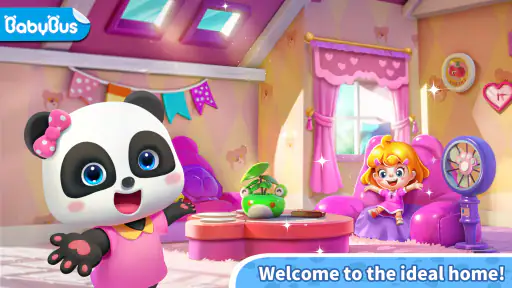
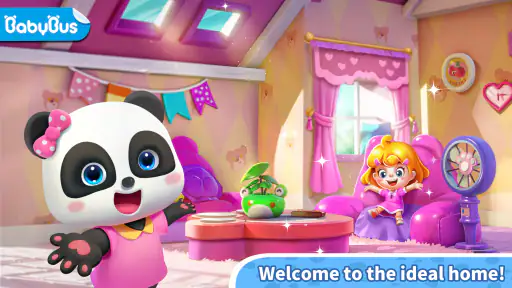
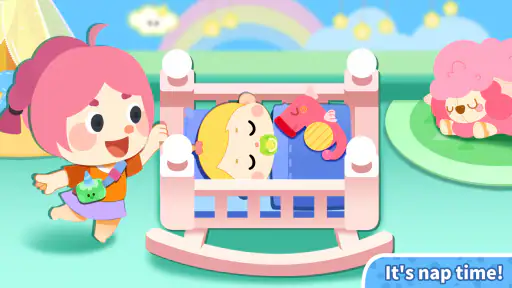
Imagine a town bustling with cute pandas, each with their own personality and stories to tell. Panda Games: Town Home gives you a chance to manage and explore this adorable town. The first thing that caught my eye was the vibrant, colorful graphics that make the panda town feel like a living, breathing world. It’s like a cartoon come to life on your screen.
The game is free to start, and it comes from BabyBus, a developer known here for a children’s educational game. The current version is 8.70.13.00 and it requires Android 5.0 or later. Its broad reach—over 10 million installs—and a 4.0 average from around 16,000 ratings suggest that many families have tried it, although popularity alone cannot tell you whether its style will click with your child.
Gameplay that Hooks You In
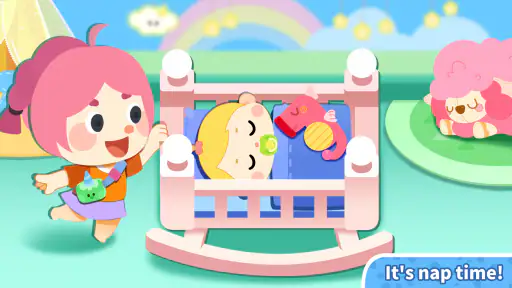
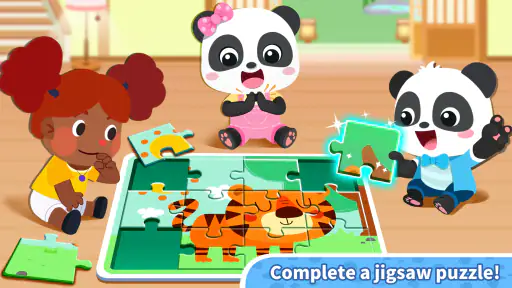
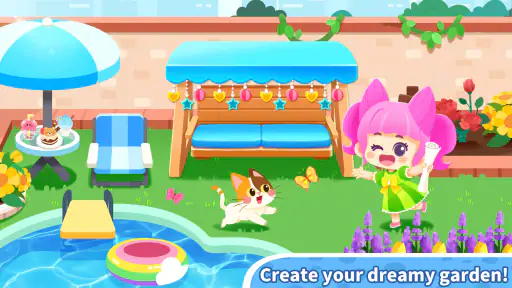
The gameplay is simple yet addictive. You start by helping pandas with their daily tasks, and as you progress, you unlock new areas of the town. It’s almost impossible not to get hooked as you help these furry characters complete various missions. Whether it's gardening, cooking, or even solving puzzles, there’s always something fun to do. The game ensures you’re never bored, as it constantly introduces new challenges and missions.
The most useful way to think about the play loop is action, feedback, and another choice: a child tries a task, sees what happens, and then decides whether to continue or move on. That quick response can make the game easy to pick up without a long explanation. I would let a child work out one activity before offering help; jumping in too quickly can turn playful discovery into a string of instructions from the adult.
Gaming Stories You May Enjoy

Dancing Road Turns Short Breaks Into a Test of Rhythm and Timing

Super Stylist Makes Every Outfit a Test of Taste and Patience

Dominoes on Your Terms: Who Should Play and Who Should Pass

Pokémon GO Makes the Familiar World Feel New

Chess.com Turns Rematches Into Rivalries, but Community Has Its Costs

Archery Battle 3D Review: Sharp Aiming, Unclear Feedback
For a realistic everyday use, imagine a parent setting aside a brief shared play break while a meal is being prepared. The child can choose an activity and the adult can ask simple questions about what they are doing, then stop when attention drifts. That is a better fit than using it as an open-ended promise of endless entertainment. It also gives you a natural chance to notice whether the child is enjoying the activity itself or simply tapping through to see what appears.
Compared with a single-purpose educational game, the town format offers a wider-feeling space to explore rather than keeping attention on one lesson or puzzle. That variety can help when a child loses interest in repeating the same task. The trade-off is that a child seeking a clear, structured learning sequence may prefer a focused alphabet, number, or logic game. I would choose this one for casual exploration and imaginative play, not as a substitute for a specific lesson or a measure of progress.
One practical tip is to make the child’s next action their own decision: ask whether they want to continue the current task or look around elsewhere. This small pause can make the session feel less like random tapping and gives you a sense of what actually holds their interest. If they keep changing activities before understanding what is happening, a calmer, more guided game may be a better choice for that moment.
Interactive Elements and Social Features
One of my favorite aspects of the game is its interactive elements. You can customize your town, interact with other players, and even participate in exciting events. The social features are a nice touch, allowing you to connect with friends and share your experiences. It really feels like a community of panda enthusiasts!
Because this is a game aimed at children, I would still treat social play as something to supervise rather than assume a child can manage independently. Sit with them when they explore any community-oriented parts and keep the session within the boundaries you normally set for online play. If you want a fully offline-feeling activity with no social element, a standalone coloring or puzzle app may be a more comfortable alternative.
The game is free to download, but optional in-app purchases range from $1.99 to $41.99 per item. That is a meaningful consideration when handing a device to a child: set purchase controls before play and explain that choosing an activity does not mean buying anything. I would also avoid using a payment prompt as a surprise decision during a child’s session; handle any purchase choices yourself and only after checking what is being offered.
A useful household routine is to agree on the length of a play break before opening the game, then give a gentle warning before stopping. The town’s variety may encourage a child to move from one activity to the next, so a clear end point can prevent “just one more thing” from stretching the session. If a child becomes frustrated when asked to stop, the game may work better as a shared activity with a defined beginning and end than as a distraction handed over without a plan.
Perfect for All Ages
What I love about Panda Games: Town Home is its accessibility. It’s perfect for players of all ages. Whether you're a kid or just a kid at heart, the game offers something for everyone. The intuitive controls and straightforward instructions make it easy for anyone to pick up and play.
In practice, I think it is strongest for younger players who enjoy colorful characters, simple interactions, and the freedom to move between different kinds of activities. A parent or older sibling can make it more engaging by asking the child to describe what they are trying, rather than taking over the screen. That turns a short game break into a small conversation without pretending the app itself replaces adult attention or hands-on play.
It is less suitable for someone who wants a serious town-building strategy game, intricate systems, or a reliably quiet activity for a child to use entirely alone. The charming presentation is the main draw, while the broad activity mix may feel less satisfying to an older player who wants depth or a clear difficulty curve. If those are your priorities, a more specialized game is likely the better choice.
Parents may also wonder whether it is suitable for a particular device or whether it costs money to try. It is free, rated for everyone, and its Android minimum is 5.0; in-app purchases are available, so “free” does not mean that every optional item is included without charge. On iOS, check the requirements shown for the device you plan to use before installing. Those are sensible checks to make before letting a child play, especially on a shared family device.
Final Thoughts
All in all, if you're looking for a game that offers a mix of fun, creativity, and community, then Panda Games: Town Home is definitely worth checking out. Its charming graphics, engaging gameplay, and interactive features make it a standout choice for anyone looking to escape into a world of pandas. Give it a try, and I promise, you’ll find yourself smiling at the antics of these adorable creatures.
My overall verdict is that the game works best when a parent treats its loop as a small invitation: try something, enjoy the response, choose whether to carry on, and stop when the moment is over. The variety can make another short session appealing, but it does not automatically make every session meaningful or educational. I would try it with a child who likes pandas and playful exploration, keep purchases under adult control, and choose a more structured alternative if the goal is focused learning. That balance lets the game be what it does well: a cheerful, accessible way to spend a little time together.
Panda Games: Town Home Pros and Cons
Pros
- Engaging and interactive gameplay.
- Variety of mini-games available.
- Kid-friendly and safe environment.
- Promotes creativity and learning.
- Regular updates with new content.
Cons
- In-app purchases can be expensive.
- Some levels may be too easy.
- Requires constant internet connection.
- Advertisements may interrupt gameplay.
- Limited customization options.
Frequently Asked Questions
What is Panda Games: Town Home?
Panda Games: Town Home is an engaging simulation game where players can build and manage their own virtual town. It offers various activities like constructing buildings, decorating spaces, and interacting with in-game characters. Suitable for both kids and adults, it provides a creative platform to design and expand your own town.
Is Panda Games: Town Home free to play?
Yes, Panda Games: Town Home is free to download and play. However, like many free-to-play games, it offers in-app purchases that can enhance your gaming experience. These purchases are optional and can be used to speed up progress or unlock special items. Always check your device settings to control in-app purchases.
What are the system requirements for Panda Games: Town Home?
Panda Games: Town Home is compatible with both Android and iOS devices. For Android users, a minimum OS version of 5.0 is required, while iOS users need at least version 10.0. Ensure your device has sufficient storage space and a stable internet connection for the best experience.
Is Panda Games: Town Home suitable for children?
Yes, Panda Games: Town Home is designed to be family-friendly and suitable for children. It features colorful graphics and simple gameplay mechanics that are easy for kids to understand. Additionally, it encourages creativity and planning skills. Parental supervision is recommended for in-app purchases.
How can I contact customer support for Panda Games: Town Home?
If you encounter any issues while playing Panda Games: Town Home, you can contact customer support through the app itself or by visiting the official website. There is typically a 'Help' or 'Support' section within the app settings where you can submit your queries or report problems.


