

NYT Games: Word, Number, Logic
- Reviews
- 4.6
- Version
- 5.52.1
- Installs
- 5,000,000+

Screenshots


 Analysis by Frivlyz
I like having a puzzle ready for the small gaps in my day, but I don’t always want to open a separate app for every kind of challenge. That’s the appeal of NYT Games: Word, Number, Logic: it brings several styles of word, number, and logic play together. In my experience, its variety makes it easier to find a puzzle that suits my mood, though the breadth can also make the app feel less focused than a dedicated game.
One app, several kinds of daily play
The New York Times Company publishes this free word game collection, which has a 4.6 average from around 80,000 ratings and more than 5 million installs. It’s rated for Everyone, and the current version is 5.52.1. Those details point to a well-established app, but the more useful question is whether its mix of puzzles fits the way you like to play.
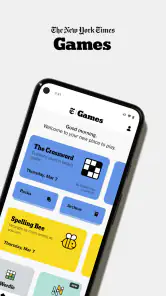
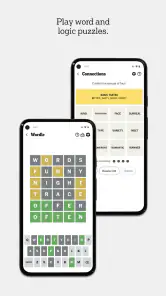
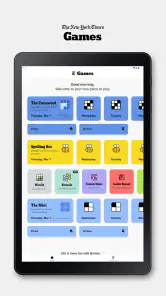
When I first downloaded NYT Games: Word, Number, Logic, I was immediately impressed by the sheer variety of puzzles available. From classic crosswords to Sudoku, and even newer challenges like the Spelling Bee, this app has it all. It's like having a personal puzzle library right in your pocket! The app is designed with a clean, user-friendly interface that makes navigation a breeze. You can easily jump from one game to another or stick to your favorite puzzle type.
Word puzzles reward different habits
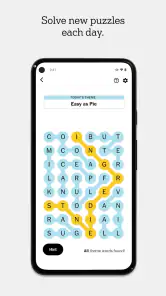
The word games section is a delight for anyone who loves language. The daily crossword is a must-try. It's challenging but not so difficult that it's impossible to complete. And if you're into wordplay, the Spelling Bee will keep you hooked for hours. It's all about forming as many words as possible from a set of letters, and trust me, it’s more addictive than it sounds!
That variety matters in practice: a crossword asks me to connect clues and general knowledge, while a letter-based puzzle is more about testing combinations and noticing patterns. I can switch when one style starts to feel like work rather than a break. A useful approach is to choose one puzzle as the main event and treat the others as short alternatives, rather than trying to finish everything in one sitting.
Number and logic challenges
If numbers and logic are more your jam, the app doesn’t disappoint. The Sudoku puzzles range from easy to fiendishly difficult, offering something for everyone. There’s also a section for KenKen puzzles, which are perfect for those who enjoy a mix of math and logic. These puzzles are a fantastic way to pass the time and give your brain a serious workout.
For a quiet commute or a waiting-room pause, I’d pick a Sudoku or another compact logic challenge over a crossword that I want to concentrate on properly. The trade-off is that a collection app can tempt you to jump between puzzles before you’ve given one a fair try. If you’re working through a tougher grid, staying with it and returning later can be more satisfying than immediately switching to something easier.
Gaming Stories You May Enjoy

Dancing Road Turns Short Breaks Into a Test of Rhythm and Timing

Super Stylist Makes Every Outfit a Test of Taste and Patience

Dominoes on Your Terms: Who Should Play and Who Should Pass

Pokémon GO Makes the Familiar World Feel New

Chess.com Turns Rematches Into Rivalries, but Community Has Its Costs

Archery Battle 3D Review: Sharp Aiming, Unclear Feedback
How the collection fits everyday routines
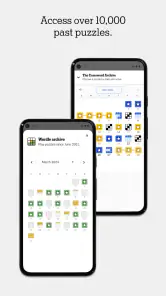
One of the things I love most about this app is how it keeps you coming back for more. The developers consistently update the puzzle selection, so there's always something new to try. Plus, the app tracks your progress, so you can see how you're improving over time. It's rewarding to see how your skills develop with regular play.
In an ordinary day, I might open it while making coffee, solve a few clues, then return during a break for a number puzzle. Having different formats in one place suits that stop-and-start routine better than installing separate crossword, Sudoku, and word-search apps. It also helps when I’m sharing a casual puzzle moment with someone who prefers a different kind of challenge: we can each choose a mode without needing to agree on one game.
Progress tracking is most useful when I treat it as a personal record, not a scorecard. A streak or a completed puzzle can make a routine feel rewarding, but it shouldn’t turn leisure into a daily obligation. If I miss a day or get stuck, I’d rather pick up a different puzzle than force myself to finish just to preserve a habit. This collection works best when the choice stays enjoyable.
What to expect from access and updates
The app is free to download, with in-app purchases ranging from $0.99 to $249.99 per item. So it’s sensible to explore the free experience before deciding whether any paid option is worth it for you, and to check the purchase details shown in the app before confirming anything. The range is broad enough that I wouldn’t assume every puzzle or feature is included at no cost. If your main goal is simply occasional Sudoku or wordplay, a single-purpose free alternative may be a better fit.
The game was released on November 17, 2016, and its current version shows that the app continues to evolve. That’s useful context for existing players: an established collection can change over time, so a familiar layout or routine may not remain exactly the same. I’d look at the current version notes when updating if a change affects how I use a particular puzzle. The release date alone doesn’t tell me what has changed, so I wouldn’t treat it as proof of any specific new feature.
For a reader deciding whether it will run on an older device, the minimum operating system is 10. That’s a practical check to make before downloading. The Everyone age rating also makes it broadly suitable for family use, although the best fit still depends on whether the person playing enjoys word clues, numbers, or logic problems. A younger player who needs step-by-step teaching may prefer a dedicated learning game instead.
Where it beats—and loses to—single-purpose apps
Compared with the usual alternatives, the collection’s strongest advantage is convenience: one install gives me access to several puzzle styles. A dedicated crossword app may be preferable if I want a more concentrated crossword routine, while a standalone Sudoku game can be a cleaner choice if I only care about grids. Here, the benefit is not that every mode must be better than its specialist rival; it’s that I can choose among distinct kinds of thinking without leaving the same app.
That convenience has a limit. A large menu can make it harder to settle into one game, and the different puzzle types won’t appeal equally to everyone. Someone who wants action, multiplayer competition, or a guided course should look elsewhere. This is for people who enjoy solving at their own pace, not for players looking for a fast reflex challenge or a structured lesson in vocabulary or arithmetic.
Who I’d recommend it to
I’d recommend NYT Games to a friend who enjoys daily mental challenges but doesn’t want to commit to just one format. It’s especially suitable for people who like alternating between language and number puzzles, or who want something quieter than a competitive mobile game. If you already have a favorite crossword or Sudoku app and rarely play anything else, the broader collection may add little; a focused alternative could be simpler.
My main reservation is that the collection’s breadth can create an expectation that every option will suit every player. It won’t. Some days I want a short, low-pressure puzzle, and other days I’d rather not spend my break puzzling at all. The app is at its best when I use it as a flexible menu, not as a checklist to clear. I’d also keep an eye on what is free and what requires a purchase, especially if I’m trying it casually.
In conclusion, if you're looking for an app that offers a comprehensive and engaging puzzle experience, NYT Games: Word, Number, Logic is definitely worth a download. Whether you're a wordsmith, a number cruncher, or a logic lover, there's something here for you. So go ahead, give your brain the workout it deserves, and have a blast doing it!
NYT Games: Word, Number, Logic Pros and Cons
Pros
- Wide variety of game types.
- Daily challenges keep engagement.
- User-friendly interface.
- Enhances vocabulary skills.
- Offline play available.
Cons
- Contains in-app purchases.
- Some puzzles require subscription.
- Ads can be intrusive.
- Limited free puzzles.
- Occasional app crashes.
This Game in Other Languages
Frequently Asked Questions
What types of games does NYT Games offer?
NYT Games provides a diverse range of games including word puzzles, number games, and logic challenges. Popular games such as the New York Times Crossword, Spelling Bee, and Sudoku are featured. These games cater to various skill levels, ensuring both casual gamers and puzzle enthusiasts find something engaging.
Is NYT Games suitable for all age groups?
Yes, NYT Games is designed for a broad audience, offering puzzles and challenges that are suitable for all ages. While the difficulty can range from easy to challenging, there are options for younger players and seasoned puzzle solvers alike, making it a family-friendly gaming app.
Do I need an internet connection to play NYT Games?
An internet connection is required to download new puzzles and updates. However, once the puzzles are downloaded, many of them can be played offline. This feature is convenient for users who wish to enjoy the games without relying on constant internet access.
Are there any subscription fees for NYT Games?
NYT Games offers both free and subscription-based content. Users can access a limited selection of games for free, but a subscription is required for full access to all puzzles, daily challenges, and exclusive content. This subscription helps support the ongoing development and updates of the games.
Can I track my progress and compete with friends on NYT Games?
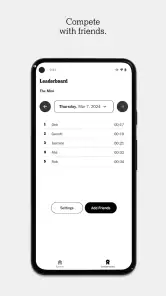
Yes, NYT Games allows users to track their progress and compare their performance with friends. The app includes features such as leaderboards and achievement tracking, enabling a competitive yet friendly environment. This adds an extra layer of motivation for users to improve their skills and enjoy the games.


