

Numberblocks World
- Reviews
- 3.6
- Version
- 2.4.9
- Installs
- 1,000,000+

Screenshots

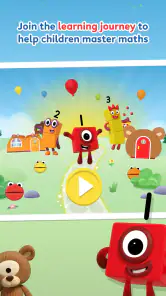
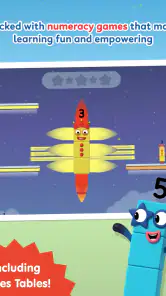
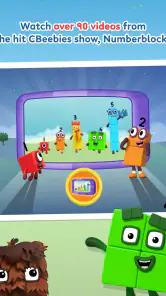
 Analysis by Frivlyz
When I first opened Numberblocks World, I could see why it might appeal to a young child: the characters and bright presentation make number practice feel like play rather than a worksheet. That first impression matters, but it is not enough on its own. I think the more useful question for parents is whether the app can become a short, repeatable part of a child’s routine without turning into another screen-time habit that needs constant managing.
What the first few sessions are like
The opening experience is approachable, and the colorful design gives children something familiar to focus on while they work through number ideas. The game is educational, but it does not ask a child to sit through a formal lesson before getting involved. That makes it easier to try after breakfast, during a quiet stretch at home, or while an adult is nearby and available to help.
The activities and animated episodes serve different moods. When a child wants to tap, solve, and try again, the interactive parts are the better fit; when they are tired or would rather watch, an episode can offer a gentler way to spend a few minutes with number concepts. I would treat those modes as complementary rather than interchangeable: watching can reinforce interest, while active play gives a child more reason to think through an answer.
For a realistic everyday example, I can imagine a parent setting aside a brief session before dinner, letting a child choose an activity, and then asking them to explain one number idea afterward. That small conversation is more valuable than leaving the game running in the background. It also gives the adult a simple way to notice whether the child is engaged, confused, or ready for something harder.
Why the familiar characters can help
The Numberblocks world gives early maths a visual identity. For children who already enjoy the characters, that familiarity can make counting and simple calculations feel less abstract. It is a useful bridge between seeing a number represented in a playful way and beginning to talk about what that number means.
That connection is also the app’s main point of difference from a basic counting game or a digital workbook. A workbook may be better for quiet, structured practice, and a very simple number game may be easier for a child who is just beginning to use a screen. This game is more appealing when a child responds to animated storytelling and character-led activities. The trade-off is that a child who is not interested in the show’s style may find the presentation less motivating than a plain, direct exercise.
Building a routine without making it a chore
I would keep sessions short and let the child finish on a moment of success rather than asking them to complete a long run of activities. That approach suits young learners’ attention better and makes it easier to return another day. If a child repeatedly asks for the same activity, an adult can use that familiarity as a prompt: ask what they remember, then invite them to try a different activity when they are ready.
Gaming Stories You May Enjoy

Dancing Road Turns Short Breaks Into a Test of Rhythm and Timing

Super Stylist Makes Every Outfit a Test of Taste and Patience

Dominoes on Your Terms: Who Should Play and Who Should Pass

Pokémon GO Makes the Familiar World Feel New

Chess.com Turns Rematches Into Rivalries, but Community Has Its Costs

Archery Battle 3D Review: Sharp Aiming, Unclear Feedback
Parents do not need to turn every session into a lesson. A quick question such as “How did you work that out?” can reveal whether a child is recognizing a pattern or simply tapping until something works. If the child cannot explain it yet, that is not a reason to stop; it is a cue to play alongside them and connect the on-screen idea to something concrete, such as counting snacks or toys.
The game is likely to suit families looking for a friendly introduction to numbers, especially when a child enjoys animated characters and learns well through repetition. It may also be useful as a shared activity for an adult and child, rather than as an unsupervised substitute for all maths practice. If the goal is a carefully sequenced curriculum, printable exercises, or a broad set of unrelated subjects, a dedicated learning platform or offline materials may be a better match.
Getting Started with Numberblocks World
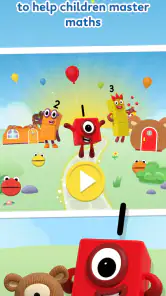
Jumping into the app was a breeze. The setup is straightforward, and within minutes, I was exploring the colorful and vibrant world of Numberblocks. The first thing that strikes you is the bright and cheerful design. It’s like a rainbow exploded in the best way possible! The app is visually appealing, which is crucial for keeping kids engaged.
One thing I appreciated right off the bat was the intuitive interface. Even for someone like me, who isn’t exactly a tech whiz, navigating through the different sections was pretty seamless. The developers did a great job making sure that even the youngest users can find their way around without getting lost.
Features That Stand Out
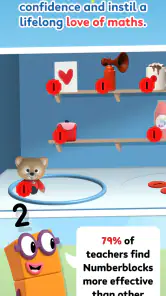
Alright, let’s dive into what makes the experience tick. The app is packed with interactive activities that cover a range of math skills. From basic counting to simple addition and subtraction, there’s plenty for kids to explore. The activities are designed to be short and sweet, which is perfect for maintaining attention spans.
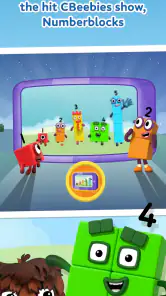
One of my favorite features has to be the animated episodes. They’re not just educational but genuinely entertaining. The characters are quirky and lovable, and the stories are crafted to reinforce number concepts subtly. I found myself getting sucked into a few episodes, and I’m way past my learning-to-count years!
The app also includes puzzles and games that adapt to the child’s level. This adaptive learning approach helps ensure that kids are neither bored nor overwhelmed. It’s like having a mini math tutor in your pocket.
Learning Made Fun
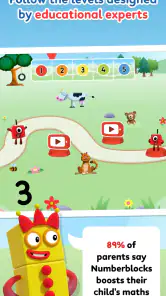
Let’s talk about the educational aspect, which is the heart of the game. The app does a stellar job of turning what could be mundane math lessons into a playful adventure. Each game and activity is designed to build a specific skill, and the app tracks progress, which is a neat touch for parents and educators who want to monitor their child’s development.
The app uses repetition in a way that’s not tedious but rather reinforcing. Kids are encouraged to keep trying until they get it right, with plenty of positive reinforcement along the way. I noticed that this approach builds confidence, which is so important in early learning.
Keeping its place after the novelty fades
For an educational game, lasting value depends less on a dazzling first session than on whether a child willingly returns to practise. The mix of episodes and interactive activities gives families more than one way to revisit number ideas, and the short format makes a repeat visit easier to fit into an ordinary day. Still, interest will vary. A child who loves the characters may come back often, while another may prefer a different kind of activity once the novelty wears off.
The app is free to start, while in-app purchases range from $4.99 to $14.99 per item. I would keep that in mind before handing a device to a child: check the available options yourself and decide what, if anything, you are comfortable buying. That small bit of adult setup helps avoid turning a child’s request to keep playing into an unexpected spending decision.
It is made by Blue Zoo, has an Everyone age rating, and has been available since July 8, 2020. Its current version is 2.4.9, and it runs on Android 8.0 or later. Those details make it easier to judge whether it fits a family’s device and age needs, but they do not guarantee that every child will find the content equally engaging.
Maintenance, friction, and fatigue
The ongoing effort for a parent is modest but not zero. I would occasionally check that the child is choosing activities rather than drifting into passive watching, and I would revisit progress with them instead of treating a progress record as a complete picture of learning. A child can enjoy an activity without mastering the underlying idea, so a little conversation away from the screen remains useful.
The app’s 3.6 average from around 6,400 ratings, alongside more than 290 written reviews, suggests that experiences are not uniformly glowing. It has over a million installs, so it has reached many families, but popularity does not settle the question of fit. I would use the rating as a prompt to approach it with realistic expectations: try it with your child and see whether the balance of play and practice works for them.
One possible source of fatigue is repetition. Repeating a number activity can strengthen familiarity, but a child who has already mastered a particular challenge may want more variety or a tougher task. Another is screen preference: some children will be drawn to the episodes more than the hands-on parts. If that happens, I would alternate with counting objects, drawing numbers, or another offline activity instead of expecting the app alone to carry the learning.
The game may not be the right choice for an older child who needs advanced maths, a learner who dislikes character-led presentation, or a family that wants a fully screen-free approach. It is also not a replacement for an adult noticing frustration and adjusting the activity. In those cases, a workbook, physical counting objects, or a more structured learning resource may serve the child better.
What I would want to know before making it a habit
A parent might reasonably wonder whether it works for a child who is only beginning to count. The focus on basic counting and simple arithmetic makes it a plausible starting point, especially when an adult is nearby to help connect the game to real objects. I would watch the child’s response rather than assume that an age rating alone means every activity is a perfect match.
Another practical question is whether a child can use it independently. The interface felt straightforward to me, and the sections were easy to navigate, but young children vary in how comfortably they handle menus. I would explore it with them once, show how to choose an activity, and then see whether they can manage a short session without repeated help.
If a child loses interest after a few visits, I would not force a daily streak or treat that as a failure. The useful test is whether the game occasionally helps the child return to number ideas with curiosity. A few purposeful sessions alongside ordinary counting in daily life can be more worthwhile than long stretches of play that have become routine without much attention.
What Could Be Better?
No app is perfect, and this one is no exception. While the content is rich, I felt there could be a bit more variety in the games. Some kids might breeze through the activities faster than others, and a wider range of challenges could keep them coming back for more.
Also, while the app is mostly bug-free, I did encounter a couple of minor glitches during my time with it. Nothing major, but a little polish could make the experience even smoother.
The Final Verdict
So, what’s the bottom line? This is a fantastic tool for introducing young children to the world of numbers. It combines education with entertainment in a way that’s hard to beat. The app is user-friendly, visually appealing, and packed with enough content to keep kids learning and laughing.
If you’re a parent or educator looking for a reliable educational app, this one’s definitely worth a try. Just be prepared to occasionally find yourself humming the catchy theme tunes when you’re least expecting it!
Numberblocks World Pros and Cons
Pros
- Engaging educational content for kids.
- Bright
- colorful graphics appeal to children.
- Interactive gameplay enhances learning.
- Regular updates with new content.
- Parental controls ensure safe usage.
Cons
- Limited offline access restricts use.
- Subscription required for full access.
- May not appeal to older children.
- Some features need strong internet.
- In-app purchases can add up.
This Game in Other Languages
Frequently Asked Questions
What age group is Numberblocks World suitable for?
Numberblocks World is designed primarily for children aged 3 to 6 years old. It offers a playful and educational experience that helps young learners develop essential numeracy skills. The app uses engaging animations and interactive activities to make learning numbers and basic math concepts fun and accessible.
Is an internet connection required to use Numberblocks World?
No, an internet connection is not required to use Numberblocks World once it is downloaded. This makes it convenient for use during travel or in areas with limited connectivity. However, an internet connection may be needed for initial setup and updates to ensure the app runs smoothly.
Are there any in-app purchases or advertisements in Numberblocks World?
Numberblocks World is a subscription-based app, and there are no in-app purchases or ads interrupting the experience. This ensures a safe and uninterrupted learning environment for children, allowing them to focus on the educational content without distractions or unexpected costs.
How often is new content added to Numberblocks World?
The developers of Numberblocks World regularly update the app with new content, including episodes and interactive activities. This ensures that children continually have fresh and engaging material to explore, keeping their learning experience dynamic and up-to-date with the latest educational trends.
Is Numberblocks World available on both Android and iOS devices?
Yes, Numberblocks World is available for both Android and iOS platforms. Users can download the app from the Google Play Store or Apple App Store, ensuring compatibility with a wide range of devices. This accessibility allows more children to enjoy the app's educational benefits.


