

My Supermarket Simulator 3D
- Reviews
- 4.2
- Version
- 1.9.2
- Installs
- 50,000,000+

Screenshots
 Analysis by Frivlyz
I tend to enjoy supermarket games most when they give me a small routine to settle into: check what needs attention, take care of the store, and then decide what to improve next. My Supermarket Simulator 3D is built around that kind of hands-on management. It is a free simulation game from Game District LLC, rated for Everyone, and its appeal is less about complicated business spreadsheets than about making a shop run smoothly through practical tasks.
A useful way to approach it is to treat each visit as a short shift rather than trying to rush toward a huge store immediately. The game is about ordering products and growing a supermarket, but the satisfying part is learning how the everyday jobs fit together. If you like seeing a space become more organized as you make decisions, that simple loop can be rewarding. If you mainly want a story, elaborate character interactions, or a deep economic model, this may feel light beside other simulation games.
Build a reliable opening routine
When starting out, I would use the tutorial as a practical checklist, not something to click through as quickly as possible. Pay attention to how stocking and inventory tasks are handled, then repeat those actions until they feel natural. In a shop-management game, small oversights can make a session feel messy; taking a moment to understand the basic sequence makes later decisions easier.
Our Stories on My Supermarket Simulator 3D
Archery Battle 3D Review: Sharp Aiming, Unclear Feedback
NewsDancing Road Turns Short Breaks Into a Test of Rhythm and Timing
NewsSuper Stylist Makes Every Outfit a Test of Taste and Patience
NewsDominoes on Your Terms: Who Should Play and Who Should Pass
NewsPokémon GO Makes the Familiar World Feel New
NewsChess.com Turns Rematches Into Rivalries, but Community Has Its Costs
NewsA steady routine is more helpful than trying to change everything at once. I would first take care of immediate store needs, then look around before spending time on expansion or decoration. That order helps separate urgent work from optional upgrades. It also makes it easier to notice whether a choice genuinely improves the way the shop feels to manage, rather than simply adding more things to keep track of.
For an everyday play session, imagine opening the game during a short break and wanting to make visible progress without committing to a long session. I would focus on one clear task, such as tidying the current operation or preparing the next improvement, then stop when that goal is complete. This keeps the game relaxing instead of turning every visit into a long list of unfinished chores.
Settings and choices that deserve a check
Before settling into longer sessions, take a moment to look through the options the game makes available on your device. I avoid assuming that a default control or sound level will suit every player; checking what can be adjusted is a sensible way to make repeated play more comfortable. This is especially useful if you play with sound low or prefer a less distracting setup.
Customization is best treated as a deliberate choice, not a reason to redesign the whole store constantly. A consistent layout makes it easier to read the space and focus on management. If you enjoy decorating, set aside a separate session for visual changes so that experimentation does not interrupt the practical work of running the shop. The trade-off is straightforward: personalization adds ownership, while frequent rearranging can distract from the routine.
Gaming Stories You May Enjoy

Should You Switch to Geometry Dash Meltdown? A Test of Timing and Patience

Fidget Toys Trading・Pop It 3D: What Happens When the Game Stumbles

NBA LIVE Mobile Makes the Season the Main Event

Sonic Forces: PvP Battle Race - Speed and Strategy Combined

Unlocking the Secrets of Piano Game: Classic Music Song

Racing Fever: Moto – A Cultural Shift in Mobile Gaming
The game has a 4.2 average from around 451,000 ratings, and it has been installed over 50 million times. Those figures suggest broad interest, but they do not guarantee that its particular pace will suit you. I would use them as context, then decide based on whether you enjoy approachable, task-driven simulation rather than expecting the intricacy of a full business-management game.
Welcome to Your Supermarket!
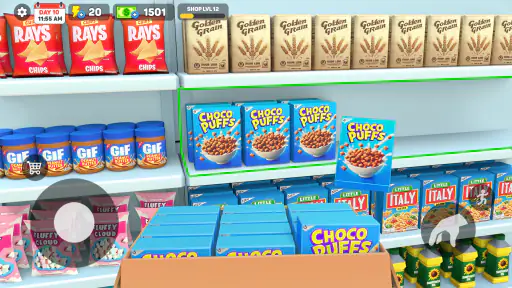
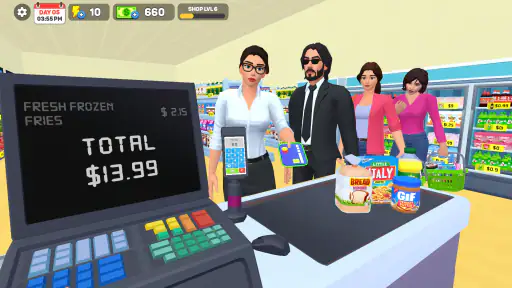
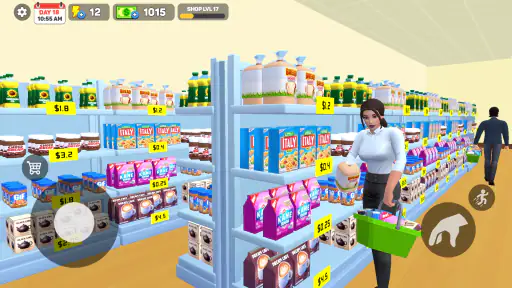
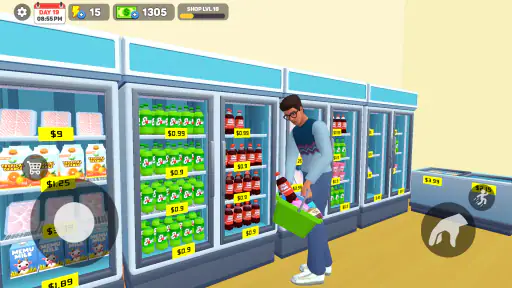
When you first open My Supermarket Simulator 3D, you're greeted with a bustling market scene. The game starts off with a helpful tutorial that walks you through the basics of running your store. You’ll learn how to stock shelves, manage inventory, and even deal with those pesky, but lovable customers. The interface is intuitive, making it easy for anyone to pick up and start playing.
Gameplay: More Than Just Stacking Shelves
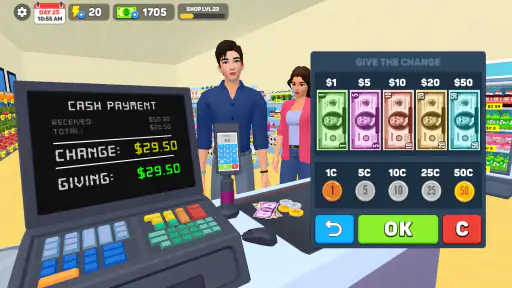
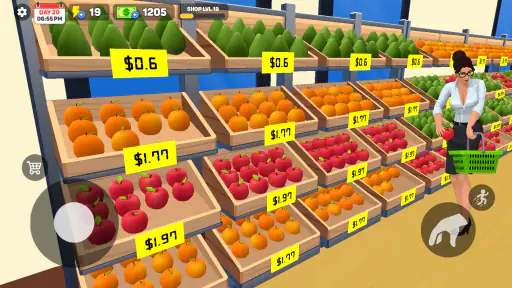
What sets this simulator apart is the depth of its gameplay. You're not just stacking shelves – you're planning layouts, managing finances, and even expanding your supermarket empire. The game challenges you to think strategically about how you manage your space and resources. It’s a balancing act between keeping your customers happy and making a profit.
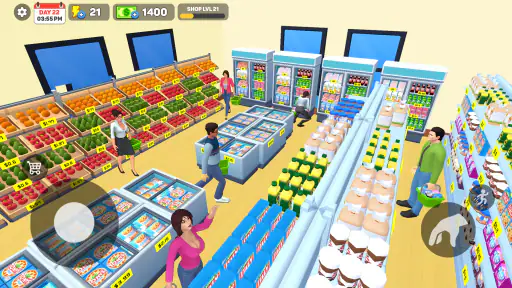
One of the coolest features is the ability to customize your store. From the color of the walls to the layout of the aisles, you have full control. This personalization allows you to create a supermarket that's a true reflection of your style.
Graphics and Sound: Immersive and Engaging
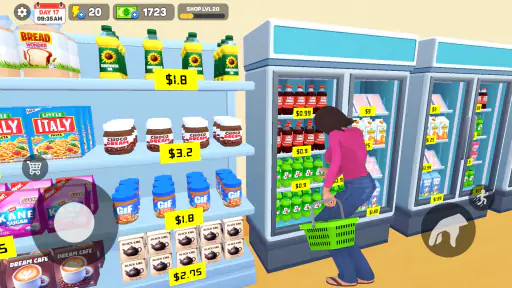
The 3D graphics are vibrant and detailed, making your supermarket feel alive. I particularly enjoyed how the game captures the little details – like the way products glisten on the shelves or how customers casually browse through aisles. The background music is catchy and upbeat, adding to the overall cheerful atmosphere of the game.
On repeat visits, I find it useful to separate routine play from design play. When I want a quick, focused session, I leave the layout alone and concentrate on the store’s immediate needs. When I want a more creative session, I make visual changes and then take a moment to see whether the new arrangement still feels easy to navigate. That simple separation keeps customization enjoyable instead of making every visit feel like a rebuild.
Challenges and Rewards
As you progress, the game introduces new challenges, such as limited-time events and special customer requests. These keep the gameplay fresh and exciting. Completing these challenges rewards you with points and upgrades, which are crucial for expanding your supermarket.
The game also includes a leaderboard feature, allowing you to compete with friends or other players worldwide. It’s a great way to show off your supermarket management skills!
Where the management loop works best
The strongest fit is for players who like turning a modest shop into a more personal, organized space. It gives you a concrete role: you are not simply watching a business grow from a distance, but taking part in its day-to-day upkeep. That makes it a good choice for casual sessions when you want a clear activity and a visible sense of progression.
Compared with many simulation games, this one leans toward direct, approachable interaction rather than dense menus and long planning screens. That is a plus if you want to spend your time tending the store itself. By contrast, players who want detailed accounting, complex supply-chain planning, or a strong narrative may prefer a more management-heavy title. The lighter approach is welcoming, but it also means that players seeking deeper strategic layers may outgrow the routine.
One practical tip is to make upgrades with a purpose. Before choosing an improvement, ask whether it supports the way you want to play: smoother day-to-day management, a more appealing shop, or faster progress toward expansion. Picking one goal at a time helps avoid spending resources simply because an option is available. It also gives you a clearer way to judge whether a change made the next session better.
Limits, costs, and who may want another game
The game is free to start, with optional in-app purchases ranging from $0.99 to $59.99 per item. I would treat those purchases as optional convenience or progression choices, not a requirement for enjoying the basic premise. If you are trying to keep spending controlled, check purchase prompts carefully and decide in advance whether you are comfortable paying for extras. The free entry point is appealing, but the broad purchase range makes it worth staying deliberate.
It is also worth setting expectations about the kind of challenge on offer. A shop simulator can be satisfying through repetition, but repeated stocking and management tasks may become familiar once you have settled into a routine. Players who need constant novelty or a demanding, long-term strategy game should consider another option. Likewise, if the cheerful presentation is not your taste, a more realistic or serious business sim may be a better match.
The game is listed as version 1.9.2 and supports Android 7.1 or later. It was released on July 19, 2024, and its age rating is Everyone. That broad rating makes it approachable for a wide audience, while the simulation format still depends on whether the player enjoys organizing tasks and gradually improving a store.
A satisfying fit for the right kind of player
For me, the best way to enjoy this game is to keep a repeatable rhythm: handle the essentials, make one considered improvement, and leave room to experiment with the store’s look when that is the part I feel like playing. The workflow keeps small sessions rewarding and prevents expansion from becoming an aimless rush. It is a simple habit, but it makes the management side feel more intentional.
My Supermarket Simulator 3D is more than just a game – it’s an experience. Whether you're looking to kill time or dive into a full-blown supermarket empire-building adventure, this game has something for everyone. With its engaging gameplay, personalized customization, and endless challenges, it's easy to see why this simulator has captured the attention of players worldwide. So, what are you waiting for? It's time to stock those shelves and open your doors to customers!
My recommendation is for anyone who enjoys hands-on store management, cheerful presentation, and the satisfaction of shaping a shop over time. I would skip it if I wanted a serious business simulator or a game with a strong plot, but for accessible supermarket play, its mix of routine and customization is appealing. The key is not to expect every session to bring a dramatic change; the pleasure comes from making small decisions and seeing the shop gradually feel more like your own.
My Supermarket Simulator 3D Pros and Cons
Pros
- Realistic supermarket experience.
- Wide variety of products.
- Interactive customer service.
- Engaging graphics.
- Customizable store layout.
Cons
- In-app purchases required.
- Occasional bugs.
- Limited free features.
- Requires internet connection.
- Ads can be disruptive.
Frequently Asked Questions
What is My Supermarket Simulator 3D?
My Supermarket Simulator 3D is an engaging simulation game that allows players to experience the challenges and rewards of managing a virtual supermarket. Players can stock shelves, manage staff, and serve customers efficiently while trying to grow their business. The game offers an immersive 3D environment with realistic graphics and dynamic gameplay, making it a must-try for simulation enthusiasts.
How do I play My Supermarket Simulator 3D?
Playing My Supermarket Simulator 3D involves taking on the role of a supermarket manager. Your responsibilities include stocking shelves with various products, managing inventory, hiring and training staff, and ensuring customer satisfaction. The game also involves strategic planning to expand the supermarket and improve services. It’s designed to be user-friendly, with intuitive controls and tutorials to help new players get started.
Is My Supermarket Simulator 3D free to play?
My Supermarket Simulator 3D is free to download and play, but it does offer in-app purchases. These purchases can enhance gameplay by providing additional resources, unlocking special features, or removing ads. However, players can enjoy the game fully without spending money, as all essential features are accessible without purchases. This makes it a flexible option for both casual and dedicated players.
What devices are compatible with My Supermarket Simulator 3D?
My Supermarket Simulator 3D is available on both Android and iOS platforms. It requires a device with at least 2GB of RAM and a recent operating system version to ensure smooth performance. The game is optimized for both smartphones and tablets, providing a seamless gaming experience across different device types. Players should check the specific requirements on the app store before downloading.
Does My Supermarket Simulator 3D require an internet connection?
My Supermarket Simulator 3D is primarily an offline game, allowing players to enjoy managing their supermarket without needing a constant internet connection. However, some features, such as in-app purchases and leaderboard updates, may require internet access. This flexibility makes it convenient for players who prefer gaming on the go or in areas with limited connectivity.


