

My PlayHome School
- Reviews
- 4.3
- Version
- 2.3.0.47
- Installs
- 100,000+

Screenshots
 Analysis by Frivlyz
I like casual games best when they make sense within a few seconds, and a school setting gives this one an easy starting point: there are rooms to explore, people to move around, and plenty of space for a child to invent what happens next. My PlayHome School is a pretend-play game from Shimon Young : Play Home Software, built around making up school-day stories rather than completing levels. That makes it a natural fit for a brief stretch of play, though it won’t suit every child or every parent’s idea of a game.
Its appeal is less about winning than about having somewhere familiar to play out ideas. A child can turn a spare moment into a classroom scene, then stop when it is time to leave. I find that simple premise more useful than it may sound: the game does not ask a young player to remember a complicated objective before enjoying it. The trade-off is just as clear. If your child wants targets, scores, or a steady stream of new challenges, open-ended play may feel aimless rather than relaxing.
Why the school setting works straight away
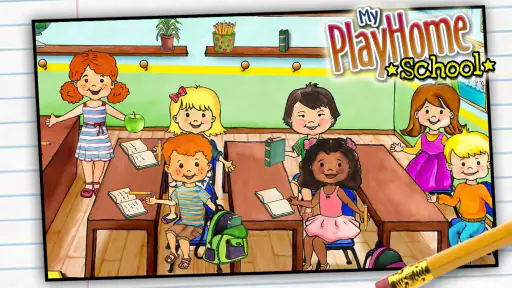
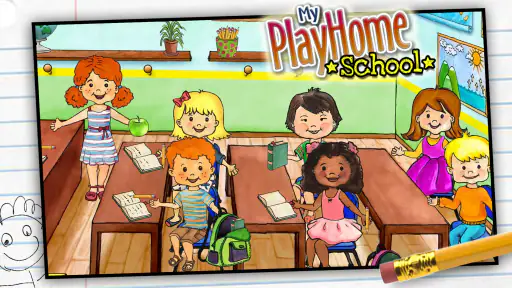
The game’s school world gives children recognizable things to act on, which helps a story get started without a tutorial-heavy introduction. A classroom can become a lesson, the playground can become a break, and moving characters around lets children decide who is involved. In my view, that familiarity is the hook: the player can borrow from everyday routines while still changing the details to suit an entirely made-up story.
This is also why the game works better as imaginative play than as a substitute for a lesson. It does not need to quiz children to be worthwhile, but parents should not expect it to teach school subjects in a structured way. Its strength is giving a child a setting for pretend play; its limits become apparent if you are shopping specifically for reading practice, maths exercises, or a guided introduction to classroom rules.
Step Inside the Classroom
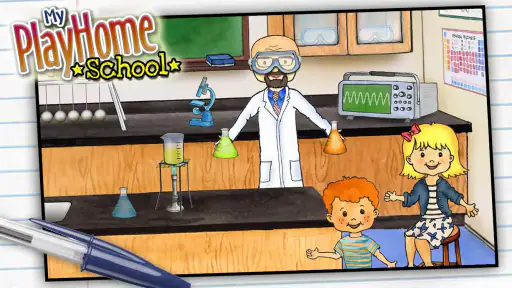
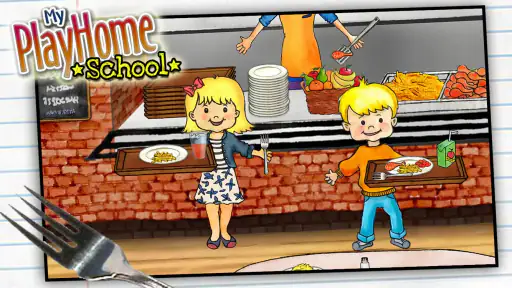
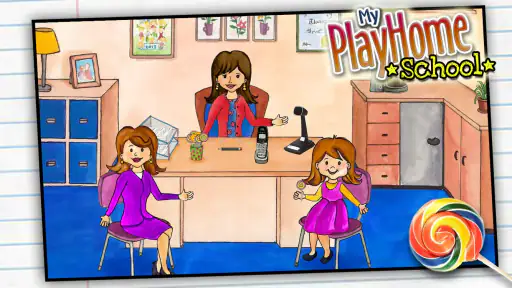
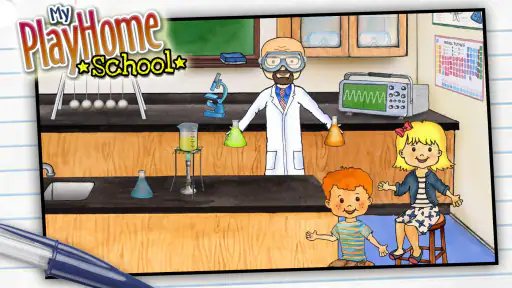
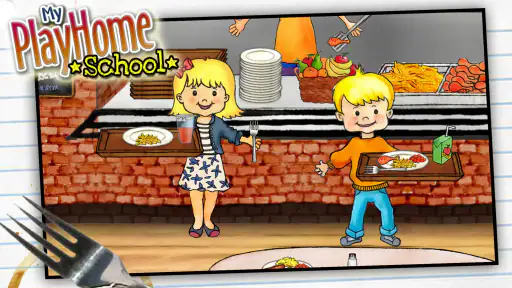
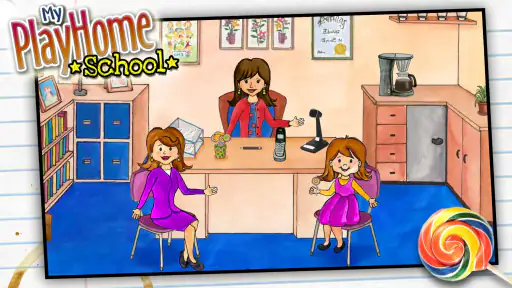
One of the first things you'll notice about this app is its vibrant and colorful design. The developers have done an excellent job of creating a school environment that's both inviting and detailed. From the bustling classrooms to the lively playground, every part of the school is interactive. You can move characters around, explore different rooms, and even change the weather outside — how cool is that?
A Learning Experience
What sets My PlayHome School apart from other educational apps is its focus on imagination and creativity. Rather than drilling kids with facts and quizzes, it encourages them to learn through play. You can take part in different school activities like art, music, and science experiments. It's a great way for kids to get a feel for what school life is like, without the stress of homework and exams.
For a quick session, I’d treat the school as a little stage rather than a checklist. One useful way to begin is to pick a single idea — a class, a playground break, or a change in the weather — and let the child decide what happens around it. This keeps the play easy to enter and easy to end. It also gives a parent a simple way to join in: ask what a character is doing, then follow the child’s lead instead of turning the moment into a lesson.
Gaming Stories You May Enjoy

Dancing Road Turns Short Breaks Into a Test of Rhythm and Timing

Super Stylist Makes Every Outfit a Test of Taste and Patience

Dominoes on Your Terms: Who Should Play and Who Should Pass

Pokémon GO Makes the Familiar World Feel New

Chess.com Turns Rematches Into Rivalries, but Community Has Its Costs

Archery Battle 3D Review: Sharp Aiming, Unclear Feedback
The game’s pace is a particular advantage when play gets interrupted. A child can pause to answer a question, put the device down for dinner, or hand it back without needing to finish a timed round. That makes it more practical for waiting rooms or a quiet moment at home than many casual games built around streaks, countdowns, or a sequence of levels. I would still set expectations before handing over the device: free-form play can make a child want to continue a story, even when the game itself is easy to leave.
A small play routine, not a long campaign
On a busy afternoon, I can imagine a parent offering this as a short activity while preparing a snack: the child chooses a character, starts a school scene, and narrates what is happening. When the snack is ready, the story can stop there rather than leaving a level unfinished. A helpful trick is to invite the child to name the next event before putting the device away; that gives the play a natural stopping point and a possible starting idea for another day.
That routine also shows who is likely to get the most from it. Children who enjoy dollhouse-style play, inventing dialogue, and moving characters through familiar places are the strongest match. A younger child who prefers someone to explain every action may need an adult nearby at first, even if the visual approach makes navigation approachable. For a child who mainly wants competitive goals or fast reactions, I’d choose a different kind of casual game.
How it compares with other casual choices
Many casual games make their appeal obvious through matching, collecting, or completing a short challenge. This one offers a different kind of immediate pleasure: the reward is seeing a story take shape, not clearing a board. Compared with a drawing app, it supplies a school setting and characters to act with; compared with a puzzle game, it leaves more of the activity up to the player. That freedom is a strength for imaginative children, but it can be a weakness for anyone who wants a clear task every time they open a game.
Repetition is therefore a question of imagination, not content progression. Returning to the same school can still feel different when the child invents a new class or changes who is part of the scene, but the game does not offer the same built-in sense of advancement as a campaign with unlocks. If a child enjoys replaying a favorite pretend scenario, that openness can last. If they quickly ask what comes next, the experience may lose its pull sooner than a game that regularly introduces new objectives.
Comfort, cost, and the right expectations
The game is rated Everyone, and its straightforward make-believe premise is easy to share with a family. It costs $3.49, so I’d think of it as a paid play space rather than a free game to sample indefinitely. Its average rating is 4.3 from around 2,500 ratings, and it has over 100,000 installs. Those figures suggest a well-established audience, but they cannot tell you whether your child personally enjoys open-ended play; watching how they respond to a short shared session is a better test.
The age rating should not be confused with a promise that every child will immediately know what to do. Some children are comfortable inventing a scene on their own; others do better when an adult suggests a starting point and then lets them take over. I also wouldn’t choose it as a hands-off activity for a child who needs explicit instructions or frequent new goals. Its value depends on the child supplying some of the ideas.
For families already familiar with the wider PlayHome world, this school setting may feel like a natural place to extend pretend play. For someone choosing a first game, the decision is simpler: ask whether a child enjoys moving characters around and making up conversations. If the answer is yes, the school environment provides a specific prompt; if they prefer drawing freely or solving defined puzzles, those alternatives may be a better use of their screen time.
Practical details before you decide
The game was released on March 4, 2015, and its current version is 2.3.0.47, with Android 5.0 as the minimum operating system. That makes device compatibility worth checking before buying, especially if you plan to use an older tablet. It is a one-time purchase at the listed price, so the decision is less about managing a recurring game routine and more about whether this particular style of play will be used often enough to justify the cost.
Parents may also wonder whether this is something a child can enjoy alone or whether it works better together. I think both are possible, but the first shared session is useful: it shows how the child approaches the rooms and characters, and it gives them a model for starting a story without dictating what the story must be. After that, a child who likes imaginative play can take the lead independently, while a child who needs prompts may enjoy it more as a back-and-forth activity.
Where the open-ended format can fall short
The absence of a prescribed task is not automatically a benefit. It means there is no obvious finish line to give a reluctant player a sense of accomplishment, and a parent looking for a quiet, self-directing activity may find that a child keeps asking for ideas. I’d avoid presenting it as an educational app that will prepare a child for school by itself. It can support role-play around school life, but the useful conversation comes from the child and any adult playing alongside them.
There is also a practical difference between a game that is easy to interrupt and one that naturally signals when a session is over. Here, the player can stop without completing a challenge, but the story may still be in progress in the child’s mind. A small household routine — finish the pretend scene, then put the device away — can help make the transition smoother. That is more effective than expecting the game to provide a built-in stopping cue.
Parents often ask whether it is suitable for a car ride or another short wait. Its free-form structure can fit a short stretch, especially if the child already knows how they like to play, but it is not a guaranteed distraction for every child. A new player may want help getting started, and a child who expects constant action may become restless. I’d try it at home first, where joining in is easy, before relying on it as the only activity for a longer outing.
Intuitive and Kid-Friendly
The interface is extremely user-friendly, making it easy for young children to navigate without any help. The app doesn’t rely on text instructions, which is a big plus for younger kids who are still learning to read. Instead, it uses visual cues and intuitive controls that let kids dive straight into the action.
The simplest way to see whether that visual approach works for your child is to let them explore briefly while you watch, rather than explaining every move in advance. If they can pick a character and begin acting out an idea, the game is doing its job. If they keep waiting for prompts, offer one concrete scenario and see whether they build on it. That small test is more revealing than judging the game only by its colorful first impression.
Parents will appreciate the lack of in-app purchases or third-party advertising. You can let your kids explore without worrying about them accidentally buying something or being exposed to inappropriate content. It's a safe and secure environment, which is exactly what you want when handing over your tablet to a little one.
For me, the practical appeal is not that it replaces adult supervision, but that its play style is easy to understand and share. A parent can sit nearby, ask a child to explain the scene, and join for a minute without needing to learn a complicated ruleset. If the child prefers solo play, the visual controls help them get started; if they enjoy company, the school theme gives both of you an easy subject to talk about.
Endless Fun and Learning
My PlayHome School is more than just a game; it's an educational tool that fosters creativity and imaginative play. It's perfect for keeping kids entertained while also giving them a taste of school life. Whether you're a parent looking for a way to prepare your child for school or just want to keep them entertained during a long car ride, this app is a fantastic choice.
I’d describe its replay value more carefully: it can stay appealing when a child enjoys inventing new versions of familiar routines, but it is not endless in the sense of continually adding goals. One day the classroom might be the whole story; another day, the child may want to move the action outdoors or change the weather. The game supplies the setting, while the player supplies much of the variation. That balance is the main reason it can be returned to, and also the reason some children will eventually want something more structured.
For a family deciding between this and a typical casual puzzle, the best question is not which has more action. It is whether the child wants to solve a task or create one. Choose this if a school setting gives them ideas and they enjoy role-play; choose a puzzle or drawing activity if they want a clearer objective or a more direct way to make something. Neither preference is better, but recognizing it before buying helps avoid expecting this game to behave like a level-based challenge.
To sum it up, this app is a wonderful blend of fun, learning, and creativity. It’s like having a pocket-sized school that you can take anywhere. So, if you're looking for an app that keeps your kids engaged and sparks their creativity, give My PlayHome School a try. Trust me, it's worth every gigabyte!
My PlayHome School Pros and Cons
Pros
- Interactive learning environment
- Easy to navigate interface
- Engages children effectively
- Supports creative play
- Safe for kids to explore
Cons
- Limited character choices
- Needs more diverse scenarios
- Occasional minor glitches
- Requires frequent updates
- Not suitable for older kids
Frequently Asked Questions
What is My PlayHome School and what age group is it suitable for?
My PlayHome School is an interactive educational game designed for children, offering a virtual school environment where kids can explore classrooms, participate in school activities, and learn through play. The app is suitable for children aged 4 to 10 years, providing a safe and engaging way to understand school dynamics and develop social skills through imaginative play.
Is My PlayHome School available on both Android and iOS platforms?
Yes, My PlayHome School is available for download on both Android and iOS platforms. Users can find the app on the Google Play Store for Android devices and the Apple App Store for iOS devices. Ensure your device meets the app's system requirements to enjoy a smooth gaming experience.
Does My PlayHome School require an internet connection to play?
My PlayHome School does not require a constant internet connection to play, making it convenient for offline use. However, an initial internet connection is needed for downloading and installing the app. Once installed, children can explore the school environment and enjoy interactive learning without needing to be online.
Are there in-app purchases or ads in My PlayHome School?
My PlayHome School does not contain any in-app purchases or advertisements, providing a safe and uninterrupted playing environment for children. This ensures that kids can focus on educational play without distractions or the risk of accidental purchases, making it a parent-friendly choice.
How does My PlayHome School contribute to a child's learning and development?
My PlayHome School enhances a child's learning by offering interactive scenarios that mimic real-school experiences. Kids can engage in role-playing activities that teach them about different school subjects, social interactions, and problem-solving skills. The app is designed to encourage creativity and critical thinking, while also helping children become familiar with school routines and environments.


