

My PlayHome Hospital
- Reviews
- 4.5
- Version
- 2.3.0.47
- Installs
- 100,000+
Screenshots
 Analysis by Frivlyz
I see this as a small, imaginative hospital playroom rather than a medical game with goals to beat. That distinction matters: the appeal is in choosing a role, exploring the setting and making up a story, not in racing through levels or mastering realistic treatment. My PlayHome Hospital is a casual game from Shimon Young : Play Home Software, and its gentle, hands-on approach suits children who like pretend play. I also think it works best when an adult is happy to join in now and then, rather than expecting the app to teach healthcare on its own.
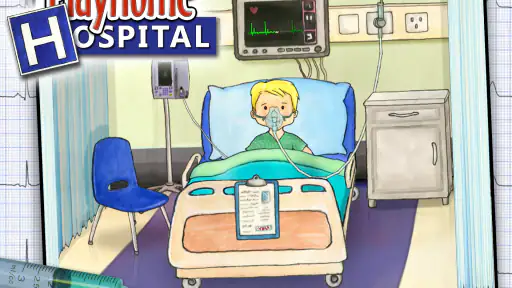
The premise gives children room to be the doctor, nurse or patient, which makes the play feel more open-ended than a straightforward puzzle. A child can follow one character through a visit, switch roles, or invent a little scene around the hospital. That freedom is the strongest reason I would consider it: there is no single correct story to finish, so the same setting can support different kinds of play on different days. For a child who enjoys moving figures around a dollhouse, that familiar style may feel more inviting than a game built around scores and instructions.
A small hospital that encourages stories
What I like about a role-play setting is how it gives a child a reason to connect actions. A check-up can become a story about someone arriving, being cared for and going home. That kind of play can prompt questions about what a doctor does or why a patient might feel nervous. I would treat those moments as conversation starters, not as a substitute for explaining real medical care. The game makes the setting approachable; a parent or caregiver can add context in language that fits the child.
It is also useful for children who want to rehearse an unfamiliar situation. Before a routine appointment, for example, a child might enjoy acting out a hospital visit and taking turns as patient and clinician. That does not guarantee they will feel calm in a real clinic, but it can give them a low-pressure way to talk about what they expect. I would follow the child’s lead and avoid turning the play into a lesson if they would rather invent a silly story.
Exploring the Hospital
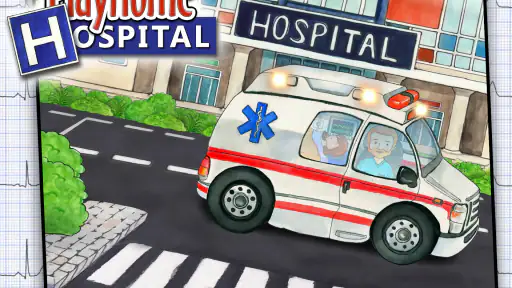
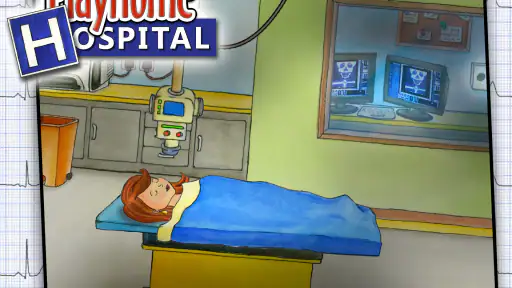
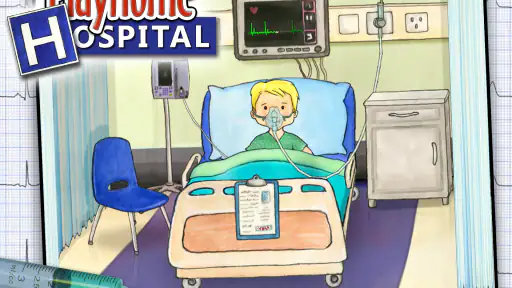
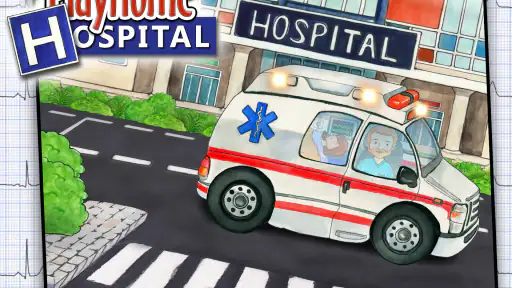
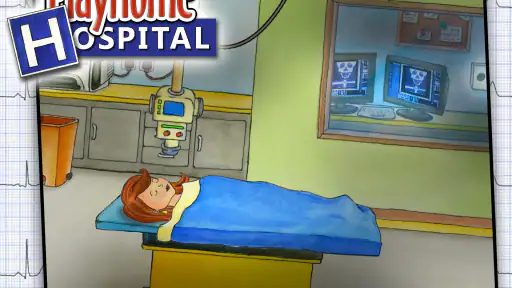
Once you open My PlayHome Hospital, you're greeted with a bright, welcoming hospital setting. You have the freedom to roam around different departments, each brimming with interactive elements. From the emergency room to the X-ray suite, every corner of this hospital is crafted with meticulous attention to detail. I spent a good amount of time in the pediatric ward, where the colorful decor and playful atmosphere made it feel like a second home.
The room-to-room layout gives pretend play a natural sequence without forcing one. A child can start with an imagined emergency, move to an examination, and then carry the characters elsewhere to continue the story. I find that more valuable than simply presenting isolated objects: the spaces can help children build a scene with a beginning and a next step. If a child tends to jump quickly between toys, an adult can gently suggest following one character through a visit, then let the child decide what happens.
A practical way to get more from a short play session is to pick one simple prompt before opening the game: “Who needs help today?” or “What happens after the check-up?” This gives a child a starting point without prescribing the whole story. Another option is to let the child choose the roles and have the adult play the patient. That reversal can reveal what the child has noticed about care and gives them control over the pace, which is often more engaging than asking them to memorize medical terms.
Gaming Stories You May Enjoy

Dancing Road Turns Short Breaks Into a Test of Rhythm and Timing

Super Stylist Makes Every Outfit a Test of Taste and Patience

Dominoes on Your Terms: Who Should Play and Who Should Pass

Pokémon GO Makes the Familiar World Feel New

Chess.com Turns Rematches Into Rivalries, but Community Has Its Costs

Archery Battle 3D Review: Sharp Aiming, Unclear Feedback
Interactive Play
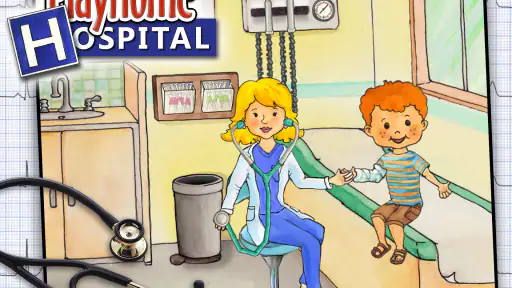
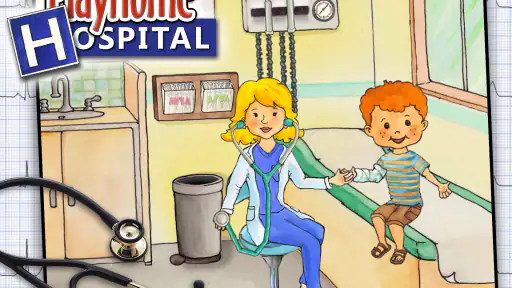
The real magic of this app lies in its interactive play. It's not just about clicking and dragging; it's about engaging with the environment. Want to check a patient’s heartbeat? Grab the stethoscope and listen in. Need to administer a shot? The syringe is at your disposal. I found it incredibly satisfying to perform these tasks, as they mimic real-life procedures in a simplified manner.
For young players, the hands-on objects are a useful bridge between looking at a hospital and pretending to work in one. I would encourage a child to describe what they are doing as they move an item, rather than simply tapping through everything quickly. That small change turns the interaction into shared storytelling and can help keep a session focused. It also gives an adult a natural chance to correct a misconception gently if the child asks whether a pretend action is exactly how a real procedure works.
There is a trade-off in this kind of freedom. Children who enjoy inventing their own scenes may stay absorbed, while players who need clear instructions, a defined mission or a reward for completing tasks may wonder what to do next. The game’s appeal depends on the child supplying some of the imagination. I would not choose it as a first pick for someone looking for a structured medical simulation, challenging puzzles or a campaign with a clear ending.
Educational Value
Beyond the fun, My PlayHome Hospital also packs an educational punch. It’s a fantastic tool for teaching kids about healthcare roles and responsibilities. Through play, children can learn what doctors, nurses, and other medical staff do daily. I noticed that it subtly promotes empathy and understanding, as kids see the importance of caring for others. It’s a smart way to educate without feeling like you're in a classroom.
I would keep that educational value informal. The strongest learning opportunity is not a lesson delivered by the game, but the conversation that can grow out of play: what might a patient be feeling, why does someone help them, or what would make a visit less worrying? Those questions are especially useful if a child has an upcoming appointment or has seen a family member receive care. For a child who is already anxious about hospitals, though, I would watch their reaction and switch to a different kind of play if the medical setting makes them uncomfortable.
It is also worth remembering that pretend medical equipment is not a guide to real treatment. The simplified actions make sense as play, but I would answer questions about actual medicine separately and plainly. That boundary lets the game support curiosity without asking it to carry more authority than a children’s role-play game should.
User-Friendly Interface
One of the standout features of this app is its user-friendly interface. Navigating through the hospital is a breeze, thanks to intuitive controls and clear, vibrant graphics. Even younger kids will find it easy to move around and interact with various elements. The developers have done a stellar job ensuring that the app is accessible and enjoyable for all ages.
Ease of interaction is particularly helpful when a child wants to direct the play themselves. An adult can set up a scene together, then step back and let the child move between characters and spaces at their own pace. If a younger player gets distracted, I would keep the first session short and offer one clear role-play idea rather than demonstrating every possible action. That avoids making the hospital feel like a checklist and gives the child room to discover details independently.
Compared with many casual games organized around levels, timed challenges or repeated rewards, this is a quieter alternative. Its strength is imaginative freedom, not a stream of objectives. Compared with a physical doctor’s kit, it is easier to reset and lets a child move a pretend visit through different hospital spaces, but it cannot replace the tactile experience of handling toy instruments or playing face-to-face with another person. I would choose between them based on whether the child wants a screen-based setting to explore or open-ended play away from a device.
The practical details are straightforward: the game costs $3.49, carries an Everyone age rating, and is listed for devices running Android 5.0 or later. Its current version is 2.3.0.47. I would check that the family’s device meets the operating-system requirement before buying. With a 4.5 average from around 1,800 ratings and over 100,000 installs, it has found an audience, though those figures cannot tell you whether its open-ended style suits a particular child. The price makes it a paid choice rather than something I would casually install as a free distraction, so I would decide based on whether the child already enjoys dollhouse-style role-play.
For an everyday use case, I can imagine a parent setting it up while waiting at home before an appointment: the child chooses a patient, the adult plays a nurse, and they act out a simple check-in before moving on with the day. It may also work for a quiet stretch when a child wants to tell a story independently, provided the adult is comfortable with screen play. I would not rely on it to occupy a child who expects constant prompts or to settle every fear about treatment. Its value is strongest when the child is curious and has someone nearby who can talk with them.
The game was released on Jun 13, 2016, and has 277 written reviews alongside its rating history. I mention its age only as context for shoppers comparing it with newer casual games: what matters more here is whether the simple role-play format still fits the way your child likes to play. The developer is Shimon Young : Play Home Software, and the current version is 2.3.0.47. In practical terms, I would make the purchase decision around the child’s interest in pretend scenes, not around the assumption that every hospital-themed game offers the same kind of interaction.
Who should skip it? I would look elsewhere if the player wants competitive play, a strong progression system, detailed medical realism or a guided educational course. It may also be a poor fit for a child who finds hospitals upsetting, unless an adult has already judged that gentle pretend play would help rather than intensify the worry. For those children, a familiar non-medical story game or a real conversation with a caregiver may be a better choice. Conversely, a child who likes assigning roles, moving characters around and making up dialogue is much closer to the audience this game serves.
My overall recommendation is deliberately specific: choose it for a child who enjoys open-ended pretend play and would benefit from a bright hospital setting to build stories around. It is less compelling if you expect clear missions or formal instruction, and it should not be treated as a realistic account of medical procedures. Used as a prompt for imagination and gentle conversation, though, it has a clear purpose and a distinct place among casual games.
In conclusion, My PlayHome Hospital is more than just a game; it’s a delightful educational tool that offers endless hours of fun. Whether you're a parent looking to introduce your child to the world of healthcare or someone like me who just enjoys a well-crafted app, this game is definitely worth a download. So, grab your virtual doctor’s coat and stethoscope, and dive into the fascinating world of My PlayHome Hospital!
My PlayHome Hospital Pros and Cons
Pros
- Interactive hospital environment.
- Encourages imaginative play.
- Easy for children to navigate.
- No in-app purchases.
- Educational for kids.
Cons
- Limited character customization.
- No multiplayer option.
- Repetitive gameplay.
- Requires additional purchases for full experience.
- Limited storyline depth.
Frequently Asked Questions
What is My PlayHome Hospital?
My PlayHome Hospital is an interactive app designed for children, allowing them to explore and play within a virtual hospital setting. It is a part of the award-winning My PlayHome series, known for its engaging and educational gameplay. The app offers a safe and imaginative environment for kids to learn about hospital roles and operations.
Is My PlayHome Hospital safe for children?
Yes, My PlayHome Hospital is designed with children's safety in mind. It features no in-app purchases, third-party advertisements, or external links, ensuring that kids can play without any unexpected interruptions or exposures. The app is tailored for children aged 3 and above, focusing on educational and creative play.
Can My PlayHome Hospital be used for educational purposes?
Absolutely! My PlayHome Hospital is not only fun but educational as well. It allows children to learn about various hospital roles, medical equipment, and health care processes in an engaging way. The app encourages imaginative play, helping kids understand and familiarize themselves with hospital environments, making it a great tool for both learning and entertainment.
What devices are compatible with My PlayHome Hospital?
My PlayHome Hospital is compatible with both Android and iOS devices. Users can download the app from the respective app stores on smartphones and tablets. It requires iOS 12.0 or later for Apple devices and Android 4.2 or later for Android devices, ensuring a broad range of device compatibility for families.
Are there other apps in the My PlayHome series?
Yes, My PlayHome Hospital is part of a larger series of apps known as the My PlayHome series. Other apps in the series include My PlayHome, My PlayHome Stores, My PlayHome School, and My PlayHome House. Each app offers unique interactive environments for children to explore and learn, providing a comprehensive virtual world experience.


