

My City: Apartment Dollhouse
- Reviews
- 4.1
- Version
- 4.1.1
- Installs
- 10,000,000+

Screenshots

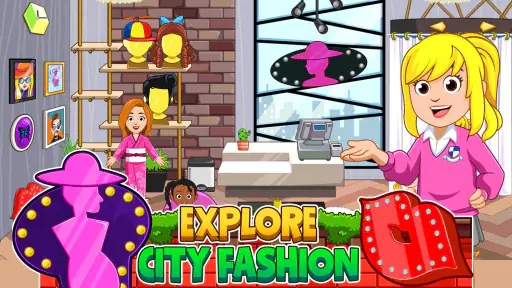

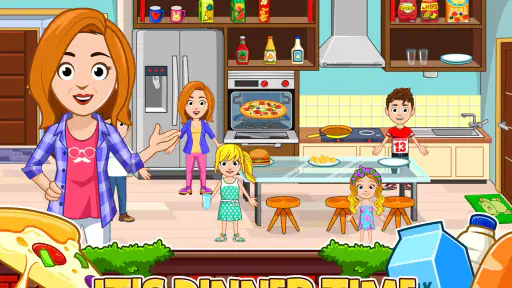
 Analysis by Frivlyz
Welcome to the world of My City: Apartment Dollhouse, where imagination knows no bounds! If you're on the hunt for an app that allows kids to unleash their creativity, then you're in for a treat. As someone who's spent some quality time with this app, let me take you on a guided tour of what makes it a standout in the realm of children's games.
Reading the Room and Finding Your Way
In a dollhouse game, navigation matters less as a route to master than as a way to find the next place to play. The rooms and their objects give children visual cues about what might happen there, so I found it easiest to let a child explore one area at a time rather than explain the whole apartment up front. A simple prompt such as “What could we do in this room?” leaves room for discovery without turning play into a lesson.
The scenes are colorful, and the interaction is based on moving characters and objects around rather than working through written instructions. That can suit children who are not yet confident readers, though an adult may still need to help at first if a child is unsure where to tap or what an object does. I would treat the opening session as a shared tour: demonstrate one or two interactions, then let the child try them independently.
Play at a Comfortable Pace
The open-ended style is a useful choice for children who prefer to make up their own activity instead of following a fixed sequence. There is no need to rush toward a target; a child can rearrange a scene, move characters, and decide what happens next. That flexibility also makes it easier for a parent to suggest a quieter role-play idea when energetic play is not a good fit.
At the same time, visual activity and repeated tapping can be tiring for some children. I would keep sessions short if a child seems overstimulated, and offer a clear stopping point, such as finishing a pretend meal or putting the characters away for the night. Those are adult-created routines rather than special game modes, but they make open-ended screen play easier to fit around a family’s day.
Who It Suits—and Where It Can Fall Short
I can see this working especially well for a child who enjoys pretend play, household scenes, and making up stories with characters. It can also give siblings or a parent and child a shared setting for taking turns: one person decides what a character wants, while another chooses how the scene changes. Children who prefer clear goals, scores, puzzles, or a steady stream of instructions may find the free-form play less satisfying.
Families should also consider how purchases fit their child’s habits. The game is free to download, with optional in-app purchases priced from $0.99 to $9.99 per item. I recommend checking the purchase controls on the device before handing it over, and agreeing in advance whether add-ons are allowed. That small bit of preparation can prevent an otherwise relaxed play session from turning into a negotiation.
Gaming Stories You May Enjoy

Dancing Road Turns Short Breaks Into a Test of Rhythm and Timing

Super Stylist Makes Every Outfit a Test of Taste and Patience

Dominoes on Your Terms: Who Should Play and Who Should Pass

Pokémon GO Makes the Familiar World Feel New

Chess.com Turns Rematches Into Rivalries, but Community Has Its Costs

Archery Battle 3D Review: Sharp Aiming, Unclear Feedback
Exploring the Apartment
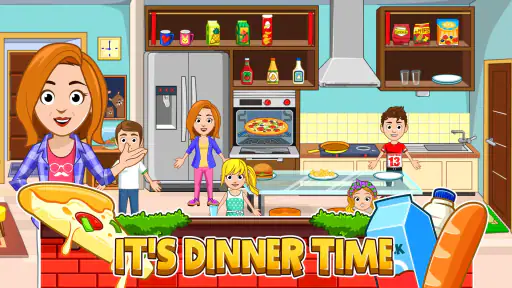
First things first, the concept of My City: Apartment Dollhouse is quite intriguing. Imagine a virtual dollhouse that doesn't just sit still but is teeming with life and endless possibilities. The app opens up a vibrant world where kids can interact with every nook and cranny of their virtual apartment. From decorating the rooms to inviting friends over for a digital playdate, the app offers a wide canvas for storytelling and role-playing.
Customization Galore
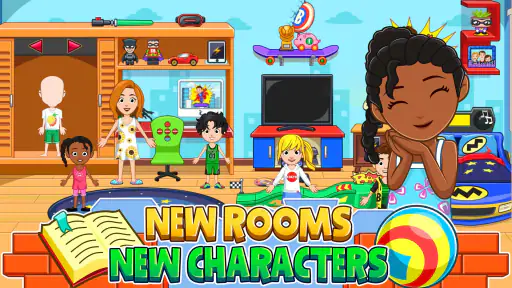
One of the highlights is the customization feature. Kids can design their apartment just the way they like it. Want a jungle-themed living room? Go for it! Prefer a kitchen that looks like it’s straight out of a spaceship? The sky’s the limit. This level of personalization not only keeps kids engaged but also encourages them to think creatively and make decisions.
A practical way to get more out of that freedom is to give the child a small story prompt rather than a design assignment. For example, ask what the apartment might look like before a character’s friend visits, then let the child choose which room to change and what the guest might do there. This encourages planning and storytelling without prescribing a single “right” layout. It also gives a child who feels overwhelmed by too many possibilities a manageable starting point.
Another useful approach is to let the child explain the choices aloud: why a character is in a particular room, or what an object is meant to represent in the scene. I find that this turns decorating into shared imaginative play, rather than a quiet task that an adult might mistakenly judge by how tidy or realistic the room looks. The point is the child’s story, not whether the apartment resembles a real home.
Interactive Play
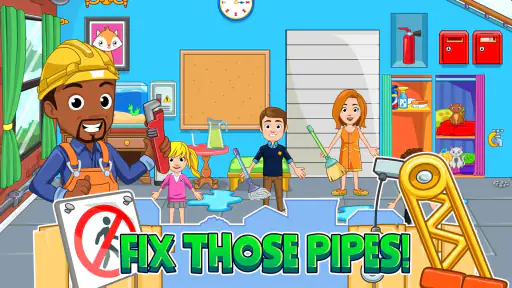
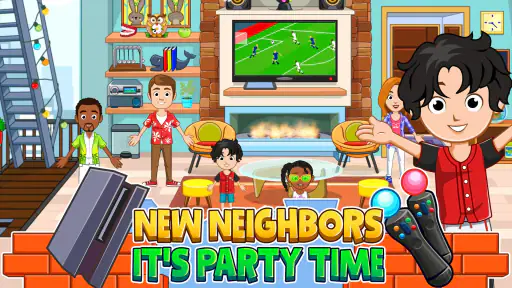
But wait, there’s more! The interactivity within the app is something to rave about. Every character and object can be moved, interacted with, and used to create new scenarios. Kids can play chef, pop into the gym, or even have a mini dance party with their avatars. The characters are diverse, and children can explore various roles and occupations, which is a wonderful way to learn and have fun simultaneously.
In everyday use, I would treat the apartment as a prompt for small, familiar routines. A child could act out getting ready, preparing pretend food, welcoming a visitor, or deciding how characters share a space. This can make the game a good companion for a rainy afternoon or a short wait at home, especially when an adult wants to join without needing to set up crafts or gather toys. It is role-play, not a substitute for practising household tasks, but the familiar setting gives children plenty to talk about.
Compared with a puzzle game, which usually asks the player to find a correct answer, this kind of play rewards inventing a situation and changing it whenever the child likes. Compared with a physical dollhouse, it avoids the need to store miniature furniture and makes it easy to move characters around a scene. The trade-off is that pretend play happens on a screen: children who enjoy handling toys, building with blocks, or moving around may get more from those options, while children who like visual scenes and character stories may prefer this format.
For a shared session, I suggest taking turns with a clear role rather than both players tapping at once. One person can narrate what a character wants, and the other can move the character or choose an object. That keeps the story collaborative and gives a child who needs extra time to make decisions space to participate. If the child would rather play alone, a parent can still ask occasional open questions without directing every action.
Educational Elements
While fun is a great reason to download an app, the educational aspect of My City: Apartment Dollhouse shouldn't be overlooked. The app subtly incorporates learning by allowing kids to explore themes of responsibility, social skills, and even the basics of household management. It’s like a playful practice run for real-life scenarios.
I would describe that learning as informal rather than instructional. Children can rehearse taking turns, making choices, and imagining what different characters might need, but the game does not replace a conversation with an adult or a structured learning activity. Parents can make the play more meaningful by asking questions that invite the child to explain a character’s feelings or plan what happens next. If a child wants direct teaching, a more explicitly guided educational game will be a better fit.
Age, Devices, and Everyday Access
The game is rated Everyone, and it is made by My Town Games Ltd. It is a free educational game for Android, with a minimum operating system requirement of version 8.0; the current version is 4.1.1. Its average rating is 4.1 from around 74,000 ratings, and it has over 10 million installs. Those figures suggest that many families have tried it, but they cannot tell me whether its open-ended style will suit a particular child. I would make that decision by watching how the child responds to the first few minutes of play.
For a realistic at-home routine, I would open the game together, agree on a short play window, and let the child choose one story to finish before putting the device away. On a shared phone or tablet, it is also worth checking that the device is charged and that the child can reach the screen comfortably; a stand can help if holding the device becomes tiring. These are practical adjustments around the game, not special accessibility tools built into it.
The visual, touch-led format may be less comfortable for a child who has difficulty distinguishing busy scenes, tapping small targets, or using a touchscreen accurately. I would sit alongside them and see whether the character and object interactions feel manageable before expecting independent play. If the child needs spoken instructions, strong contrast, simplified controls, or a specific accessibility setting, I would check the device and the game in person rather than assume those needs are covered.
There are also situational limits. This is best suited to a place where looking at a screen and tapping are practical; it is not an ideal choice when a child needs to keep their eyes on their surroundings or when the family is trying to have a screen-free break. A physical dollhouse or shared pretend play can be a better alternative in those moments. For families who want a simple, low-pressure story setting at home, though, the game’s room-based play is easy to bring into an ordinary afternoon.
What to Expect Before a Download
With 1.2 thousand reviews and an Everyone age rating, the game has a broad audience, but I would still match it to the child rather than rely on popularity or the rating alone. The free download makes it possible to try the basic experience before deciding whether it belongs in the family’s routine. Optional purchases range from $0.99 to $9.99 per item, so I would review purchase settings first and avoid promising that every extra item will be included at no cost.
The current version is 4.1.1, and the game requires Android 8.0 or later. Before installing, I would check the operating system on the device the child will actually use, especially if it is an older hand-me-down. That simple check is more useful than assuming a game that runs on one family device will work on another.
My City: Apartment Dollhouse is not the right pick for every child. A player looking for levels, competitive challenges, or direct teaching may be happier with a puzzle or lesson-based game. A child who finds touchscreens frustrating may enjoy a physical dollhouse more, and a family avoiding screen time will naturally want another activity. I see its strongest use as a flexible prompt for imaginative play, with an adult nearby when navigation, purchases, or sensory comfort need attention.
Overall, this app is a delightful blend of entertainment and education. The graphics are colorful and inviting, making it appealing to young eyes. Plus, the intuitive user interface ensures that even the youngest of players can navigate through their virtual world with ease.
So, whether you're a parent looking for a safe and engaging digital environment for your child, or you’re just curious about what modern dollhouses look like, My City: Apartment Dollhouse is worth checking out. It’s not just a game; it’s a vibrant world waiting to be explored. Happy playing!
My City: Apartment Dollhouse Pros and Cons
Pros
- Interactive gameplay for kids
- Colorful and engaging graphics
- Encourages creativity and role-play
- Offers a variety of characters
- No in-app purchases needed
Cons
- Limited to younger audiences
- Requires internet for some features
- Can be repetitive over time
- Takes up significant storage space
- Some features require unlocking
Frequently Asked Questions
What is My City: Apartment Dollhouse about?
My City: Apartment Dollhouse is an interactive game designed for children, allowing them to explore and engage with various characters and environments in a virtual apartment setting. The game encourages creativity and imaginative play as players can interact with different elements, customize their virtual space, and create their own stories.
Is My City: Apartment Dollhouse suitable for all age groups?
My City: Apartment Dollhouse is primarily designed for children aged 4 to 12. It features child-friendly content and intuitive controls that cater to young users. However, parents are encouraged to explore the app with their children to ensure it aligns with their family’s values and expectations of digital content.
Does My City: Apartment Dollhouse require an internet connection to play?
No, My City: Apartment Dollhouse can be played offline. Once the app is downloaded and installed, players can enjoy the full range of features without needing an internet connection. This makes it a convenient option for entertainment on the go or in areas with limited connectivity.
Are there in-app purchases in My City: Apartment Dollhouse?
Yes, My City: Apartment Dollhouse offers in-app purchases. While the base game provides a substantial amount of content, additional features, characters, or items can be purchased to enhance the gaming experience. Parents should manage in-app purchasing settings to prevent unauthorized transactions by children.
How does My City: Apartment Dollhouse promote creativity?
The game promotes creativity by allowing children to immerse themselves in a virtual environment where they can design and customize apartments, dress up characters, and create unique storylines. By offering a wide range of interactive elements and scenarios, the app encourages imaginative play and critical thinking.


