

My Baby Unicorn - Pony Care
- Reviews
- 3.9
- Version
- 14.0.1347
- Installs
- 10,000,000+

Screenshots
 Analysis by Frivlyz
I look at My Baby Unicorn - Pony Care as a simple, child-focused game for anyone drawn to caring for a cute fantasy pet. Its appeal is easy to understand: children can spend time looking after a little pony and dressing it up, while adults can decide whether that kind of gentle, imaginative play suits the child they have in mind. It is free to start, but that does not mean every part of the experience is free, so I would go in with a clear idea of what your family is comfortable with.
What the free starting point means
The game is free to download, which makes it easy to try before deciding whether it belongs on a child’s device. There are in-app purchases, with listed item prices ranging from $3.99 to $159.99, so I would treat the purchase prompts as part of the decision rather than assume that free access means there are no spending considerations. The range is broad, and a higher listed price can be a real concern for families even if nobody intends to buy anything.
I would set expectations before handing over a phone or tablet: explain that purchases require an adult’s approval, and check the device’s purchase settings if a child can use it without supervision. That practical step matters more than trying to judge the game by its download price alone. I also wouldn’t promise a child that every outfit or activity is available without paying; the sensible approach is to enjoy what is accessible first and treat anything beyond that as optional.
Where the play earns its keep
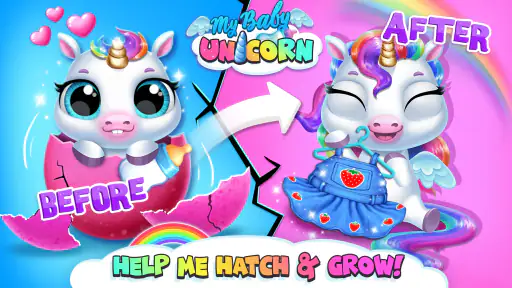
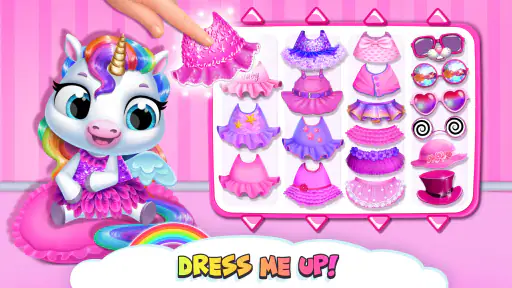
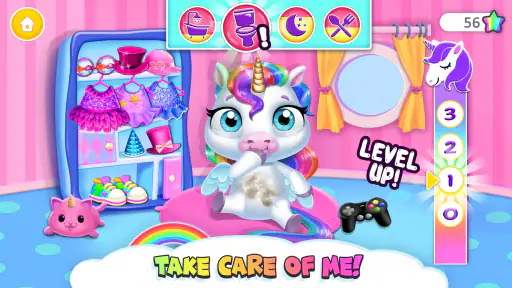
The strongest value here is the familiar pet-care loop. Looking after a pony gives a young player a clear pretend role, while dressing it up adds a creative outlet that does not require reading a complicated set of rules. For a child who already enjoys plush toys, pretend play, or making up little stories about animals, this can turn a few spare minutes into a small routine built around caring for a character.
That routine can be useful in ordinary moments when an adult needs a low-pressure activity close at hand: waiting for food at a café, winding down after a busy day, or occupying a child during a short trip. I would use it as a brief activity rather than a long stretch of screen time. The pet theme gives children something to focus on, but it is still a game, not a replacement for real-world play, shared reading, or actual responsibilities such as caring for a family pet.
As an educational game, its value is best understood as informal and imaginative, not as a lesson plan. A grown-up can make the play more thoughtful by asking what the pony might need next or inviting the child to describe the outfit they chose. That turns tapping through activities into conversation and storytelling. It is a small change, but it gives a parent or caregiver a way to take part instead of leaving the screen to do all the work.
How it fits beside other children’s games
Compared with open-ended drawing apps, this game gives a child a character and a pretend-care context rather than a blank canvas. That can help a younger player who is unsure what to do with a creative tool, although a child who wants complete freedom to draw or build may find a more open-ended app a better match. Compared with a traditional puzzle game, the attraction is less about testing a skill and more about returning to a familiar character and choosing how to care for or style it.
Gaming Stories You May Enjoy

Dancing Road Turns Short Breaks Into a Test of Rhythm and Timing

Super Stylist Makes Every Outfit a Test of Taste and Patience

Dominoes on Your Terms: Who Should Play and Who Should Pass

Pokémon GO Makes the Familiar World Feel New

Chess.com Turns Rematches Into Rivalries, but Community Has Its Costs

Archery Battle 3D Review: Sharp Aiming, Unclear Feedback
That distinction is useful when choosing between children’s apps. If your goal is a focused learning activity with clearly structured practice, I would look for a game designed around that specific skill. If the goal is light role-play and visual creativity, the pony theme is a more natural fit. It is also a different kind of play from a full virtual-pet simulator aimed at older players: the appeal here is the cute, accessible fantasy rather than a demanding management challenge.
Small choices that make it work better
I would introduce the game with a short shared session instead of simply handing over the device. Let the child try the care and dress-up elements, then see which one holds their attention. This gives you a better sense of whether the game is a good fit without assuming that every child who likes unicorns will enjoy the same activities. It also creates a natural moment to explain which parts are available to play and that purchases are an adult decision.
For a quick visit or a waiting-room break, it helps to let the child choose one small goal, such as spending time with the pony or picking a look, then stop when that goal is done. A simple endpoint can make the game easier to put away than an open-ended promise to play “for a little while.” If a child becomes frustrated by an unavailable item or a purchase prompt, I would redirect them to the parts they can access rather than turning the moment into a negotiation over spending.
One trade-off is that the same gentle premise that makes the game approachable may not hold every child’s interest for long. A child looking for fast action, competitive play, or a substantial challenge may quickly prefer something else. Another is that an adult may need to stay involved around purchasing decisions, especially when the device is shared. I would not choose it as an unsupervised way to occupy a child who is likely to tap through payment prompts without understanding them.
Who is likely to enjoy it
I can see this working best for younger children who like cute animals, fantasy characters, pretend nurturing, and choosing outfits. It may also suit a parent or caregiver who wants an easy shared activity: the adult can ask questions, help with device boundaries, and let the child lead the make-believe. The game is rated for Everyone, and its educational classification signals a child-friendly aim, but those labels do not tell a parent whether the particular style of play will suit their child. A quick supervised try is a better test.
I would skip it for a child who wants a deep story, a demanding game loop, or learning content with measurable progression. I would also be cautious if you need a completely purchase-free experience without adult checks. In those cases, a simple offline activity, a drawing tool, or a more focused educational game may be a better fit. The important question is not whether unicorns are appealing in general, but whether caring for and styling this particular virtual pony is the kind of play your child returns to.
There are a few useful practical details for choosing whether to try it. TutoTOONS is the developer, and the game has a 3.9 average from around 60,000 ratings, with roughly 2,400 written reviews and over 10 million installs. It was released on November 14, 2018, and version 14.0.1347 is listed as the current version. It requires Android 6.0 or later, so checking the device’s system version is worthwhile before planning a download. The age rating is Everyone, which is a broad content label rather than a substitute for supervising purchases or deciding whether screen play is appropriate for a particular child.
Welcome to the Unicorn Kingdom
As soon as you open the app, you’re greeted with a vibrant and colorful interface that instantly transports you to a whimsical world where unicorns are real. The graphics are simply enchanting, with every little detail designed to capture the magic of unicorns. It’s like stepping into a fairytale book!
Interactive and Engaging Gameplay
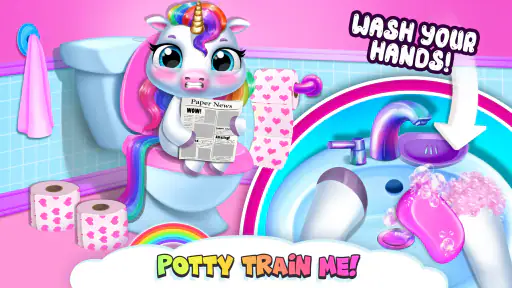
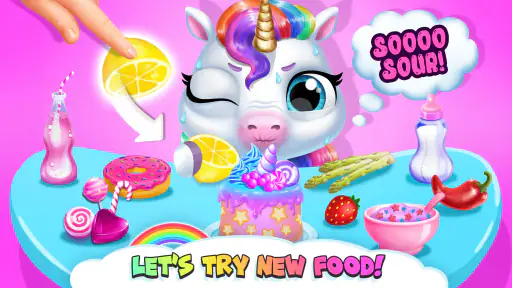
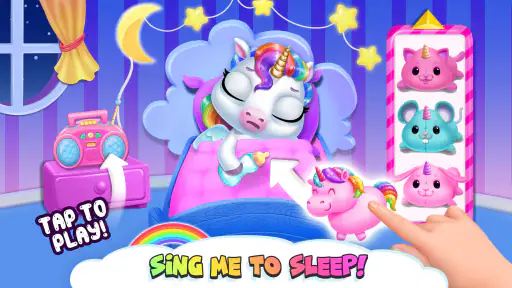
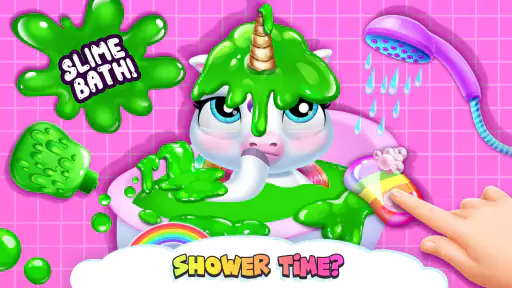
The heart of My Baby Unicorn - Pony Care is its engaging gameplay. You get to adopt your very own unicorn baby, and let me tell you, it’s as cute as it sounds! From feeding and bathing to playing mini-games, there’s never a dull moment. The app keeps you on your toes, constantly offering new activities to keep your unicorn happy and healthy.
One thing I love about this app is how it balances fun and responsibility. You’re not just playing with your unicorn; you’re taking care of it. It’s a great way for kids to learn about responsibility in a fun and interactive way.
Mini-Games Galore
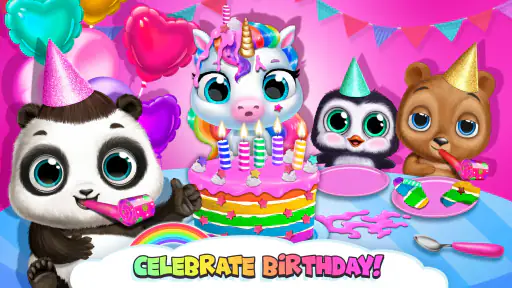
If you’re a fan of mini-games, you’re in for a treat! My Baby Unicorn - Pony Care features a variety of games that are both fun and educational. Whether it’s solving puzzles or going on adventures, each game is designed to be both entertaining and challenging. Plus, they’re a fantastic way to earn coins and unlock new features!
My personal favorite is the dress-up game. Who doesn’t love customizing their unicorn with sparkly accessories and adorable outfits? It adds a personal touch and allows for endless creativity.
In-App Purchases and Advertisements
Now, let’s talk about the not-so-magical part of the app – in-app purchases and ads. Yes, they’re there, and yes, they can be a bit intrusive at times. However, they’re not overwhelming, and you can still enjoy a lot of content without spending a dime. Just a heads up for parents: if your kids are playing, you might want to keep an eye on those purchase options!
Final Thoughts
Overall, My Baby Unicorn - Pony Care is a delightful app that brings joy and magic into the daily routine. It’s perfect for unicorn lovers of all ages, especially the little ones. The combination of nurturing care and playful exploration makes it an app worth downloading. So, if you’re ready to embark on a mystical adventure, give this app a try and let your unicorn journey begin!
My Baby Unicorn - Pony Care Pros and Cons
Pros
- Engaging and colorful graphics.
- Easy-to-understand gameplay.
- Enhances creativity and imagination.
- Suitable for all age groups.
- No in-app purchases needed.
Cons
- Limited educational content.
- Repetitive tasks may bore older kids.
- Requires constant internet connection.
- Occasional ads interrupt gameplay.
- Limited character customization.
Frequently Asked Questions
What is the main objective of My Baby Unicorn - Pony Care?
My Baby Unicorn - Pony Care is a delightful game designed for young children who love unicorns and ponies. The main objective of the game is to take care of a magical baby unicorn by feeding it, grooming it, dressing it up, and making sure it stays happy and healthy. The game offers various activities that engage children in nurturing and creative play, fostering responsibility and empathy.
Is My Baby Unicorn - Pony Care suitable for all ages?
My Baby Unicorn - Pony Care is primarily designed for children, particularly those aged 4 to 8 years old. The game features simple controls and colorful graphics that appeal to young kids. However, the engaging gameplay and adorable unicorn characters can also entertain older children who enjoy virtual pet games. Parents should review the game content to ensure it's appropriate for their child.
Does My Baby Unicorn - Pony Care include in-app purchases?
Yes, My Baby Unicorn - Pony Care does include in-app purchases. These purchases generally provide additional features, such as new outfits for the unicorn, special items, or the removal of ads. It's important for parents to be aware of these options to manage spending and ensure their children do not make unintended purchases. Parental controls can help regulate these actions.
What platforms is My Baby Unicorn - Pony Care available on?
My Baby Unicorn - Pony Care is available for download on both Android and iOS platforms. This makes it accessible to a wide range of users with different devices. Users can find the app in the Google Play Store for Android devices and the Apple App Store for iOS devices. Always ensure your device meets the minimum requirements for smooth gameplay.
Are there any educational benefits to playing My Baby Unicorn - Pony Care?
Yes, playing My Baby Unicorn - Pony Care can offer educational benefits. The game encourages children to develop skills such as responsibility and empathy by taking care of their virtual unicorn. Activities like feeding, grooming, and dressing up the unicorn can enhance fine motor skills and creativity. Additionally, the game may help improve language skills as children follow instructions and read in-game text.


