

Mobile Phone Case Design & DIY
- Reviews
- 3.8
- Version
- 1.2.9
- Installs
- 10,000,000+

Screenshots
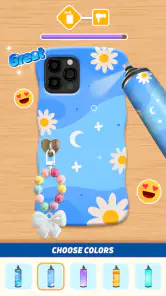
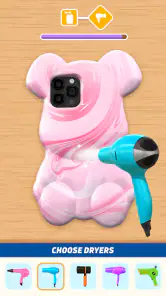
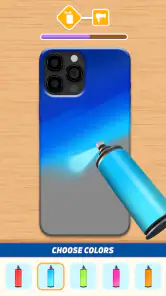
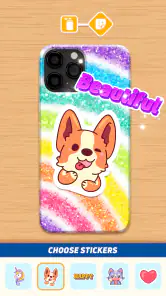
 Analysis by Frivlyz
Ever wanted to unleash your inner designer and create something that's both fashionable and functional? Well, let me introduce you to Mobile Phone Case Design & DIY app, a nifty little tool that lets you craft your very own phone case designs! I spent some quality time with this app, and here's how it went.
What the free entry point means
I’d start with the practical cost question: this is a free casual game from Bravestars Publishing, so trying the design activity does not require an upfront purchase. It is rated for Everyone, which makes it an easy option to consider for a family device or a short creative break. There are in-app purchases listed at $2.99 per item, so free access and paid extras are separate parts of the picture; I wouldn’t assume every possible design or purchase-related detail without checking in the app before committing.
The game has a 3.8 average from around 6,300 ratings, with 73 written reviews and over 10 million installs. Those figures suggest that plenty of people have tried it, but they don’t tell me whether its particular design style will suit you. The current version is 1.2.9, and it runs on Android 7.0 or later. For an iPhone or iPad owner, I’d check the relevant store for compatibility rather than treating the Android requirement as an iOS specification.
Unleash Your Creativity
From the get-go, this app is all about letting your creative juices flow. Whether you're in it for the DIY fun or you're after a unique case that stands out from the crowd, this app has got you covered. You start by choosing your phone model, and from there, the magic happens. I loved how intuitive the interface is, making it easy for anyone to jump in and start designing.
Features That Spark Joy
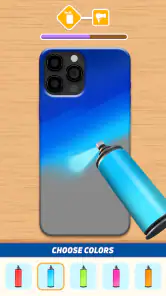
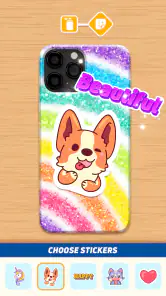
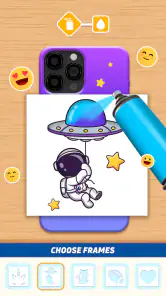
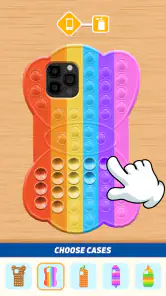
One of the standout features is the plethora of design tools at your fingertips. We're talking about a variety of colors, patterns, and even stickers to customize your case. Plus, the app provides templates if you're feeling a bit stuck, which is a lifesaver for the creatively challenged days!
The app also supports sharing your designs on social media platforms. Trust me, showing off your masterpiece to friends is half the fun! And if you're not the sharing type, you can save your designs for later or even order a printed version of your case. How cool is that?
Making the design process work for you
For a more satisfying result, I’d treat the first design as a rough draft rather than trying to perfect it in one sitting. Pick a template to establish a direction, then make a small number of deliberate changes with the colors, patterns, and stickers. That approach helps a design feel coherent instead of crowded, especially if you’re creating something to share or print. Saving a version before experimenting also gives you a practical fallback if a new arrangement doesn’t work.
Gaming Stories You May Enjoy

Dancing Road Turns Short Breaks Into a Test of Rhythm and Timing

Super Stylist Makes Every Outfit a Test of Taste and Patience

Dominoes on Your Terms: Who Should Play and Who Should Pass

Pokémon GO Makes the Familiar World Feel New

Chess.com Turns Rematches Into Rivalries, but Community Has Its Costs

Archery Battle 3D Review: Sharp Aiming, Unclear Feedback
A good everyday use is turning a quiet moment—waiting for someone or winding down after school or work—into a quick creative task. You can try a bold pattern for fun, or make a design around a friend’s favorite colors before deciding whether it is worth sharing. For a gift idea, I’d use the app to explore a concept first and show the saved design to the recipient. That lets you gauge whether they like the look before treating a digital mock-up as a finished physical present.
Digital play versus a physical case
This is best understood as a casual creative game, not as a full graphic-design tool. Compared with drawing from a blank canvas in a general art app, its case-focused templates and decorating approach offer a more guided starting point. That can be a real advantage when you want a quick, playful result without learning a complicated editor. The trade-off is that people who want precise control over every detail, or who already work comfortably with a general design app, may find a template-led activity limiting.
It also differs from simply buying a ready-made case: here, the enjoyment is in trying combinations and making a design feel personal. But a design on screen is not automatically the same as a case you can use. If you are considering printing one, think of the digital version as a preview and keep the possibility of color variation in mind. I’d avoid making a time-sensitive gift plan until you are comfortable with the ordering and delivery steps shown in the app.
Getting Hands-On
If you're someone who loves hands-on projects, you'll be thrilled to know that Mobile Phone Case Design & DIY allows you to print your designs. You can get them delivered right to your doorstep, ready to be assembled. It's a fantastic way to gift someone a personalized phone case or just treat yourself to a little DIY project.
However, a heads-up for those who are meticulous about colors matching perfectly – the printed colors might slightly vary from what you see on your screen. It's a small price to pay for such a personalized experience, but worth noting!
Where the value—and friction—lies
For me, the strongest value is the low-pressure chance to experiment: you can explore ideas without paying at the outset, while any listed in-app purchase is a separate decision. The $2.99-per-item figure gives a useful reference for those purchases, but it is not a promise that a particular paid item is necessary to enjoy the basic creative activity. Before spending, I’d check what the item unlocks and whether it contributes something you actually want, rather than buying simply because it appears during play.
The main limitation is that creative freedom has boundaries when the experience is built around available templates and decorating tools. If you have a very specific visual idea, the available options may not reproduce it exactly. There is also a difference between enjoying the design process and wanting a physical product: printing adds a real-world step, and screen colors may not translate perfectly. If your priority is a durable case with a precise fit or guaranteed color matching, I’d compare established case retailers or a specialist custom-print service before choosing this route.
Who is likely to enjoy it?
I’d recommend it to someone who likes casual creative games, wants a simple way to explore phone-case looks, or enjoys making and sharing personalized designs. It may also suit a parent looking for a light creative activity to try with a child, given its Everyone rating, while still leaving room for an adult to decide whether any in-app purchase is appropriate. The best fit is a person who values the process and is happy to treat a design as a playful project rather than a professional production tool.
I’d skip it if you need detailed illustration controls, are looking for a serious product-design workflow, or only want to buy a finished case with no decorating involved. It may also disappoint someone who expects a digital preview to guarantee an exact physical match. In those situations, a conventional drawing app or a retailer with a clear custom-case ordering process is likely to be a better starting point.
Final Thoughts
All in all, the app does a stellar job of blending creativity with practicality. It's perfect for those rainy days when you're stuck indoors or when you just want to try something new. The ability to create something that's uniquely yours is always rewarding, and with the Mobile Phone Case Design & DIY app, the possibilities are endless.
So, if you're itching to try your hand at phone case design, give this app a whirl. It's a delightful escape into the world of creativity and customization, and who knows, you might just discover a hidden talent!
My buy-or-skip verdict
I’d try it if the appeal is designing for fun, testing a few looks, or sharing a personalized idea, especially because the game is free to start. I’d pause before making an in-app purchase and decide whether that specific item is worth its listed cost to me. If the goal is a highly controlled design or a guaranteed physical result, I’d choose a dedicated design or custom-case option instead. For a relaxed, accessible creative diversion, though, this one has a clear reason to be on your shortlist.
Mobile Phone Case Design & DIY Pros and Cons
Pros
- User-friendly interface for easy navigation.
- Wide range of customizable templates.
- High-quality printing options.
- Fast delivery service available.
- Affordable pricing for all budgets.
Cons
- Limited design tools compared to desktop apps.
- Occasional lag on older devices.
- Ads can be intrusive during use.
- Some features require in-app purchases.
- Limited customer support options.
Frequently Asked Questions
What are the key features of the Mobile Phone Case Design & DIY app?
The Mobile Phone Case Design & DIY app allows users to unleash their creativity by designing custom phone cases. Key features include a vast library of templates, access to a variety of design tools, and options to add personal photos or text. Additionally, users can choose from different case materials and order their unique designs directly through the app.
Is the app user-friendly for beginners in design?
Yes, the Mobile Phone Case Design & DIY app is designed with a user-friendly interface that caters to both beginners and experienced designers. The app provides step-by-step tutorials and intuitive drag-and-drop tools, making it easy for anyone to create stunning phone case designs without prior design experience.
Does the app offer any design templates or inspiration?
Absolutely! The app offers an extensive library of design templates and inspirational samples to help users get started. Whether you’re looking for floral patterns, geometric shapes, or abstract art, the app provides a wide range of options that can be customized to suit your personal style and preferences.
Can I share my designs with others through the app?
Yes, the app allows users to share their custom designs with friends and family through various social media platforms, or via email. This feature not only helps in getting feedback but also lets users showcase their creative flair and potentially inspire others in the community to create their own designs.
Are there any costs associated with using the app?
While the Mobile Phone Case Design & DIY app is free to download, certain premium features and materials may require in-app purchases. Users can access basic design tools for free, but if they wish to use advanced templates, high-quality materials, or place an order for their custom cases, additional charges may apply.


