

Mini Block Craft Realm Craft
- Reviews
- 4.3
- Version
- 6.2.0
- Installs
- 100,000,000+

Screenshots
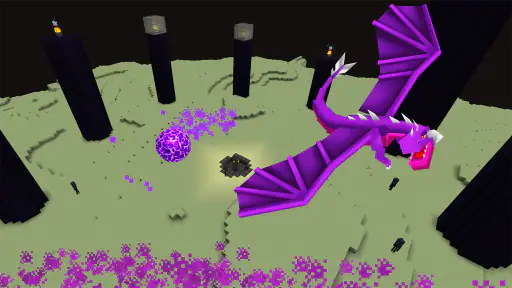
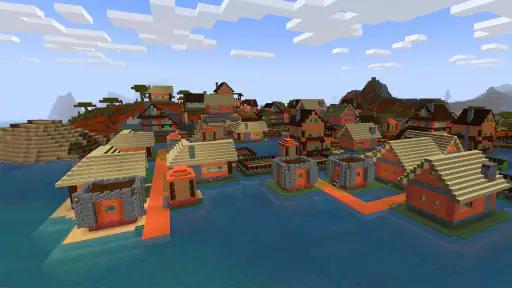
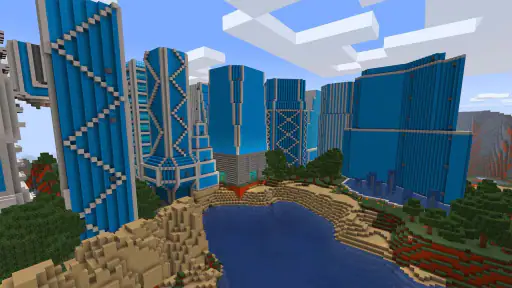
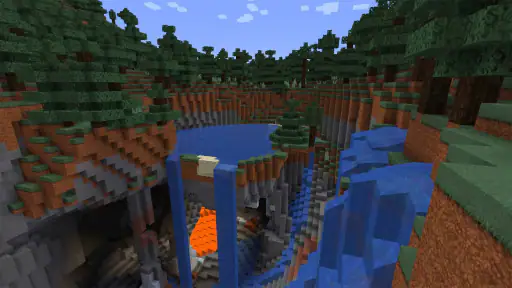
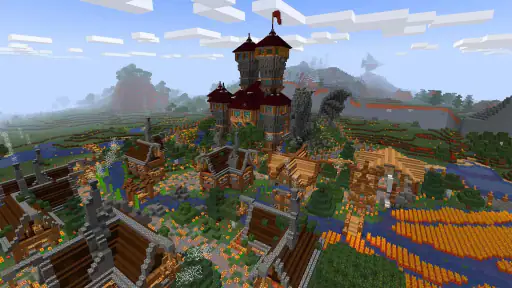
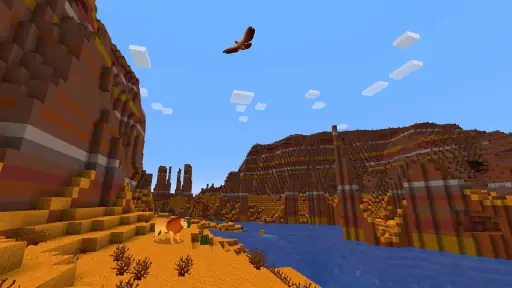
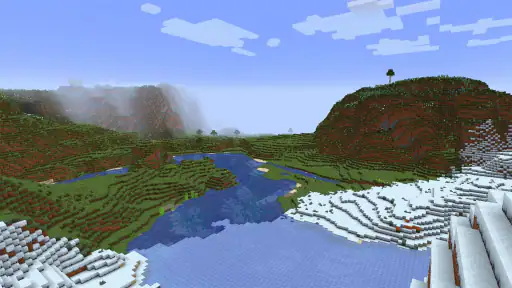
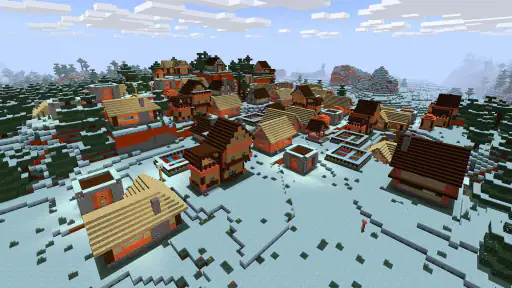
 Analysis by Frivlyz
Have you ever found yourself daydreaming about building your own little world, block by block, just the way you like it? Well, I recently stumbled upon a game that might just be the perfect outlet for your creative fantasies: Mini Block Craft Realm Craft. Let me tell you, this game is a delightful sandbox of possibilities.
I’d put it on my shortlist when I want a low-pressure building game that can also give me a reason to gather materials and protect what I make. That mix matters: a purely creative sandbox suits players who want uninterrupted construction, while this one also offers survival mode, so there is a practical reason to think about resources and defenses. If you are deciding whether to try it, the key question is whether you enjoy both sides of that loop rather than building alone.
Free to try, with purchases to consider
The game is free to download, which makes it easy to see whether its block-building style clicks before spending anything. It also includes in-app purchases priced from $0.99 to $48.99 per item. I’d treat that range as a reason to check the purchase details in the app before confirming anything, not as a requirement to pay: the free entry point is clear, but individual purchase value depends on what is offered and what you personally want.
Our Stories on Mini Block Craft Realm Craft
How Mini Block Craft Realm Craft Redefines Mobile Adventure
NewsWhy Super Bino Go: Adventure Jungle Is a Must-Play Game
NewsDancing Road Turns Short Breaks Into a Test of Rhythm and Timing
NewsSuper Stylist Makes Every Outfit a Test of Taste and Patience
NewsDominoes on Your Terms: Who Should Play and Who Should Pass
NewsPokémon GO Makes the Familiar World Feel New
NewsThat distinction is useful if you are choosing a game for a child or sharing a device. Mini Block Craft Realm Craft is rated Teen, so I would check that age guidance against the player you have in mind. I’d also make sure anyone using the device understands that optional purchases cost real money. The game’s free access makes trying it straightforward, but it does not mean every possible item or extra is free.
Unleashing Your Creativity
One of the first things that struck me about Mini Block Craft Realm Craft is how it gives you the freedom to craft and design your own realms. The game offers a myriad of blocks, each with its unique texture and color, allowing you to build anything from quaint little cottages to towering skyscrapers. I found myself lost in the endless possibilities, experimenting with different layouts and designs. It's like having your own digital Lego set, but without the fear of stepping on a rogue piece!
For me, the most satisfying way to approach that freedom is to decide on a small build before I start placing blocks. A doorway, a compact shelter, or a simple outline gives a session direction without turning it into a long project. I can then expand when inspiration arrives, rather than scattering materials around and ending up with a half-finished structure that feels hard to continue. This is especially handy on a phone, where a few intentional changes can be more rewarding than trying to plan an entire settlement at once.
There is also a useful trade-off between decorating and making a build practical. In survival mode, I’d think about what needs to be protected before spending time on finer details; in a creative mood, I’d focus on shape and color instead. Switching that priority can keep the same basic building activity from feeling repetitive. It also helps answer a common question: do you need to be a skilled builder to enjoy it? I don’t think so. A modest, functional structure can be satisfying, and more elaborate designs can come later as you learn what you like making.
Gaming Stories You May Enjoy

Chess.com Turns Rematches Into Rivalries, but Community Has Its Costs

Archery Battle 3D Review: Sharp Aiming, Unclear Feedback

Should You Switch to Geometry Dash Meltdown? A Test of Timing and Patience

Fidget Toys Trading・Pop It 3D: What Happens When the Game Stumbles

NBA LIVE Mobile Makes the Season the Main Event

Sonic Forces: PvP Battle Race - Speed and Strategy Combined
The Gameplay Experience
What makes this game particularly engaging is its intuitive gameplay mechanics. You don't need to be a seasoned gamer to get the hang of it. The controls are straightforward and responsive, making it easy to navigate your world and place blocks exactly where you want them. I appreciated how the game didn’t bombard me with tutorials but rather encouraged exploration and learning by doing.
That learn-as-you-go approach is welcoming, though it can leave a new player to work out their own priorities. I’d suggest starting with a clear, manageable task rather than trying to master every part of the world immediately. When a control or building choice feels awkward, slow down and make a small adjustment at a time; that is easier to understand than changing several things at once. The game is a better fit for someone who enjoys experimenting than for a player looking for a heavily guided campaign with constant instructions.
Another aspect I loved is the survival mode, which adds a layer of challenge to the game. You're not just building for the sake of it; you need to gather resources and fend off pesky creatures that roam the night. It adds a sense of purpose to your crafting endeavors, making it all the more rewarding when you see your fortress standing strong against the odds.
Survival changes how I’d spend a short session. If I have only a little time, I’d gather what I need or reinforce a vulnerable part of my build rather than begin an ambitious construction that I can’t finish. That small-work-session mindset is a practical way to keep progress feeling useful. It also makes the mode a less obvious choice for someone who wants a calm, interruption-free building tool: the threat of creatures and the need to prepare are part of its appeal, but they can be friction if all you want is decoration.
A realistic use for the game is a brief break at home: I might open it with a simple plan, such as improving a shelter, gather resources, and leave the larger design for another day. That gives the session a natural endpoint instead of turning every visit into an open-ended project. If I’m in the mood to build without any pressure, I’d lean toward the creative side; if I want a reason to make careful choices, survival mode gives the work a sharper purpose.
Visuals and Soundtrack
The graphics in Mini Block Craft Realm Craft are charmingly simple, reminiscent of retro pixel art. It’s not about hyper-realistic visuals here but rather about creating a cozy, nostalgic atmosphere. The soothing background music complements the visual style perfectly, immersing you in a world where creativity knows no bounds.
That uncomplicated look is part of the game’s identity, but it also sets expectations. Players who value detailed animation, realistic scenery, or a cinematic presentation may prefer a different kind of adventure game. Here, the appeal is in shaping a world out of blocks and seeing a build take form, not in visual spectacle. I find the style easy to read while placing pieces, although its simplicity may not hold the attention of someone who needs constantly changing visuals.
One of my favorite moments was watching the sun set over my crafted landscape, casting long shadows and bathing everything in a warm, golden hue. It’s these little touches that make the game feel alive and vibrant.
Compared with the usual alternatives in block-building games, this sits in the accessible sandbox lane: it combines making things with a survival challenge rather than presenting itself as a polished, story-led adventure. That makes it appealing if you want to shape your own goals, but less suitable if you need a defined plot, a tightly paced sequence of missions, or a more complex building simulator. I’d choose it for casual creative play with a survival wrinkle, not as a substitute for every kind of crafting game.
Who will get the most from it
I think the strongest match is someone who likes building in small steps and doesn’t mind learning through trial and error. Newcomers can start with simple structures, while experienced sandbox players can use the open-ended format to set their own projects. It can also suit friends or family members who enjoy comparing ideas informally, even if each person’s interest is simply making a different kind of place.
I’d skip it if I were looking for a guided narrative, realistic graphics, or a game where the main appeal is fast action. The survival element may also be the wrong fit for anyone who finds hostile creatures more stressful than motivating. In that case, a building-focused alternative with fewer survival demands would be a better match. The same applies if you want a fully structured creative tool rather than a game that expects you to set your own goals.
Tellurion Mobile is the developer, and the game has been available since April 28, 2016. Its current version is 6.2.0, and it runs on Android 7.0 or later. It has a 4.3 average from around 660,000 ratings, with about 9,800 written reviews and over 100 million installs. Those figures suggest that many players have tried it, but I would still judge it by the specific combination of simple construction and survival play, rather than assuming broad popularity means it will suit every taste.
Final Thoughts
In conclusion, Mini Block Craft Realm Craft is more than just a game; it's a creative outlet. Whether you're a seasoned builder or a newcomer looking to dip your toes into the world of sandbox games, this app offers something for everyone. It's a delightful escape from the hustle and bustle of daily life, inviting you to unwind and let your imagination run wild.
My verdict is to try it if you want a free way into block-based building and are curious about adding resource gathering and enemies to the routine. Keep the optional purchases in mind, and take a moment to check their details before buying; I wouldn’t spend simply because an item is available. If you already know you want a quiet, unrestricted construction experience, or a more story-driven adventure, another game may serve you better.
So, why not give it a try? You might just find yourself spending hours crafting your perfect digital paradise. Happy building!
Mini Block Craft Realm Craft Pros and Cons
Pros
- User-friendly interface enhances experience
- Wide variety of crafting options
- Regular updates with new features
- Offline mode available
- Free to play with optional purchases
Cons
- Graphics lack high-definition quality
- Frequent ads can disrupt gameplay
- Limited multi-player options
- Some in-app purchases are pricey
- Occasional lag on older devices
This Game in Other Languages
Frequently Asked Questions
What is Mini Block Craft Realm Craft and how does it differ from other block-building games?
Mini Block Craft Realm Craft is a sandbox-style block-building game that allows players to create and explore their own virtual worlds. Unlike other games in the genre, it offers a unique blend of crafting, exploration, and survival elements, catering to both creative and adventure-seeking players. The game also provides various modes and a vast array of building materials, enabling users to build intricate structures, landscapes, and more. Its intuitive controls and immersive graphics make it a standout choice for both novice and veteran gamers.
Is Mini Block Craft Realm Craft suitable for children, and what are its age recommendations?
Yes, Mini Block Craft Realm Craft is designed to be suitable for children, making it a family-friendly game. It is generally recommended for players aged 7 and up, given its easy-to-understand mechanics and non-violent gameplay. Parents appreciate the game's educational value, as it encourages creativity and problem-solving skills. However, as with any online game, it's advisable for parents to occasionally supervise gameplay to ensure a safe and enjoyable experience for younger players.
Does Mini Block Craft Realm Craft require an internet connection to play?
Mini Block Craft Realm Craft primarily operates offline, which means players can enjoy building and exploring without the need for a constant internet connection. This offline capability makes it ideal for playing on-the-go without worrying about data usage. However, certain features, such as multiplayer modes or accessing additional content and community creations, may require an internet connection. Players should be aware of this if they plan to engage in these aspects of the game.
Are there in-app purchases in Mini Block Craft Realm Craft, and how do they affect gameplay?
Mini Block Craft Realm Craft does include in-app purchases, which allow players to buy additional resources, building materials, or cosmetic items to enhance their gaming experience. While these purchases can expedite progress or customization, they are entirely optional and not necessary to enjoy or succeed in the game. Players can still experience the full breadth of the game's features through normal gameplay without spending any additional money, making it accessible for all budgets.
What platforms is Mini Block Craft Realm Craft available on, and how do I download it?
Mini Block Craft Realm Craft is available on both Android and iOS platforms, making it accessible to a wide range of smartphone and tablet users. To download the game, simply visit the Google Play Store for Android devices or the Apple App Store for iOS devices, search for 'Mini Block Craft Realm Craft,' and follow the on-screen instructions to install. The game is free to download, allowing users to quickly start their building adventures.


