

Minecraft: Play with Friends
- Reviews
- 4.4
- Version
- 1.21.50.07
- Installs
- 50,000,000+

Screenshots
 Analysis by Frivlyz
I tend to judge a mobile game like this by what it asks from my time, not just by how much it lets me do. Minecraft: Play with Friends can be a quick visit to a familiar world or a long-running project shared with other people, and that flexibility is its biggest decision point. It is an arcade game from Mojang, but it feels less like a traditional arcade title built around short rounds and more like a place to explore, build, and set your own goals. If I want a clearly defined path and a quick ending, I look elsewhere; if I want room to invent my own reasons to play, this is a much stronger fit.
What kind of play do you want?
The important question before buying is whether open-ended play sounds exciting or vague. Minecraft does not constantly tell me what to do next. I can collect materials, make useful tools, shape a shelter, or simply wander and see what the landscape suggests. That freedom gives every session a different feel, but it also means I have to supply some of my own motivation. Players who enjoy setting a small goal—finish a room, gather a particular resource, or explore beyond the familiar area—will get more from it than someone waiting for a steady sequence of missions.
That difference is especially noticeable on a phone or tablet. Touch controls make a portable world convenient, but detailed building and careful movement can take more patience than playing with a controller or keyboard. I would start with a small, practical build rather than trying to reproduce a complicated design immediately. A simple shelter with storage and a clear route in and out is useful practice: it teaches the rhythm of placing blocks and moving around your creation without turning the first session into a fiddly construction project.
Who gets the most from its freedom?
I think it suits creative players, people who like exploring at their own pace, and friends who enjoy working on something together without needing to be good at the same thing. One person can focus on a home base while another looks for materials; later, both can contribute to the same build. That division of effort gives a shared session a natural purpose. It can also work well for a family or a parent and child who want to make a world together, provided they are comfortable with the game’s controls and its open-ended nature.
A realistic use for me would be a short evening visit with a friend: agree on one manageable task, such as improving the entrance to a shared base, then stop when it is done. A modest goal makes it easier to enjoy the session even if nobody has a long stretch of free time. For solo play, I like the same approach. I can decide what I want to accomplish before opening the world, then leave a note or a visible marker for the next time. That little bit of planning helps a large sandbox feel welcoming rather than overwhelming.
Small habits that make a difference
One useful habit is to keep early projects close together. A compact base is easier to navigate and gives gathered materials a clear purpose; spreading several unfinished builds across a wide area can make returning to a world feel like a chore. I also recommend making a simple landmark before wandering far. Distinctive blocks or a tall shape can help me recognize where I am, and that is more dependable than assuming I will remember every route after a break.
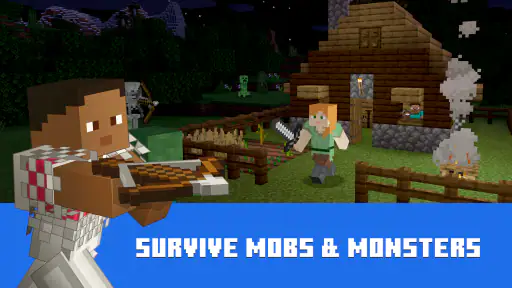
Another trade-off is the difference between building freely and accepting the pressure of survival. A relaxed creative session is a good way to learn controls and test ideas, while survival adds a reason to think about resources and safety. Neither is automatically better. If I am playing with someone new, I would agree on the kind of session first; one player may want a calm construction project while another expects a more demanding adventure. A shared plan avoids the awkward feeling that one person is doing all the work while the other is waiting for something to happen.
Gaming Stories You May Enjoy

Dancing Road Turns Short Breaks Into a Test of Rhythm and Timing

Super Stylist Makes Every Outfit a Test of Taste and Patience

Dominoes on Your Terms: Who Should Play and Who Should Pass

Pokémon GO Makes the Familiar World Feel New

Chess.com Turns Rematches Into Rivalries, but Community Has Its Costs

Archery Battle 3D Review: Sharp Aiming, Unclear Feedback
How it compares with other mobile games
Against arcade games organized around score, quick levels, or repeated matches, this one offers much more personal ownership: the result of a session can remain part of a world I return to. The cost of that freedom is a slower start and less guidance. A puzzle game is a better choice when I want a clear problem and a satisfying finish in a few minutes; a structured action game may suit me better when I want constant direction. Minecraft is for the times I would rather make the objective myself.
It also differs from building games that concentrate on placing pieces or decorating a fixed space. Here, building is tied to exploring and gathering, so a design may depend on what I have chosen to collect and where I decide to work. That connection makes a project feel earned, but it can be inconvenient if I only want instant access to every material or a polished result with minimal effort. I would choose a focused decorating game for a purely aesthetic task and this one when I want the surrounding world to matter too.
Buying, returning, and playing together
The game costs $6.99, with optional in-app purchases ranging from $0.99 to $49.99 per item. I would treat the purchase as paying for a substantial sandbox experience, then decide for myself whether any optional extras are useful. It has an Everyone 10+ age rating, which gives families a helpful starting point, though I would still consider whether a child is ready for open-ended play and online interaction. Mojang’s game has a 4.4 average from around 5.2 million ratings, and it has passed 50 million installs, so it is clearly a well-established choice; popularity alone, of course, does not tell me whether its pace suits me.
If you already have a world or have played on another device, think about what you want to carry over before switching. A familiar control scheme does not necessarily mean every part of a setup or shared session will work exactly as you expect. I would check the current game and device requirements, then make a small test world before committing a major project to a new routine. The current version is 1.21.50.07, and the minimum operating system is 8.0, details worth checking before installing on an older device.
For multiplayer, I would settle the practical question of how everyone will join before planning a large build. Start with a brief visit, confirm that the group can get into the same session, and choose a simple task that does not depend on hours of uninterrupted play. That is more useful than promising a huge collaborative project before you know whether everyone’s schedules and setup align. If playing together is the main reason you are considering it, this small trial is the clearest way to see whether the social side fits your group.
There are also good reasons to skip it. I would not recommend it to someone who dislikes open-ended games, gets frustrated by touch-based precision, or wants a competitive match with a clear winner every time. It is not the best choice for a very short break if I need immediate action and a tidy stopping point. For those situations, a compact arcade challenge or a level-based game is easier to pick up and put down. The freedom that makes this world rewarding can feel like homework if I do not actually want to decide what to build or explore.
The Endless World of Creativity
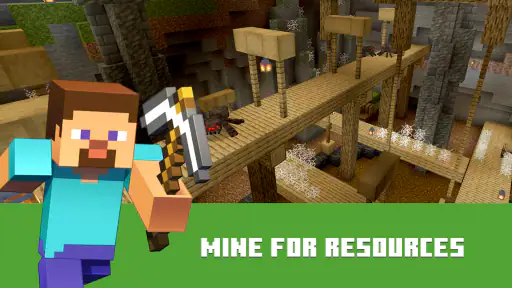
Alright, let’s get into it. First off, Minecraft: Play with Friends is not just a game; it’s a canvas for your creativity. You start in a vast, blocky world with nothing but your bare hands. From there, it’s all about gathering resources, crafting tools, and building whatever your heart desires. Whether you're constructing a towering castle or a cozy little cottage, the possibilities are endless. This isn’t just about survival; it’s about creation.
Gameplay and Features
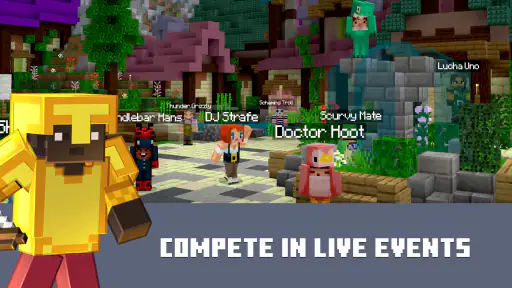
What really sets this game apart is its multiplayer mode. I mean, what’s more fun than embarking on an adventure with your buddies? You can team up to tackle massive projects or compete in mini-games. The app makes it super easy to connect with friends, whether they’re across the street or across the globe. Plus, with regular updates, there’s always something new to explore. Adventure mode, survival mode, creative mode… you name it. Each mode offers a fresh experience, keeping you hooked for hours on end.
User Experience
Let’s talk about the interface. It’s pretty intuitive, which is a big win in my book. Navigating through the menus is a breeze, and even if you’re new to the game, you’ll find it easy to get the hang of it. The graphics, though simple, are charming and perfectly suited to the game's vibe. And the sound effects? Absolutely on point. They add a layer of immersion that pulls you right into the blocky universe.
Why It’s Worth Your Time
So, why should you download Minecraft: Play with Friends? Well, if the idea of exploring a limitless world and creating to your heart’s content isn’t enough, the sense of community surely will be. The game encourages collaboration and teamwork, making it a fantastic way to bond with friends or even make new ones. Plus, the regular updates mean there’s always something new to discover.
In conclusion, whether you’re a seasoned builder or a curious newbie, this app has something for everyone. It’s a delightful blend of creativity, adventure, and social interaction. So, grab your pickaxe and get ready for an epic journey. Who knows, you might just build the next great wonder of the pixelated world!
Minecraft: Play with Friends Pros and Cons
Pros
- Creative building and exploration experience.
- Cross-platform multiplayer support.
- Regular updates with new features.
- Vast online community for collaboration.
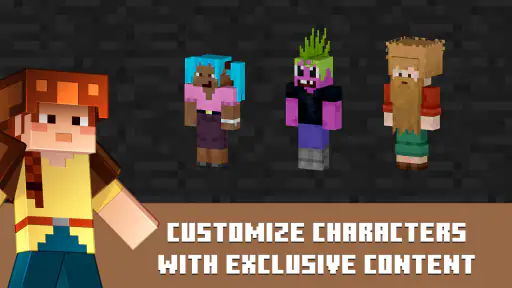
- Endless possibilities with mods and skins.
Cons
- Can be addictive for some users.
- Requires constant internet for multiplayer.
- Occasional bugs and glitches.
- In-app purchases can be costly.
- Learning curve for new players.
This Game in Other Languages
Frequently Asked Questions
What platforms is Minecraft: Play with Friends available on?
Minecraft: Play with Friends is available on multiple platforms, including Android, iOS, Windows, and gaming consoles such as PlayStation and Xbox. This cross-platform availability allows users to enjoy the game on their preferred device and connect with friends regardless of the platform they are using, enhancing the multiplayer experience.
How do I invite friends to play Minecraft with me?
To invite friends to join your Minecraft game, you need to have them on your friends list within the game. You can send them an invitation through the 'Friends' tab in the main menu by selecting 'Invite to Game.' Ensure both you and your friends are logged into the same server or realm to play together seamlessly.
Is there a cost associated with playing Minecraft: Play with Friends?
While Minecraft itself is a paid application, once purchased, you can play with friends without additional costs for most features. However, there may be optional in-game purchases or subscription fees for realms that offer a persistent online world where you and friends can play together across different sessions.
What safety measures are in place for playing Minecraft online with friends?
Minecraft includes several safety features to protect users, especially younger players. Players can manage their privacy settings, choose who can interact with them, and report any inappropriate behavior. It’s important to configure these settings according to your preferences to ensure a safe online multiplayer experience.
Can I play Minecraft: Play with Friends offline?
Yes, Minecraft does offer offline play, but playing with friends requires an internet connection. When offline, you can enjoy single-player mode in your own worlds. To access multiplayer features and connect with friends, ensure you have a stable internet connection to join or host games online.


