

Melon Sandbox
- Reviews
- 4.6
- Version
- 28.6.3
- Installs
- 50,000,000+

Screenshots
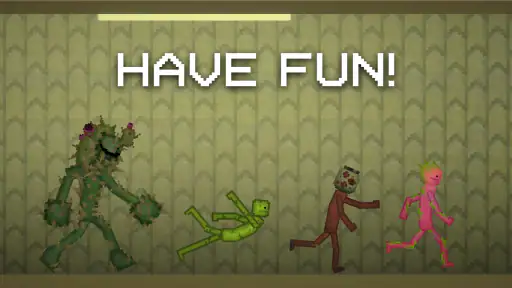
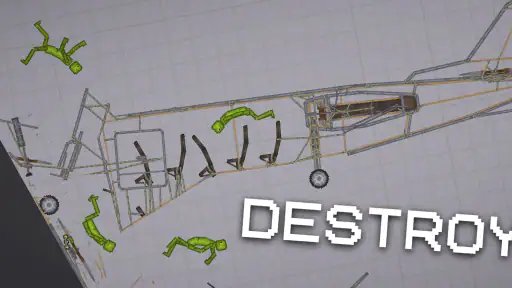
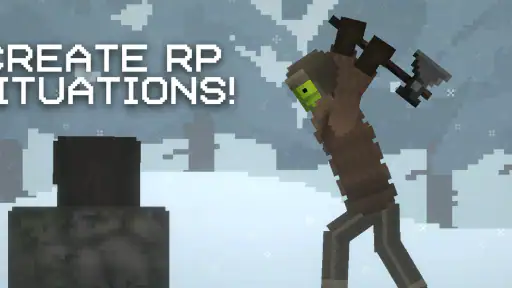
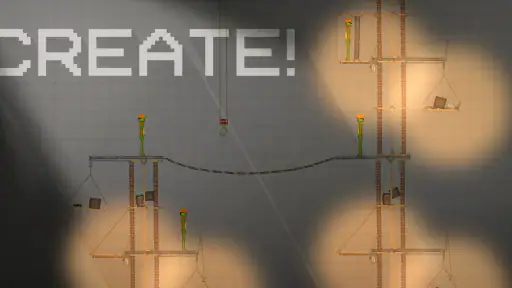
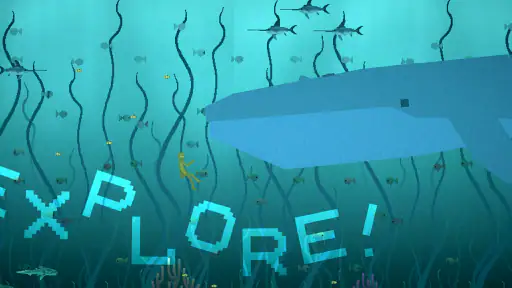
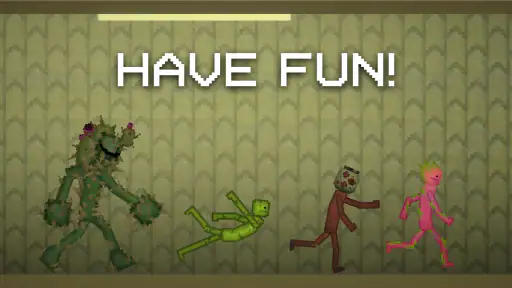
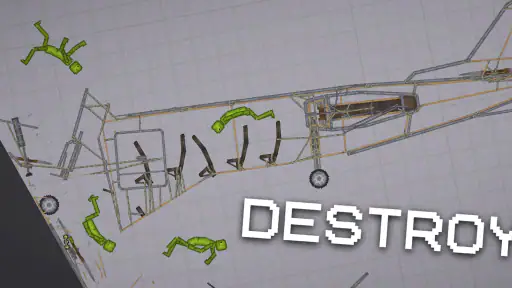
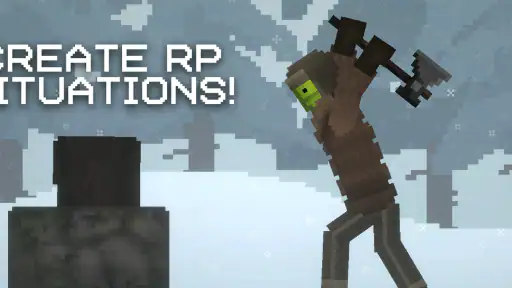
 Analysis by Frivlyz
I approached Melon Sandbox expecting a quick distraction, but its appeal is really the freedom to set up a scene and decide what happens next. It is a simulation game from playducky.com, and the basic idea is simple: make a small world of your own rather than follow a fixed route through a conventional level. That suits short, curious sessions, though it also means the fun depends on whether you enjoy experimenting without a clear goal.
What you get before spending anything
The game is free to download, so you can try its sandbox style without paying upfront. It is rated Teen, and it runs on Android 6.0 or later. The current version is 28.6.3. There are in-app purchases, with individual items priced from $0.49 to $259.99, so I would treat optional spending cautiously and check the purchase details before confirming anything. The range is wide enough that “free” should not be mistaken for a promise that every possible extra costs nothing.
Its popularity gives a useful sense of how many people have tried it: Melon Sandbox has an average rating of 4.6 from around 800,000 ratings and more than 50 million installs. Those figures do not tell me whether you will enjoy it, but they suggest this is an established pick rather than an obscure experiment. The practical question is whether an open-ended toy is worth your time: if you like testing ideas and shaping scenes, the free entry point makes that an easy decision to explore.
What the sandbox gives back
For me, the value is less about completing a checklist and more about having a flexible space to play with cause and effect. A sandbox can be a place to stage a silly moment, build a scene that tells a tiny story, or simply see how an arrangement behaves. That makes it different from simulation games that focus on managing a town, running a business, or steadily improving one character. Those alternatives can be more satisfying if you want structured goals; here, you supply the purpose yourself.
A useful way to start is to choose one small idea rather than trying to make an elaborate world immediately. Set a simple scene, make one change at a time, and pay attention to what changes along with it. This makes experimentation easier to follow and gives you a better chance of understanding why a setup worked—or why it became chaotic. I also find it more rewarding to treat a scene as a quick experiment than to judge it by whether it looks polished.
Where the freedom can become friction
The same openness that makes the game inviting can leave some players unsure what to do next. If you want a campaign, clear objectives, or a steady stream of guided challenges, this is not the safest choice. It is also a weaker fit if you prefer a carefully paced management simulation with progress that carries from one goal to another. The appeal is self-directed play, not a promise that the game will keep handing you a new task.
There is a second trade-off in the purchase model. You can begin without paying, but optional items have a substantial price range, so I would avoid treating every purchase as necessary to enjoy the basic idea. Decide what you actually want before spending, and involve a parent or guardian if a younger player is using the device. That is particularly sensible given the Teen content rating and the presence of in-app purchases.
Gaming Stories You May Enjoy

Dancing Road Turns Short Breaks Into a Test of Rhythm and Timing

Super Stylist Makes Every Outfit a Test of Taste and Patience

Dominoes on Your Terms: Who Should Play and Who Should Pass

Pokémon GO Makes the Familiar World Feel New

Chess.com Turns Rematches Into Rivalries, but Community Has Its Costs

Archery Battle 3D Review: Sharp Aiming, Unclear Feedback
A practical way to decide if it fits
Think about an ordinary spare moment: you have a few minutes and want to make something amusing, but you do not want to commit to a long mission or keep track of a complicated plan. This is the sort of situation where a self-directed sandbox can work well. You can begin with a modest scene, test an idea, and stop when you have had enough. If you tend to feel frustrated when a game does not tell you what to do, that same open structure may make the session feel aimless instead.
It is best suited to players who enjoy tinkering, making up their own prompts, and accepting that an experiment may turn out differently than expected. A parent considering it for a teenager should weigh the Teen rating and purchase options, while an adult should consider whether freeform play is actually relaxing for them. For a player who would rather follow levels or build toward a clear target, a more objective-driven simulation is likely a better use of time.
Let's Dive into the World of Melon Sandbox
I have to admit, the first thing that caught my attention about Melon Sandbox was its quirky name. It promises a blend of fun and creativity, and boy, does it deliver! Whether you're someone who enjoys crafting your own little world or just wants to escape the mundane for a bit, this app is like a breath of fresh air.
Setting Up Your Sandbox
Jumping into the app, the setup is as easy as pie. You don't have to be a tech wizard to navigate your way through this. From the get-go, you're greeted with a user-friendly interface that invites you to start building your sandbox universe. The controls are intuitive, and if you ever feel a bit lost, there are handy tips to guide you along.
Once you are in, I recommend resisting the urge to change everything at once. Give yourself a small goal—make one scene, adjust one part, and then see how the result differs from what you expected. That approach is useful in any open-ended sandbox because it makes cause and effect clearer than piling up changes and then trying to work out what caused the outcome. It also gives a new player a natural stopping point: a little experiment can be satisfying even if you do not spend a long session on it.
Unleashing Your Creativity
Now, here's where Melon Sandbox truly shines. Imagine having a blank canvas where the only limit is your imagination. Want to build a dreamy landscape with rolling hills and serene lakes? Go for it! Or maybe you're in the mood for a bustling cityscape? The app's got you covered. With a plethora of tools and elements at your disposal, each session feels like a new adventure. And trust me, the satisfaction of seeing your creation come to life is unmatched.
My main tip is to think in terms of little scenarios rather than a perfect finished build. A scene with a clear premise gives you something to test and revise, while an ambition to make a huge, polished world can turn a playful session into a chore. If an arrangement becomes messy, starting a fresh idea can be more enjoyable than trying to rescue every detail. That willingness to discard a failed experiment is part of the appeal: the sandbox is most fun when you are curious, not when you are protecting a masterpiece.
Engage and Share
What's the fun in creating if you can't share it with the world, right? Melon Sandbox allows you to showcase your masterpieces with a vibrant community of fellow creators. It's a space where you can draw inspiration, get feedback, and even collaborate on projects. The social element adds a whole new layer of enjoyment, making the app not just a tool, but a community.
For me, looking at other players' ideas is most useful when I treat them as prompts, not templates to copy. Borrow a broad concept—such as a funny setup or an unusual scene—and then change the premise until it feels like your own. That can help when your imagination stalls, while still keeping the activity personal. If sharing is not what you are looking for, the core attraction described here is still the freedom to make your own scenarios; the social side is an extra reason to stay curious, rather than the only reason to try it.
Final Thoughts
If you're on the hunt for an app that lets you escape into a world of your own making, then Melon Sandbox is definitely worth checking out. It's more than just an app; it's a platform for expression, creativity, and connection. So, are you ready to unleash your inner creator? Download it now and let the adventures begin!
My recommendation comes with a clear condition: try it if the pleasure of making your own prompt sounds appealing, and skip it if you need a strong objective, guided story, or a conventional progression loop. The free download makes sampling the idea straightforward, but optional purchases mean it is worth staying deliberate about spending. For the right player, a few minutes of improvised scene-making can be enough; for someone who wants the game to provide every next step, another kind of simulation will feel more rewarding.
Melon Sandbox Pros and Cons
Pros
- Easy and intuitive user interface.
- Wide variety of creative tools.
- Supports multiplayer mode.
- Regular updates and features.
- Great for stress relief and fun.
Cons
- Limited in-app tutorials.
- Some features require purchase.
- Can be resource intensive.
- Occasional bugs and glitches.
- Ads can be intrusive.
This Game in Other Languages
Frequently Asked Questions
What is Melon Sandbox and how does it work?
Melon Sandbox is an open-world simulation game that allows players to explore, create, and experiment in a virtual environment. Players can build structures, manipulate physics, and interact with various elements in the game. The sandbox nature of Melon Sandbox means there are no specific objectives or levels to complete, allowing for endless creativity and exploration.
Is Melon Sandbox available on both Android and iOS devices?
Yes, Melon Sandbox is available for download on both Android and iOS platforms. Users can find it on the Google Play Store for Android devices and the Apple App Store for iOS devices. Ensure your device meets the minimum system requirements for the best experience.
Are there any in-app purchases in Melon Sandbox?
Melon Sandbox offers a few in-app purchases designed to enhance the gaming experience. While the game is free to download and play, certain features, skins, or items may require a purchase. However, these purchases are optional and not necessary to enjoy the full scope of the game.
What age group is Melon Sandbox suitable for?
Melon Sandbox is generally suitable for players of all ages, but it is particularly popular among teenagers and young adults due to its creative and experimental gameplay. Parents should be aware that the game may include user-generated content, so it's a good idea to monitor younger players to ensure a suitable gaming environment.
Does Melon Sandbox require an internet connection to play?
Melon Sandbox does not require a constant internet connection to play, making it an excellent choice for offline gaming. However, certain features, such as downloading additional content or updates, will require an internet connection. It is recommended to connect to Wi-Fi for these activities to avoid data charges.


