

Meet the Numberblocks
- Reviews
- 3.6
- Version
- 01.05.00
- Installs
- 5,000,000+

Screenshots


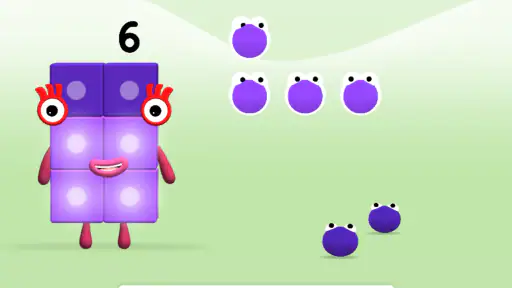
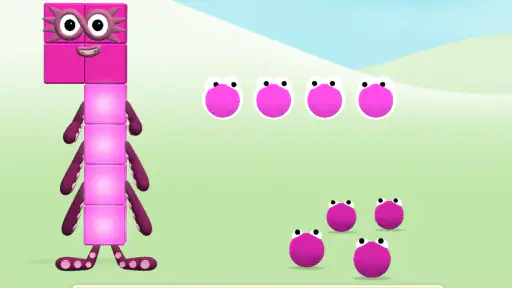
 Analysis by Frivlyz
When I look at a children’s learning game, I want to know two things before anything else: what a family is actually paying for, and whether the play feels useful beyond keeping a child occupied. Meet the Numberblocks is a free educational game from Blue Zoo, aimed at everyone. It has an average rating of 3.6 from around 9,000 ratings, and has been installed over five million times. Those figures suggest it has reached plenty of families, though the rating also makes me approach it as a specific kind of learning aid rather than a guaranteed hit for every child.
What the free offer tells you—and what it doesn’t
The confirmed purchase picture is straightforward: the game is free. That makes it easy to try alongside a child’s usual activities without making a purchase decision first. I would still avoid treating “free” as a complete description of the experience. A price alone does not tell me how much content is available, whether play changes over time, or what choices may appear within the app. I’d check the current store page and the device itself before handing it over, especially if your family has specific rules about purchases or screen use.
The game was released on May 23, 2019, and its current version is 01.05.00; it requires Android 5.1 or later. That can help when you’re deciding whether an older device is suitable, but it doesn’t guarantee that every handset will feel equally smooth. For a first try, I’d install it on the device the child will actually use, open it together, and see whether the controls and presentation work well on that screen.
Learning through familiar characters
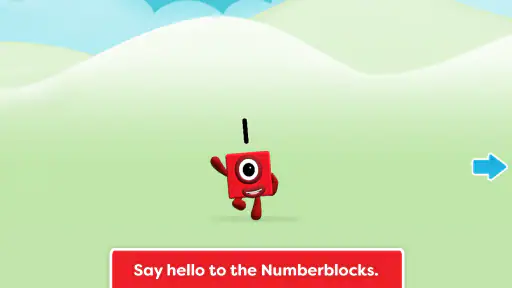
First things first, if you’re wondering what Meet the Numberblocks is all about, let me fill you in. This delightful app is based on the popular children's TV series, "Numberblocks," which is all about bringing numbers to life. The app takes this concept further by providing interactive experiences that help kids understand numbers and basic math concepts in a fun and engaging way.
The central appeal is the visual link between a number and a character. For a child who already enjoys the show, familiar figures may make it easier to settle into number-focused play than a worksheet or a plain flash-card app. That doesn’t mean every child will learn at the same pace, or that screen activities can replace talking, counting objects, and playing together. I see the game as a way to invite interest and repetition, with a parent nearby to connect what appears on screen to everyday things.
Interactive Learning Experience
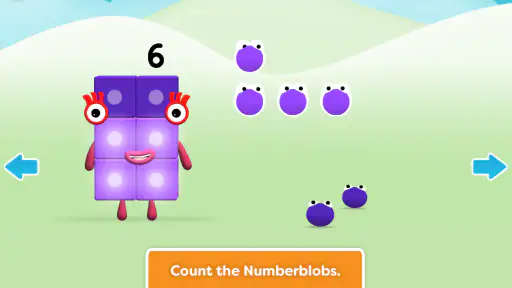
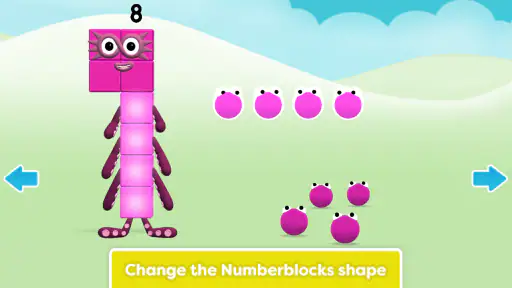
The charm of this app lies in its ability to transform learning into play. Each number character, or "Numberblock," is a quirky little figure that represents its numerical value, allowing kids to visually grasp the concept of numbers. The app offers a series of mini-games and puzzles that encourage children to practice counting, addition, and subtraction. What I love most is how it seamlessly combines entertainment with education, keeping kids engaged while they learn.
For a more useful session, I’d resist the temptation to leave a child tapping through activities without conversation. Ask them to point out a number, count a few objects in the room, and explain what they noticed. A short moment like that can reveal whether the character imagery is helping them make a connection or whether they are simply responding to colors and movement. If they get stuck, try counting aloud together before stepping in to solve the activity for them.
Gaming Stories You May Enjoy

Dancing Road Turns Short Breaks Into a Test of Rhythm and Timing

Super Stylist Makes Every Outfit a Test of Taste and Patience

Dominoes on Your Terms: Who Should Play and Who Should Pass

Pokémon GO Makes the Familiar World Feel New

Chess.com Turns Rematches Into Rivalries, but Community Has Its Costs

Archery Battle 3D Review: Sharp Aiming, Unclear Feedback
Where it fits into a child’s day
A realistic use is a brief, supervised turn while dinner is finishing or during a quiet moment at home. I’d sit nearby for the first session, watch how the child responds to the prompts, and then decide whether they can explore more independently. If the child gets excited by the characters, you can carry the learning away from the screen: count pieces of fruit, toys, or steps together, then let them tell you which number they found. That makes the game a starting point for a small shared activity rather than a substitute for one.
This is likely to suit preschool and early-primary children who are curious about numbers, especially those who already recognize the Numberblocks characters. It may also help a child who finds abstract numerals less inviting when they are presented on their own. I’d be less likely to choose it for an older learner who needs a structured maths course, carefully graded lessons, or a clear record of progress. In that situation, a curriculum-led learning app or a teacher’s recommended practice may be a better fit.
Vibrant Graphics and Sounds
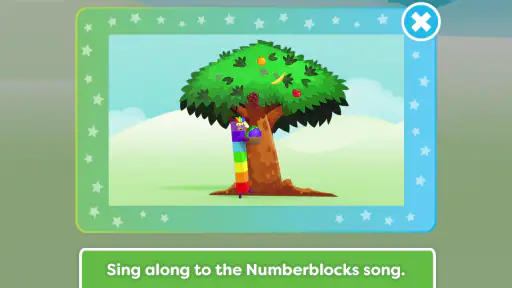
One of the first things that caught my eye was the app's vibrant and colorful graphics. The developers have done an excellent job in creating a visually appealing environment that captures kids’ attention. Coupled with cheerful sound effects and catchy music, the app ensures that the learning experience is not just informative but also delightful. It’s like having a classroom in your pocket, minus the boring parts!
That lively presentation is a strength for a child who needs an inviting reason to engage, but it can be a trade-off for families who prefer quieter screen time. I’d try it with the device volume low or muted if sound is distracting, then check whether the child can still follow what is happening. If the visual energy makes it hard to focus, a paper counting game or a calmer number activity may work better at that moment. The best choice depends on the child, not just on how cheerful an app looks.
Easy Navigation for Little Fingers
Now, let’s talk about usability. Meet the Numberblocks is designed with young users in mind. The interface is intuitive and easy to navigate, even for those little fingers that are still getting used to touchscreen devices. The app guides children through each activity, providing gentle prompts and feedback to keep them on track. It’s a user-friendly experience that parents will appreciate, knowing their kids can explore independently.
Even with child-friendly navigation, I’d make the first visit a joint one. A young child may understand where to tap but still need help noticing what an activity is asking them to do. Watch whether they can return to the task after a prompt, whether they tend to tap rapidly, and whether they can explain the number they just saw. Those little observations help you tell the difference between independent use and merely getting through the screens.
Fairness, competition, and screen-time expectations
This is a solo educational game rather than a contest I’d choose for comparing children. Its useful measure is whether a child is becoming more comfortable noticing and talking about numbers, not whether they move faster than a sibling or friend. I’d keep sessions relaxed and avoid turning correct answers into a scorecard. If a child is frustrated, switching to counting real objects is a fairer way to meet them where they are than pushing them to finish an activity.
Compared with a basic counting video, a game can invite a child to respond rather than only watch; compared with physical toys or cards, it offers a screen-based character world that may be more immediately appealing to a Numberblocks fan. Those alternatives still have advantages: toys make it easy to touch and rearrange objects, while a video can be simpler when an adult wants a child to watch quietly. I’d choose based on the goal of the moment—active practice, hands-on play, or a short viewing break—rather than expecting one format to do everything.
Parental Controls and Safety
As a parent, I know how crucial it is to ensure that the apps our children use are safe. This app has robust parental controls that allow you to manage what your child has access to and for how long. There are no in-app purchases or ads, which means you can let your kids dive into the world of numbers without worry. It’s peace of mind wrapped in an educational package.
Because purchase details and family settings matter, I would check the controls on the device before a child uses the game alone and confirm that they behave as expected. The free price is useful context, but I wouldn’t infer extra protections or spending rules from that alone. Families using shared devices may also want to set their own screen-time routine outside the game, so a child knows when play is finished rather than relying on an app session to define the boundary.
When another learning option makes more sense
I would skip this game if the child is not interested in its characters, if the bright presentation feels overstimulating, or if you need a carefully sequenced course with visible learning targets. A simple counting routine using blocks, snacks, or household objects can be more suitable for a child who learns best by handling real things. Likewise, if you want detailed progress tracking or lessons tailored to a specific school level, look for an option that explicitly provides those tools rather than assuming this game does.
Before installing, it is sensible to check that the device meets the minimum Android requirement and has enough room to run the game comfortably. The age classification is Everyone, but I still think an adult should decide whether the style and pace suit the particular child. A broad age label is a starting point, not a substitute for seeing how your own child responds.
My trust verdict after weighing the trade-offs
In conclusion, Meet the Numberblocks is more than just an app; it’s a magical journey into the world of numbers. Whether your child is just starting to learn about numbers or needs a fun refresher, this app offers a well-rounded experience that’s both educational and entertaining. So, if you’re looking for an engaging way to introduce your children to math, give this app a try. Trust me, you won’t be disappointed!
My recommendation is more measured: I’d give it a try if your child likes Numberblocks and you want a playful way to spark counting talk. I wouldn’t rely on it as a complete maths plan, and I’d stay involved enough to notice whether the activities are genuinely helping. With an average rating of 3.6, it clearly won’t be every family’s favorite, but its free entry point makes a low-commitment trial reasonable. Start together, keep expectations practical, and let your child’s response decide whether it earns a place in their routine.
Meet the Numberblocks Pros and Cons
Pros
- Interactive learning experience for kids
- Colorful and engaging animations
- Easy-to-use interface for children
- Educational content on numbers
- Encourages problem-solving and creativity
Cons
- Limited content variety
- In-app purchases may be needed
- Requires internet connection
- Can be too simplistic for older kids
- Ads can interrupt gameplay
Frequently Asked Questions
What is the main objective of the Meet the Numberblocks app?
The Meet the Numberblocks app is designed to make learning numbers fun and engaging for children. The app introduces kids to numbers through interactive games and activities that help develop their counting skills, number recognition, and basic math concepts. It's based on the popular TV show, fostering a seamless transition from passive watching to active learning.
Is Meet the Numberblocks suitable for all age groups?
Meet the Numberblocks is primarily targeted at young children, particularly those between the ages of 3 and 7. It is designed to cater to early learners who are just beginning to grasp the basics of numbers and counting. The app uses bright visuals, fun animations, and simple language to ensure it is accessible and enjoyable for its intended age group.
Does Meet the Numberblocks require an internet connection to use?
No, Meet the Numberblocks does not require a constant internet connection to function. Once the app is downloaded and installed, most of its features and activities can be accessed offline. This makes it convenient for use in various settings, such as on car rides or in areas with limited internet access.
Are there any in-app purchases or ads in Meet the Numberblocks?
The Meet the Numberblocks app is designed to offer a safe and ad-free environment for children. While there may be some optional in-app purchases to unlock additional content or features, the core educational activities are available without any cost. Parents can rest assured that the app is both fun and secure for their children.
How does Meet the Numberblocks align with educational standards?
Meet the Numberblocks is developed with input from educational experts to ensure it aligns with early learning standards. The app's content is structured to build foundational math skills such as counting, addition, and number recognition. By using familiar characters and engaging activities, it supports curriculum goals and enhances traditional learning methods.


