

MD.emu (Genesis Emulator)
- Reviews
- 4.0
- Version
- Varies with device
- Installs
- 100,000+

Screenshots
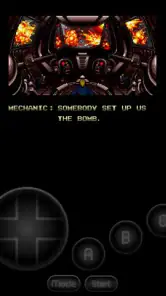
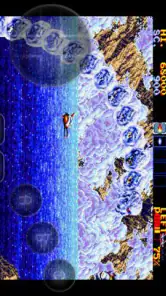

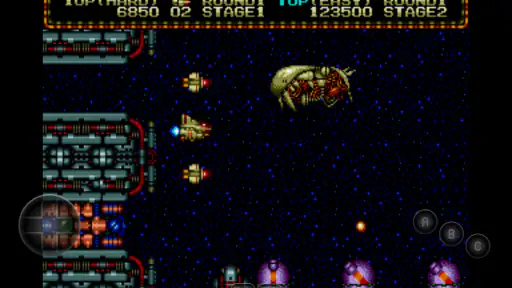
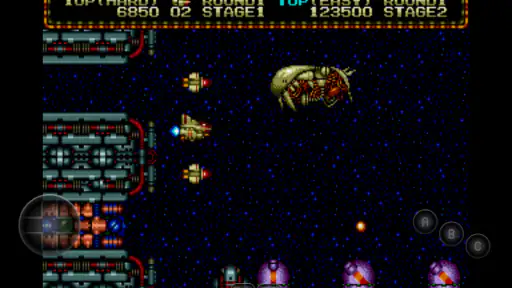
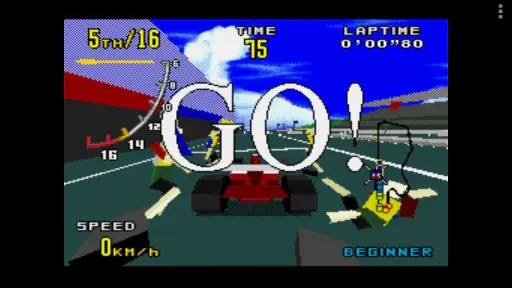
 Analysis by Frivlyz
For anyone who wants to play Sega-era games on a phone, MD.emu is most appealing when you value a focused, traditional emulator over a service that supplies games or wraps retro titles in a modern storefront. I like that straightforward idea, but it comes with a practical catch: you need to bring your own game files and be comfortable setting up controls on a touchscreen. If that trade-off sounds reasonable, it can make a phone a handy way to revisit Genesis and related systems.
A focused way to revisit Sega systems
MD.emu is an arcade-style game from developer Robert Broglia, built around emulating Sega hardware rather than offering a broad library of games to browse. Its scope reaches beyond the Genesis, covering Mega Drive, Sega CD, Master System, and Mark III systems. That breadth is useful if your old favorites span more than one Sega generation, though it also means the experience depends on having compatible game files ready to use.
The distinction matters if you are comparing it with a subscription game service or a collection of officially licensed classics. Those options are usually easier to start with because the games are bundled or selected for you. An emulator offers a different kind of control: you decide what to play from the files you have, but finding, organizing, and choosing those files becomes part of the setup. I would choose MD.emu for that flexibility, not for a ready-made catalog.
What the controls change in everyday play
Touch controls make quick sessions possible without carrying extra gear, but they are not equally comfortable for every game. A platformer that asks for repeated, precise jumps can feel less forgiving when the virtual buttons sit under your thumbs, while slower exploration or menu-based play may be perfectly manageable. Before settling into a long session, I would adjust the on-screen layout and try a short section of a game that uses several buttons. That small test can tell you more than simply opening a title and assuming the default arrangement will suit you.
An external controller is the better choice when timing and button feel matter. Pairing one can make the phone feel much closer to a conventional console setup, while leaving the touchscreen available for casual play away from home. The trade-off is convenience: a controller adds another thing to carry and connect. I see the two control options as serving different situations, not as one universally replacing the other.
Save and load states are especially useful for short, interrupted sessions. Rather than relying only on a game’s own save points, you can preserve a moment and return to it later. I would use that for a commute or a brief break, but keep in mind that save states are best treated as a convenience alongside ordinary in-game saving, not as the only copy of progress you trust. If you change files or move between devices, keeping your game files and saves organized makes the whole setup easier to manage.
Where it fits among emulator choices
Compared with a multi-system emulator, MD.emu’s Sega focus can be an advantage: the app is aimed at a coherent set of related machines rather than trying to cover every console in one place. That is a good fit if your library is mostly Genesis, Mega Drive, Sega CD, Master System, or Mark III titles. If your games are spread across many unrelated systems, a broader emulator may reduce the need to switch apps, even if its interface is less specifically centered on Sega play.
Gaming Stories You May Enjoy

Dancing Road Turns Short Breaks Into a Test of Rhythm and Timing

Super Stylist Makes Every Outfit a Test of Taste and Patience

Dominoes on Your Terms: Who Should Play and Who Should Pass

Pokémon GO Makes the Familiar World Feel New

Chess.com Turns Rematches Into Rivalries, but Community Has Its Costs

Archery Battle 3D Review: Sharp Aiming, Unclear Feedback
It is also worth separating emulation from game access. The app provides the means to run compatible files; it is not a substitute for knowing what files you are entitled to use or for understanding how to transfer them to your phone. I would sort out that part first, using lawful copies and a tidy folder structure, rather than buying an emulator and expecting a playable collection to appear automatically. This is the main point that can surprise someone used to mobile games that open straight into a catalog.
In ordinary use, a sensible routine is to keep only the games you currently want to play easy to find, test each one before relying on it during a trip, and make sure your chosen control setup works on the device you will actually use. That approach avoids turning a spare moment into a file-management task. It also makes it easier to notice whether an issue comes from a particular game, a control layout, or the way the files were organized.
Who should consider it—and who may not enjoy it
I would recommend MD.emu to players who already have a Sega-focused collection, enjoy configuring an emulator, or want one app for several closely related Sega systems. It is particularly attractive if you switch between short phone sessions and controller-based play at home. The ability to adjust controls and use save states gives those different routines room to coexist, without asking you to play every title in exactly the same way.
I would steer a newcomer toward an official retro collection or another option that includes games if their priority is to tap once and start playing. I would also think twice if touchscreen controls are a deal-breaker and I do not own a compatible external controller. A dedicated handheld can be a better fit for someone who wants physical controls built in, while a wider emulator may suit a library that reaches well beyond Sega. MD.emu is strongest when its focused compatibility matches the games you actually want to play.
Price, expectations, and practical value
The game costs $4.99, so I would weigh that against the time you are willing to spend getting your library and controls in order. It has an average rating of 4.0 from around 3,600 ratings, with roughly 600 written reviews, and has passed 100,000 installs. Those figures suggest a well-established niche audience, but they do not guarantee that every game or device setup will feel equally effortless. The age rating is Everyone, which describes the app’s content rating; it does not remove the need to choose game files responsibly.
One useful way to judge the purchase is to identify a small handful of Sega games you genuinely plan to revisit, then think through how you will play them: touch controls for convenience, or a controller for longer and more demanding sessions. If you cannot answer the file and control questions yet, it may be worth sorting those out before paying. If you already know your setup, the price is easier to assess as a focused tool rather than as a promise of a ready-to-play library.
Getting Started with MD.emu
First things first, setting up MD.emu is a breeze. Once you download it from your respective app store, you’ll need to load up some ROMs. Now, I won’t get into the nitty-gritty of where to find these ROMs, but let’s just say there are plenty of resources out there if you know where to look. The app itself is quite user-friendly, with a straightforward interface that even a newbie can navigate with ease.
Performance and Features
One of the standout features of MD.emu is its performance. The emulator runs smoothly, delivering a seamless gaming experience without any noticeable lags or hiccups. It supports a wide array of Genesis games, and the graphics are quite impressive for an emulator. The on-screen controls are customizable, which is a nice touch, allowing you to tailor your gaming experience to your preferences.
MD.emu also supports external controllers, which is a game-changer for those who prefer a more authentic gaming experience. Pairing a Bluetooth controller with your device is simple and enhances the overall gameplay significantly. Plus, the app has save and load states, so you can pick up right where you left off without missing a beat.
Why MD.emu Stands Out
What sets MD.emu apart from other emulators is its attention to detail and commitment to delivering a genuine retro gaming experience. It doesn’t try to do too much – it focuses on doing one thing and doing it well. The developer has done a fantastic job of maintaining the integrity of the original games while optimizing them for modern devices. Retro gaming has never felt so accessible or fun!
Another highlight is the app’s open-source nature. This means it’s continually being updated and improved upon by a community of developers, ensuring that any bugs or issues are swiftly addressed. It also allows for greater customization and flexibility, which tech-savvy users will appreciate.
Final Thoughts
All in all, MD.emu is a stellar emulator that ticks all the right boxes for Sega Genesis fans. It’s reliable, easy to use, and offers a fantastic way to relive those cherished memories from the 90s. Whether you’re a seasoned gamer or just someone looking to dip their toes into the world of retro gaming, this app is well worth checking out. So go ahead, fire up that old favorite game, and let the nostalgia wash over you. Happy gaming!
MD.emu (Genesis Emulator) Pros and Cons
Pros
- Highly accurate Sega Genesis emulation.
- Supports multiple ROM formats.
- Customizable on-screen controls.
- Save and load game states easily.
- Compatible with external controllers.
Cons
- May experience occasional crashes.
- UI is not very intuitive.
- Lacks built-in ROM library.
- Some games may have sound issues.
- No multiplayer support.
This Game in Other Languages
Frequently Asked Questions
What is MD.emu and what platforms does it support?
MD.emu is a Genesis emulator that allows users to play classic Sega Genesis games on modern devices. It is compatible with both Android and iOS platforms. The app replicates the authentic gaming experience by supporting various file formats and offering a range of customizable settings to enhance gameplay.
How do I install and set up games on MD.emu?
To set up games on MD.emu, first, download the ROM files of the Sega Genesis games you own legally. Place these files in a directory on your device. Open MD.emu, navigate to the directory using the app's file browser, and select the game you wish to play. The emulator will automatically load the game, allowing you to start playing immediately.
What features does MD.emu offer to enhance the gaming experience?
MD.emu offers several features to enhance the gaming experience, including support for cheat codes, save states, and customizable on-screen controls. Users can also connect external controllers for a more authentic feel. Additionally, the emulator provides options for adjusting video and audio settings to optimize performance and graphics quality.
Is MD.emu a free application and are there any in-app purchases?
MD.emu is a paid application available for purchase from both the Google Play Store and the Apple App Store. Once purchased, there are no additional in-app purchases required. The one-time payment provides access to all the features and updates, ensuring a complete and uninterrupted gaming experience.
Are there any legal considerations when using MD.emu?
Yes, there are legal considerations when using MD.emu. Users should ensure that they only download and play ROM files of games they legally own. Distributing or downloading ROMs of games that you do not own is against the law and can result in legal consequences. It is important to respect copyright laws and use the emulator responsibly.


