

Math Games: Math for Kids
- Reviews
- 4.5
- Version
- Varies with device
- Installs
- 10,000,000+

Screenshots
 Analysis by Frivlyz
When I look for a way to make a short stretch of math practice feel less like extra homework, I care about what a child actually does from one moment to the next. Math Games: Math for Kids is an educational game from RV AppStudios built around arithmetic practice. It is free, rated for Everyone, and has reached over ten million installs, with an average rating of 4.5 from around 64,000 ratings. Those figures suggest broad appeal, but the more useful question for a parent is whether its play-and-practice rhythm suits the child at home.
Starting with a small math task
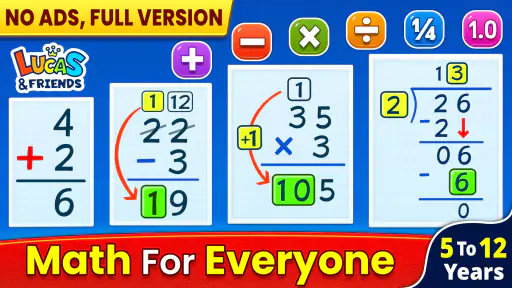
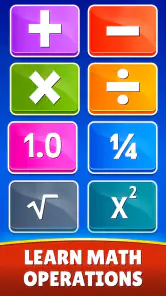
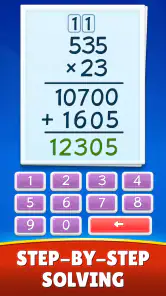
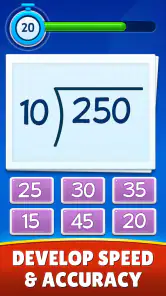
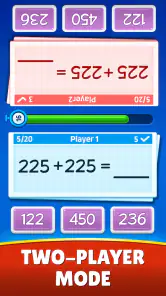
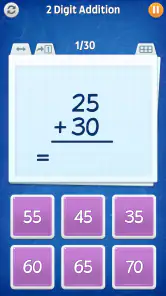
The basic premise is easy to understand: a child works through math challenges involving addition, subtraction, multiplication, and division. That makes the game a natural option when a child needs repetition with number facts, rather than a full course that teaches every part of a school curriculum. I’d introduce it with one clear goal, such as practising subtraction for a few minutes, instead of handing over the device with the vague instruction to “do math.” A narrow goal makes it easier to see whether the session helped and keeps practice from feeling endless.
A realistic use is the brief gap before dinner or while waiting for an appointment. I’d let a child try a few questions, then ask them to explain one answer aloud. That small pause matters: getting an answer right in a game is encouraging, but explaining how they reached it is a better check that they understand the method. If they are guessing quickly, I’d slow the pace by asking them to work the sum on paper or with objects before continuing.
What the feedback rhythm can do
In a game like this, the useful loop is straightforward: choose or meet a math task, answer it, see how the attempt goes, and decide whether to keep playing. Quick feedback can make practice feel less intimidating than a worksheet covered in corrections. It also gives a child a reason to try again after a mistake. I see that as a good fit for building familiarity, especially when a child already knows the basic idea but needs more chances to retrieve it without a parent turning every answer into a test.
There is a trade-off, though. A game’s encouraging tone can keep a child engaged, but it can also make it tempting to focus on finishing challenges rather than understanding them. I’d treat the game as a practice partner, not as proof that a topic has been mastered. When an answer is wrong, a quick follow-up from an adult—“What did you try?”—can turn the correction into a useful conversation instead of a reason to tap through faster.
Fun Learning with Interactive Challenges
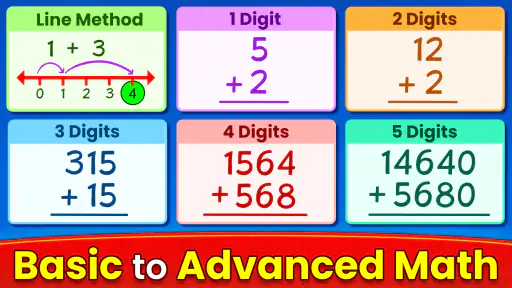
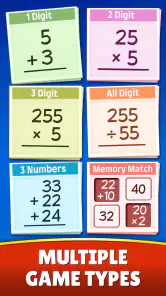
First up, let’s talk about the interactive challenges. The app is designed to cater to various age groups, making sure the math puzzles are not just age-appropriate but also engaging. I found myself amazed at the variety of games available—from basic arithmetic to more complex problems. The way these challenges are structured ensures that kids remain interested while learning essential math skills.
Bright and Engaging Interface
The app’s interface is a splash of colors! It’s vibrant and inviting, which is exactly what you want for an app aimed at kids. The developers have hit the nail on the head by choosing an interface that complements learning with a fun vibe. Navigation is a breeze, so even if your kid is a tech newbie, they’ll find their way around without breaking a sweat.
Gaming Stories You May Enjoy

Dancing Road Turns Short Breaks Into a Test of Rhythm and Timing

Super Stylist Makes Every Outfit a Test of Taste and Patience

Dominoes on Your Terms: Who Should Play and Who Should Pass

Pokémon GO Makes the Familiar World Feel New

Chess.com Turns Rematches Into Rivalries, but Community Has Its Costs

Archery Battle 3D Review: Sharp Aiming, Unclear Feedback
For a younger child, I’d still sit beside them for the first session, not because the interface needs a lengthy tutorial, but to help them connect the tapping with the math they are practising. Once they know how to get started, a parent can step back and let them work more independently. That approach is particularly helpful if a child is easily distracted: agree on a short practice window first, then make the stopping point clear before the game begins.
Rewards and Motivations
Everyone loves a little pat on the back, and Math Games: Math for Kids delivers just that. With every challenge completed, kids earn rewards that keep them motivated. Whether it’s unlocking a new level or earning a badge, these incentives are cleverly designed to encourage continued learning. It’s like having a personal cheerleader in your pocket!
Rewards work best when they support the practice rather than replace it. I’d praise a child for sticking with a tricky set or correcting an answer, not just for collecting something in the game. That distinction helps keep the focus on learning. If a child starts racing through problems just to reach the next reward, I’d pause and ask them to show how they solved one. If they can explain it, the game has done more than hold their attention; if not, it’s a cue to slow down.
Choosing it over other ways to practise
Compared with a paper worksheet, the game can make repetition feel more playful and less like a school assignment. A worksheet may be the better choice when a child needs to show written working, practise setting sums out neatly, or prepare for a classroom format. Compared with a broad learning app that covers many subjects, this game has a narrower purpose: it puts arithmetic practice at the centre. That focus can be useful for a child who needs more time with number operations, but it won’t replace a teacher’s explanation when a new concept is confusing.
I’d also choose the format according to the child’s temperament. A child who enjoys quick, game-like tasks may be more willing to begin here than with a page of sums. A child who dislikes screens, gets frustrated by game feedback, or needs careful step-by-step teaching may do better with an adult, a workbook, or a lesson that explains the concept before asking for repeated answers. The best option is the one that helps the child stay curious without turning practice into a battle.
Parental Control and Progress Tracking
One of the standout features for me is the parental control and progress tracking capability. Parents can easily monitor their child’s progress through the app, ensuring they’re on the right track. This feature adds a layer of confidence for parents, knowing they’re actively involved in their child’s learning journey.
I’d use that parental view as a prompt for conversation, rather than as a scorecard. If a child seems comfortable with one operation but hesitates with another, that can help a parent decide what to practise next. It’s also worth checking whether the child can solve a similar problem away from the screen; success in the game is encouraging, but a quick spoken or written example gives a fuller picture. This makes progress tracking most helpful when it guides the next small practice step instead of becoming a source of pressure.
Keeping a session short and purposeful
The reset point is just as important as the reward. I’d end a session while the child is still willing to continue, rather than waiting until boredom or frustration takes over. A simple routine works well: choose one arithmetic focus, play for a brief stretch, talk through one answer, then put the device away. The next session can begin with the same operation if it still feels difficult, or move to another one if the child is ready. That gives practice a clear beginning and end without making the game responsible for setting a child’s whole study plan.
Parents may also wonder whether this can stand in for homework help. I wouldn’t use it that way. It can offer extra practice with the four basic operations, but a child who does not understand why a method works may need a teacher or caregiver to explain it directly. Nor is every child likely to want a game-based approach; the Everyone age rating makes it broadly suitable from a content perspective, but children still differ in reading confidence, attention, and comfort with screens. A little adult guidance at the start helps match the activity to the child rather than assuming one style fits all.
A Few Final Thoughts
So, what’s the final verdict on this app? Well, if you ask me, it’s a winner. Math Games: Math for Kids combines learning and fun in a way that’s both effective and enjoyable. It’s a tool that not only helps kids with their math skills but also builds their confidence. Whether your child is struggling with math or just needs a fun way to practice, this app is worth checking out. Trust me, it’s a game-changer!
My recommendation is strongest for families looking for an easy way to add arithmetic repetition to everyday downtime. Keep the goal modest, check that the child understands an answer rather than only tapping through, and stop before the session becomes a chore. With that kind of use, the challenge, feedback, and reward can give a child a reason to return for another round while leaving room for worksheets, adult explanations, and classroom learning when those are the better fit.
Math Games: Math for Kids Pros and Cons
Pros
- Engaging and colorful graphics.
- Variety of math challenges.
- Adaptive difficulty levels.
- Encourages critical thinking.
- Rewards system motivates kids.
Cons
- Limited free content.
- In-app ads can be distracting.
- Some levels are repetitive.
- Requires internet for updates.
- Limited parental controls.
Frequently Asked Questions
What is Math Games: Math for Kids?
Math Games: Math for Kids is an educational app designed to make learning mathematics engaging and fun for children. It offers a variety of interactive games and activities that cover basic arithmetic operations such as addition, subtraction, multiplication, and division. The app aims to improve kids' math skills through play, making it suitable for young learners who are just beginning to explore the world of numbers.
Is Math Games: Math for Kids suitable for all age groups?
Math Games: Math for Kids is primarily designed for children aged 4 to 10. However, it can be beneficial for any child who is beginning to learn basic math concepts. The app offers different levels of difficulty, allowing children to progress at their own pace. This makes it versatile and adaptable to the individual learning needs of each child.
Does Math Games: Math for Kids require an internet connection to play?
No, Math Games: Math for Kids does not require an internet connection for gameplay. Once the app is downloaded and installed on your device, your child can enjoy learning and playing math games offline. This feature makes it convenient for on-the-go learning, especially during travel or in areas with limited internet access.
Are there any in-app purchases or advertisements in Math Games: Math for Kids?
Math Games: Math for Kids offers a free version with basic features and may include advertisements. However, there is an option to upgrade to a premium version through an in-app purchase, which provides additional features and removes ads. This allows parents to choose the best option for their child's learning experience, balancing cost and functionality.
How can Math Games: Math for Kids benefit my child's learning?
Math Games: Math for Kids enhances a child's learning by combining education with entertainment. The app's interactive and engaging games help reinforce math concepts and improve problem-solving skills. By making learning enjoyable, it encourages regular practice and helps build a strong foundation in mathematics, which is crucial for academic success in later years.


