

Mahjong for Seniors
- Reviews
- 4.7
- Version
- 4.01
- Installs
- 5,000,000+

Screenshots
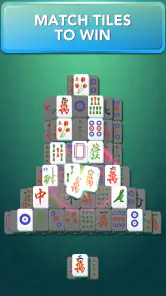
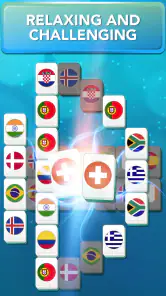

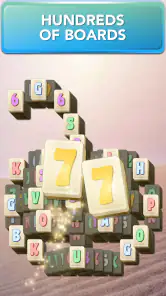

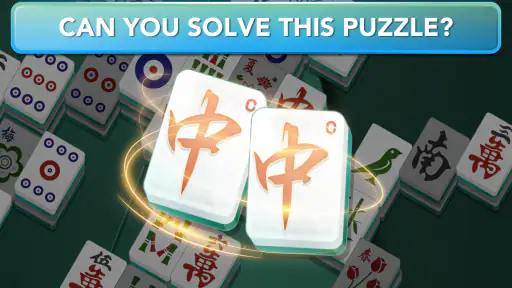
 Analysis by Frivlyz
When I’m choosing a casual puzzle, I care less about flashy extras and more about whether I can understand the board quickly, play at my own pace, and put the game down without losing the thread. Mahjong for Seniors is aimed at that kind of low-pressure tile matching. It is a free board game from Appgeneration - Radio, Podcasts, Games, built around clearing matching tiles rather than competing against other players. I’d consider it for quiet breaks, especially if a familiar Mahjong-style puzzle sounds more appealing than a fast game with timers or constant decisions.
What I would check before settling in
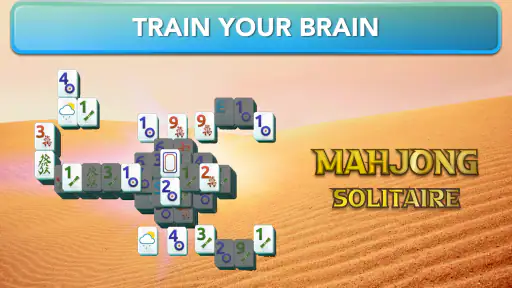
The first practical question is whether the tile layout feels comfortable on your own phone or tablet. A board puzzle asks you to scan symbols repeatedly, so visual clarity matters more here than elaborate animation. The published article describes adjustable tile and text sizes; if those controls are available in your version, I’d set them before starting a longer session rather than waiting until my eyes feel tired. A short test round is a useful way to see whether the tiles remain easy to distinguish at the size you prefer.
I’d also decide what kind of Mahjong experience I actually want. This is a tile-matching puzzle, not a substitute for the traditional multiplayer game played with a full set of tiles and its own rules. That distinction is worth keeping in mind: if you want a quiet solo activity, matching tiles can be a good fit; if you want to learn table play or challenge friends around a table, a digital solitaire puzzle serves a different purpose.
Why the solo puzzle format works
The appeal is the simple loop: look for a pair, make a move, then scan what has become available. That gives the game a natural stop-and-start rhythm. I can imagine playing a board while waiting for an appointment or taking a short break at home, then returning to other tasks without needing to coordinate with anyone. Because there is no opponent to keep up with, the challenge comes from reading the layout and choosing a useful match, not from reacting quickly to another player.
One useful habit is to pause before taking the first obvious pair. In tile-matching puzzles, a move can uncover options or leave a less flexible arrangement, so I’d scan the open tiles first and consider whether a pair may be more valuable later. That small change makes a familiar board feel more thoughtful without turning a relaxing session into homework. If I do reach a dead end, the original review notes hints and shuffling as aids; I’d treat them as a way to get moving again, not as buttons to press automatically whenever a decision takes a moment.
The game’s reported average is 4.7 from around 72,000 ratings, and it has passed five million installs. Those figures suggest that many players have tried it, but they do not tell me whether its presentation will suit an individual’s eyesight, patience, or preferred pace. I’d use a first session to judge those personal details rather than assuming popularity guarantees a perfect fit.
How it fits among Mahjong choices
As a board game, this is best viewed as a relaxed single-player option. Compared with physical Mahjong, it removes the social table, handling tiles, and need to learn a group’s playing routine. That makes it easier to pick up for a few minutes, but it also means it cannot provide the conversation and shared play that make a real table enjoyable. Compared with other digital tile-matching games, the practical question is whether this particular presentation feels comfortable and clear, not whether it offers every possible variation.
Gaming Stories You May Enjoy

Dancing Road Turns Short Breaks Into a Test of Rhythm and Timing

Super Stylist Makes Every Outfit a Test of Taste and Patience

Dominoes on Your Terms: Who Should Play and Who Should Pass

Pokémon GO Makes the Familiar World Feel New

Chess.com Turns Rematches Into Rivalries, but Community Has Its Costs

Archery Battle 3D Review: Sharp Aiming, Unclear Feedback
Where another option may be better
If you mainly want to play with relatives or friends, I would choose a game explicitly designed around multiplayer sessions. If your goal is to learn traditional Mahjong rules, look for a guide or rules-based game rather than expecting a matching puzzle to teach that experience. And if you prefer puzzles with a story, varied mechanics, or a strong sense of progression, a broader puzzle game may hold your attention longer. This one makes most sense when the tile layout itself is the attraction.
There is also a trade-off between assistance and challenge. Hints can help when a board becomes hard to read, while shuffle options can provide another route forward, but relying on them too often may reduce the satisfaction of planning a sequence yourself. I’d first try to spot a move unaided, then use help when I’m genuinely stuck or simply want a lighter session. That lets the same game serve both a more deliberate mood and a more casual one.
Comfort, pace, and small-session habits
For an everyday routine, I’d keep the game as a short break rather than turning it into a test of concentration. For example, after lunch I might play one puzzle while having tea, increase the tile size if the board feels crowded, and stop when I’m ready to return to the day. The point is not to claim that a puzzle produces a particular health benefit; it is simply an accessible way to spend a few quiet minutes noticing patterns and making choices.
Sound is another personal setting to judge. The original review describes calming background music, but music that feels soothing to one person can be distracting to another. I’d try a session with the sound on and another with it off or lowered if the controls allow, especially when playing in a shared room. This is a small adjustment, but it can make the difference between a pleasant pause and an app that competes with conversation or television.
It is free to download, with optional in-app purchases ranging from $0.99 to $14.99 per item. I’d start with the free experience and make a purchase only if I understand what it adds and know I’ll use it. The existence of in-app purchases is worth bearing in mind if the phone is shared with a child or someone who might tap purchase prompts unintentionally. The game is rated for Everyone, and its current version is 4.01; it requires Android 9 or later, so checking device compatibility before installing can save time.
Making the switch without overthinking it
Moving from a paper puzzle or another Mahjong app should be easy in one sense: the basic act of finding matching tiles is immediately familiar. The adjustment is more about screen layout, touch accuracy, and the way this particular game handles its assistance options. I would play a brief session before changing any routine, checking whether taps register comfortably and whether the board remains legible when held at my usual distance. If those basics feel right, there is little reason to make the switch complicated.
On the other hand, if you already enjoy a digital Mahjong game because it offers a specific rule set, a competitive element, or a collection of modes you use regularly, switching just for the name or audience label may not improve your experience. The best reason to try this one is that its straightforward matching format and accessibility focus address a need you actually have. A familiar game that is comfortable to use can be more valuable than a longer feature list.
Who I’d recommend it to
I’d recommend giving it a try if you want a calm solo board puzzle, like scanning tile patterns, and appreciate a presentation intended to be easier to use. It may suit older players, but the puzzle format is not limited to them; anyone who wants a simple, unhurried game could enjoy it. The developer is Appgeneration - Radio, Podcasts, Games, and the game has been available since October 30, 2020, so it is not a brand-new release being presented as an unknown experiment.
I would skip it if you are looking for social Mahjong, detailed instruction in traditional rules, or a puzzle that constantly introduces new mechanics. I would also be cautious if tiny symbols or touch controls make phone games uncomfortable for you; try the board briefly and adjust the display before deciding. No amount of relaxing music can compensate for a layout that is hard to see on your device.
First Impressions and User Interface
As soon as I opened Mahjong for Seniors, I was greeted with a clean, easy-to-navigate interface. I mean, who doesn't appreciate an app that doesn’t bombard you with ads or unnecessary pop-ups? The icons are large, the text is readable, and the buttons are easy to tap. It’s like the developers really understood the need for simplicity without compromising on functionality. I found this particularly helpful because it eliminated any confusion, allowing me to dive straight into the game.
Gameplay Experience
Now, let’s talk about the gameplay. Oh boy, if you love a good puzzle, this app is a must-try! Mahjong, as many of you might know, is a classic tile-matching game, and this app does a great job of preserving that classic feel while incorporating modern touches. The game is structured in levels, each slightly more challenging than the last. It really gets those brain cells working, but in a fun way. Plus, the app provides hints and shuffle options if you ever find yourself stuck, which, trust me, is a lifesaver!
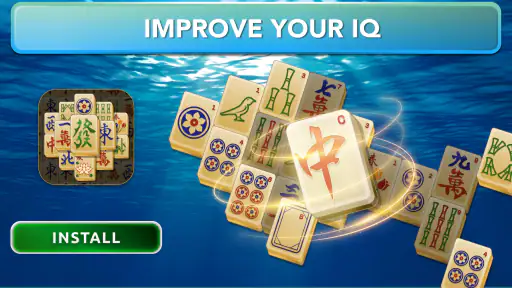
I also loved the variety of tile designs and backgrounds. It’s subtle things like these that keep the game fresh and engaging. The developers have cleverly included themes that range from traditional to more contemporary, so you can switch it up based on your mood.
Accessibility Features
One of the standout features of Mahjong for Seniors is its focus on accessibility. The app includes options to adjust the size of the tiles and text, which is just fantastic. I mean, how many times have we squinted at our screens trying to see tiny details? Not with this app! It’s clear that the app was designed with seniors in mind, ensuring that everyone can enjoy a comfortable gaming experience.
Another noteworthy feature is the calming background music. It’s not overpowering, which is perfect because who wants to be stressed out while trying to relax with a game? It’s little details like this that make the gaming experience so enjoyable.
Final Thoughts
In conclusion, Mahjong for Seniors offers a delightful combination of challenge and relaxation. Whether you’re a Mahjong veteran or a newbie looking to try something new, this app has something for everyone. The thoughtful design and accessibility features make it an excellent choice, especially for seniors who might be looking for an enjoyable way to keep their minds sharp.
So, if you’re in the market for a game that’s not only fun but also good for the brain, give Mahjong for Seniors a try. It’s a soothing escape into the world of tiles and strategy, and who doesn’t need a bit of that every now and then?
Mahjong for Seniors Pros and Cons
Pros
- Large
- easy-to-read tiles.
- Simple and intuitive interface.
- Adaptive difficulty settings.
- Relaxing background music.
- Available offline.
Cons
- Limited tile set variety.
- No multiplayer mode.
- Ads in free version.
- Requires frequent updates.
- Limited language support.
Frequently Asked Questions
What is Mahjong for Seniors and how is it different from regular Mahjong?
Mahjong for Seniors is a specially designed app that offers the classic Mahjong experience with adaptations to suit older players. The app features larger tiles and an intuitive interface, making it easier to navigate and play. Additionally, it often includes simplified rules and tutorials to help seniors understand the game more effectively, ensuring an enjoyable experience even for those new to Mahjong.
Is Mahjong for Seniors available on both Android and iOS platforms?
Yes, Mahjong for Seniors is available for download on both Android and iOS platforms. Users can easily find the app in the Google Play Store for Android devices and the Apple App Store for iOS devices. The app is optimized for both types of devices, providing a seamless experience regardless of the platform you choose to use.
Does Mahjong for Seniors require an internet connection to play?
Mahjong for Seniors can be played offline, which makes it perfect for seniors who may not always have access to a stable internet connection. Once downloaded, all the features and levels are available without needing to be connected to the internet, allowing users to enjoy the game anytime and anywhere without worrying about data usage.
Are there in-app purchases in Mahjong for Seniors, and are they necessary for gameplay?
While Mahjong for Seniors offers in-app purchases, they are not necessary to enjoy or progress in the game. These purchases typically include additional themes or tile sets, which can enhance the visual experience but do not impact the core gameplay. The app is designed to be fully enjoyable in its free version, ensuring that seniors can have a complete experience without spending extra money.
What accessibility features are included in Mahjong for Seniors to assist older players?
Mahjong for Seniors includes several accessibility features to accommodate the needs of older players. These features may include adjustable text size, high-contrast themes for better visibility, and voice guidance to assist those with visual impairments. Additionally, the app often comes with customizable difficulty levels and a hint system to help players who may find certain puzzles challenging, ensuring a user-friendly experience for all.


