

Magic Piano Rush - Music Star
- Reviews
- 4.4
- Version
- 1.0.19
- Installs
- 1,000,000+

Screenshots

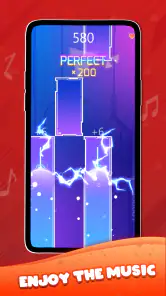
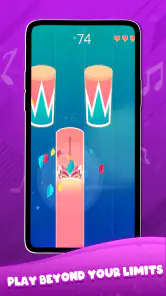
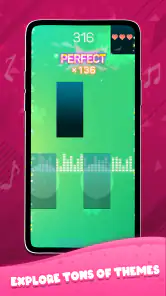
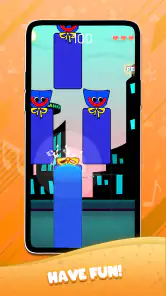
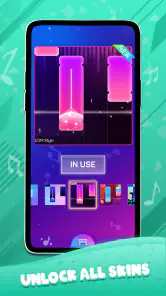
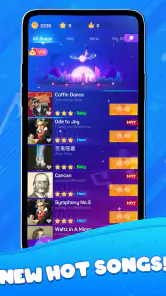
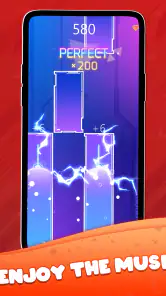
 Analysis by Frivlyz
I approach Magic Piano Rush - Music Star as a quick, hands-on rhythm game rather than a substitute for learning piano. Its appeal is immediate: follow the music, tap the moving notes, and see how steadily you can keep pace. That makes it easy to try during a short break, though the same simplicity means it may not satisfy someone looking for lessons, free-form playing, or a deep music-making toolkit.
Where a first session can feel confusing
The basic idea is easy to understand, but a rhythm game can still feel unforgiving when your timing slips. If a song suddenly seems harder, I would first treat that as a change in the playing challenge rather than a sign that the controls are broken. As the pace and note patterns become more demanding, a run that felt comfortable a moment ago can require much more concentration.
My practical advice is to begin with a song whose rhythm feels familiar, then focus on keeping a steady pattern instead of trying to react to every note at the last possible moment. Familiar music gives your ears a useful reference, while a slower, calmer start helps you work out how the screen’s notes relate to the beat. If you keep missing the same section, pause between attempts and notice whether you are rushing, hesitating, or losing your place when the pattern changes.
It also helps to separate “I enjoy this song” from “this is a good song for learning the controls.” A favorite track may be tempting, but a busy rhythm can make an early attempt feel harder than it needs to. For a first go, choose something that lets you concentrate on timing; return to the trickier choice once tapping feels more natural. That small change in approach can make the game feel less like a reflex test and more like a rhythm challenge you can improve at.
The Musical Experience
Magic Piano Rush - Music Star is an engaging rhythm game that combines the thrill of making music with the challenge of keeping up with the beat. Available on both Android and iOS, this game has captured the hearts of music lovers and casual gamers alike. Let’s dive into what makes this app a symphony of fun.
Magic Piano Rush - Music Star immerses you in a universe where your fingers dance across the screen, hitting the right notes at the perfect time. When I first launched the app, I was greeted by an intuitive interface that just screams “tap me!” The game features a vast library of songs ranging from classical masterpieces to today's pop hits, ensuring that there’s something for everyone. Whether you’re a fan of Chopin or Ariana Grande, you’ll find a tune to groove to.
The gameplay is straightforward yet addictive. You tap on the piano tiles as they scroll down the screen to the rhythm of the music. As you progress, the speed and complexity increase, testing your reflexes and musical ear. I found myself getting lost in the rhythm, striving to hit every note perfectly. The satisfaction of completing a song without missing a beat? Absolutely euphoric!
Gaming Stories You May Enjoy

Dancing Road Turns Short Breaks Into a Test of Rhythm and Timing

Super Stylist Makes Every Outfit a Test of Taste and Patience

Dominoes on Your Terms: Who Should Play and Who Should Pass

Pokémon GO Makes the Familiar World Feel New

Chess.com Turns Rematches Into Rivalries, but Community Has Its Costs

Archery Battle 3D Review: Sharp Aiming, Unclear Feedback
Making the game fit everyday life
This is a natural pick for a short wait when you want something more engaging than scrolling but do not have time to settle into a longer game. I can imagine playing one song while waiting for a friend, then putting the phone away without needing to remember a complicated story or manage a long session. The format also suits a quiet break at home, especially if you want an activity that asks for attention without requiring a full setup.
There is a useful trade-off here: the simple tap-and-follow loop makes it easy to return after a few days away, but it does not turn the session into piano practice. You may sharpen your sense of timing and hand-eye coordination, yet the game is not a keyboard lesson and should not be treated as a way to learn fingering or read sheet music. If your goal is to play real pieces on an instrument, a structured music-learning app or actual keyboard practice is a better fit.
For a fair test, I would try a few different songs rather than judging the whole experience by the first one. A track’s familiarity can make the timing feel intuitive, while an unfamiliar arrangement may put more emphasis on watching the tiles. That contrast helps you tell whether you enjoy the core rhythm challenge itself or mainly like hearing music you already know.
Features That Hit the Right Note
One of the standout features of Magic Piano Rush - Music Star is its multiplayer mode. Competing against friends or random players from around the world adds a competitive edge that keeps the adrenaline pumping. It’s not just about playing music; it’s about outperforming your opponents and climbing the leaderboards.
Another feature that I particularly enjoyed is the customization options. You can personalize your piano with different skins and effects, making each play session feel fresh and exciting. Plus, the app regularly updates its song library, so there’s always something new to discover.
Setup checks before blaming the taps
When a music game feels out of sync, it is tempting to assume that every missed note comes from poor timing or a faulty touch response. I would check the basics first: make sure the device is responding normally to taps, close anything that is making the phone unusually sluggish, and try again when the screen is clean and your hands are dry. Those are general checks, not special settings; they simply help rule out everyday device friction.
If the audio seems interrupted or the game does not behave as expected, fully closing and reopening it is a sensible first reset. If the problem continues, restart the device and check that the game is up to date. The current release is version 1.0.19, and the game comes from Remaster Games. On Android, the stated minimum operating system is 5.1, so an older device should be checked against that requirement before installation.
For a steadier session, I would also avoid switching between several demanding apps while playing. Rhythm depends on concentration, and interruptions can make a perfectly manageable song feel erratic. If you play with sound, keep the volume at a comfortable level so the beat is clear without becoming tiring; if you prefer to play quietly, remember that relying on visual timing may feel different from following the music.
Workflow recovery when a run goes wrong
A missed note does not always mean the whole attempt is lost. I find it more useful to keep following the pattern than to dwell on one mistake; looking back mentally can make the next few taps late as well. If the run becomes frustrating, restart with an easier-feeling song instead of repeating the same difficult section immediately. The goal is to learn the rhythm of the interaction, not to prove you can force a perfect result on demand.
In multiplayer, treat each round as a separate challenge rather than a verdict on your ability. Competition can make quick sessions lively, but it can also push you to tap faster than the music calls for. For a relaxed play session, stick with solo attempts; choose multiplayer when you actually want the pressure of comparing your performance. That distinction helps the game work for both casual play and a more competitive mood.
If access to a song or an option surprises you, check what the game is asking for before committing to a purchase. The game is free to download, but it includes in-app purchases priced from $7.99 to $19.99 per item. I would treat those as optional spending and decide based on what you have already enjoyed, rather than buying something just because a particular song or customization catches your eye in the moment.
When the game may not be the cause
Timing can feel inconsistent for reasons beyond the game itself. A noisy room makes it harder to hear the beat, a screen covered in smudges can interfere with comfortable tapping, and fatigue can dull reactions during a fast sequence. Before deciding that a song is unfair, try it in a calmer moment and compare how it feels. If the experience improves, the surroundings or your attention may have been the bigger obstacle.
It is also worth considering what kind of music game you actually want. Compared with music apps built around listening, this one asks you to actively follow a visual rhythm. Compared with rhythm games that emphasize a broader range of instruments or elaborate progression, its piano-tile presentation keeps the focus on quick taps and song performance. That focused format is appealing when you want a direct challenge, but it is not the best choice if you want to compose, explore music theory, or simply listen without interacting.
The game is rated for Everyone, which makes its basic presentation approachable for a broad audience, but I would still think about how a particular player handles speed and competition. Someone who dislikes repeated attempts may find the increasing challenge tiring, while a child who enjoys music-themed tapping may appreciate the straightforward premise. For shared play, I would let the player try a short session first rather than assuming that a music theme alone will suit every age or temperament.
Sound and Visuals
Let’s talk about the sound quality. It’s top-notch. The game delivers crisp and clear audio that makes you feel like you’re playing on a grand piano. Coupled with vibrant visuals and smooth animations, the overall experience is immersive. The developers have done an impressive job of ensuring that both the sound and graphics enhance the gameplay rather than distract from it.
If I had to nitpick, I’d say that some songs are locked behind a paywall, which might be a bummer for those who prefer a completely free experience. However, given the quality and variety of content available for free, it’s a small price to pay for such an entertaining app.
Who should choose it—and who should pass
I would recommend it to someone who likes short, score-focused challenges, recognizes the pleasure of hitting a rhythm cleanly, and wants a music game that can be picked up without a lengthy introduction. Its audience is already substantial, with over a million installs and an average rating of 4.4 from around a thousand ratings. Those figures suggest broad interest, but they do not guarantee that its pace or song selection will match your taste.
I would skip it if your main reason for downloading is to learn piano technique, play freely, or avoid pressure from increasing difficulty. I would also think twice if you want every song and customization option to be available without spending: the free starting point is convenient, but optional purchases are part of the experience. If you mostly want background music, a streaming app is more suitable; if you want to practice an instrument, a lesson-focused tool is more purposeful.
Final Thoughts
In conclusion, Magic Piano Rush - Music Star is a delightful app that’s sure to please music lovers and gamers alike. Its combination of challenging gameplay, a wide variety of songs, and engaging features make it a must-try. Whether you’re looking to kill time or seriously improve your rhythm skills, this app is a fantastic choice. So, why not give it a whirl? You might just find your new favorite pastime!
My more practical verdict is that it works best when you treat it as an accessible rhythm diversion, not a promise of musical training. Remaster Games has made a free music game that is easy to understand, while the rising challenge, multiplayer competition, customization, and optional purchases give players different reasons to keep returning. The release date is December 6, 2023, and its current version is 1.0.19; the rating remains Everyone.
Before downloading, ask yourself one simple question: do you want to tap along and chase a cleaner run, or are you looking for a deeper music tool? If it is the first, this is worth trying, especially if you enjoy brief attempts and can accept that some content costs extra. If it is the second, I would choose a piano-learning or composition app instead. That distinction is the clearest way to know whether this game will fit your phone and your free time.
Magic Piano Rush - Music Star Pros and Cons
Pros
- Offers a vast library of popular songs.
- User-friendly interface for easy navigation.
- Real-time multiplayer mode available.
- High-quality sound effects and music.
- Regular updates with new songs and features.
Cons
- Contains ads that can be intrusive.
- Requires internet connection for some features.
- Limited offline song availability.
- In-app purchases can be expensive.
- Occasional lag during gameplay.
Frequently Asked Questions
What is Magic Piano Rush - Music Star?
Magic Piano Rush - Music Star is an engaging rhythm-based music game that allows players to enjoy a variety of popular songs by tapping along to the beat on a virtual piano. Players can experience the thrill of being a music star by playing their favorite tunes and challenging themselves to improve their timing and accuracy.
How do I play Magic Piano Rush - Music Star?
To play Magic Piano Rush - Music Star, players need to tap on the black piano tiles as they appear on the screen in sync with the music. The game requires quick reflexes and precise timing to hit the right notes. Missing a tile will end the game, so players must focus and try to achieve the highest score possible.
Is Magic Piano Rush - Music Star free to play?
Yes, Magic Piano Rush - Music Star is free to download and play. However, the game may offer in-app purchases that allow players to unlock additional songs or features. These purchases are optional, and players can enjoy the core game experience without spending money.
What types of music are available in Magic Piano Rush - Music Star?
Magic Piano Rush - Music Star features a wide range of music genres, including pop, classical, rock, and more. The game regularly updates its song library, ensuring that players have access to the latest hits as well as timeless classics. This variety allows players to explore different musical styles and find their favorites.
Can I compete with friends in Magic Piano Rush - Music Star?
Yes, Magic Piano Rush - Music Star offers social features that allow players to compete with friends and other players worldwide. Players can challenge each other's scores, participate in online leaderboards, and share their achievements. This competitive aspect adds an exciting dimension to the game, encouraging players to improve their skills.


