

Macabre Color Paint By Number
- Reviews
- 4.7
- Version
- 1.2.1
- Installs
- 500,000+

Screenshots
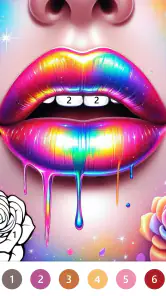
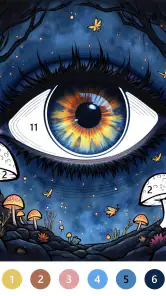
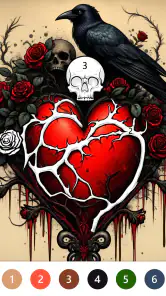
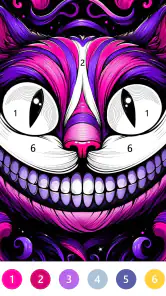
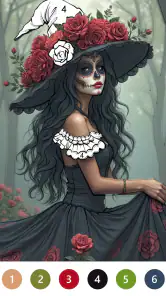
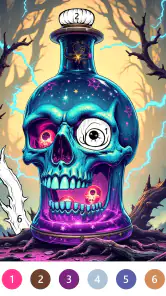
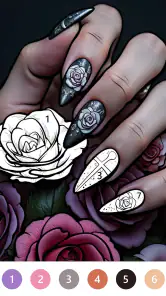
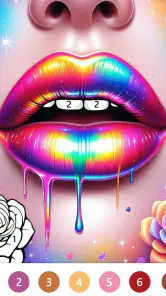
 Analysis by Frivlyz
Choosing a digital coloring game is less about finding the most elaborate art tool and more about knowing what kind of quiet activity you actually want. I look for a clear theme, an easy way to work through small spaces, and a pace that lets me stop without feeling I have to turn the session into a project. Macabre Color Paint By Number is aimed at people who enjoy paint-by-number puzzles with an eerie visual mood rather than a broad collection of unrelated subjects. That focus gives it character, though it also makes taste the first decision: if spooky imagery is not your thing, the central appeal may wear thin quickly.
Start with the mood, not the mechanics
This is a board game built around filling numbered parts of an illustration with matching colors. The basic idea is familiar, so the more useful question is whether its macabre theme makes the routine enjoyable for you. I found the appeal comes from pairing a low-pressure coloring task with images that feel more atmospheric than cheerful. You do not need drawing experience, and the numbered areas give each picture a straightforward path from unfinished outline to completed scene.
It is also worth deciding what you want from a coloring app. If your goal is to invent a picture, mix colors freely, or practise brush technique, a blank-canvas art app is a better fit. Here, the structure does the planning for you; the satisfaction is in spotting the right section and completing it. That makes the game approachable when I want a small, contained activity, but less suited to anyone who sees constraints as the opposite of creativity.
What the spooky theme adds
The template selection is described through macabre subjects such as skulls, haunted buildings, and mysterious woodland scenes. That gives the collection a more coherent identity than a general-purpose coloring library. It is a good match for someone who enjoys gothic decoration, seasonal horror imagery, or simply wants artwork that feels unusual without being difficult to work on. I would not assume that the theme means the game is frightening: the draw is the atmosphere and subject matter, not a demanding horror challenge.
Small numbered spaces can be fiddly on a phone, so the zoom function matters in practical use. I use it as a precision aid rather than trying to tap tiny regions at normal scale, especially when working around crowded details. A useful habit is to zoom out now and then to check the overall composition, then return to close-up work; staying magnified for too long can make it harder to see how the picture is coming together. The palette is designed to match the images, keeping the task focused on placement rather than choosing colors from scratch.
When another kind of coloring game is better
Compared with broad coloring apps, this one makes a narrower promise: its appeal depends on wanting macabre imagery. A general collection is the safer choice for a household with varied tastes or for someone who wants flowers, landscapes, animals, and other subjects alongside darker scenes. A free-drawing app is better for experimentation, while a more puzzle-heavy board game may suit players looking for rules, competition, or strategic decisions. This experience sits closer to a calm, guided coloring pastime than to those alternatives.
That distinction helps set expectations about replay value. The numbered process is intentionally simple, and the pleasure is mainly in the image, the steady progress, and the finish. If you need frequent mechanical changes to stay interested, the same routine could feel repetitive. I would treat it as something to pick up for a short break or a relaxed evening, not as a substitute for a deep art editor or a complex game.
Gaming Stories You May Enjoy

Dancing Road Turns Short Breaks Into a Test of Rhythm and Timing

Super Stylist Makes Every Outfit a Test of Taste and Patience

Dominoes on Your Terms: Who Should Play and Who Should Pass

Pokémon GO Makes the Familiar World Feel New

Chess.com Turns Rematches Into Rivalries, but Community Has Its Costs

Archery Battle 3D Review: Sharp Aiming, Unclear Feedback
A realistic way to use it is to open a picture while waiting for a meal to cook, complete a few sections, and put the phone down when attention is needed elsewhere. Because the activity is divided into small areas, it lends itself to brief sessions rather than requiring a long, uninterrupted stretch. For a calmer session, I would keep the phone at a comfortable brightness and use the zoom selectively; tiny details are easier to handle when the screen is clear, but constant close-up navigation can make a quick break feel more laborious than it needs to be.
Getting Started with a Splash
So, first things first, downloading Macabre Color Paint By Number was a breeze, and within minutes, I was ready to dive into the eerie world of colors and numbers. The app has this wickedly cool interface that immediately sets the tone for a spooky yet delightful painting session. It’s like Halloween came early, and I’m all for it!
A Palette of Terror and Wonder
The app offers a wide array of macabre-themed templates to choose from. Whether it's creepy skulls, haunted mansions, or mysterious forests, there’s something for every vibe. Each template is broken down into numbered sections, and your task is to fill them in with the corresponding colors. Simple, right? But oh-so-satisfying!
One feature I found really handy is the zoom function. If you’ve got clumsy fingers like mine, you’ll appreciate how easy it is to zoom in on those tiny details. It’s like having a magnifying glass for your fingers, ensuring each section is painted with precision. Plus, the color palette is spot on, offering shades that perfectly match the spooky themes.
Immersive Experience
What really sets this app apart is the immersive experience it provides. As you paint, there’s this eerie background music that plays, adding an extra layer of ambiance to the whole process. It’s almost like being in a gothic art gallery, except you’re the artist. The sound effects are subtle yet effective, making each brushstroke feel like you’re adding a piece to a grand masterpiece.
Another thing I noticed is how relaxing it is. Seriously, if you’ve had a long day and need to unwind, this app works wonders. It’s a perfect escape from reality, allowing you to focus solely on creating something beautiful, albeit a little spooky.
Moving from a quick session to a finished picture
One practical question is whether the game works best as a brief distraction or something to settle into. I think it can serve both purposes, but the experience changes with the session. A few taps are enough to make visible progress when you have spare minutes; completing a picture is more satisfying when you can give it attention and enjoy the transformation. If you are interrupted, the numbered format makes it easy to return to the task: you can orient yourself by the unfinished regions rather than having to remember a complicated sequence.
For a more deliberate workflow, I would first scan the whole illustration, then work through larger or easier-to-identify sections before zooming in on dense details. That is not a special mode, just a way to keep the process comfortable and maintain a sense of progress. It also helps prevent the picture from becoming a string of tiny taps with no visible payoff. When accuracy matters more than speed, zoom in; when your eyes need a break, zoom out and look at the scene as a whole.
The sound is part of the mood, but it will not suit every setting. I would use the game quietly in a shared room or while listening to something else, rather than expecting its music to carry an entire evening. If ambient audio is what makes coloring relaxing for you, the eerie soundtrack and effects add atmosphere. If you prefer silence, the visuals and numbered routine remain the main attraction, so the experience does not have to depend on sound to make sense.
Who will enjoy the routine—and who may not
I would recommend it to a friend who likes dark illustration, wants a guided activity, and finds satisfaction in completing small visual tasks. It is also a reasonable choice for someone who is curious about coloring but does not want to buy physical supplies or learn a drawing workflow first. The content rating is Everyone, and that broad age label makes it accessible as a casual pastime; in practice, the macabre theme is still a matter of personal preference, so I would choose it based on the imagery the player enjoys.
I would steer away from it if you dislike paint-by-number structure, expect open-ended art tools, or want a game built around tactics and head-to-head play. It may also be a poor choice if you quickly tire of tapping sections one by one. The same repetition that makes the activity easy to pick up can become the main limitation during a long session. For those players, a freeform drawing tool or a board game with more varied decisions will offer a stronger reason to keep returning.
There is a small but useful distinction between “relaxing” and “effortless.” This is gentler than a demanding puzzle, but tiny spaces still call for attention, and the zooming itself can interrupt the flow. I would not choose it when I need to keep my eyes off the screen or want a hands-free background activity. It works best when I can give the image a little focus without needing to treat every section as a test of precision.
Version, value, and the cost of switching
Art Coloring Group develops the game, which is free to download, with optional in-app purchases listed from $0.99 to $59.99 per item. That range is worth keeping in mind before settling into it: the initial download does not mean every possible purchase is included. I would begin by trying the free experience and only consider paying if I understand what an offered item adds and know I want it. There is no need to make a purchase simply to decide whether the theme and coloring rhythm suit you.
The game has a 4.7 average from around 6,500 ratings, with about 943 written reviews, and has passed 500,000 installs. Those figures suggest that plenty of players have tried it and that the audience response is strong, but they cannot tell you whether you personally enjoy this particular art style. It was released on March 13, 2024, and version 1.2.1 is the current version. It requires OS 7.1 or later, so checking your device’s software compatibility before downloading is a sensible first step.
Switching to a different coloring app is easy in principle, but there is a practical cost: a broad alternative may offer more subject variety while losing the focused gothic mood that gives this game its identity. Conversely, if you have already learned that the numbered format feels repetitive, changing to another paint-by-number title may not solve the real problem. I would switch categories rather than merely switch titles: choose free drawing for control, a varied coloring library for broader subject matter, or a strategy-focused board game for more active decisions.
Final Thoughts
All in all, Macabre Color Paint By Number is a unique and engaging app that offers more than just a coloring experience; it’s a journey into a world of artistic expression with a touch of the macabre. Whether you’re a seasoned artist or someone who just wants to dabble in painting without the mess, this app is worth checking out. It’s fun, it’s relaxing, and above all, it’s a fantastic way to let your creativity shine, even if it’s in the spookiest way possible!
My recommendation in plain terms
I would try it if the macabre art style is what you are looking for and a guided, low-pressure coloring routine sounds appealing. Its strongest case is the combination of themed templates, numbered regions, zoom for detail, and atmospheric sound; those elements give a simple activity a consistent personality. I would skip it in favor of a broader coloring library or a creative drawing app if variety and freedom matter more than a cohesive spooky look. As a casual board-style coloring game, it knows its lane, and it is most enjoyable when you want exactly that.
Macabre Color Paint By Number Pros and Cons
Pros
- Easy-to-use interface for all ages.
- Variety of intricate designs available.
- Offline mode for uninterrupted play.
- Regular updates with new patterns.
- Relaxing and stress-relieving experience.
Cons
- Contains ads that can be intrusive.
- Limited color palette in free version.
- Lacks social sharing features.
- Occasional lag on older devices.
- In-app purchases for premium features.
Frequently Asked Questions
What is Macabre Color Paint By Number?
Macabre Color Paint By Number is a unique coloring app that allows users to engage with macabre-themed illustrations. The app provides a relaxing and creative outlet for users by offering a wide range of eerie and gothic images to color using a simple paint-by-number system. It's designed for both casual users and art enthusiasts who enjoy dark and mysterious themes.
How does the paint-by-number system work in this app?
In Macabre Color Paint By Number, each illustration is divided into several numbered sections. Users select colors that match the numbers to fill in the sections. This method simplifies the coloring process, making it easy for anyone to create detailed and vibrant artworks without needing advanced artistic skills. The app ensures a satisfying and stress-free coloring experience.
Is Macabre Color Paint By Number suitable for children?
While Macabre Color Paint By Number is primarily designed for adults due to its eerie and gothic themes, it may be suitable for older children who are comfortable with such imagery. Parents should review the content first to decide if it aligns with their child's interests and sensitivities. The app is generally not recommended for young children due to its mature themes.
Are there any in-app purchases or subscriptions required?
Macabre Color Paint By Number offers a range of free images to color, but it also includes optional in-app purchases. Users can buy additional image packs or subscribe for premium access, which provides an ad-free experience and exclusive content. These purchases enhance the app but aren't necessary for enjoying the basic features.
Can I share my completed artworks on social media?
Yes, Macabre Color Paint By Number allows users to share their completed artworks directly to social media platforms. This feature makes it easy for users to showcase their creativity and connect with a community of like-minded individuals who appreciate macabre and gothic art. Sharing options typically include platforms like Instagram, Facebook, and Twitter.


