

M64Plus FZ Pro Emulator
- Reviews
- 4.9
- Version
- 3.0.332 (beta)-pro
- Installs
- 100,000+

Screenshots
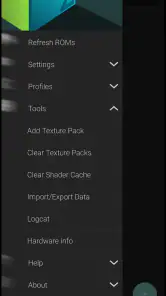
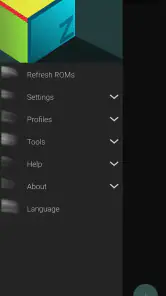
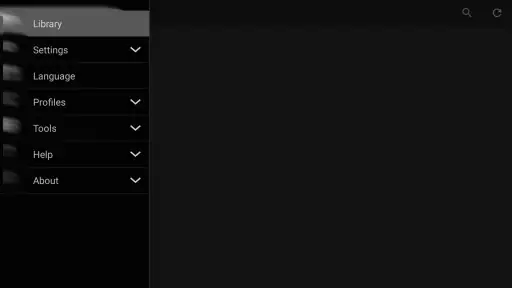
 Analysis by Frivlyz
I approach a console emulator a little differently from a regular arcade game: the app is only one part of the experience, and your own game files, device, and controls matter just as much. M64Plus FZ Pro Emulator is an Android option for revisiting Nintendo 64 games, and I find its appeal easy to understand if you already have a particular game in mind and want to play it away from a television. It is a paid app at $3.99, rated for Everyone, and developed by Francisco Zurita. Its online cloud backup is a meaningful part of the package, though it does not remove the need to think about how you organize your games and saves.
What the first session feels like
The first impression is less about being handed a game and more about preparing a small personal library. You need compatible game files before the emulator can be useful, so this is not the simplest choice for someone who expects to install an app and immediately start playing a collection. That extra step can feel like a hurdle, but it also makes the experience appealing to people who already keep their own games organized and want a single Android place to run them.
I would also separate the emulator’s promise from any one game’s performance. Nintendo 64 titles can behave differently from one another, and a result that feels smooth with one game does not guarantee the same experience with every other one. My practical advice is to test the specific game you care about first, then decide whether the controls and presentation work for you before investing time in a long playthrough.
A Blast from the Past
Remember those lazy afternoons spent playing your favorite N64 games? Well, the M64Plus FZ Pro Emulator brings all those nostalgic moments back to life on your Android phone. This emulator is designed to run almost all of the Nintendo 64 titles that you loved. With its extensive compatibility, you can relive the magic of games like Zelda, Mario Kart, and much more.
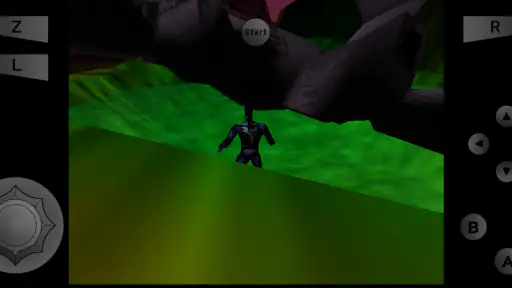
That familiar library is also what gives the app its mood. The emulator does not impose a new art style or setting on those games; it gives their original visual language room to come through on a smaller screen. A broad landscape, a character silhouette, or a bright track can still carry the same sense of place, but phone size changes how much of the scene you notice. I prefer a larger display for games that depend on reading distant details, while a familiar, colorful game can be easier to enjoy during a short handheld session.
Setting Up
Setting up the emulator is pretty straightforward. Once you’ve downloaded it, all you need to do is load your game ROMs, and you're good to go. The app supports various file formats, making it super flexible. And the best part? It’s optimized for Android, so you don't need a high-end device to enjoy smooth gaming sessions.
For a tidier setup, I would keep a small, clearly named group of game files rather than dumping every file into one folder. That makes it easier to find the title you actually want to play and reduces the chance of mistaking one version for another. I would also do an initial launch while connected to a reliable network if I planned to use cloud backup, then check that a save is present before relying on it during travel. Cloud storage is most useful when treated as a backup routine, not as a substitute for checking that a particular game’s progress has been preserved.
Gaming Stories You May Enjoy

Dancing Road Turns Short Breaks Into a Test of Rhythm and Timing

Super Stylist Makes Every Outfit a Test of Taste and Patience

Dominoes on Your Terms: Who Should Play and Who Should Pass

Pokémon GO Makes the Familiar World Feel New

Chess.com Turns Rematches Into Rivalries, but Community Has Its Costs

Archery Battle 3D Review: Sharp Aiming, Unclear Feedback
User Interface & Experience
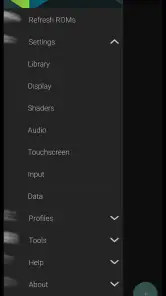
The user interface of the M64Plus FZ Pro Emulator is clean and intuitive. Navigating through the app is a breeze, even for beginners. The developers have done a commendable job in keeping it simple yet functional. Plus, with customizable controls, you can tailor your gaming experience just the way you like it.
Touch controls are convenient, but they are not automatically comfortable for every N64 game. A title that asks for quick camera adjustments or several simultaneous inputs can make fingers cover useful screen space. I would start by moving the virtual controls only as much as needed, then try a short section of the game before changing everything at once. That small, deliberate adjustment makes it easier to tell whether the problem is the layout, the game’s original control design, or simply the difference between a touchscreen and a physical controller.
If you already own a compatible external controller, it may be the better choice for longer sessions or games that rely on precise movement. The trade-off is portability: touch input means one device and less to carry, while a controller can make familiar games feel closer to their original form. This is a useful distinction when deciding whether the app fits a commute, a quick break, or a relaxed session at home.
Performance and Features
Performance-wise, this emulator doesn't disappoint. It handles most games with ease, delivering crisp graphics and responsive controls. There’s also support for cheat codes if you’re into that sort of thing. The app supports external controllers, which is a blessing for those who prefer a more traditional gaming experience.
As an arcade-style way to revisit older games, it differs from the usual pick-up-and-play mobile game. A typical arcade app puts its own content and controls in front of you straight away; here, the attraction is access to a library you bring yourself, and the setup asks for more patience. In return, you get the option to choose a familiar adventure or racing game rather than being limited to a new game’s built-in progression. If you want instant rounds with no file preparation, a conventional mobile arcade game is the easier fit. If you want a particular N64 experience on Android, this emulator makes more sense.
The version shown as 3.0.332 (beta)-pro is a reminder that the build is identified as beta. I would treat that as a reason to keep expectations practical: test the titles you care about, and avoid assuming every game will run identically. The app has a 4.9 average from around 9.9K ratings, with roughly 535 written reviews and over 100K installs, which suggests substantial interest, but those figures cannot tell you how a specific game will behave on your own phone. It requires Android 6.0 or newer, so checking your device’s software before paying is a sensible first step.
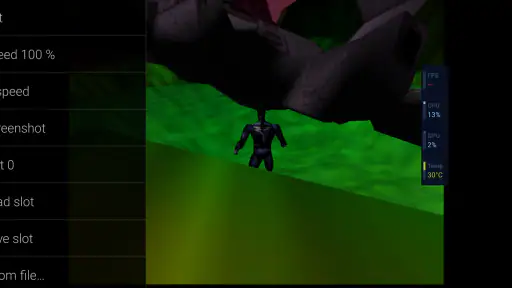
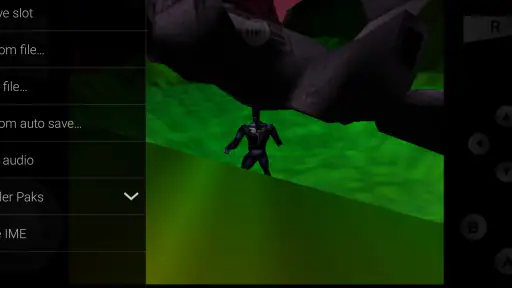
Cheats and save states are useful in different ways. Cheats can help when you want to experiment or get past a frustrating section, but they can also change the balance of a game that was designed around gradual progress. I would keep them as an optional tool rather than turning them on by default. Save states are better suited to interruptions: they let you pause a session at a convenient point without waiting for an in-game save opportunity. For a longer game, I would still use its ordinary save system too, where available, so progress is not tied solely to one emulator state.
One feature I particularly appreciated was the ability to save game states. This means you can pick up right where you left off, without having to start over. Talk about convenience!
A realistic use for that feature is a short evening session: I might play for a few minutes after dinner, save when I need to put the phone down, and return later without planning around a level’s endpoint. That convenience is especially valuable on a handheld device, where interruptions are common. The flip side is that a save state is a snapshot, not a replacement for thoughtful save management. I would keep cloud backup enabled as an additional safeguard and make sure the intended progress is actually backed up before switching devices or clearing app data.
One question many people have is whether this replaces owning or sourcing the games themselves. It does not turn the app into a bundle of Nintendo 64 titles; you need to provide the game files you intend to use. That makes it a better match for people who understand that distinction and already have a legitimate way to access their games, rather than someone looking for a ready-made catalog. Another practical question is whether cloud backup makes setup effortless across devices: it can help preserve data, but I would still verify a save after setup instead of assuming every transfer is automatic.
Community and Support
The developers behind M64Plus FZ Pro Emulator are quite active and continuously work on updates to enhance performance and fix any bugs. There’s a robust community of users who share tips and tricks, making it easier for newcomers to get the hang of things. If you ever run into issues, there's plenty of support available.
For troubleshooting, I would change one thing at a time. If a game looks or feels wrong, first check whether the issue happens consistently in that title, then try a different control arrangement before making broader changes. This avoids turning a small compatibility quirk into a confusing setup problem. Community advice can be useful, but the most relevant tips are usually tied to the same game and a similar device, so I would treat general recommendations as a starting point rather than a guarantee.
This is a strong fit for curious retro players who enjoy configuring a library, people who want to revisit a few specific N64 favorites, and anyone who values portable play with save states and cloud backup. It is less suitable for someone who wants a no-setup mobile game, expects every title to behave perfectly, or dislikes touch controls and has no external controller. The $3.99 price is easiest to justify when you already know what you want to play; if you are only vaguely interested in retro gaming, a simpler arcade app may be a lower-friction way to find out whether the hobby suits you.
How the mood holds together
The atmosphere here comes from the games you choose, not from a new soundtrack or a campaign created by the emulator. That distinction matters: the app’s job is to make older play sessions accessible, while the original games supply their own worlds, sounds, and pacing. A race can still feel lively in a quick burst, whereas an exploration-heavy game may ask for more attention than a phone-sized session allows. I find the best approach is to match the game to the moment instead of expecting every classic to work equally well as casual background play.
Sound is part of that choice. Playing through a phone speaker is convenient, but a quiet room or headphones can make familiar audio cues easier to follow without changing the game itself. I would also consider where I plan to play before choosing a title: a quick race suits a noisy break better than a story moment that depends on listening and concentration. These are small decisions, yet they help the emulator feel like a deliberate way to revisit a game rather than merely running it on a different screen.
In conclusion, whether you’re a hardcore Nintendo 64 fan or just someone looking to experience some classic games, the M64Plus FZ Pro Emulator is a fantastic choice. It brings together nostalgia and modern technology, offering a gaming experience that’s both familiar and fresh. So why wait? Dive back into the world of N64 games and let the good times roll!
My recommendation is enthusiastic but specific: I would choose it for the freedom to bring a favorite N64 game to Android, not because it removes every bit of setup or makes every title feel native to a touchscreen. Its strongest qualities are the ability to tailor controls, use an external controller, save states, and keep cloud backup in the picture. Its main compromises are the need to organize your own game files and the fact that control comfort and performance are best judged title by title. If that balance sounds right, it is a useful way to make a familiar game fit into an ordinary day; if instant access and zero configuration matter more, another kind of mobile game will suit you better.
M64Plus FZ Pro Emulator Pros and Cons
Pros
- High compatibility with N64 games.
- Customizable control layout.
- Supports save states.
- Good performance on modern devices.
- Frequent updates and improvements.
Cons
- May require BIOS files to operate.
- UI can be complex for beginners.
- Not all games run perfectly.
- Ads in the free version.
- Limited support for multiplayer.
Frequently Asked Questions
What is M64Plus FZ Pro Emulator and what platforms does it support?
The M64Plus FZ Pro Emulator is a highly effective emulator for Android devices that allows users to play classic Nintendo 64 games. It supports a wide range of Android devices, offering a seamless gaming experience for those nostalgic for N64 games. The emulator is designed to run on Android operating systems, making it accessible to a large number of mobile users.
What are the system requirements for running M64Plus FZ Pro Emulator smoothly?
To run M64Plus FZ Pro Emulator smoothly, your Android device should ideally have at least 2GB of RAM and a quad-core processor. The emulator also requires Android version 5.0 (Lollipop) or higher. Having these specifications ensures better performance and a smoother gaming experience without significant lag or crashes during gameplay.
Does M64Plus FZ Pro Emulator come with pre-installed games?
No, M64Plus FZ Pro Emulator does not come with any pre-installed games. Users are required to source their own ROM files to play games. It’s important to note that downloading ROMs of games you do not own is illegal, and users should only use ROMs of games they own physically to stay within legal boundaries.
Can I use external controllers with M64Plus FZ Pro Emulator?
Yes, M64Plus FZ Pro Emulator supports the use of external controllers. This feature enhances the gaming experience by allowing users to connect Bluetooth controllers to their Android devices, providing a more authentic console-like experience. Ensure your controller is compatible with your device and properly configured in the emulator settings for optimal performance.
How do I configure and optimize the settings for the best performance in M64Plus FZ Pro Emulator?
Configuring and optimizing settings in M64Plus FZ Pro Emulator involves adjusting video and audio settings to match your device’s capabilities. Users should try different video plugins and tweak the resolution settings for smoother gameplay. Additionally, enabling frame skip can help reduce lag. Exploring the emulator’s settings menu will provide options to enhance performance and tailor the gaming experience to your preference.


