

M64Plus FZ Emulator
- Reviews
- 4.7
- Version
- Varies with device
- Installs
- 10,000,000+
Screenshots

 Analysis by Frivlyz
I approached M64Plus FZ Emulator as a practical way to revisit a certain 64-bit console through an Android arcade-style experience, rather than as a modern game with its own campaign or progression system. That distinction matters immediately: the application is an emulator, so its value depends on how comfortably it helps you run games you already own and how well its controls, menus, and display options fit your device. My overall impression is positive, especially for players who want a focused solution instead of a broad all-in-one emulation package.
Francisco Zurita is the developer behind this free game, which sits in the Arcade category and is marked suitable for Everyone. It has been available since July 21, 2016, and its long presence is reflected in a 4.7 average from around 138 thousand ratings, with more than 10 million installs. Those figures do not replace hands-on judgment, but they do show that this is not an obscure experiment that only a few people have tried.
What using the emulator feels like in everyday play
The first thing I would clarify to a friend is that this is not a collection of console games bundled into one download. The short store description identifies it as M64Plus FZ Emulator, and the longer summary explains its purpose: emulation for a certain 64-bit console. In practice, that means the application is a tool. You bring the game files and the willingness to adjust the setup, while the emulator provides the environment in which those games can run.
That arrangement makes the app appealing to someone who already understands the difference between an emulator and a game launcher. If you expect to install it and instantly receive a ready-made library, you may find the first session less satisfying. If you already have legally obtained game files and want to play on an Android phone or tablet, the concept is much clearer. The app is best judged by its handling of that workflow, not by the number of built-in activities or rewards.
My favorite use case is a short, familiar session away from a television. A phone can turn a waiting period, a commute, or a quiet evening into a chance to revisit a game that works well with brief bursts of play. Arcade-style interaction suits that habit, although console titles vary widely in how comfortable they feel on a touchscreen. A game built around quick reactions may be manageable, while one that relies on several simultaneous buttons can make the phone screen feel crowded.
That is the first important trade-off. Portability is convenient, but a touchscreen is not automatically a replacement for a physical controller. I would begin with a game that does not demand precise analog movement, then adjust the on-screen layout before deciding whether the emulator is right for longer sessions. A small change in button placement can make the difference between a playable setup and one that constantly gets in the way.
Setting expectations before bringing in game files
The emulator itself is free, which removes the most obvious purchase barrier. You do not need to budget for an upfront app price just to test whether the interface suits you. However, “free” should not be confused with “everything is included.” The app is the running environment, not a replacement for obtaining games through legitimate means.
Gaming Stories You May Enjoy

Dancing Road Turns Short Breaks Into a Test of Rhythm and Timing

Super Stylist Makes Every Outfit a Test of Taste and Patience

Dominoes on Your Terms: Who Should Play and Who Should Pass

Pokémon GO Makes the Familiar World Feel New

Chess.com Turns Rematches Into Rivalries, but Community Has Its Costs

Archery Battle 3D Review: Sharp Aiming, Unclear Feedback
This also affects how I would recommend it to different people. A technically comfortable retro player may enjoy organizing files, trying settings, and learning which display arrangement feels best. Someone who wants a one-tap experience may prefer a conventional mobile port, where the game and controls have been designed together. The latter option can be less flexible, but it is often simpler because there is no emulator layer to configure.
There is another practical point: performance can vary from one Android device to another, and the experience can vary from one console game to another. I would not treat a smooth result with one title as a guarantee for every title. The sensible approach is to test the games you actually intend to play, rather than choosing the emulator solely because it is popular or highly rated.
Where progress comes from, and where pressure does not
Unlike a conventional arcade game, this application does not create its own progress loop for you. There is no reason to install it expecting daily missions, unlockable characters, or a built-in reward track. Your progress comes from the games you load, their own save behavior, and the way you manage your sessions. That can feel refreshingly direct, but it also means the emulator does not provide much motivation if you are looking for a self-contained challenge.
For me, that makes the app better suited to deliberate play than endless engagement. I can choose one title, play for a while, and stop without feeling that I have missed a limited-time reward. The pressure comes from the original game itself: difficult races, demanding platform sections, or the desire to improve a personal result. The emulator is the stage, not the source of that pressure.
A useful habit is to separate setup time from play time. I would create a small, clearly named collection of legally obtained files, test one title, and avoid changing several settings at once. When something feels wrong, changing one variable makes troubleshooting much easier. If you alter controls, display behavior, and performance options simultaneously, it becomes difficult to know which adjustment helped or caused a new problem.
Another non-obvious advantage is that the emulator encourages you to think about the kind of session you want. For quick play, a simple touchscreen layout and a saved position may be enough. For a longer session, a controller and a larger screen can make the same game feel much closer to its original format. I would not buy accessories solely for this app without first confirming that the games you care about benefit from them, but the option is valuable for people who already have compatible hardware.
The main limitation is that convenience depends on your willingness to maintain the arrangement. Files need to remain organized, controls may need to be revisited, and a device change can mean repeating part of the setup. A normal mobile release usually hides those chores. This emulator rewards ownership and curiosity, but it is not the most effortless route to retro play.
Fairness when spending is not the central mechanic
From a spending perspective, the clearest positive is that the application is free. It does not ask me to pay an entry price before I can evaluate its basic purpose. That makes experimentation easier, particularly for someone who already has a compatible Android device and legitimate game files.
I would still avoid describing the entire experience as cost-free in a broader sense. Your time has value, and emulator setup can require more patience than a standard mobile game. There may also be a practical cost if you decide that a controller or a larger display is necessary for the games you want to play, although those choices are separate from the app itself. The fair way to view M64Plus FZ Emulator is as a free tool that may reduce the software barrier, not as a promise that retro gaming requires no other resources.
There is no reason to approach it as a competitive spending environment. The application does not present itself as a multiplayer marketplace or a progression system where money should determine who advances. Any competitive fairness is more likely to come from the original console games and from the hardware used by each player. If two people are comparing results, differences in controllers, screen response, device performance, or configuration can matter more than the emulator’s price.
That is why I would be careful when comparing scores across devices. A result achieved with a physical controller may not be directly comparable with one achieved through touch controls. Likewise, a comfortable tablet layout can give a different experience from a small phone. This is not necessarily unfair design; it is a consequence of moving an older console experience into varied modern hardware.
For someone who dislikes aggressive monetization, the app’s free entry point is reassuring. For someone who expects every feature to be explained through a polished, guided onboarding flow, the lack of a traditional game structure may feel less welcoming. In my view, the fair exchange is straightforward: you get a focused emulator without an app purchase, and you contribute the effort needed to prepare and tune your own library.
Small workflow choices that make a real difference
I would keep the first test intentionally modest. Start with one game, confirm that it appears correctly in the emulator, and play long enough to check the controls rather than judging everything from the opening screen. This catches the most common source of disappointment: discovering too late that a particular title does not suit your chosen input method.
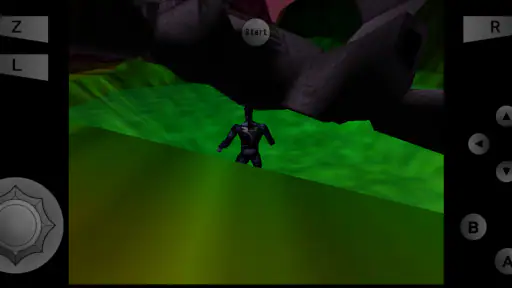
For touchscreen play, I would place the most frequently used controls where my thumbs naturally rest and leave enough separation to reduce accidental presses. A crowded layout is especially frustrating in games that require camera control and action buttons at the same time. If a title feels impossible, I would first question the control arrangement before blaming the entire emulator.
I would also use the device in the way I actually intend to play. Testing with the phone held horizontally is more useful if that is how I will play later. Testing only at a desk with a charger attached does not tell me much about a short handheld session. This sounds obvious, but it prevents a common mistake: optimizing for a setup that is convenient during configuration rather than one that is comfortable during ordinary use.
Finally, I would resist the urge to chase perfect settings before enjoying anything. An emulator can invite endless adjustment, and that can become a hobby separate from playing. My rule would be simple: change a setting only when I can identify a specific problem, such as uncomfortable controls or an image that is difficult to read. If the game already feels good, additional tweaking may add complexity without adding enjoyment.
What remains uncertain, and how I would handle it
Emulation is naturally more variable than a single-purpose mobile game. The phone model, operating system behavior, controller, screen size, and individual game can all influence the result. I would therefore treat broad enthusiasm as a reason to investigate, not as a guarantee that every title will behave identically on my device.
The same caution applies to the meaning of a high average rating. A 4.7 average and widespread adoption are encouraging, but they combine experiences from many different phones and many different expectations. Some users may value the emulator’s flexibility, while others may judge it by how quickly they can begin playing. Those are different standards, and both are reasonable.
I would also remember that the app’s age does not automatically make it unsuitable, nor does its long availability guarantee that it will match every current device perfectly. A mature emulator can benefit from years of attention, but modern hardware and software combinations still create their own variables. The practical test is whether the titles I care about run comfortably and whether I can live with the setup process.
If you are unsure about legality, the safest approach is to use game files you are entitled to use and to avoid treating the emulator as permission to download copyrighted material from random sources. That keeps the decision focused on the app itself instead of introducing unnecessary legal and security risks. I would never recommend sacrificing device safety or personal information just to obtain a game more quickly.
Who should choose it, and who should look elsewhere
I would recommend M64Plus FZ Emulator to an Android user who already enjoys retro console games, understands that an emulator needs separate game files, and is willing to spend a little time making controls comfortable. It is especially appealing if you want a portable option and prefer choosing your own library rather than accepting a fixed collection.
I would be more hesitant to recommend it to a newcomer who wants an instant, polished mobile experience. A conventional port is usually the better choice when one is available and when simplicity matters more than flexibility. It may offer controls designed for one specific game and eliminate the need to think about emulator configuration.
I would also skip it if your main goal is a competitive online environment, a modern reward system, or a game that supplies constant new content. This is a tool for accessing a particular console style of play, not a live-service arcade destination. Its strengths are control, portability, and the ability to revisit games on your own terms.
For parents, the Everyone content rating makes the app broadly approachable, but I would still pay attention to the individual games being used with it. The emulator’s rating does not describe every possible piece of content that a user may load. A family-friendly setup depends on the selected games and on how the device is shared.
My trust verdict after weighing convenience against effort
My final view is that this is a credible free emulator for a specific and clearly defined purpose. Francisco Zurita’s app has earned substantial attention, and the combination of a 4.7 average and over 10 million installs suggests that many Android users find the approach worthwhile. I see those figures as supporting context rather than a substitute for checking your own device and games.
The strongest reason to try it is not simply that it costs nothing. It is that the app can turn a personal collection of legally obtained console games into a portable library, while leaving you room to choose how you play. The weakest point is the same flexibility: you are responsible for the files, the setup, the controls, and the decision about whether your phone is comfortable enough for serious sessions.
My honest recommendation is to treat it as a free starting point for hands-on retro play, not as a magic one-tap replacement for a console. If you enjoy adjusting a setup once and then settling into familiar games, it is a strong choice. If you want a self-contained arcade game with instant content, predictable controls, and no preparation, a standard mobile release will probably serve you better.
M64Plus FZ Emulator Pros and Cons
Pros
- Accurate Nintendo 64 emulation for many popular games.
- Supports save states for quick progress recovery.
- Offers customizable on-screen controls and controller support.
- Includes useful graphics and performance settings.
- Can organize and scan games from local storage.
Cons
- Compatibility and performance vary considerably between games.
- Some advanced features require the paid Pro version.
- Setup can be confusing for users unfamiliar with emulators.
- Certain games may need per-title graphics adjustments.
- Mobile controls can feel cramped during fast-paced gameplay.
Frequently Asked Questions
What is M64Plus FZ Emulator, and which games can it run?
M64Plus FZ Emulator is an Android application designed to emulate Nintendo 64 games on compatible mobile devices. It can run many well-known N64 titles, including platformers, racing games, and fighting games, provided that you legally own the original games and create your own backup ROM files. Compatibility and performance vary depending on the game, device hardware, graphics settings, and emulator plugin selected.
Does M64Plus FZ Emulator include Nintendo 64 games or ROM files?
No. M64Plus FZ Emulator is an emulator, not a game store, and it does not legally provide copyrighted Nintendo 64 games for download. You generally need to obtain game backups from cartridges or other legally owned sources, according to the laws in your country. Users should also be careful with websites offering ROM downloads, as these files may be unauthorized, unsafe, or bundled with unwanted software.
Will M64Plus FZ Emulator work smoothly on every Android phone?
Not necessarily. The emulator performs best on relatively modern Android phones with a capable processor and graphics chip, while older or entry-level devices may experience slowdowns, audio crackling, graphical glitches, or crashes. During testing, performance can also depend on the selected graphics plugin and game profile. Adjusting resolution, frame rate, audio options, and other settings may improve results on weaker hardware.
What features and controls does M64Plus FZ Emulator offer?
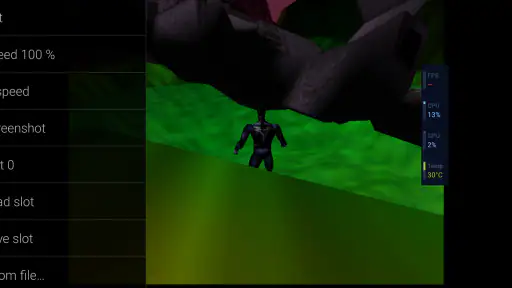
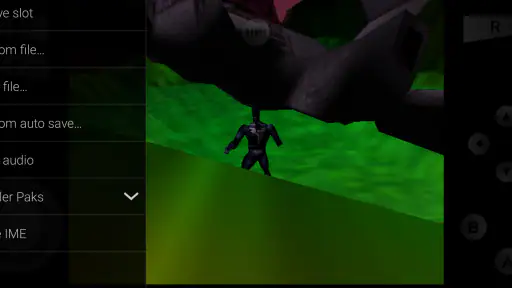
M64Plus FZ Emulator provides touchscreen controls, customizable button layouts, support for external Bluetooth or USB controllers, save states, memory card management, screen orientation options, and game-specific configuration profiles. These features make it easier to adapt the emulator to different games and playing styles. However, touchscreen controls can feel less precise than a physical controller, especially in fast platforming or racing games.
Is M64Plus FZ Emulator free, and are there any limitations to consider?
M64Plus FZ Emulator is available as an Android app, with features and availability depending on the version installed from the official store or another legitimate source. Some versions may include advertising or optional paid features, while compatibility is not guaranteed for every N64 game. Before downloading, users should check Android requirements, permissions, controller support, and whether their device has enough storage for legally created game backups.


