

LogicLike: ABC & Math for kids
- Reviews
- 4.5
- Version
- 2.109.0
- Installs
- 10,000,000+

Screenshots
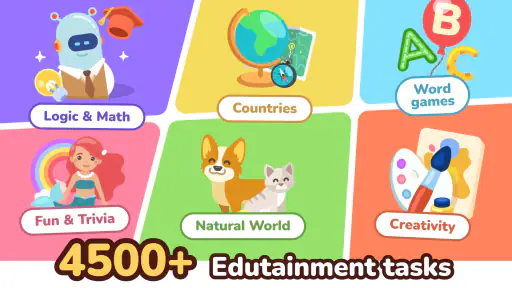
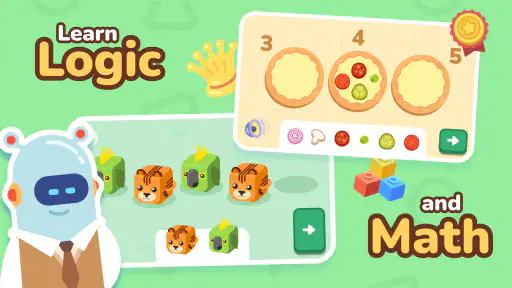
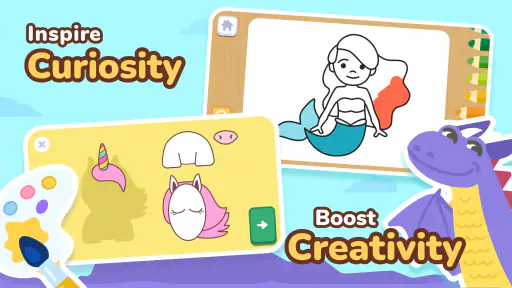
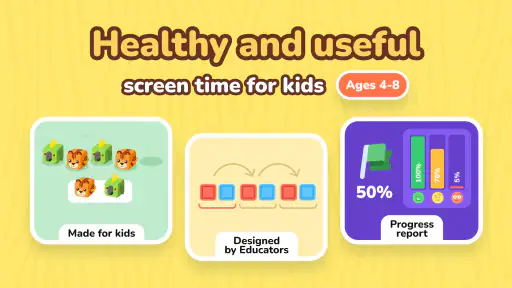
 Analysis by Frivlyz
I find LogicLike: ABC & Math for kids easiest to judge as a short, guided learning activity rather than a replacement for a teacher, workbook, or shared reading time. It brings early math and letter practice together in one educational game, so a child can switch between different kinds of thinking without needing a separate app for each. That mix is useful when attention is brief, but it also means the experience is best treated as practice and exploration, not a complete curriculum.
What the game offers now
LogicLike is a free game from Massiana - Educational Games, with optional in-app purchases priced from $1.99 to $199.99 per item. It has a 4.5 average from around 69,000 ratings and more than 10 million installs. Those figures suggest that many families have tried it, but they do not tell me whether its activities will suit a particular child. The age rating is Everyone, and the current version is 2.109.0.
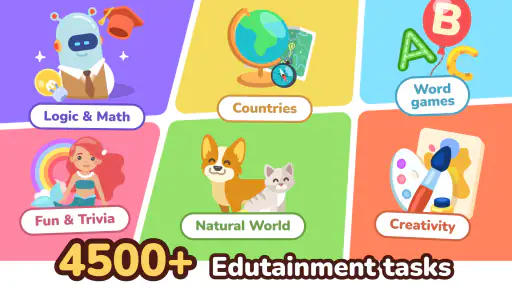
The main appeal is the combination of early number work, alphabet activities, and logic-style tasks. Rather than opening a separate math app and then a letter app, a parent can use one place to offer a change of pace. I would still sit nearby at first: younger children may need help understanding what a puzzle is asking, even when the on-screen activity itself is simple.
How I would use it in a normal day
For a realistic routine, I would save a few activities for a transition point, such as the wait before dinner or a quiet stretch after getting home. I would invite a child to complete one short task, then ask them to explain how they found the answer. That small conversation matters: it turns tapping into a chance to practice counting, noticing a pattern, or recognizing a letter aloud.
I would avoid presenting the game as a reward that must be earned through perfect answers. If a child gets stuck, a calm prompt—“What changes from one picture to the next?”—is more useful than taking over. The best results are likely when the adult uses the activity to start a little learning conversation and then lets the child try independently.
Where it fits among children’s learning apps
Compared with a single-purpose alphabet app, this game’s broader mix can be more convenient for families who want letters, numbers, and reasoning practice in one place. A paper workbook, on the other hand, is easier to use without a screen and gives children space to draw or write by hand. Neither option makes the other unnecessary. I would choose LogicLike when a child responds well to interactive prompts and needs variety; I would choose a workbook or hands-on counting objects when the goal is pencil control, handwriting, or physical manipulation.
It is also different from an open-ended video or entertainment app: the intended activity is doing a task, not simply watching. Still, screen-based interaction has limits. A child can recognize a number on-screen without being confident counting real objects, so I would pair a game session with something tangible, such as counting blocks or sorting everyday items.
Gaming Stories You May Enjoy

Dancing Road Turns Short Breaks Into a Test of Rhythm and Timing

Super Stylist Makes Every Outfit a Test of Taste and Patience

Dominoes on Your Terms: Who Should Play and Who Should Pass

Pokémon GO Makes the Familiar World Feel New

Chess.com Turns Rematches Into Rivalries, but Community Has Its Costs

Archery Battle 3D Review: Sharp Aiming, Unclear Feedback
Practical choices for parents
Before handing over a device, I would check the purchase settings and decide whether any optional spending is acceptable. The game is free to start, but it does include in-app purchases, with a wide range between the lowest and highest item prices. That makes a quick conversation with the child worthwhile: explain that paid choices need an adult’s permission, and keep the device’s purchase controls appropriate for your household.
I would also watch how the child responds to switching between subjects. A child who enjoys variety may welcome moving from letters to number puzzles, while another may prefer to stay with one skill until it feels familiar. In the latter case, it is sensible to keep sessions focused and supplement the game with a dedicated activity rather than expecting one app to match every learning preference.
What the version history can and cannot tell me
The game was released on June 16, 2021, and its current version is 2.109.0. That establishes that it has continued to receive version changes since its launch, but a version number alone does not reveal which specific activities or tools have changed. I would not assume that an update has added a particular feature without seeing it in the app itself.
For an existing user, the practical question is whether the current build remains comfortable on the family’s device and whether the child still enjoys its activities. The minimum operating system is 7.0, which gives a clear compatibility starting point for Android users. I would check the device’s available space and system version before installing, then let the child try a supervised session before making it part of a regular routine.
Engaging Learning Experience
When I first opened LogicLike: ABC & Math for kids, I was greeted with a vibrant and colorful interface that immediately grabbed my attention. It’s clear that the developers have put a lot of thought into making the app visually appealing to young learners. The graphics are bright and engaging, without being overwhelming, which is a big plus.
The app is designed to cater to children aged 4 to 10, with a range of activities that help develop logical thinking, math skills, and literacy. I noticed that the content is divided into different levels, allowing kids to progress at their own pace. This is fantastic because it means children won't feel pressured and can take their time mastering each stage before moving on to the next.
Interactive Puzzles and Challenges
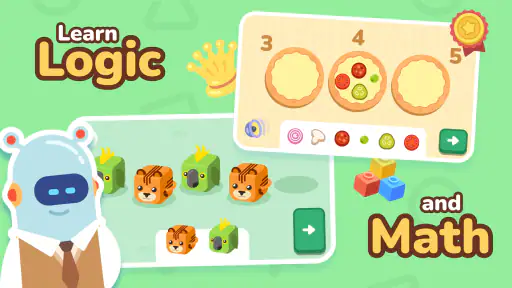
One of the standout features of the app is its variety of interactive puzzles and challenges. These are not your average multiple-choice questions. Instead, they’re cleverly designed to encourage critical thinking and problem-solving. For example, there are puzzles where kids need to arrange numbers in the correct order or identify patterns in a sequence, which is a great way to improve their analytical skills.
There are also fun ABC games that help children recognize letters and understand their sounds. These activities are perfect for early learners and help lay a strong foundation for reading and writing. Plus, the app rewards kids with stars and badges for completing tasks, which adds a gamified element that keeps them motivated and eager to learn more.
Customizable Learning Pathways
Another aspect I really appreciated is the app’s customizable learning pathways. As a parent or guardian, you can tailor the experience to suit your child’s needs. Whether your child needs more focus on math or literacy, you can adjust the settings to emphasize specific areas. This makes LogicLike: ABC & Math for kids a versatile tool that can adapt to different learning curves.
The app also provides detailed progress reports, which means you can keep track of your child's growth and see where they might need a little extra help. This feature is particularly useful for ensuring that the time spent on the app is productive and beneficial.
Safe and Child-Friendly Environment
In today’s digital age, safety is a top priority for parents. I was pleased to find that the app is designed with a child-friendly interface that is easy to navigate. There are no ads or in-app purchases that could distract or tempt young users, which is a relief. The developers have clearly prioritized creating a safe and secure learning environment for children.
Moreover, the app doesn't require an internet connection to access the learning materials, so kids can learn on the go without the worry of data usage or online distractions.
Final Thoughts
Overall, LogicLike: ABC & Math for kids is an excellent app that combines fun and learning in a way that’s both engaging and effective. It’s an ideal choice for parents looking to supplement their child’s education with interactive and enjoyable content. With its appealing graphics, variety of puzzles, and customizable learning paths, it’s easy to see why this app could become a favorite among young learners.
If you’re interested in checking it out, you can find the download links on our website. Give it a try and watch your child embark on a journey of learning and discovery! After all, learning should be as fun as playing, right?
Who is likely to enjoy it—and who may prefer something else
I think the strongest fit is a young learner who likes solving small challenges and benefits from a change of activity before losing interest. It can also suit a caregiver who wants a ready-to-use prompt for a few minutes of number or letter practice, without planning a lesson from scratch. For a child who finds bright screens distracting, or who needs close instruction in a specific skill, a quieter paper activity or one-to-one teaching may work better.
One useful way to judge the fit is to watch what happens after the first few tasks. Does the child try to explain an answer, or do they tap quickly just to reach the next screen? If they rush, slow the pace by asking them to say the letter, count aloud, or point to the pattern before answering. If they become frustrated, stop and return later rather than turning practice into a contest.
What I would keep an eye on
As with any learning game, the important question is not simply whether a child spends time in it, but whether the activity supports a skill they can use away from the screen. I would occasionally connect a puzzle to everyday life: spot a letter on a package, count fruit, or make a simple sequence with toys. That gives parents a practical way to see whether the child is applying an idea rather than only remembering the screen’s layout.
I would also revisit the app’s settings and purchase controls from time to time, especially if a child begins using the device more independently. A free starting point does not mean every option is free, and a young player may not distinguish an ordinary choice from a paid one. A little supervision keeps the focus on learning and avoids surprises.
My overall recommendation is to try it as one part of a child’s learning routine, not as a substitute for conversation, books, or hands-on play. Its blend of alphabet, math, and reasoning activities gives families a flexible option for brief practice, while the need for adult guidance and the presence of optional purchases are worth keeping in mind. If your child enjoys interactive puzzles, it is a reasonable game to explore together; if they need focused teaching or screen-free practice, another approach may be the better choice.
LogicLike: ABC & Math for kids Pros and Cons
Pros
- Engaging puzzles enhance critical thinking.
- Colorful graphics attract children's attention.
- Variety of levels keeps learning fun.
- Adaptive difficulty suits different age groups.
- Offline mode available for travel convenience.
Cons
- Limited free content; in-app purchases needed.
- Some puzzles may be too challenging for young kids.
- Requires regular updates for new content.
- Occasional ads can disrupt gameplay.
- No multiplayer mode for collaborative play.
This Game in Other Languages
Frequently Asked Questions
What age group is LogicLike: ABC & Math for kids suitable for?
LogicLike: ABC & Math for kids is designed for children aged 4 to 12. The app offers a range of puzzles and educational activities that help develop logical thinking, math skills, and early literacy. Each task is tailored to the cognitive abilities of children within this age group, ensuring both engagement and educational value.
Is the app content aligned with school curriculums?
Yes, LogicLike: ABC & Math for kids aligns with educational standards and school curriculums. The app's activities are crafted to complement what children learn in school, covering essential topics in math and literacy. This makes it a useful tool for reinforcing classroom learning and aiding in homework practice.
Does the app offer a free version?
LogicLike: ABC & Math for kids offers a free version with limited access to its features and puzzles. For a more comprehensive experience, a subscription is available, unlocking all content and additional features. This allows parents and children to explore the app before committing to a purchase.
Are there parental control features available?
Yes, the app includes parental control features to ensure a safe and appropriate user experience for children. Parents can monitor progress, set usage limits, and restrict access to certain content if needed. These controls help parents manage their child's app usage effectively and responsibly.
Is LogicLike: ABC & Math for kids available on both Android and iOS?
LogicLike: ABC & Math for kids is available for download on both Android and iOS platforms. Users can find the app on the Google Play Store and Apple App Store, making it accessible to a wide range of devices. This ensures that more children can benefit from its educational content.


