

Like Nastya: Party Time
- Reviews
- 4.6
- Version
- 1.6.0
- Installs
- 5,000,000+

Screenshots
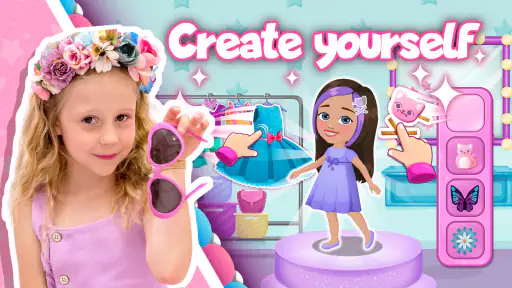
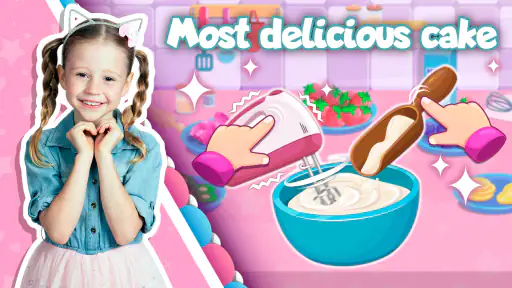
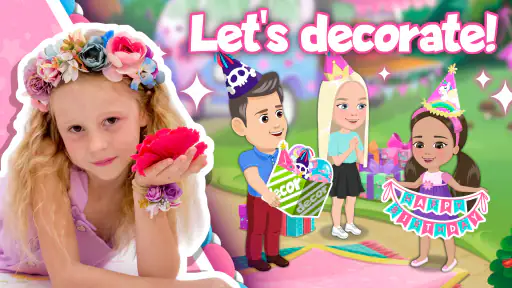
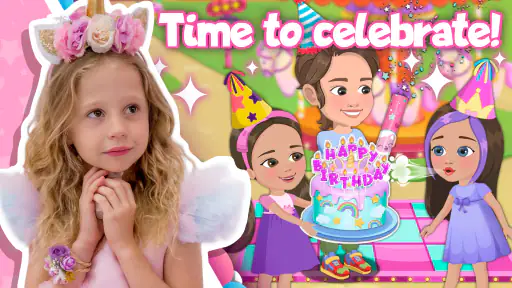
 Analysis by Frivlyz
When I consider a game for a young child, I look beyond whether it keeps them busy: I want to know whether they can make sense of what is happening, take part without frustration, and enjoy it in the kind of short gaps that fill an ordinary day. Like Nastya: Party Time is an educational game built around a birthday-party setting and the familiar character Nastya. That focused theme gives children a friendly starting point, though it also means this is a more specific choice than a broad collection of learning activities.
Getting oriented in a party-themed game
The birthday setting gives the experience an understandable frame: children are entering a celebration rather than a lesson with abstract instructions. For a child who already recognizes Nastya, that familiarity may make the game feel inviting from the first moments. I find that kind of context useful for younger players, because a recognizable character and a concrete occasion can make it easier to understand why an activity is happening.
At the same time, parents should judge the actual screen experience with the child rather than assume that a colorful presentation automatically means effortless navigation. A young player may need help at first to understand what can be tapped and what the game expects next. Sitting beside them for an initial session is a practical way to see whether the visual cues make sense to them, without turning play into a test.
The game is from Like Nastya Official, and its educational focus is aimed at children. It is rated for Everyone, and it is free to install. The current version is 1.6.0, with Android 5.1 as the minimum operating-system requirement. Its average rating is 4.6 from around 12,000 ratings, and it has been installed over five million times. Those figures suggest broad reach, but they cannot tell a parent whether the pace, presentation, or activities will suit one particular child.
Different ways children may experience it
For motor access, the most useful question is how comfortable a child is with ordinary touchscreen interaction. If a player has difficulty with precise taps, quick responses, or keeping a device steady, I would try a brief session before expecting independent play. An adult can observe whether the child can reach the important controls comfortably and whether they can recover when they tap the wrong thing. That small check is more informative than judging the game from its artwork alone.
Sensory preferences matter too. Birthday-party imagery and lively presentation can be appealing to children who enjoy energetic scenes, while a child who is sensitive to busy visuals or sound may prefer a quieter activity. I would introduce it when the child is settled, keep the first session short, and pay attention to whether they seem engaged or overloaded. This is not a claim that the game has special sensory settings; it is simply a sensible way to find out how its presentation feels to your child.
There is also a difference between being able to open a game and being able to use it in a particular setting. A child playing at home with an adult nearby may have an easy time asking for help. In a waiting room, on a journey, or during a quick break, the same child might find a confusing moment more frustrating if no one is available to guide them. I would not make it the sole plan for keeping a child occupied until I had seen how confidently they manage it.
Gaming Stories You May Enjoy

Dancing Road Turns Short Breaks Into a Test of Rhythm and Timing

Super Stylist Makes Every Outfit a Test of Taste and Patience

Dominoes on Your Terms: Who Should Play and Who Should Pass

Pokémon GO Makes the Familiar World Feel New

Chess.com Turns Rematches Into Rivalries, but Community Has Its Costs

Archery Battle 3D Review: Sharp Aiming, Unclear Feedback
Where it fits among children’s games
Compared with a general early-learning app, this game has a narrower identity: its birthday-party world and Nastya connection are central to its appeal. That can be a plus for a child who wants a familiar character and a playful setting, but a broader learning app may suit families looking for varied subjects or a more structured progression. Likewise, a simple drawing or puzzle app may be a better fit for a child who wants quiet, open-ended play rather than a themed party experience.
The game is free to install, with in-app purchases ranging from $0.99 to $14.99 per item. I would check the purchase experience with a parent present before handing a device over, especially if the child is used to tapping through prompts quickly. Free installation does not mean every possible in-game option is included at no cost, so it is worth setting clear expectations before play. The content rating is Everyone, but that rating is not a substitute for deciding whether the game’s style and any purchase prompts are right for your family.
A practical way to try it is to choose a calm moment, sit with the child for the first few minutes, and let them lead where possible. Notice whether they can understand what to do, whether they enjoy the party theme, and whether they can stop without a struggle when the session ends. If they need repeated adult help to get through basic interactions, that may still be fine as shared play, but it is a sign not to treat it as an independent activity yet.
Immersive Gameplay & Features
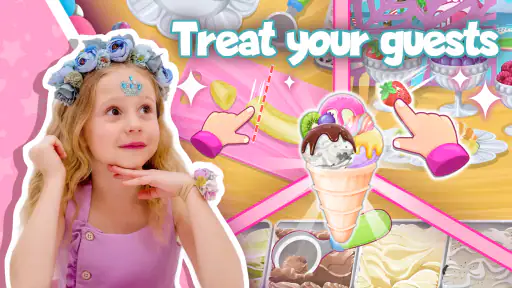
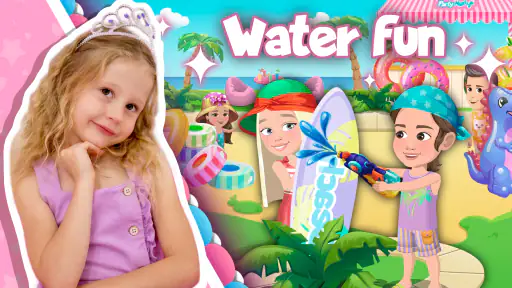
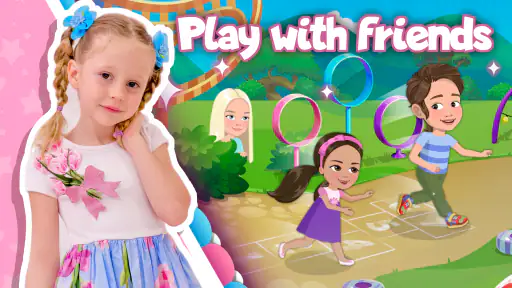
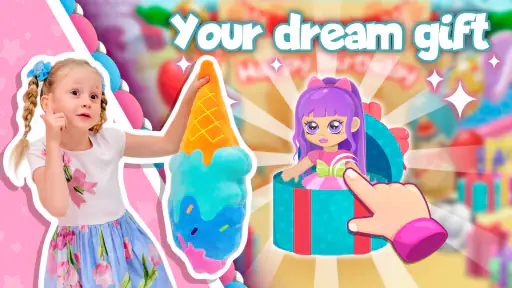
From the moment you open Like Nastya: Party Time, you’re greeted with a vibrant and lively interface that’s sure to catch your eye. The app is designed around the popular YouTube character, Nastya, and invites users into her exciting universe. Whether it’s planning a birthday bash or engaging in mini-games, every aspect of the app is crafted with meticulous attention to detail.
Interactive Adventures
What sets this app apart is its interactive nature. Kids can actively participate in setting up parties with Nastya, choosing themes, decorations, and even the playlist. Imagine the joy of seeing your child’s creativity blossom as they navigate through different party scenarios. It’s not just about fun; these activities are subtly educational, enhancing decision-making skills and encouraging creativity.
That creative angle can make the game work well as a shared activity rather than a digital babysitter. An adult can ask a child why they chose a particular party detail, or invite them to describe the celebration they are putting together. This gives the child a chance to practice explaining choices and imagining a scene, while keeping the screen time social. I would keep those prompts light; the point is to follow the child’s interest, not quiz them about every decision.
It may also be useful for children who enjoy repeating familiar play. A party theme is easy to talk about outside the game: a child can connect decorations or preparations to a real birthday they have attended, or invent a celebration for a toy at home. That kind of follow-on play is a more meaningful benefit than simply staying on screen longer. If the child is not interested in birthdays or the character, however, the central theme may not provide enough variety to hold their attention.
Kid-Friendly and Safe
As a parent, I know how crucial it is to ensure an app is safe for children. Rest assured, Like Nastya: Party Time is not only entertaining but also provides a secure environment for kids to explore. The app doesn’t bombard users with ads, which is a huge relief, and it offers parental controls to monitor usage, making it a trustworthy choice for families.
For a parent deciding how to introduce it, I would still use the first session to check the parts that matter in your household: how the child moves between activities, whether anything interrupts play, and whether they can hand the device back when asked. The purchase range is worth keeping in mind when setting up a device for a child. If you share a phone or tablet, it is sensible to supervise access to purchasing options and explain that not every on-screen choice is something to buy.
A realistic use case is a short turn at home while dinner is being prepared, with an adult close enough to help if the child gets stuck. I would avoid relying on it as a guaranteed solution for a long wait until I knew how the child handled transitions and interruptions. A game can be enjoyable and still be a poor match for a moment when a child needs to stay calm, share a device, or stop immediately.
Visuals and Soundtrack
The graphics are nothing short of enchanting. Each scene is beautifully animated, capturing the essence of a fairy tale world. Coupled with a catchy soundtrack that kids will adore, the app provides an immersive experience that holds their attention for hours. The developers have truly gone above and beyond in creating a visually appealing and engaging app.
That lively style is part of the appeal, but it is also a reason to match the game to the child and setting. If a child prefers low-stimulation play, a quiet book, simple drawing activity, or less animated puzzle may be a better choice. If the device is being used in a shared space, the soundtrack may also be a consideration; an adult can decide whether the sound suits the moment rather than assuming every play session should be loud or uninterrupted.
One useful approach is to treat the first play as an observation, not a commitment. Does the child follow the scenes without needing constant explanation? Do they show interest in the party choices, or mainly tap rapidly to move on? Do they remain comfortable with the audio and visuals? These small observations help answer the question that a rating cannot: whether this particular child finds the game welcoming and manageable.
What to expect from its limits
The clearest trade-off is its focused premise. A child who loves Nastya and enjoys make-believe celebrations may find the theme motivating, while a child seeking varied subjects, open-ended construction, or a calmer pace could outgrow the appeal quickly. I would choose it for a themed burst of play, not as a replacement for a wider mix of books, conversation, outdoor activity, and learning games.
It is also worth separating educational intent from a promise of formal instruction. The party activities can encourage choices and creative thinking, but families looking for a specific curriculum or a clearly sequenced lesson should compare it with an app designed around that need. In the same way, a child who needs substantial support to operate touch controls may get more from an adult-led activity or a game already familiar to them.
Before installing, a parent may reasonably wonder whether the game is suitable for a younger child, whether it costs money to begin, and whether it will run on an older Android device. It is rated for Everyone and free to install, while optional in-app purchases are available. Android devices need version 5.1 or later. Those points answer basic compatibility and cost questions, but the best way to assess usability is still a supervised trial with the child who will play it.
No app is without its quirks, but honestly, any minor hiccups are overshadowed by the sheer joy and educational value Like Nastya: Party Time offers. It’s a delightful concoction of fun and learning that I’d recommend to any parent looking to add a little sparkle to their child’s screen time.
So, if you’re on the hunt for a new app that promises endless fun and learning, give Like Nastya: Party Time a whirl. Who knows, you might find yourself joining in on the party too!
My inclusive verdict
My recommendation is conditional in a useful way: try it if the child likes Nastya, enjoys birthday pretend play, and is comfortable with the game’s visual and audio style. For a child who needs a quieter experience, more varied learning topics, or close support with touch controls, another activity may be a better fit. A brief shared session is the simplest test, and it lets the child’s own response—not the popularity figures—guide the decision.
Like Nastya: Party Time Pros and Cons
Pros
- Engaging mini-games for children.
- Colorful and interactive interface.
- Easy navigation for young users.
- Educational content incorporated.
- Regular updates with new features.
Cons
- In-app purchases can be costly.
- Requires internet for some features.
- Limited parental controls available.
- Some ads might be intrusive.
- Not suitable for older children.
Frequently Asked Questions
What is Like Nastya: Party Time about?
Like Nastya: Party Time is an engaging and fun-filled app designed for children, inspired by the popular Like Nastya YouTube channel. The app offers interactive games and activities that allow kids to join the party with Nastya, enhancing their experience with educational and entertaining content. It's perfect for fans of the channel who want to enjoy more immersive playtime.
What age group is Like Nastya: Party Time suitable for?
The app is designed primarily for children aged 3 to 8 years old. It's built to be both entertaining and educational, providing age-appropriate content that supports early learning. The games and activities are crafted to engage young minds, with a focus on creativity, problem-solving, and fun, making it ideal for preschool and early elementary school children.
Is Like Nastya: Party Time safe for my child to use?
Yes, Like Nastya: Party Time prioritizes child safety and provides a secure environment for kids. The app is COPPA-compliant, ensuring that it meets all the necessary child privacy regulations. It features a safe space for children to play without exposure to inappropriate content or advertisements, giving parents peace of mind while their children enjoy the app.
Does Like Nastya: Party Time require internet access to play?
Like Nastya: Party Time primarily offers offline gameplay, allowing children to enjoy most of the activities without needing an internet connection. This makes it convenient for use during travel or in areas with limited connectivity. However, some features may require internet access for updates or additional content downloads.
Are there in-app purchases in Like Nastya: Party Time?
The app includes optional in-app purchases that enhance the gameplay experience. These purchases offer additional content, such as new games or activities, but are not necessary to enjoy the core features of the app. Parents can disable in-app purchases through their device settings if they wish to prevent accidental purchases by children.


