

Lichess beta
- Reviews
- 3.9
- Version
- 0.15.11
- Installs
- 500,000+

Screenshots
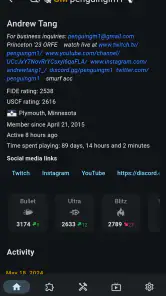
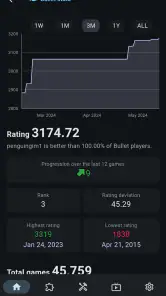
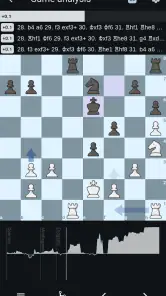
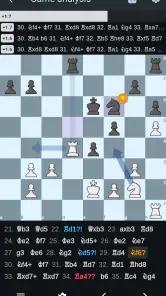
 Analysis by Frivlyz
My first advice for anyone opening a chess app for the first time is to keep the goal small: get through one game, then look at one position you found difficult. That is a more useful introduction to Lichess beta than trying to explore every menu straight away. It is a free board game from lichess.org, and its appeal is the chance to play chess online or offline without turning the basic experience into a shopping exercise.
What to expect from this chess app
I would think of this as a place to play and study chess, rather than a guided course that takes a complete beginner through every rule. The board is the centre of attention, which is welcome when I want to concentrate, but it also means a newcomer may need to decide what to try next instead of being led through a fixed sequence.
The Android release is marked as a beta, currently at version 0.15.11, and it requires Android 8.0 or later. That context matters: I would approach it as an actively developing mobile option, not assume that every screen or interaction will feel as settled as a long-established chess program. The wider lichess.org community is a meaningful part of its identity, but a phone app still has to work for the small, practical moments in which I actually play.
Start with one simple setup choice
When I first open a chess app, I want to avoid choosing a fast game just because it looks exciting. If you are still learning the controls or finding your way around, choose a pace that gives you room to think. A slower game makes it easier to check a move before committing and to notice whether the board responds as you expect. If you already know your preferred time control, use that instead; the point is to begin with a format that suits your attention, not someone else’s habits.
It also helps to decide what you want from the session before tapping around: a casual game, practice against another person, or a closer look at a position. That small decision prevents a common first-use frustration, where a new player opens several sections and ends up unsure which one is meant to help. I’d start with a single game, then explore study tools once I have a real question to bring to them.
Your first useful result is a game you can learn from
A satisfying first session does not have to end in a win. For me, a better measure is being able to identify one moment when I had to choose between moves and later understand why the choice mattered. The post-game analysis can make that review more concrete: rather than replaying the whole match aimlessly, return to the position where your plan became unclear and compare the move you chose with another candidate.
That approach is useful for experienced players too. Instead of treating analysis as a verdict on whether a game was good or bad, I use it to investigate a specific question: Did I overlook a threat? Was my move trying to win material when I should have protected my king? One focused question is easier to remember than a screen full of evaluations, and it gives the next game a practical point of focus.
Gaming Stories You May Enjoy

Dancing Road Turns Short Breaks Into a Test of Rhythm and Timing

Super Stylist Makes Every Outfit a Test of Taste and Patience

Dominoes on Your Terms: Who Should Play and Who Should Pass

Pokémon GO Makes the Familiar World Feel New

Chess.com Turns Rematches Into Rivalries, but Community Has Its Costs

Archery Battle 3D Review: Sharp Aiming, Unclear Feedback
First Impressions and Features
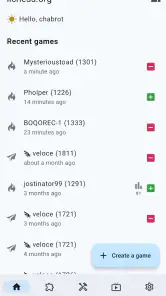
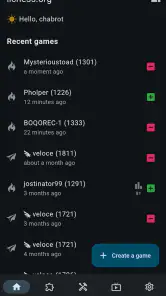
From the get-go, the clean and intuitive interface of the app caught my eye. There's something about its minimalistic design that just screams "focus on the game." No unnecessary frills – just pure chess. Whether you're a seasoned player or a newbie, navigating through the app is a breeze.
The app offers a variety of game modes, from classic to blitz, bullet, and even correspondence games. What I found particularly cool is the analysis feature. After each match, you can dive deep into your moves, see where you went wrong, and how you could've played better. It's like having a personal chess coach in your pocket!
Community and Social Interaction
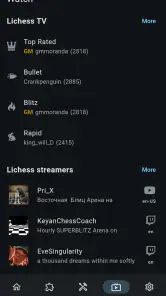
One of the things that sets Lichess beta apart is its vibrant community. The app allows you to interact with players from all over the world. You can join tournaments, challenge friends, or even watch top players duke it out in real-time. The chat feature is also pretty neat, letting you discuss strategies or simply have a friendly banter with fellow chess lovers.
Oh, and did I mention it's completely free? No ads, no pop-ups, just pure chess. This is a huge win in my book, as it keeps the focus solely on improving your game and having fun.
Make practice fit around everyday life
Not every chess session needs to be a full match. If I have a short break between tasks, puzzles are a more manageable way to focus on one tactical idea and then put the phone away. When I have a longer, calmer stretch, I can play a game and save the review for afterwards. This distinction sounds simple, but it helps avoid starting a time-limited match when I know I may need to stop unexpectedly.
Correspondence games suit a different routine: they let a game unfold across separate moments rather than demanding one uninterrupted sitting. That can be convenient, but it also asks me to remember the position and the plan when I return. I find it helpful to pause long enough to ask what my opponent is threatening before making a move, instead of treating each visit as an isolated puzzle.
For a realistic example, imagine opening the app during a lunch break with only a few minutes free. I would choose a puzzle rather than rush into bullet chess, where quick decisions are the point and a distraction can decide the result. Later, at home, I could choose a longer game and review a turning point. Matching the mode to the time available makes the app feel more useful and reduces the temptation to blame the game for a rushed choice.
Learning and Improving
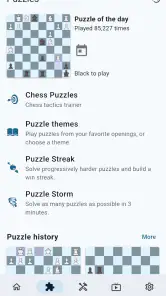
For those looking to improve their skills, the app offers a plethora of learning resources. From puzzles to video lessons, there's something for everyone. I found myself spending hours just solving puzzles, which are not only fun but also incredibly educational. It's a fantastic way to sharpen your skills without feeling overwhelmed.
The app also tracks your progress, giving you insights into your strengths and areas for improvement. It's like having a personalized learning path crafted just for you.
Lichess beta even supports multiple languages, making it accessible to a global audience. This inclusivity is a testament to the app's commitment to bringing chess to everyone, everywhere.
Read analysis without turning it into a scorecard
Analysis is most helpful when I treat it as a prompt to think, not an instruction to memorize. If the suggested improvement is unfamiliar, I replay the position and try to explain the purpose of the move in plain language. Does it defend a piece, open a line, or prepare a threat? If I cannot say why it works, I have not really learned it yet. This is a more reliable habit than clicking through variations simply because they are available.
There is a trade-off here: analysis can show where a game went off course, but it cannot automatically build a sound playing routine. I still need to practise checking the opponent’s threats, looking for forcing moves, and choosing a plan I can explain. A useful pattern is to review only a few critical moments after a match, then carry one lesson into the next game. That keeps post-game study from becoming a long, discouraging audit of every imperfect move.
Where it fits among other chess apps
Compared with a chess app focused mainly on computer opponents or a structured beginner course, this one feels more like a broad chess environment: play, follow other games, practise, and review. That breadth is attractive if I want one place to move between playing and learning. A dedicated teaching app may be a better starting point if I need rules explained step by step, while a narrowly focused puzzle app may suit someone who wants only tactical exercises and no online play.
Its open-source character is also a meaningful distinction for players who value that approach to software. Still, it does not automatically make the experience the best fit for everyone. If I mainly want polished, guided lessons with a clear curriculum, I would choose a tool built around instruction. If I want a flexible chess companion and am comfortable setting my own goals, this is a stronger match.
The game has an average rating of 3.9 from around 2.7 thousand ratings, with 74 written reviews, and has passed 500 thousand installs. Those figures suggest a substantial audience, but I would not treat popularity as proof that every player will enjoy the beta experience. It is rated for Everyone, which makes it broadly approachable, though younger or brand-new players may still benefit from an adult helping them choose a suitable pace and understand the social side of online play.
Common points of confusion and honest limits
The biggest adjustment for a new chess player is often not moving pieces; it is knowing what to do after a game. The app can offer places to practise and ways to review, but a beginner may find the range of choices less reassuring than a step-by-step lesson path. My practical suggestion is to set one modest target, such as spotting an undefended piece, and judge a session by whether you noticed it more often—not by whether you won.
Online play also means that the experience depends on the other person’s pace and behaviour. A game can be interrupted by real life, and a social feature is not essential to enjoying chess. If you prefer a completely solitary routine, focus on solo practice or another chess tool designed around offline study; do not feel you must use community options to get value from the board.
The offline aspect is a useful reason to consider the app, but I would make a distinction between being able to use chess features without a connection and expecting online opponents, live events, or social interaction to work offline. Those activities naturally call for an internet connection. When travelling, I would plan to use offline time for practice or review and save live play for when a connection is available.
Who should choose it—and who might not
I would recommend trying it if you already enjoy chess, want to alternate between games and practice, or like the idea of reviewing your decisions instead of moving straight on after a result. It is also a good fit for someone who wants a free option and is willing to explore rather than follow a tightly scripted course. lichess.org is the developer, and the project’s open-source identity will appeal to players who care about that as well as the chess itself.
I would hesitate to recommend it as the only learning resource to someone who has never played and wants every rule and concept taught in order. Likewise, if you dislike playing strangers, do not want to review your games, or want a highly guided training plan, a more specialised alternative may suit you better. For a casual player, the best choice is the one that makes it easy to return to chess without turning every session into homework.
A simple next step after the first game
Once you have completed a game, pick one position that surprised you and revisit it. Write down, even just mentally, what you thought was happening and what you now notice. Then choose either a puzzle that exercises the same kind of idea or another game at a pace that gives you time to apply it. This small loop—play, inspect one decision, try again—is more sustainable than setting an ambitious improvement plan on day one.
If you are comparing mobile chess options, decide what matters most before switching: a guided curriculum, solo play, a large online environment, or a mix of those needs. This app’s broad approach is its strength, but the beta label is a reason to allow for some rough edges and judge it by the parts you actually use. It was released on May 16, 2024, and remains free, so I can try it without making a purchase decision first; I would simply keep expectations realistic about a beta build.
Final Thoughts
In conclusion, the Lichess beta is a must-have for any chess enthusiast. Its blend of sleek design, robust features, and a strong community make it stand out in the crowded world of chess apps. Whether you're playing casually or looking to climb the ranks, this app has something for everyone.
So, if you're ready to take your chess game to the next level, give Lichess beta a try. Who knows, you might just find yourself hooked, just like I did!
Lichess beta Pros and Cons
Pros
- Free to use with no ads
- Open source and community-driven
- Clean and intuitive interface
- Wide range of chess variants
- Strong AI opponents
Cons
- Occasional server downtimes
- Lacks some advanced features
- Limited social interaction
- No built-in tutorials for beginners
- Mobile app can be slightly buggy
Frequently Asked Questions
What is Lichess Beta and how does it differ from the regular Lichess app?
Lichess Beta is a version of the popular chess app that allows users to access and test new features before they are released in the stable version. It provides an opportunity for users to experience cutting-edge updates, improvements, and experimental features while helping developers identify bugs and issues. Keep in mind that the beta version may not be as stable as the regular app, and some features may change or be removed based on user feedback.
Is Lichess Beta free to use, and are there any in-app purchases?
Yes, Lichess Beta is completely free to use, just like the regular version of Lichess. The app does not contain any advertisements or in-app purchases, making it an excellent choice for chess enthusiasts who want a seamless and distraction-free experience. The Lichess platform is supported by donations from users who wish to contribute to its development and maintenance.
What platforms support Lichess Beta, and how can I download it?
Lichess Beta is available for both Android and iOS devices. To download it, users need to sign up for the beta testing program either through the Google Play Store for Android or TestFlight for iOS. Once enrolled, users will receive updates and can install the beta version directly from their respective app stores. It's important to note that the availability of the beta program may vary depending on the region.
Can I switch back to the regular version of Lichess after trying the beta version?
Yes, users can switch back to the regular version of Lichess if they choose to stop using the beta. On Android, users can leave the beta program via the Google Play Store and reinstall the regular version. On iOS, users can uninstall the beta version and download the stable app from the App Store. It’s recommended to back up any game data if necessary, as transitioning between versions may result in data loss.
What should I do if I encounter a bug or issue while using Lichess Beta?
If you encounter a bug or issue while using Lichess Beta, you are encouraged to report it to the developers to help improve the app. Users can do this by visiting the Lichess website and navigating to the feedback or support section. Providing detailed information about the issue, including steps to reproduce it and any relevant screenshots, will be highly beneficial to the developers working on enhancing the app’s performance and user experience.


