

LEGO® DUPLO® World
- Reviews
- 4.2
- Version
- 33.1.1
- Installs
- 10,000,000+

Screenshots


 Analysis by Frivlyz
I find LEGO® DUPLO® World works best when I treat it as a shared play activity rather than a screen-based babysitter. A child can explore colorful scenes, tap objects and try simple building activities, while an adult can turn those moments into little conversations about what is happening. That makes it more appealing to me than a game that asks children only to follow instructions or chase a score.
It is an educational game from StoryToys, intended for young children, and it brings familiar DUPLO-style play into a digital setting. The app is free to start, rated for Everyone, and offers in-app purchases ranging from $0.99 to $39.99 per item. That gives families a chance to try it before deciding whether any paid content is worth considering. I would check what is available in the free portion with the child before promising access to a particular activity.
What’s the Buzz About?
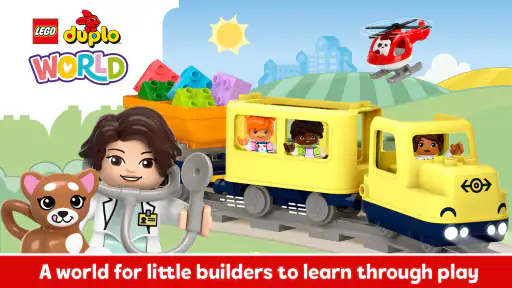
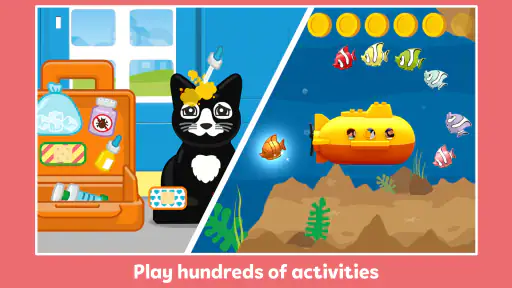
The LEGO® DUPLO® World app is designed with preschoolers in mind. It’s packed with activities that are both fun and educational, aiming to boost creativity, critical thinking, and fine motor skills. The app features a variety of themed worlds, each offering unique adventures and challenges. From exploring a colorful train set to running a bustling café, there’s plenty to keep little ones entertained.
Interactive Worlds Galore
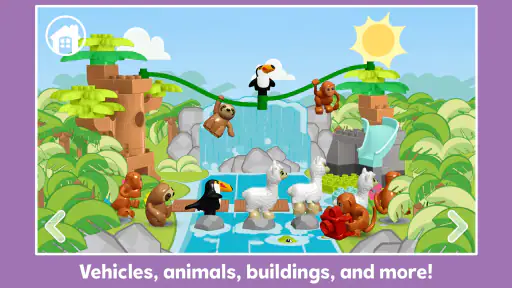
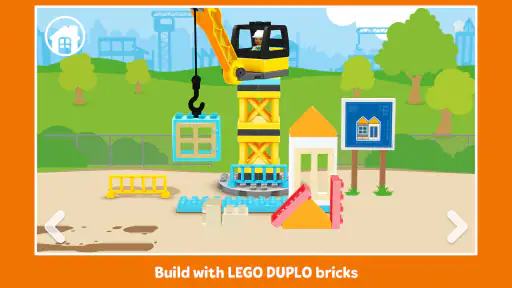
One of the first things I noticed was how vibrant and engaging the worlds are. The graphics are top-notch, making each scene feel alive and interactive. Kids can tap and drag objects, triggering animations and sounds that enhance the experience. It’s kind of like watching a cartoon come to life, except here, you’re part of the action.
Each world is designed to encourage open-ended play, which means there are no strict rules. Kids can let their imaginations run wild, building whatever they fancy. Whether it’s stacking bricks to create a towering castle or organizing a tea party with adorable animal friends, the possibilities are endless.
Learning Through Play
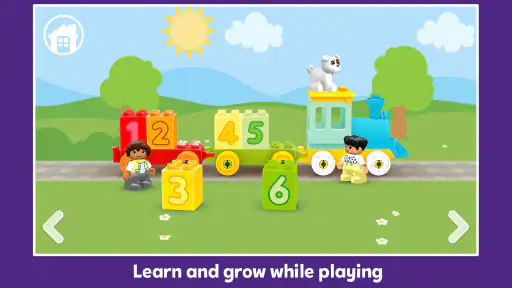
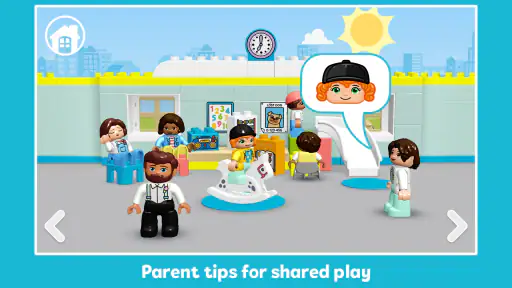
Now, let’s talk about the learning aspect. The app cleverly integrates educational elements into the gameplay. For instance, children can practice counting and problem-solving by completing puzzles and challenges. There’s even a focus on social and emotional skills, as kids learn to cooperate and share with virtual playmates.
One feature I particularly liked is the parental control settings. You can adjust the difficulty level and choose which activities your child can access. This ensures the content is age-appropriate and aligns with your child’s development stage.
Gaming Stories You May Enjoy

Dancing Road Turns Short Breaks Into a Test of Rhythm and Timing

Super Stylist Makes Every Outfit a Test of Taste and Patience

Dominoes on Your Terms: Who Should Play and Who Should Pass

Pokémon GO Makes the Familiar World Feel New

Chess.com Turns Rematches Into Rivalries, but Community Has Its Costs

Archery Battle 3D Review: Sharp Aiming, Unclear Feedback
Easy Peasy Navigation
Navigating the app is as smooth as butter. The interface is intuitive, and even the youngest users will find it easy to switch between different worlds and activities. The developers have clearly put a lot of thought into making the app user-friendly, which is a big plus in my book.
Another cool feature is the multilingual support. It’s available in several languages, making it a fantastic tool for introducing kids to new languages or for bilingual families.
When Setup or Play Gets Stuck
With a game aimed at little children, the first hurdle is often not the activities but getting to them without turning setup into a family negotiation. I’d begin by installing it on the device the child is most likely to use, then open it once myself and explore the starting screen. That quick adult check helps me see what is immediately available and where a child might need help, before handing over the device.
If an activity seems to stall, I wouldn’t assume the game is broken straight away. Young children sometimes tap repeatedly, drag an object away from where it belongs, or switch scenes before an animation has finished. I’d pause, let the screen settle, and try one clear tap or drag at a time. If the scene still does not respond, returning to the activity selection and opening it again is a sensible first recovery step.
For an installation or launch problem, I’d check the basics before changing settings: confirm the device meets the minimum operating system requirement of Android 6.0, make sure there is a stable connection if the app needs one during setup, and close other apps if the device is struggling. These are general checks, not a guarantee that every issue has the same cause. I’d also avoid letting a child repeatedly press purchase prompts while an adult is troubleshooting; it is easier to review any purchase choice together when the screen is calm.
A More Useful Way to Play Together
The best results come when I give the child a small prompt without taking over. In a train scene, for example, I might ask where a passenger should go or what the train needs next, then let the child decide what to tap. That keeps the child in charge while naturally bringing in counting, sequencing, and storytelling. It also gives me a better sense of whether the activity is engaging or whether they are simply tapping every moving object.
A practical routine is to let a child choose one world, explore it freely for a while, and then ask them to explain or show what they made. This works especially well during a short wait at home or while a meal is being prepared: the child has a clear starting point, and an adult can join for a few minutes without needing to manage a complicated game. I would not frame it as a lesson or quiz. The attraction is that learning can emerge from play rather than interrupt it.
The app’s open-ended feel is a strength, but it also means a child who expects a clear goal every time may ask, “What do I do now?” I’d respond by suggesting one small challenge—find something, count a few objects, or make up a reason for a character to visit—then step back. That is a better fit than expecting the game to provide a long sequence of tightly guided tasks.
Choosing It Over Other Children’s Games
Compared with simple coloring apps or matching games, this offers more room for pretend play and interaction with themed scenes. Compared with physical DUPLO bricks, it is tidier and easier to bring along, but it cannot provide the same hands-on building experience or the satisfying trial and error of fitting real pieces together. I see the digital version as a complement for moments when physical toys are not practical, not a replacement for them.
It is also less suited to families looking for a structured school-preparation program with a visible lesson path, progress reports, or a predictable sequence of exercises. Its appeal is imaginative play with educational moments mixed in. If a child prefers clear rules, repeated puzzles, or a definite finish line, a more task-focused learning game may hold their attention better. Likewise, if the goal is simply quiet, independent screen time, I would first check whether the child can move between activities without adult help.
The audience matters. I’d recommend trying it with a preschooler who enjoys stories, toy scenes, and making choices, especially if an adult is willing to join occasionally. A child who is not yet comfortable with touch controls may need someone nearby to demonstrate dragging and tapping. Older children who want deeper building tools, longer challenges, or more complex strategy are likely to outgrow the style quickly.
Free Access, Purchases, and Family Expectations
The free download makes it easy to see whether the visual style and pace suit your family, but I would treat the purchase options as a decision for the adult, not as part of the child’s exploration. Prices vary by item, so I’d review the available choices directly before buying and avoid promising that every scene is included at no cost. That expectation matters: a child who has just discovered a particular activity may be disappointed if it turns out to require a purchase.
The game has an average rating of 4.2 from around 25,000 ratings, and it has passed 10 million installs. Those figures suggest it has reached many families, but they do not tell me whether it will suit a particular child’s temperament or device. I’d use the free portion as the real test: watch whether the child explores with curiosity, returns to an activity, or quickly becomes frustrated by the controls.
StoryToys has released the game in version 33.1.1, and it first arrived on October 10, 2019. For practical purposes, I would keep the app updated through the device’s usual app store and check that the device’s operating system is compatible before installing. If a problem appears after an update, restarting the app and device is a sensible first step; if it continues, consulting the app’s support options is more useful than repeatedly reinstalling without checking whether any saved access or purchase details could be affected.
To Download or Not to Download?
So, is LEGO® DUPLO® World worth the download? Absolutely! It’s an app that not only entertains but also educates, which is a win-win for both kids and parents. The combination of creativity, interactivity, and learning makes it a standout in the sea of children’s apps.
However, it’s worth mentioning that the app offers in-app purchases. While there’s plenty of free content, some worlds and features require a purchase to unlock. That said, it’s a small price to pay for the treasure trove of fun and learning that awaits.
"Imagination is the only weapon in the war against reality." – Lewis Carroll
In conclusion, LEGO® DUPLO® World is a delightful app that brings the joy of LEGO building into the virtual realm. It’s perfect for keeping young minds engaged and letting their creativity shine. So go ahead, download the app, and watch your little one’s face light up as they embark on their own LEGO adventures!
My Practical Verdict
I’d choose this for a young child who likes to invent stories around toys and can enjoy a screen activity with occasional help. It is particularly useful as a short, shared diversion when real bricks are not convenient, or as a way to invite conversation about counting, choices, and what might happen next. The educational angle feels most valuable when an adult follows the child’s lead rather than expecting the app to teach by itself.
I would skip it if you want a fully open-ended digital construction tool, a long progression of lessons, or a game that reliably keeps a child occupied without adult involvement. I would also pause before paying for extra content until the child has tried what is available and shown interest in returning to it. With those expectations in place, this is a cheerful and approachable option: more playful than a worksheet-style learning app, less tactile than a box of DUPLO bricks, and at its best when the two kinds of play support each other.
LEGO® DUPLO® World Pros and Cons
Pros
- Engaging educational content for kids.
- Colorful graphics stimulate creativity.
- User-friendly interface for toddlers.
- Encourages collaborative play with others.
- Regular updates add new features.
Cons
- In-app purchases can add up quickly.
- Requires internet for some features.
- Limited free content available.
- May not engage older children.
- Some levels are too simplistic.
This Game in Other Languages
Frequently Asked Questions
What age group is LEGO® DUPLO® World suitable for?
LEGO® DUPLO® World is designed specifically for children aged 2 to 5 years old. The app provides a safe and interactive environment that helps in developing creativity, early learning skills, and basic problem-solving abilities. Its age-appropriate content ensures that it is engaging and educational for young children.
Is LEGO® DUPLO® World safe for my child to use?
Yes, LEGO® DUPLO® World is a secure app for kids. It features a child-friendly interface and contains no third-party ads, ensuring an uninterrupted and safe experience. Parents can rest assured that the content is designed to be both fun and educational, promoting a healthy learning environment.
Does LEGO® DUPLO® World require an internet connection to play?
While some features of LEGO® DUPLO® World may require an internet connection, many activities are available offline. This allows children to enjoy the app and continue their learning journey regardless of connectivity, making it perfect for travel or places with limited internet access.
Are there in-app purchases in LEGO® DUPLO® World?
Yes, LEGO® DUPLO® World offers in-app purchases. These purchases unlock additional content and features that can enhance the gameplay experience. However, all purchases are protected by parental controls to prevent unauthorized transactions, allowing parents to manage what their children can access.
What skills can my child develop by playing LEGO® DUPLO® World?
LEGO® DUPLO® World helps children develop a variety of skills, including fine motor skills, creativity, and basic problem-solving abilities. The app introduces concepts like numbers, colors, and spatial awareness, all within a playful and engaging environment. It’s designed to stimulate cognitive growth in young children.


