

LEGO® DUPLO® Peppa Pig
- Reviews
- 4.1
- Version
- 7.0.0
- Installs
- 5,000,000+

Screenshots
 Analysis by Frivlyz
When a young child asks to play with Peppa Pig, I understand the appeal: familiar characters make it easier to settle into a game, while building gives little hands something to do beyond tapping through a screen. LEGO® DUPLO® Peppa Pig brings those interests together in an educational game from StoryToys. It is free to start, rated for Everyone, and has an average rating of 4.1 from around 7,300 ratings, so it may be worth considering if your child already enjoys both Peppa and DUPLO-style play.
Explore the World of Peppa and Friends
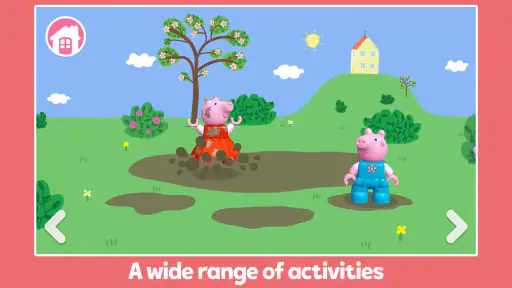
Upon launching the app, you're greeted with the vibrant and colorful world that kids adore. The app's interface is intuitive, designed specifically with little fingers in mind. You don't need a manual to get started. It's as if your toddler naturally knows what to do, and trust me, that’s a huge relief!
Building Adventures
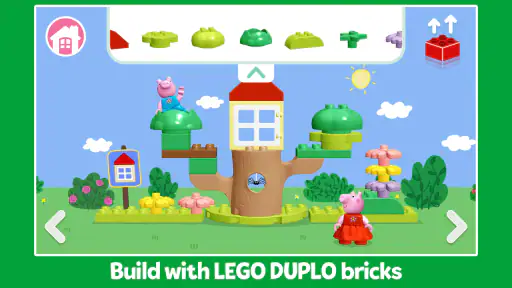
The heart of the app lies in its building activities. Kids can engage in creative play by constructing their own scenes with virtual LEGO® DUPLO® bricks. They can recreate iconic locations from the Peppa Pig series or let their imagination run wild. The app does a fantastic job of combining education and fun, fostering creativity while keeping your little one entertained.
That building focus is the reason I would choose this over a standard Peppa video for a short stretch of independent play: a child can make a choice, see the scene change, and decide what to try next. It gives a parent an easy way to invite conversation, too. Rather than asking only whether the game was fun, I might ask what they built, which character they included, or what they want to change. Those small prompts turn screen time into a shared activity without requiring an adult to direct every tap.
A practical tip is to let a child explore first, then offer one simple challenge if they seem unsure, such as choosing a place for a character or deciding what to add to a scene. Too many instructions can take over the play, while a single prompt leaves room for the child to make the decisions. This is especially useful for younger players who enjoy familiar characters but are still learning how to make a game activity their own.
Interactive Mini-Games
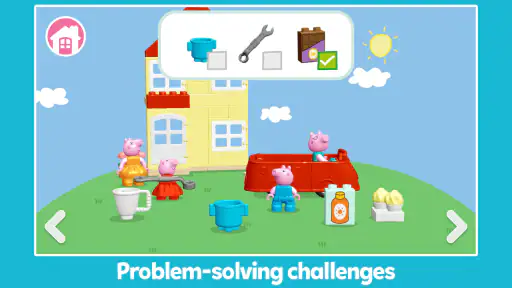
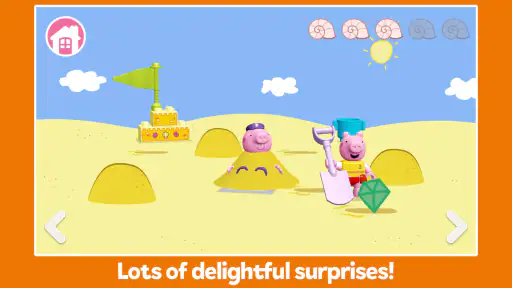
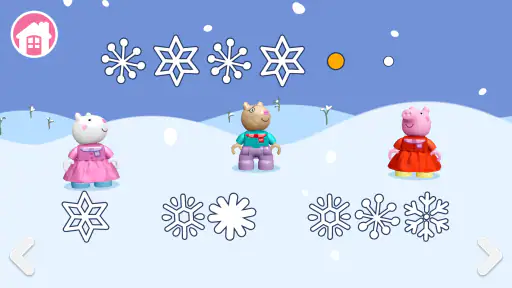
If building isn’t enough, there are interactive mini-games featuring Peppa and her friends. From fun puzzles to simple problem-solving tasks, these games are perfect for enhancing cognitive skills. I was delighted to see how these mini-games subtly teach numbers, colors, and shapes without the little ones even realizing they’re learning.
The different kinds of activity can help when a child’s attention shifts quickly. Building encourages open-ended choices, whereas a puzzle gives a clearer goal; switching between those modes can make the play session feel less repetitive. I would treat the learning element as a gentle opportunity to notice and talk about shapes, colors, or numbers, rather than as a structured lesson with a target to complete. That keeps the experience relaxed and lets the child set the pace.
Gaming Stories You May Enjoy

Dancing Road Turns Short Breaks Into a Test of Rhythm and Timing

Super Stylist Makes Every Outfit a Test of Taste and Patience

Dominoes on Your Terms: Who Should Play and Who Should Pass

Pokémon GO Makes the Familiar World Feel New

Chess.com Turns Rematches Into Rivalries, but Community Has Its Costs

Archery Battle 3D Review: Sharp Aiming, Unclear Feedback
Compared with general preschool games, the recognizable Peppa characters are a useful draw for children who might not be interested in abstract matching or number exercises on their own. Compared with watching a show, the appeal is that the child can act on the scene instead of only following it. The trade-off is that a child who wants a wide range of unrelated activities, or a parent looking for a formal learning program, may be better served by a broader educational app. This game’s particular strength is the combination of a familiar world and simple creative play, not covering every preschool subject.
Parental Controls and Safety
As a parent, the safety and security of your child while using an app is paramount. LEGO® DUPLO® Peppa Pig takes this seriously. The app features robust parental controls to ensure a safe and enjoyable experience. You can relax knowing that your child's screen time is both fun and secure.
For a real everyday use, I can picture opening it while waiting for food at a restaurant or during a quiet spell at home, when a child needs a calm activity and there is no room for physical bricks. I would still set a clear stopping point before handing over the device: finish the current activity, show me the scene, then put the tablet away. That small routine makes the end of play less abrupt and gives the child a natural moment to talk about what they did.
One trade-off with any virtual building game is that it cannot replace the feel of connecting real DUPLO bricks or the give-and-take of playing alongside another child. I would use it as a convenient alternative for a short wait or a change of pace, not as a substitute for hands-on construction. Children who prefer physical toys, dislike guided screen activities, or are not interested in Peppa may simply get more from a box of bricks or a different game.
Families may also wonder whether the free starting point means every part of the experience is included. The game has in-app purchases, with items priced from $2.99 to $29.99, so I would check the purchase settings on the device before letting a child explore independently. That is a sensible precaution for any child-facing app with paid items, even when the main attraction is play rather than shopping.
The game has reached over five million installs, and its current version is 7.0.0; it was released on May 28, 2024. It is listed for devices running Android 8.0 or later. Those details are useful if you are checking an older family tablet before installing. The app is also available for iOS, so households using Apple devices can look for it there as well.
Downloading the app is straightforward, available on both Android and iOS platforms. It's a breeze to set up, and within minutes, your child can dive into their Peppa Pig adventure.
When the Play Session Ends
The loop works best when a child can take an action, notice the result, enjoy a small sense of completion, and then decide whether to try another activity. Building gives that loop room to be imaginative, while the mini-games offer a more defined task. When it is time to stop, asking the child to point out one thing they made can make the transition feel more deliberate than simply closing the app mid-play.
I would not expect every session to hold a child’s attention for the same length of time. A child who is absorbed by Peppa and enjoys experimenting may happily return to a scene, while another may finish a puzzle and be ready to move on. Keeping the game available as one option, rather than presenting it as a guaranteed distraction, is the more realistic approach.
In conclusion, if your child is a fan of Peppa Pig and LEGO® DUPLO®, this app is a no-brainer. It’s a delightful blend of entertainment and learning. I found it to be a fantastic way to keep the little ones engaged while giving them a platform to learn and grow. So go ahead, give it a try, and watch your child’s imagination come to life!
Remember, the LEGO® DUPLO® Peppa Pig app is not just an app; it's an experience. An experience that brings smiles and laughter, and maybe even a bit of peace and quiet for you!
LEGO® DUPLO® Peppa Pig Pros and Cons
Pros
- Engaging and intuitive for young kids.
- Develops creativity and problem-solving.
- Safe
- ad-free environment.
- Fosters parent-child interaction.
- Regular updates with new content.
Cons
- Limited free content available.
- May require in-app purchases.
- Needs internet for full features.
- Large app size
- needs storage space.
- Occasional bugs and glitches.
Frequently Asked Questions
What is LEGO® DUPLO® Peppa Pig, and who is it designed for?
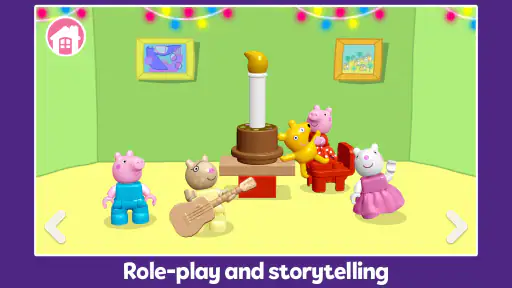
LEGO® DUPLO® Peppa Pig is an engaging mobile game designed for young children, particularly those aged 2 to 5. The game combines the beloved Peppa Pig characters and stories with the creative and tactile fun of LEGO DUPLO blocks. It provides an interactive and educational experience, allowing kids to explore and build within a safe digital environment. Parents will appreciate the game's focus on creativity, problem-solving, and motor skill development.
Is LEGO® DUPLO® Peppa Pig safe for my child to use?
Yes, LEGO® DUPLO® Peppa Pig is designed with young children in mind and adheres to strict safety and privacy standards. The game does not include in-app purchases or third-party advertising, ensuring a safe environment for your child. Additionally, the content is age-appropriate and designed to engage children in a positive and educational manner, promoting creativity and learning through play.
What devices are compatible with LEGO® DUPLO® Peppa Pig?
LEGO® DUPLO® Peppa Pig is available for both Android and iOS devices. It requires an Android device running version 5.0 or higher or an iOS device with iOS 11.0 or later. The game is optimized for tablets, providing a larger screen for children to interact with, but it is also compatible with smartphones. Ensure your device meets the minimum system requirements for a smooth gaming experience.
Does LEGO® DUPLO® Peppa Pig offer educational benefits?
Absolutely, LEGO® DUPLO® Peppa Pig is designed to be both fun and educational. The game encourages children to engage in creative play, which helps develop fine motor skills and spatial awareness. It also introduces basic problem-solving tasks and storytelling, enhancing cognitive development. By interacting with familiar characters and building structures, children learn through play in an immersive and enjoyable setting.
How can I download and install LEGO® DUPLO® Peppa Pig?
To download LEGO® DUPLO® Peppa Pig, visit the Google Play Store for Android devices or the Apple App Store for iOS devices. Search for the game by name, then tap 'Install' to download it to your device. Once downloaded, the app will automatically install, and you can launch it from your home screen. Ensure you have a stable internet connection for a seamless download and installation process.


