

Learn to Read: Kids Games
- Reviews
- 4.7
- Version
- Varies with device
- Installs
- 5,000,000+

Screenshots
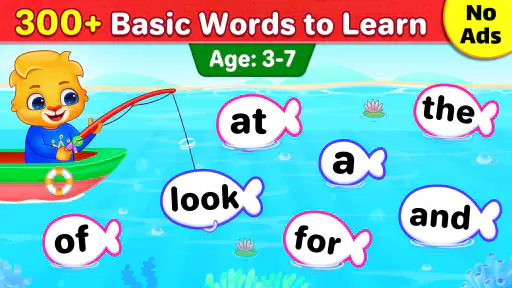
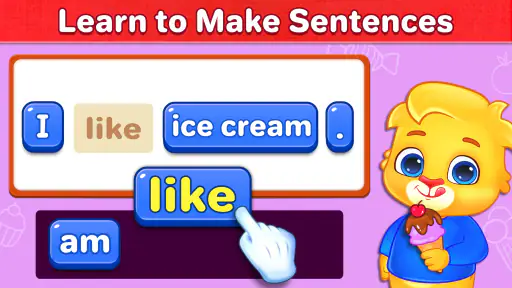
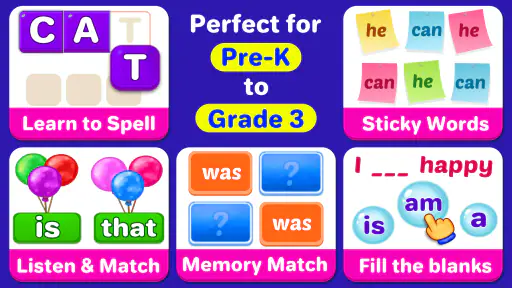
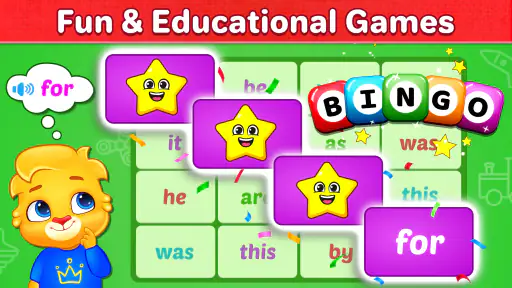
 Analysis by Frivlyz
When I think about whether a children’s reading game deserves a regular place on a device, I look beyond the first burst of excitement. The useful test is whether a child can return to it in short sessions, stay interested without constant adult prompting, and carry anything learned into a book or a real conversation. Learn to Read: Kids Games is aimed at that early-literacy routine, and I’d treat it as a possible practice companion rather than a replacement for reading together.
What the first few sessions can tell you
The opening appeal of a reading game is easy to understand: a child can tap, listen, and respond instead of sitting through a formal lesson. For a family trying to make early reading feel less like a chore, that change of mood matters. I would introduce it when a child is rested and curious, then keep the first visit brief enough to end before frustration sets in. A cheerful start is useful, but it is not proof that a child is ready for every reading task the game might offer.
The store identifies this as an educational game from RV AppStudios, with an Everyone age rating. It is free, has a 4.7 average from around 9,100 ratings, and has passed 5 million installs. Those figures suggest that many families have tried it, but they cannot tell you whether its approach suits your child. I’d use the first few sessions to watch what the child actually does: whether they listen carefully, recognize familiar words, or simply tap quickly to reach the next bit of activity.
Turning novelty into a small routine
For lasting value, I would pair a short app session with a simple offline follow-up. If a child encounters a word in the game, ask them to spot it on a label, in a picture book, or on a note at home. That little bridge helps you see whether the practice is becoming useful beyond the screen. It also keeps the game from becoming the only place where reading happens.
A realistic routine might be a few minutes after a snack while an adult prepares dinner, followed by looking at one printed page together. I would avoid using the app as a test or asking for a performance every time. If the child is tired, a familiar story with an adult may be the better choice; if they are eager to play, a brief game session can be a gentle way to begin. The benefit comes from consistency and conversation, not from stretching screen time.
Where it fits—and where it may not
This kind of game is most appealing for a young learner who enjoys tapping through activities and benefits from a change of pace. It can give a parent an accessible way to make word practice feel playful, especially when there is no time for a longer lesson. But a child who already reads independently may want richer stories and more choice, while a learner who needs close, individualized instruction may do better with an adult or teacher guiding each step.
Compared with alphabet videos, the game format invites a child to respond rather than only watch. Compared with a physical book, though, it cannot provide the same shared attention, page-turning practice, or easy space to pause and discuss a picture. I see those as different tools, not rivals: the app can add variety, while books and conversation remain important parts of learning. If your household wants a fully adult-led phonics plan, this may not be the most suitable main resource.
Gaming Stories You May Enjoy

Dancing Road Turns Short Breaks Into a Test of Rhythm and Timing

Super Stylist Makes Every Outfit a Test of Taste and Patience

Dominoes on Your Terms: Who Should Play and Who Should Pass

Pokémon GO Makes the Familiar World Feel New

Chess.com Turns Rematches Into Rivalries, but Community Has Its Costs

Archery Battle 3D Review: Sharp Aiming, Unclear Feedback
Bright Beginnings: The Interface and Experience
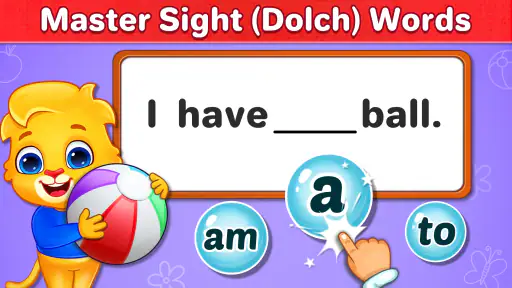
From the moment I opened Learn to Read: Kids Games, I was greeted by a colorful and inviting interface. It's like stepping into a vibrant classroom where learning is disguised as play. The app is designed for tiny fingers, with big, bold icons that are easy for kids to navigate. Even if you're not tech-savvy, setting up the app is a breeze. It practically holds your hand through the process, making it stress-free for both you and your child.
The Learning Adventure: Features and Gameplay
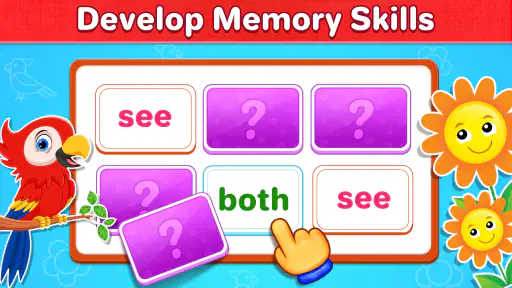
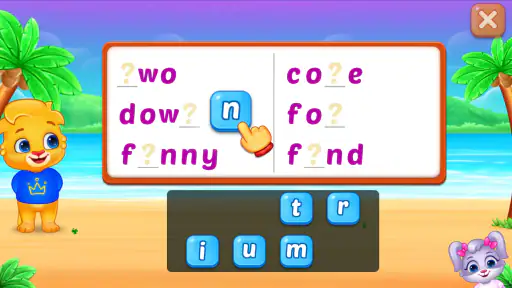
What really sets this app apart is its diverse range of learning activities. It's not just about reading; it's about making reading an adventure. Your child can dive into a sea of phonics games, interactive stories, and even sing-along songs that reinforce word recognition. The app cleverly uses repetition and rewards to keep kids engaged. Trust me, your little one won't even realize they're learning because they're having so much fun!
One of the standout features is the personalized learning path. Learn to Read: Kids Games adapts to your child's pace, ensuring they're neither bored nor overwhelmed. This personalized touch means that the app grows with your child, which is a huge plus for parents looking for a long-term educational tool. Plus, the progress tracker is a neat little feature that lets you see how your child is improving over time.
Sound and Animation: The Cherry on Top
The sound effects and animations are the cherries on top of this educational sundae. Each success is met with cheerful applause, and the animations are lively and engaging without being overstimulating. The app manages to strike a perfect balance, keeping the experience joyful and motivating.
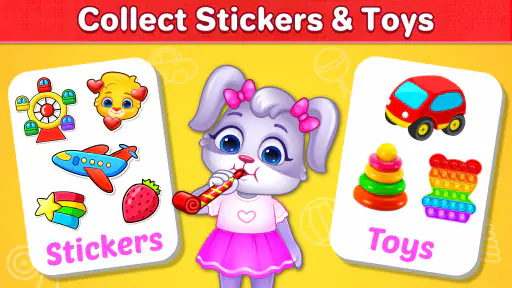
But wait, there's more! The app also includes a variety of in-app challenges that keep the content fresh. Whether it's a new story or a phonics challenge, there's always something to look forward to. And for those of you worried about screen time, rest assured, this app encourages breaks and even suggests offline activities to complement the learning experience.
Keeping the experience manageable
A useful way to judge whether the activities are helping is to notice the difference between guessing and recognition. If your child gets an answer right, ask them to say the word aloud or find it again later in a book. If they can only succeed by tapping rapidly or relying on a familiar sequence, slow down and revisit the word together instead of treating the score as evidence of mastery. This makes an adult’s attention more valuable than simply letting the game run for longer.
I’d also make the device handoff predictable. A child can choose a short session after breakfast or before a shared story, rather than opening the game whenever they are bored. That boundary helps keep the app a learning activity instead of a default way to fill every quiet moment. For a caregiver, the practical question is not just whether the child enjoys it, but whether it is easy to stop and move on without a battle.
What may wear thin over time
Repetition can be helpful in early reading, but the same loop can also lose its charm once the novelty wears off. Rewards and lively feedback may encourage a beginner to try again, yet they can distract a child who focuses more on the animation than on the word. If that happens, I would sit beside them, name the learning goal for that session, and end after a small success rather than pushing through a string of activities.
Another trade-off is that a game’s cheerful pace does not automatically match every child’s learning pace. Some children need extra time to sound out a word, while others want to move ahead quickly. Even with a personalized path, I would not assume the app can identify every difficulty or replace a parent’s judgment. If a child is consistently confused, disengaged, or anxious about reading, a calm one-to-one conversation with a teacher or caregiver is more useful than repeating the same game.
Questions to settle before making it a habit
Parents often want to know whether this can be the only reading practice their child needs. I would say no: use it as one part of a broader routine, with printed books, spoken language, and adult attention alongside it. If you are wondering whether it suits a very early learner, try a few short sessions while watching for interest and comprehension rather than expecting immediate progress. For a child who already reads comfortably, the basic activities may feel too simple, so a library book or a more advanced reading resource could be a better use of their time.
It is also reasonable to ask whether the game works for independent play. The friendly interface may help a child move around without much technical help, but I would still stay nearby at first. Watching together lets you see whether instructions make sense, whether the child is making thoughtful choices, and when it is time to stop. The best routine is one you can maintain without turning every session into a lesson or a negotiation.
The Final Word: A Must-Have for Early Learners
So, what's the verdict? Learn to Read: Kids Games is a fantastic tool for any parent looking to give their child a head start in reading. It's a delightful blend of fun and education, wrapped up in a user-friendly package. You know that warm, fuzzy feeling you get when you see your child learn something new? This app delivers that feeling in spades.
In conclusion, if you're looking to turn reading into an adventure for your child, this app is a must-have. It's engaging, educational, and just plain fun. So go ahead, give it a whirl, and watch your little one's love for reading blossom!
My long-term verdict
I’d give it a place in the routine when a child enjoys interactive practice and an adult can occasionally connect the on-screen activity to words elsewhere. I would not rely on it as a complete reading curriculum, nor keep it installed just because it once held a child’s attention. Its lasting value depends on whether it continues to prompt useful practice without crowding out books, conversation, and rest.
After the first burst of excitement, check in now and then: is the child recognizing words more confidently, asking about print, or willingly returning for a short session? If so, it is earning its space as one modest tool among several. If sessions become a negotiation or the child is only chasing the next animation, put it aside and choose a shared book or another activity. That flexibility is what makes a free learning game worth trying without making it a commitment.
Learn to Read: Kids Games Pros and Cons
Pros
- Engaging and interactive design.
- Variety of educational games.
- User-friendly interface.
- Supports multiple languages.
- Includes progress tracking.
Cons
- Requires internet connection.
- Some games need paid subscription.
- Limited content in free version.
- Occasional ads disrupt gameplay.
- Not suitable for older kids.
Frequently Asked Questions
What is 'Learn to Read: Kids Games' and what age group is it suitable for?
'Learn to Read: Kids Games' is an educational app designed to help young children develop their reading skills through interactive and engaging games. It is primarily aimed at children aged 3 to 8 years old. The app employs fun and colorful graphics, along with phonics-based activities, to make learning enjoyable and effective for early readers.
What features does 'Learn to Read: Kids Games' offer to enhance children's reading skills?
The app offers a variety of features including phonics games, word puzzles, and storytelling sessions that focus on letter recognition, vocabulary building, and reading comprehension. Additionally, it includes interactive exercises and progress tracking to ensure children are improving their skills over time. Parents can monitor progress and customize the learning experience to suit their child's needs.
Is 'Learn to Read: Kids Games' available for both Android and iOS devices?
Yes, 'Learn to Read: Kids Games' is available for download on both Android and iOS platforms. It can be found in the Google Play Store for Android users and the Apple App Store for iOS users. The app is optimized for both smartphones and tablets, providing a seamless learning experience across different devices.
Are there any in-app purchases or advertisements within 'Learn to Read: Kids Games'?
The app is free to download, but it does offer optional in-app purchases to unlock additional content and features. While the basic version provides a substantial amount of free content, parents can choose to purchase premium features to enhance their child's learning experience. The app is designed to be child-friendly and limits advertisement exposure, ensuring a safe environment for kids.
How can parents track their child's progress in 'Learn to Read: Kids Games'?
Parents can easily track their child's progress through the app's built-in progress monitoring feature. This tool provides detailed reports on the child's learning milestones, completed activities, and areas that need improvement. Parents can use this information to tailor the learning experience and provide additional support where necessary, ensuring that their child gets the most out of the app.


