

LeapFrog Academy™ Learning
- Reviews
- 3.3
- Version
- 1.1.1.1087
- Installs
- 500,000+

Screenshots

 Analysis by Frivlyz
When I first considered LeapFrog Academy™ Learning, the main question was whether it could turn a short stretch of screen time into something a child would enjoy and a parent could actually use. My impression is that it is best approached as a guided collection of learning activities, rather than a replacement for a teacher, a book, or hands-on play. That distinction makes it easier to set sensible expectations from the start.
What to expect from the learning adventures
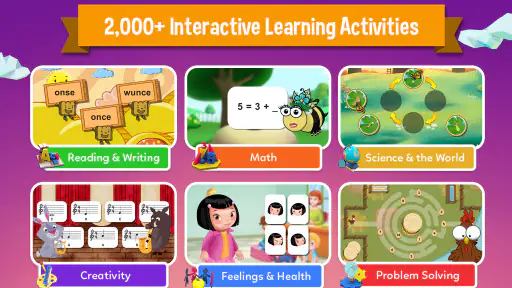
This is an educational game from LeapFrog Enterprises, Inc, aimed at children and rated for Everyone. Its activities bring together play and early learning, with material spanning literacy, math, science, and other areas. The useful idea is variety: a child can encounter concepts through different kinds of activities instead of being asked to work through a single, repetitive drill.
The app’s store rating is 3.3 from around 950 ratings, so I would treat it as a personal fit to test rather than assume every family will have the same experience. It has passed 500,000 installs, but popularity alone does not tell me whether a particular child will enjoy its pace or presentation. I’d try it alongside an adult first, then decide whether it earns a regular place in the routine.
Interactive Learning Adventures
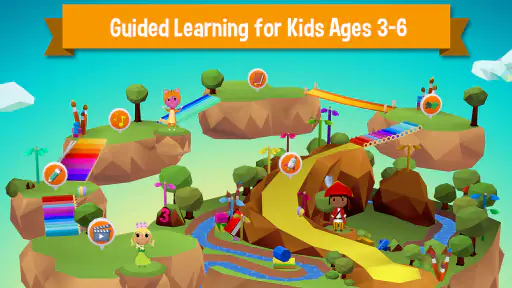
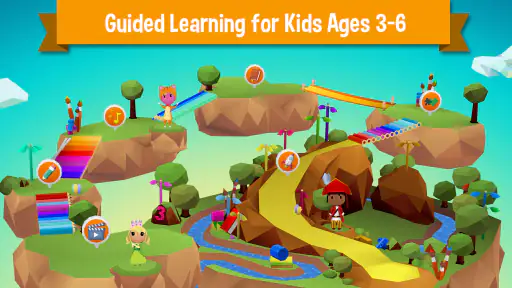
First off, the app is packed with interactive learning adventures that are designed to keep kids engaged. You know how tough it can be to get them to sit down and focus, right? Well, LeapFrog Academy™ Learning has a knack for transforming learning into a fun journey. The adventures are set in colorful, vibrant worlds that capture their imagination.
Each adventure is a blend of videos, games, and activities that cover a range of subjects like math, science, and reading. It’s not just about memorizing facts; it’s about understanding concepts through play. Plus, the content adapts to your child's learning pace, which is a huge win in my book.
Customizable Learning Paths
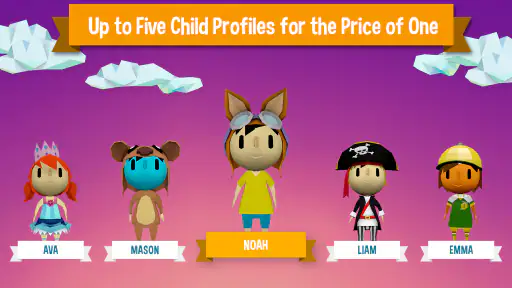
What’s cool about this app is its ability to tailor learning paths to each child. When you set it up, you input your kid’s age and interests, and voila, the app crafts a personalized learning experience. This feature really stands out because it acknowledges that every child learns differently.
The app offers a variety of subjects and skills, so whether your child is a budding artist or a math whiz, there’s something here to keep them entertained and educated. It’s like having a digital tutor that knows exactly what your child needs to work on.
Gaming Stories You May Enjoy

Dancing Road Turns Short Breaks Into a Test of Rhythm and Timing

Super Stylist Makes Every Outfit a Test of Taste and Patience

Dominoes on Your Terms: Who Should Play and Who Should Pass

Pokémon GO Makes the Familiar World Feel New

Chess.com Turns Rematches Into Rivalries, but Community Has Its Costs

Archery Battle 3D Review: Sharp Aiming, Unclear Feedback
Make the first session easy to finish
For a first visit, I’d keep the goal small: let your child explore one activity, then ask them to tell you what they noticed or learned. That simple conversation helps you see whether the instructions made sense and whether the activity held their attention. It also turns a solitary screen session into a shared learning moment without requiring you to lead every tap.
If your child is hesitant, sit beside them and take turns choosing what to try. Avoid treating the first session as a test of ability; a new interface can take a little getting used to, and a child may need time to understand how an activity responds. A calm introduction is more likely to show you the app’s real fit than handing over the device and expecting instant independence.
Progress Tracking for Parents
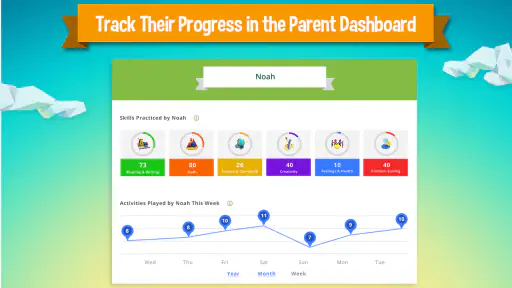
As a parent, it’s super important to know how your child is progressing, and LeapFrog Academy™ Learning makes that easy. The app includes a progress tracker that shows how your little one is doing in each subject area. You can see which areas they excel in and where they might need a bit more practice.
This feature is a lifesaver for busy parents who want to stay involved in their child’s education without having to hover over them constantly. It’s all about finding that perfect balance between guidance and independence.
A practical routine, not a substitute for play
A realistic use is a short after-school wind-down: while dinner is being prepared, a child can complete an activity, and you can later check the progress view to find a topic worth discussing together. I would use that information as a prompt for conversation, not as a definitive measure of what a child understands. An on-screen success can show that a task was completed; asking the child to explain the idea in their own words gives you a better sense of whether it stuck.
That distinction matters because learning apps can make practice convenient but cannot replace drawing, counting real objects, reading aloud, or playing with another person. If a child is struggling with a concept, I’d use the app as one extra way to revisit it, then switch to a practical example away from the screen. The strongest routine is one that leaves room for both.
Rewards and Motivation
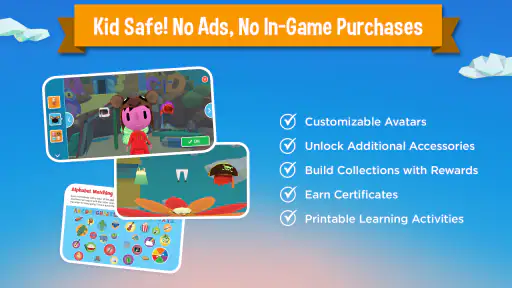
Kids love rewards, and this app knows how to motivate them. As they complete tasks and progress through their learning paths, they earn rewards that can be used within the app. It’s a clever way to keep them coming back for more.
The rewards system encourages kids to set goals and achieve them, building a sense of accomplishment along the way. It’s not just about learning; it’s about fostering a love for learning.
Where it fits among children’s learning apps
Compared with a basic alphabet or arithmetic drill, the appeal here is the broader mix of activities and subject areas. A child who gets bored repeating the same kind of question may respond better to changing formats and themed adventures. On the other hand, if your immediate goal is focused practice on one specific skill, a simpler app or a workbook may be easier to keep on task with. I would choose based on what the child needs that week, rather than expecting one app to cover every learning need.
It is also different from a video-only learning app: the child is expected to take part, not just watch. That can make a session feel more active, but it also means an adult may need to help when a child is unsure what to tap or how to proceed. For a child who is not ready to navigate activities independently, using it together is a sensible starting point.
Offline Access
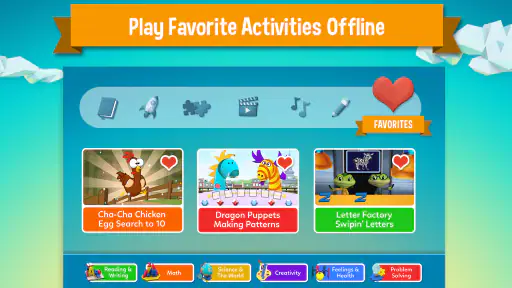
One of the standout features is its offline capability. You can download activities and adventures to your device, so your child can learn on the go without needing an internet connection. This is perfect for long car rides or trips where Wi-Fi might be spotty.
Having offline access means your child’s learning doesn’t have to pause just because you’re out and about. It’s a seamless way to integrate education into everyday life.
Plan around the practical details
The game is free to download, with in-app purchases ranging from $7.99 to $69.99 per item. I’d look at the purchase options before a child starts exploring, and make the decision about spending myself rather than leaving it to a young user. The free entry point makes it possible to assess whether the style suits your family, while the range of optional purchases means it is worth being deliberate about what, if anything, you choose.
It was released on May 10, 2017, and the current version is 1.1.1.1087, with Android 5.0 or later required. Those details are useful when checking an older device before installing. If you are setting it up for a child, I’d also take a moment to explore the parent-facing areas together and establish a simple rule about when the device is for learning and when it is put away.
Common points of confusion
A personalized path can make the experience feel more relevant, but it does not mean every activity will match a child’s mood or interests every time. If the first suggestion falls flat, I would try another subject or format before deciding the whole app is a poor fit. Children can also interpret rewards as the main point of an activity, so it helps to ask what they enjoyed or discovered, rather than focusing only on what they earned.
Parents may also wonder whether the progress tracker should guide the next session. I’d use it as a useful nudge: notice a subject that seems to need more practice, then offer a related activity or an offline example. It is not a reason to push a child through a topic when they are tired. Short, positive sessions are more useful than turning the app into another source of pressure.
Who will get the most from it
I think it is a promising choice for families looking for a varied, child-oriented way to add literacy and math practice to the day, especially when an adult can help with the first few visits. The mix of subjects may suit a curious child who likes switching between activities, and the parent progress view can help a caregiver stay involved without watching every moment.
I would skip it if you want a tightly structured course with a clear lesson sequence, if your child strongly prefers physical materials, or if you need a tool focused on one precise skill. It may also be a poor fit if optional in-app spending is not something you want to manage. A book, a hands-on activity, or a narrowly focused practice tool can be the better choice in those situations.
Final Thoughts
All in all, LeapFrog Academy™ Learning is a fantastic tool for fostering your child’s curiosity and love for learning. It’s engaging, customizable, and packed with features that make both kids and parents happy.
If you’re on the hunt for an educational app that’s more than just screen time, give this one a try. It’s a great way to turn playtime into learning time, and who knows, you might learn a thing or two yourself!
My recommendation is to begin with one shared session, see which activities your child returns to willingly, and decide from there whether it belongs in your regular routine. I like the combination of varied learning, rewards, and a parent-facing progress view, but the experience works best when an adult sets boundaries around screen time and purchases. Treat it as one useful option among books, conversation, and hands-on play, and it can make a practical addition to a child’s learning day.
LeapFrog Academy™ Learning Pros and Cons
Pros
- Engaging educational games for kids.
- Wide range of subjects covered.
- Offline access for learning on the go.
- Parental controls ensure safe use.
- Adaptive learning tailored to progress.
Cons
- Requires subscription for full access.
- Limited content for older kids.
- Initial setup can be confusing.
- Needs regular updates for new content.
- Some games may be too easy for advanced users.
Frequently Asked Questions
What age group is LeapFrog Academy™ Learning suitable for?
LeapFrog Academy™ Learning is designed for children aged 3 to 6 years old. The app provides a wide range of educational activities that cater to early learners, focusing on foundational skills in math, reading, and science. It tailors content to match the developmental stage of each child, ensuring age-appropriate learning experiences.
Does LeapFrog Academy™ Learning require an internet connection?
While LeapFrog Academy™ Learning offers offline play options, an internet connection is required for initial setup and downloading new lessons or updates. This allows children to access a variety of activities without needing to be connected all the time, providing flexibility for use on the go.
Is LeapFrog Academy™ Learning a subscription-based app?
Yes, LeapFrog Academy™ Learning operates on a subscription model. It typically offers a free trial period for new users, after which a monthly fee is charged. This subscription grants access to a comprehensive library of educational games and activities that are continuously updated to enhance learning.
How does LeapFrog Academy™ Learning track a child’s progress?
The app includes a robust progress tracking feature that allows parents to monitor their child's achievements and areas for improvement. It provides detailed reports on completed activities and skills mastered, offering insights into the child’s learning journey and helping parents support their development.
Are there parental controls in LeapFrog Academy™ Learning?
LeapFrog Academy™ Learning includes parental controls to ensure a safe and secure environment for children. Parents can customize settings to limit screen time, control access to certain features, and manage content availability, making it easier to tailor the app to family preferences and ensure appropriate use.


