

Kids Toddler & Preschool Games
- Reviews
- 4.8
- Version
- Varies with device
- Installs
- 5,000,000+

Screenshots
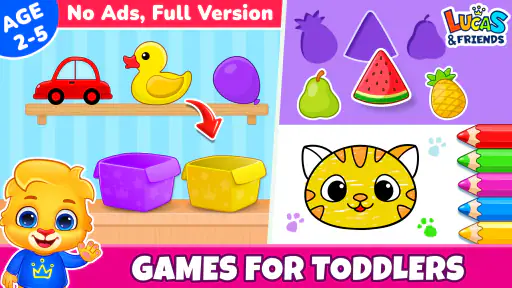
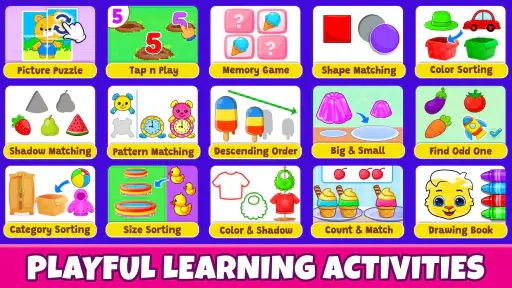
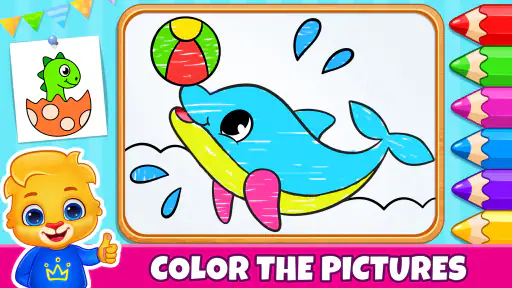
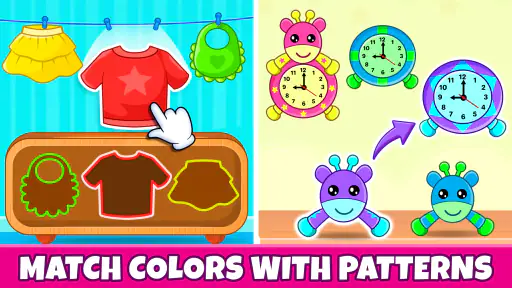
 Analysis by Frivlyz
If you’ve got little ones bustling around the house, you know how important it is to find activities that are both entertaining and educational. Let me tell you about Kids Toddler & Preschool Games, an app that promises not just to keep your kids engaged, but also to give their learning a delightful boost!
A first look at the activities
Kids Toddler & Preschool Games is a free educational game from RV AppStudios, aimed at children around ages three to five. Its mix of early-learning activities makes it easier to offer a child a short, guided play session than to assemble a collection of separate apps for letters, sorting, and other beginner skills. I’d treat it as a playful introduction rather than a replacement for books, conversation, or hands-on activities.
The age range is a useful starting point, not a promise that every child will find the same tasks easy. A child who already recognizes letters may enjoy practicing them independently, while another may need an adult nearby to explain what an activity is asking. I’d let the child’s response set the pace: if they are guessing quickly or becoming frustrated, pause and try again later rather than turning a game into a test.
It is rated for Everyone, which helps families looking for an age-appropriate option, but an age label cannot tell you whether the visual style, pace, or touch controls suit a particular child. A quick first session together is the best way to judge that. I’d watch not just whether a child can complete a task, but whether they understand the instruction and can recover when they make a mistake.
What’s All the Buzz About?
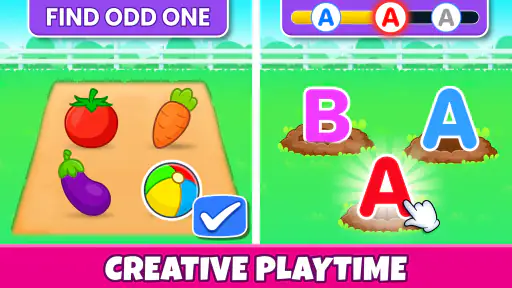
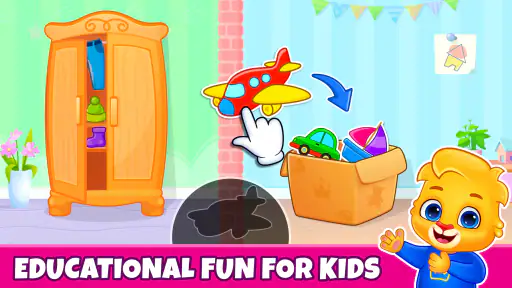
The moment you fire up Kids Toddler & Preschool Games, you’re greeted with a colorful and inviting interface that just screams fun! Designed with toddlers in mind, this app is packed with games that cover everything from basic math skills to language development. The best part? It’s all wrapped up in a package that feels more like play than work.
Engaging and Educational
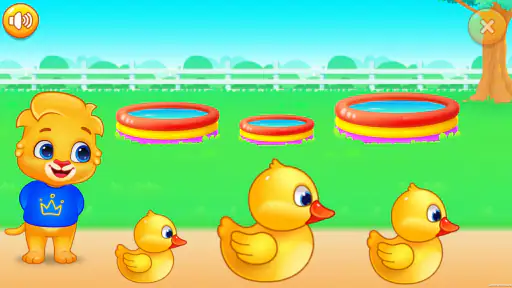
As a parent, I’m always on the lookout for apps that strike the right balance between learning and fun. This app does just that. The games are intuitively designed, ensuring that even the youngest of users can navigate through them without breaking a sweat. And let’s face it, watching your toddler correctly identify shapes or numbers feels pretty darn satisfying!
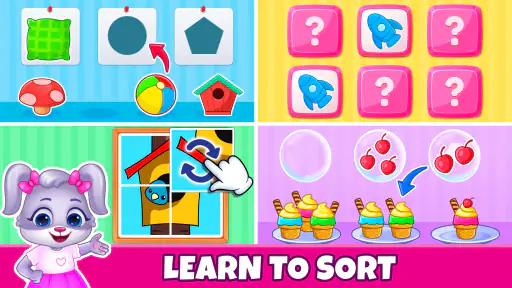
From matching games that boost memory to puzzles that enhance problem-solving skills, each game is crafted to stimulate the cognitive abilities of children. And while the kids are busy having a blast, you can rest easy knowing they’re picking up valuable skills along the way. Who knew learning could be this much fun?
Gaming Stories You May Enjoy

Dancing Road Turns Short Breaks Into a Test of Rhythm and Timing

Super Stylist Makes Every Outfit a Test of Taste and Patience

Dominoes on Your Terms: Who Should Play and Who Should Pass

Pokémon GO Makes the Familiar World Feel New

Chess.com Turns Rematches Into Rivalries, but Community Has Its Costs

Archery Battle 3D Review: Sharp Aiming, Unclear Feedback
Clear screens, little hands
For a preschooler, an interface is only truly simple if the child can tell what to do without needing an adult to translate every screen. The bright presentation described here can help attract attention, but it also makes it worth checking whether a particular child can distinguish the important objects from decorative details. I’d sit beside them at first, point out the task, and then see if they can carry on with less help.
Touch games can be a comfortable fit for children who enjoy tapping and dragging, but they are not equally easy for every set of hands. A child who presses with a whole palm, has trouble aiming, or tires quickly may need slower turns and an adult nearby. Instead of correcting every missed touch, I’d give them time to try again; that makes it easier to tell whether the challenge is the learning task or simply the movement required.
Sound and colorful animation can make a young child more willing to stay with an activity, yet stimulation is personal. If a child becomes overexcited or distracted, I’d lower the volume on the device or switch to a quieter activity rather than insisting they finish a game. For a child who is sensitive to sound or visual movement, previewing a session together is more useful than assuming that cheerful presentation will suit everyone.
User-Friendly, Parent-Approved
One of the standout features of this app is its user-friendly interface. It’s clear that the developers have put a lot of thought into making the app accessible. The controls are straightforward, and the instructions are simple enough for kids to follow. Plus, there’s no need to worry about pesky ads popping up and ruining the experience. The app is designed to be safe and secure, giving parents peace of mind.
And let’s not forget about the graphics! They’re bright and vibrant, perfectly capturing the attention of young minds. The animations are smooth, and the sound effects are delightful without being overbearing. It’s these little touches that make the app a joy for both kids and parents.
Making a short session work
A practical way to use the game is to make it one small part of a familiar routine. For instance, while waiting for a meal to cool, a caregiver could invite a child to try one activity, sit alongside them, and ask them to explain what they are matching or sorting. That turns screen time into a chance to talk about the choices, rather than leaving the device to occupy the child without any shared attention.
I would also use the activities as a prompt for offline play. If a child has been sorting items on screen, you can follow with a few safe household objects and ask them to group them by color or shape. The point is not to recreate the game exactly; it is to connect a screen-based idea with things the child can handle and describe. This approach is especially useful when a child enjoys the app but needs a break from looking at a display.
For travel or waiting rooms, a familiar game can be an appealing distraction, but it is sensible to try it at home first. That gives you a chance to see whether the child needs help, whether the audio is appropriate for the setting, and whether they can stop without a difficult transition. I’d keep the session short and agree on the stopping point in advance, since a young child may not find it easy to leave an enjoyable activity abruptly.
Where it fits among children’s apps
Compared with a single-purpose alphabet or counting app, this game’s broader range can be handy when a child wants to switch activities without changing apps. That variety is also a trade-off: if you want a carefully structured course focused on one skill, a dedicated learning tool, a teacher-selected resource, or a physical workbook may give you a more focused experience. I see this as a flexible source of practice and entertainment, not a formal curriculum.
It also differs from passive videos. Games ask a child to make choices, which can invite more active participation, but they still involve screen time and may require adult support. Shared reading, blocks, drawing, and conversation remain better choices when the goal is extended interaction or practice away from a screen. I’d use the app as one option in a varied routine, not as the default answer whenever a child needs something to do.
The game is most likely to suit caregivers who want a free, approachable collection for preschool-age children and are happy to supervise the first few sessions. It may be less suitable for families seeking a quiet, low-stimulation activity, a specific accessibility adaptation, or a tightly sequenced teaching program. In those situations, checking the child’s response and choosing a resource designed around that particular need is the wiser choice.
What to expect as a parent
The game has a 4.8 average from around 3.7 thousand ratings, and it has passed five million installs. Those figures suggest that many families have tried it, but popularity does not establish whether it will suit a particular child. I’d judge it by a simple test: can the child understand what the activity asks, stay comfortable while playing, and move on without a struggle?
It was released in November 2023, and the free price makes it easy to consider as a low-commitment option. I would still check the current app page and device settings before handing over a phone or tablet, especially if the device is shared. A parent can also decide in advance when and where the child may play, rather than relying on the game itself to manage household routines.
One useful way to assess learning is to notice what the child does after closing the app. Do they name a shape during play, sort toys in a similar way, or ask to try a letter again? Those small moments are more meaningful than simply counting how long they played. If nothing carries over, that does not mean the session failed; it may simply have been entertainment, or the child may need a different kind of practice.
Final Thoughts
All in all, Kids Toddler & Preschool Games is a fantastic option for parents looking to introduce their children to educational games. It’s engaging, easy to use, and most importantly, it makes learning fun. If you’re on the hunt for an app that’s equal parts entertaining and educational, this one’s definitely worth checking out.
Whether you're at home or on the go, this app is sure to keep your little ones entertained while helping them learn and grow. So why not give it a try? After all, who doesn’t like a bit of fun and learning combined into one delightful package?
An inclusive choice, with sensible limits
My overall view is positive, with one important qualification: an appealing design and simple controls do not automatically make a game accessible to every child. Children differ in reading readiness, coordination, attention, sensory comfort, and how much guidance they want. I’d make the first play session a shared one, then adjust the environment and expectations according to what the child actually finds manageable.
For a child who enjoys brief touch-based challenges and benefits from variety, this can be a convenient addition to the family’s collection of learning activities. If a child cannot comfortably see the screen, use the touch controls, tolerate the sound, or understand the prompts, I would not press them to adapt. A quieter non-screen activity or a tool specifically suited to that child’s needs would be a better fit.
That balance is why I’d recommend trying it with a little attention rather than treating it as an automatic solution. The strongest use is a short, supported session that leaves room for conversation and play away from the device. When the child is enjoying the tasks and can take part comfortably, the game can be a cheerful way to explore early-learning ideas; when it creates strain, there is no shortage of better ways to learn together.
Kids Toddler & Preschool Games Pros and Cons
Pros
- Engaging and educational content for children.
- Bright
- colorful graphics to captivate kids.
- Simple navigation suitable for young users.
- Variety of games keeps children interested.
- Supports cognitive development and learning.
Cons
- Contains in-app purchases that may surprise parents.
- Ads can disrupt game flow for children.
- Limited content in free version.
- May require adult supervision for some tasks.
- Games might be too simple for older children.
Frequently Asked Questions
What age group is Kids Toddler & Preschool Games suitable for?
Kids Toddler & Preschool Games is designed specifically for young children, typically between the ages of 2 to 5 years old. It offers a variety of educational games that cater to toddlers and preschoolers, helping them develop essential skills such as counting, color recognition, and basic problem-solving in a fun and interactive way.
Are there any in-app purchases in Kids Toddler & Preschool Games?
Yes, Kids Toddler & Preschool Games does offer in-app purchases. While the app provides a range of free games and activities, there are additional features and content available for purchase. These purchases are optional, and parents can choose to unlock more games and features to enhance their child's learning experience.
Is Kids Toddler & Preschool Games safe for my child to use?
Absolutely. Kids Toddler & Preschool Games is designed with child safety in mind. It features a child-friendly interface with no third-party advertisements. The app also includes parental controls, allowing parents to manage what their child can access and ensuring a safe and secure environment for learning and play.
Can Kids Toddler & Preschool Games be used offline?
Yes, the app can be used offline. Once downloaded, Kids Toddler & Preschool Games allows children to enjoy its various games and activities without the need for an internet connection. This makes it convenient for use during travel or in areas with limited connectivity, ensuring continuous learning and entertainment.
What kind of educational benefits does Kids Toddler & Preschool Games offer?
Kids Toddler & Preschool Games provides numerous educational benefits, focusing on early childhood development. It helps children improve their cognitive skills through puzzles and memory games, enhances language skills with vocabulary-building activities, and fosters creativity with drawing and coloring games. These activities are designed to be engaging and educational, promoting a balanced development for young learners.


