

Kids Cooking Games 2 year olds
- Reviews
- 4.4
- Version
- 1.13
- Installs
- 1,000,000+

Screenshots

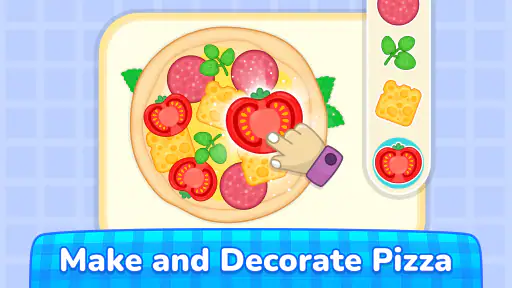
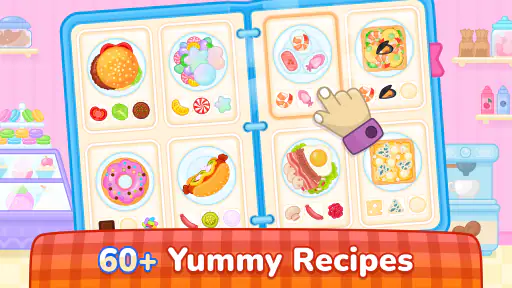

 Analysis by Frivlyz
I look for a toddler game that can hold a child’s attention without turning a short play break into a complicated setup for the adult. Kids Cooking Games 2 year olds takes a familiar subject—pretend food preparation—and makes it the center of an educational game. I see its strongest appeal in giving a curious young child a simple way to explore kitchen routines on a screen, while an adult stays nearby to help when needed. It is not a replacement for real cooking or hands-on play, but it can be a useful, contained activity for families who want a food-themed game.
Whisking Up Some Fun
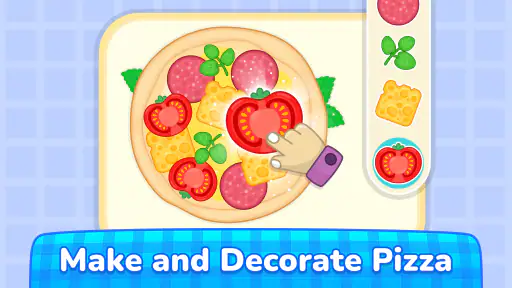
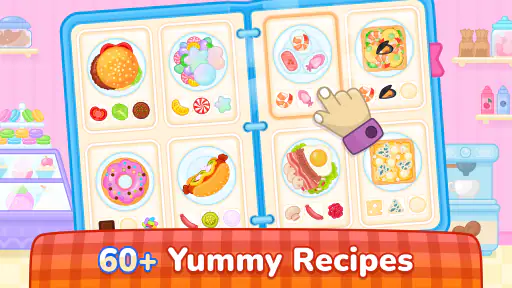
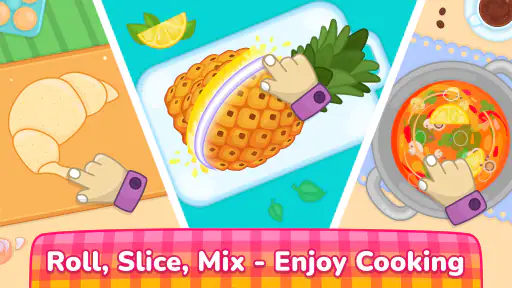
The moment you launch Kids Cooking Games 2 year olds, you're greeted with a vibrant, colorful interface that immediately captures the attention of young minds. The graphics are lively and engaging, almost like a cartoon that has come to life. Your little chef will be guided through various cooking steps with easy-to-follow instructions that even a two-year-old can understand. The app features a variety of recipes that kids can "prepare" without any mess or danger. From baking a virtual cake to making a fruit salad, the options are endless!
Readability and navigation for early learners
Bright visuals can make a game inviting, but for a toddler, the practical question is whether the child can tell what to do next. The cooking theme gives the activities a recognizable sequence: a child can connect food and preparation with actions they see adults perform. That familiarity may make the play feel more approachable than an abstract puzzle, especially for a child who likes watching meals being made.
I would still treat “easy to follow” as a reason to sit alongside a very young player at first, rather than assume every child will understand the prompts independently. Children differ in how much they can follow spoken or visual directions, and a two-year-old may need an adult to point, name objects, or explain what the screen is asking. A useful first session is therefore a shared one: let the child choose and try, then offer a small hint only when they get stuck. That keeps the game from becoming an adult-led demonstration.
For a child who is not yet reading, the visual presentation is more relevant than written language. An adult can also use the play as a conversation starter: ask what food is on screen, what might come next, or whether the child has seen that ingredient at home. Those prompts add language practice without turning the game into a lesson with a right answer. If a child finds busy colors distracting, though, the same lively presentation that attracts one player may make it harder for another to focus.
Learning through play, at a toddler’s pace
What's truly fantastic about this app is how it seamlessly integrates education with entertainment. While your child is busy having a blast, they're also learning essential skills like counting, following instructions, and even some basic cooking techniques. Each activity is designed to improve hand-eye coordination and fine motor skills, which are crucial in early childhood development. Plus, the cheerful background music and sound effects add to the overall immersive experience.
I’d frame those benefits as opportunities to practise, not as guaranteed developmental outcomes. A child can work on noticing a sequence, making a choice, and coordinating a finger movement with something on screen, but how much they gain depends on their interest, ability, and the way an adult supports the activity. The game’s pretend kitchen is also a starting point for real-world learning: after playing, a grown-up might invite the child to identify fruit while unpacking groceries or help with a safe, simple kitchen task away from the device.
Gaming Stories You May Enjoy

Dancing Road Turns Short Breaks Into a Test of Rhythm and Timing

Super Stylist Makes Every Outfit a Test of Taste and Patience

Dominoes on Your Terms: Who Should Play and Who Should Pass

Pokémon GO Makes the Familiar World Feel New

Chess.com Turns Rematches Into Rivalries, but Community Has Its Costs

Archery Battle 3D Review: Sharp Aiming, Unclear Feedback
One practical tip is to let the child lead the first few turns instead of trying to complete every activity quickly. Waiting gives them time to inspect the screen and make a choice; narrating every action can remove the chance to explore. If they lose interest, stopping is more useful than pushing through for the sake of finishing. This works best as a brief shared activity, not a test of attention or a substitute for the messier sensory experience of touching real ingredients.
Motor and sensory considerations
Touchscreen play asks for a particular kind of movement: a child has to see a target, reach it, and make a controlled tap or drag if the activity calls for one. That can be appealing practice for a child who enjoys interacting with a tablet, but it may frustrate a child whose movements are still imprecise or who has difficulty using touch controls. I would offer a calm demonstration and give the child time to try before taking over. If repeated misses lead to irritation, the game may not be the right activity for that moment.
The sound and colorful style can also affect whether the experience suits a particular child. Some toddlers enjoy music and effects as cues; others prefer a quieter environment or become overwhelmed by lively audiovisual input. An adult can observe the child’s reaction and choose a suitable setting for play. I would not assume the game offers specific sensory adjustments; the sensible approach is to judge how the child responds to what is on screen and pause if the stimulation is unwelcome.
There is a useful trade-off here between screen-based convenience and physical exploration. A virtual cooking activity avoids real ingredients, spills, and kitchen hazards, making it easier to offer a pretend-food theme when an adult cannot supervise a real cooking task. But a screen cannot provide the texture, smell, or shared practical work of preparing actual food. I see it as one option among play activities, rather than a replacement for kitchen participation, toy food, or picture books about meals.
Where it fits into an ordinary day
A realistic use might be a short wait at home while a caregiver finishes preparing lunch. The child can explore a pretend cooking activity nearby, while the adult remains available to explain a step or redirect attention. That is a more suitable expectation than handing over the device and assuming the child will stay engaged alone for a long stretch. Toddlers’ moods shift quickly, and a game that works one afternoon may not hold attention the next.
It may also suit a family looking for a food-themed activity during a quiet break, or a child who repeatedly asks to help in the kitchen when the real task is not safe for little hands. In those moments, pretend preparation can acknowledge the child’s interest without putting them near hot surfaces or sharp tools. For a group of children, an adult can invite them to take turns choosing what to do, though the experience may be less satisfying if they all want to control the same device.
Before making it part of a routine, I would check how the child handles transitions away from games. A clear end point set by the adult—such as finishing one activity and then putting the device aside—can help avoid an argument when playtime is over. This is especially useful for toddlers who find stopping difficult. The game can occupy a small window in the day, but it should not become the default answer to every moment of boredom.
How it compares with other toddler activities
Compared with a basic matching or shape-sorting game, a cooking theme gives an adult more natural opportunities to talk about ingredients, actions, and everyday routines. Compared with a real cooking activity, it is cleaner and safer in the immediate sense that no actual food or kitchen equipment is involved, but it offers less sensory variety and practical learning. A toy kitchen or pretend food may be a better fit for a child who wants to handle objects and move around rather than focus on a screen.
That difference matters when choosing an app for a specific child. If the goal is practising simple choices around a familiar theme, this game has a clear reason to be considered. If the child needs quiet visuals, prefers physical toys, or is looking for a more structured academic activity, another kind of game or offline play may work better. I would choose it for the cooking context, not because every toddler needs another screen activity.
A safe space for little chefs—and a closer look at access
As a parent, I know how important it is to ensure our kids are playing in a safe environment. This app does a great job of creating a virtual kitchen that's completely safe for your toddlers. There are no ads or in-app purchases, which means you can hand over your smartphone or tablet without worrying about unexpected charges or inappropriate content. It’s a rare gem in today's app market!
One point needs particular attention before a child uses it: the game is free to download, but it includes in-app purchases priced from $4.99 to $99.99 per item. That means I would not leave a toddler to explore the device unsupervised or assume every part of the experience is included at no cost. A grown-up should review purchase controls on the device and stay close enough to handle any prompts. This is a practical safeguard, not a reason to avoid the game outright.
The age rating is Everyone, and the game is an educational title from Bimi Boo Kids Learning Games for Toddlers FZ-LLC. Those details help explain its intended audience, but they do not tell me that every child will find it easy to use. A toddler who understands the theme may still need help with touch controls, directions, or the transition out of play. I would use the first session to see how the individual child responds rather than relying on an age label as a guarantee of fit.
It is also worth separating “safe pretend cooking” from broader device safety. The activities avoid real kitchen risks, but an adult still needs to manage the phone or tablet, keep an eye on purchase prompts, and decide when the child has had enough screen time. For a family sharing one device, setting it up before handing it over can reduce interruptions and keep the focus on the child’s activity rather than account or payment screens.
Availability and practical expectations
The game has a 4.4 average from around 4.6 thousand ratings, and it has more than a million installs. It was released on October 12, 2023, and version 1.13 requires Android 5.1 or later. I’d treat those figures as context for its reach, not proof that it will suit a particular toddler; children can react very differently to the same style of play.
Because it is free to start, a caregiver can consider trying it before deciding whether the cooking activities match a child’s interests. The purchase range makes it sensible to check what is available and what a child can access before allowing independent tapping. If you are choosing between this and a fully offline activity, the key question is not simply cost: it is whether you want a screen-based pretend kitchen and can supervise its use.
Who is likely to enjoy it—and who may prefer something else
I would consider it for a toddler who already shows interest in food preparation, enjoys bright cartoon-style visuals, and is willing to explore a touchscreen with an adult close by. It can also work for a caregiver who wants a themed activity that connects naturally to conversations about meals without bringing a child into an active cooking area. The strongest use is modest: a short, supervised play window that complements, rather than replaces, other activities.
I would skip it for a child who becomes upset by lively sounds or colors, has difficulty with touch interactions, or tends to become distressed when a device is taken away. I would also choose something else if the main goal is hands-on sensory play, reading practice, or a quiet activity with fewer visual and audio cues. There is no need to make a toddler persist with a game simply because the subject is appealing to the adult.
For families who want to try it, I recommend starting together, watching which interactions the child can manage, and keeping the first play session short enough to end on a positive note. If the child enjoys the pretend kitchen, it can become a useful prompt for talking about food and routines. If it causes frustration or becomes a struggle to stop, a toy kitchen, shared book, or simple offline game is likely to be the better choice.
In conclusion, if you're looking for a way to keep your toddler entertained while also teaching them valuable life skills, look no further than Kids Cooking Games 2 year olds. It's not just a game; it's an educational tool that provides endless hours of fun. So, what are you waiting for? Let your little one's culinary adventure begin!
Kids Cooking Games 2 year olds Pros and Cons
Pros
- Engages kids with fun cooking activities.
- Promotes creativity and imagination.
- User-friendly interface for young users.
- No in-app purchases
- fully free.
- Educational content integrated in gameplay.
Cons
- Limited to simple cooking tasks only.
- Graphics may seem outdated to some.
- No multiplayer or online features.
- Requires adult supervision for younger kids.
- Some recipes repeat frequently.
This Game in Other Languages
Frequently Asked Questions
What is Kids Cooking Games 2 year olds?
Kids Cooking Games 2 year olds is an interactive and educational application designed specifically for toddlers. It engages young children in fun and simple cooking activities, allowing them to explore different food items, kitchen tools, and basic cooking methods. The app aims to enhance fine motor skills and spark creativity in young minds while offering a safe and entertaining environment.
Is Kids Cooking Games 2 year olds safe for my child?
Yes, Kids Cooking Games 2 year olds is specifically designed with toddlers in mind, ensuring a safe and child-friendly environment. The app is free from in-app purchases and external advertisements, providing a secure space for your child to explore and learn. Parental controls and guidance are integrated to enhance safety and monitor your child's interaction.
What educational benefits does Kids Cooking Games 2 year olds offer?
Kids Cooking Games 2 year olds offers numerous educational benefits, including the development of fine motor skills, hand-eye coordination, and basic culinary knowledge. The app encourages creativity and problem-solving as children engage in virtual cooking tasks. It introduces kids to healthy eating habits and familiarizes them with diverse food items, enhancing their understanding of nutrition and the culinary world.
Are there different levels or stages in the game?
Yes, the game is designed with various levels and stages to keep children engaged and motivated. The complexity increases gradually, allowing toddlers to develop skills at their own pace. Each level introduces new recipes, ingredients, and cooking techniques, ensuring that children remain interested and challenged as they progress through the game.
Can Kids Cooking Games 2 year olds be played offline?
Yes, Kids Cooking Games 2 year olds can be played offline, making it convenient for use in environments without internet access. This feature allows parents to provide their children with entertainment and learning opportunities during travel or in areas with limited connectivity, ensuring uninterrupted playtime and engagement.


