

Kids Coloring Pages For Boys
- Reviews
- 4.6
- Version
- 4.5
- Installs
- 10,000,000+

Screenshots



 Analysis by Frivlyz
When a child taps around a coloring game, the first snag is often not the drawing itself but figuring out what to do next: choose a picture, pick a color, and understand whether a tap fills an area or starts a stroke. In my experience, the best way to introduce Kids Coloring Pages For Boys is to sit together for the first picture, let the child try the controls, and resist taking over. A short, calm first session tells you more than handing over a device during a rushed moment.
Start with a simple first session
I’d begin by asking the child to choose a page rather than steering them toward a particular theme. That small decision makes the activity feel like theirs, and it gives you a chance to see whether the available illustrations hold their interest. The game is an educational coloring title from Piggy Panda Inc, aimed at young children; the age rating is Everyone. Its appeal is straightforward: a child can spend time coloring without needing to learn a complicated game system first.
One useful routine is to agree on a stopping point before opening the app: finish one picture, then take a break or show it to someone. Coloring can easily turn into repeated page-hopping if a child is still deciding what they like. If that happens, offer a choice between two pictures instead of asking them to browse indefinitely. This keeps the session focused while still letting the child make the creative decisions.
When navigation or coloring feels confusing
If a young player seems stuck, I would check the basics before assuming the game is difficult. Make sure the child has actually opened a coloring page, then demonstrate one color choice and one mark at a time. Let them try the same steps themselves. The undo control can be reassuring for a child who worries about making a mistake, but it works best as a way to experiment rather than as a reason to correct every unexpected mark.
It also helps to separate choosing colors from filling the page. Ask the child to pick a color for one part of the picture, then pause so they can see what the tap does. If they expect a different result, show the action slowly and give them time to repeat it. Young children can interpret a bright screen as a toy to tap everywhere, so a brief demonstration often prevents frustration more effectively than repeated instructions.
Check the device and the purchase expectations
The game is free to download, but it includes optional in-app purchases priced from $1.99 to $59.99 per item. That matters in a family setting: I recommend checking purchase controls on the device and explaining that buying anything requires an adult. The free starting point may be enough for a child who only wants occasional coloring, while families who are considering paid extras should first see how often the app actually gets used.
It runs on Android 6.0 or later, and the current version is 4.5. If it does not open or respond as expected, I would first close and reopen it, check that the device meets the minimum Android requirement, and make sure the app is up to date. If the screen is busy or a tap seems not to register, give the device a moment and try again rather than tapping repeatedly; rapid taps can make it harder to tell whether the game or the child’s timing caused the confusion.
Gaming Stories You May Enjoy

Dancing Road Turns Short Breaks Into a Test of Rhythm and Timing

Super Stylist Makes Every Outfit a Test of Taste and Patience

Dominoes on Your Terms: Who Should Play and Who Should Pass

Pokémon GO Makes the Familiar World Feel New

Chess.com Turns Rematches Into Rivalries, but Community Has Its Costs

Archery Battle 3D Review: Sharp Aiming, Unclear Feedback
What to expect from a short coloring break
A realistic use for me is a quiet ten-minute activity while waiting for food at a café or for a sibling’s appointment to finish. I would offer it as one option, not as a promise that the child will stay occupied for a particular length of time. Interest depends on the child and the pictures they choose. A coloring game can be handy in a waiting room, but it is not a substitute for bringing a book, crayons, or another backup if the device is unavailable or the child wants a screen-free activity.
Compared with a paper coloring book, the app makes it easy to try colors without worrying about using up a page, and the undo option can make experimentation less intimidating. Paper still has an advantage when a child enjoys the feel of crayons, wants to make broad physical movements, or needs a break from screens. Compared with open-ended drawing apps, this game offers a more guided starting point through coloring pages; a child who wants to invent a picture from a blank canvas may be happier with a dedicated drawing tool instead.
Colorful Adventures Await
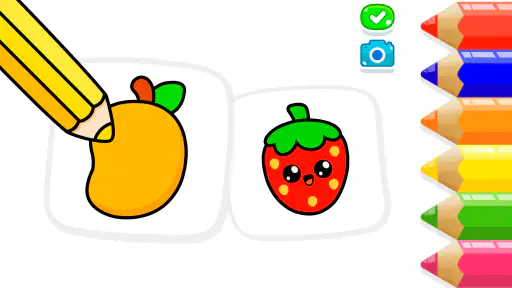
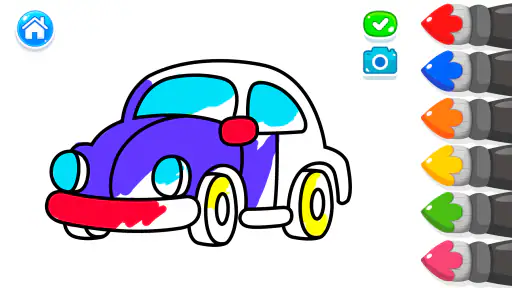
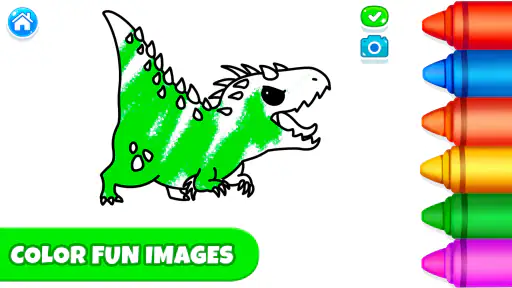
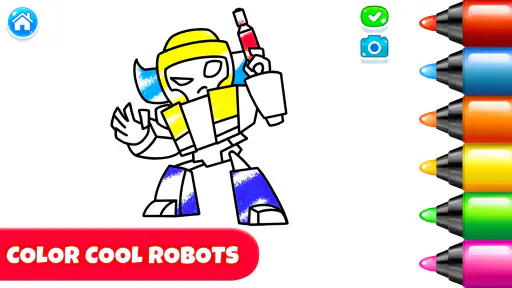
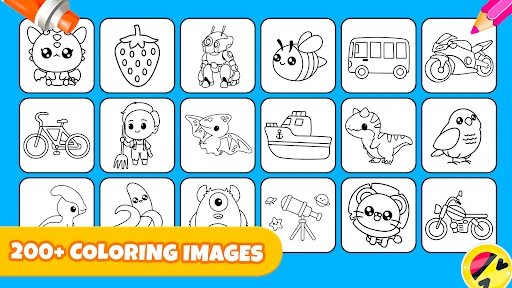
As soon as you fire up the Kids Coloring Pages For Boys, you're greeted with a user-friendly interface that even the youngest of users can navigate effortlessly. The app boasts an extensive collection of coloring pages, each one teeming with exciting themes like cars, robots, and superheroes. It’s like opening a treasure chest filled with endless possibilities!
Easy Peasy Navigation
One of the things I absolutely love about this app is how intuitive it is. Kids can easily choose their favorite coloring page and start coloring with just a tap. The color palette is diverse, offering a myriad of shades to choose from, which means they can mix and match colors to their heart's content. And hey, if they make a mistake, the undo button is their best friend!
A Safe Haven for Creativity
What’s more, parents can rest easy knowing that the app is a safe space for their kids. There are no intrusive ads or in-app purchases, which means your little artists can enjoy their creative journey without any distractions. Plus, the offline mode ensures that the fun doesn’t stop even when there’s no internet connection.
I also appreciate the app's attention to detail. The illustrations are crisp and clear, making it easy for kids to stay within the lines and develop their fine motor skills. It's an educational experience disguised as playtime, which is a win-win in my book!
Share the Joy
Once the masterpiece is complete, the app allows kids to save their work or share it with family and friends. This feature not only boosts their confidence but also lets parents witness their child's progress and creativity firsthand. It's always a joy to see a child's face light up when they show off their latest creation.
In conclusion, Kids Coloring Pages For Boys is an app that I’d highly recommend to any parent looking to keep their kids engaged in a productive way. It combines entertainment with education, making it a perfect tool for nurturing creativity in young minds. So, if you're on the lookout for an app that offers both fun and value, this is definitely worth checking out. Happy coloring!
Choosing it for your child
I would especially consider this game for a child who likes vehicles, robots, superheroes, and other picture-led activities, or for a beginner who is more comfortable filling an outlined image than drawing from scratch. The title’s focus on boys may suggest a narrow audience, but coloring itself is not limited by gender; what matters is whether the child likes the themes and enjoys this kind of activity. With a 4.6 average from around 9,900 ratings and more than 10 million installs, it has clearly found a broad audience, though popularity alone cannot tell you whether its pages suit your child.
It may be a poor fit for a child who wants complex drawing tools, collaborative play, or a game with challenges and progression. I would also skip it during moments when you need guaranteed quiet: a child may finish a picture quickly, dislike the available choices, or simply prefer something away from a screen. Its educational value is best understood as practice in choosing colors, coordinating taps, and making visual decisions, not as a replacement for hands-on art materials or structured lessons.
Small habits that make coloring go better
A few practical habits can make the activity smoother. Let the child choose a picture before setting a timer, then ask what they want to color first; this gives them a manageable starting point without dictating the result. If they keep undoing their work, suggest making a deliberately unusual color choice on one small part of the picture. That turns the control into a way to explore rather than a tool for chasing a perfect page.
For a child who struggles to stay within shapes, I would avoid framing the picture as a test of neatness. Invite them to focus on one area at a time and treat color choices as the goal. The clear illustrations can support careful hand-eye coordination, but a touchscreen does not provide the same resistance or grip practice as a crayon. A useful trade-off is to alternate: use the app when portability matters, then offer paper when the child wants a more tactile activity.
Recovering when the session goes off track
If the app closes, freezes, or seems unresponsive, I would pause before trying several fixes at once. Reopen it, check whether other apps are using the device heavily, and try a simple interaction again. If the issue repeats, restarting the device and checking for an available app update are sensible general steps. These checks can help distinguish a temporary device hiccup from a problem that appears every time the game is used.
If a child says a finished picture has disappeared, first look for the app’s own save option and give them time to complete that action before leaving the page. I would not promise that every drawing is stored permanently or can be recovered later; a practical safeguard is to show the child how to save when they finish and, if the work matters, check the result before closing the game. Treat sharing as a choice for an adult to supervise, especially when a young child is using a device shared with family members.
What the popularity and cost mean in practice
Piggy Panda Inc’s coloring game is free to start, while optional purchases range from $1.99 to $59.99 per item. I would not treat the presence of a free download as proof that every available choice is included at no cost. Before a child explores on their own, set a clear household rule about purchases and use the device’s purchase safeguards. That small setup step is more useful than trying to explain a surprise checkout after it appears.
The game has 36 written reviews alongside its much larger rating count, so I would read broad popularity as a sign that many families have tried it, not as a guarantee of a particular experience. A quick trial with the child is still the best test: do they find a page they want to color, understand the basic controls, and ask to return to it? If not, there is little reason to keep it installed just because it is widely used.
When a different activity is the better choice
Choose paper coloring when the child needs a screen break, wants to display a finished page on the fridge, or benefits from practicing a physical pencil grip. Choose a blank-canvas drawing app when inventing original scenes matters more than coloring outlines. Choose this game when portability, quick access to themed pages, and the freedom to try colors without wasting paper are the priorities. There is no universal winner; the right option depends on what the child is trying to do that day.
My practical verdict is that this is a convenient, approachable coloring option for families who want a low-pressure digital activity and whose child likes the pictures on offer. I would introduce it with a short demonstration, keep purchases adult-controlled, and avoid relying on it as the only activity for a long wait. If the child enjoys choosing colors and finishing a page, it can earn a place in a rotation of creative activities; if they want tactile tools or open-ended drawing, paper and a different app are better choices.
Kids Coloring Pages For Boys Pros and Cons
Pros
- Rich variety of coloring pages
- Engages kids with interactive features
- Easy-to-use interface for children
- Regular updates with new content
- Supports offline coloring activities
Cons
- Limited color palette options
- In-app purchases can be intrusive
- Ads may disrupt the experience
- Some features require internet
- Limited advanced drawing tools
This Game in Other Languages
Frequently Asked Questions
What age group is Kids Coloring Pages For Boys suitable for?
Kids Coloring Pages For Boys is designed primarily for young boys aged 3 to 10 years old. The app features a variety of coloring pages that cater to different interests and skill levels within this age range, making it an engaging and educational tool for developing creativity and fine motor skills.
Does Kids Coloring Pages For Boys require an internet connection?
No, Kids Coloring Pages For Boys does not require an active internet connection to function. Once downloaded, all coloring pages and features are available offline, allowing children to enjoy the app without needing Wi-Fi or data, which is ideal for on-the-go entertainment.
Are there in-app purchases or ads in Kids Coloring Pages For Boys?
Yes, Kids Coloring Pages For Boys includes both in-app purchases and advertisements. While the app offers a selection of free coloring pages, additional content and features can be unlocked through purchases. Ads may appear intermittently, though there is an option to remove them via a paid upgrade.
Is Kids Coloring Pages For Boys available on both Android and iOS platforms?
Yes, Kids Coloring Pages For Boys is available for download on both Android and iOS devices. Users can find the app on the Google Play Store and the Apple App Store. Ensure your device meets the minimum system requirements for optimal performance before downloading.
How does Kids Coloring Pages For Boys ensure child safety?
Kids Coloring Pages For Boys prioritizes child safety by implementing a kid-friendly interface and parental controls. These features help prevent accidental purchases and restrict access to external links. Additionally, the app is free from any inappropriate content, ensuring a safe and enjoyable experience for young users.


